



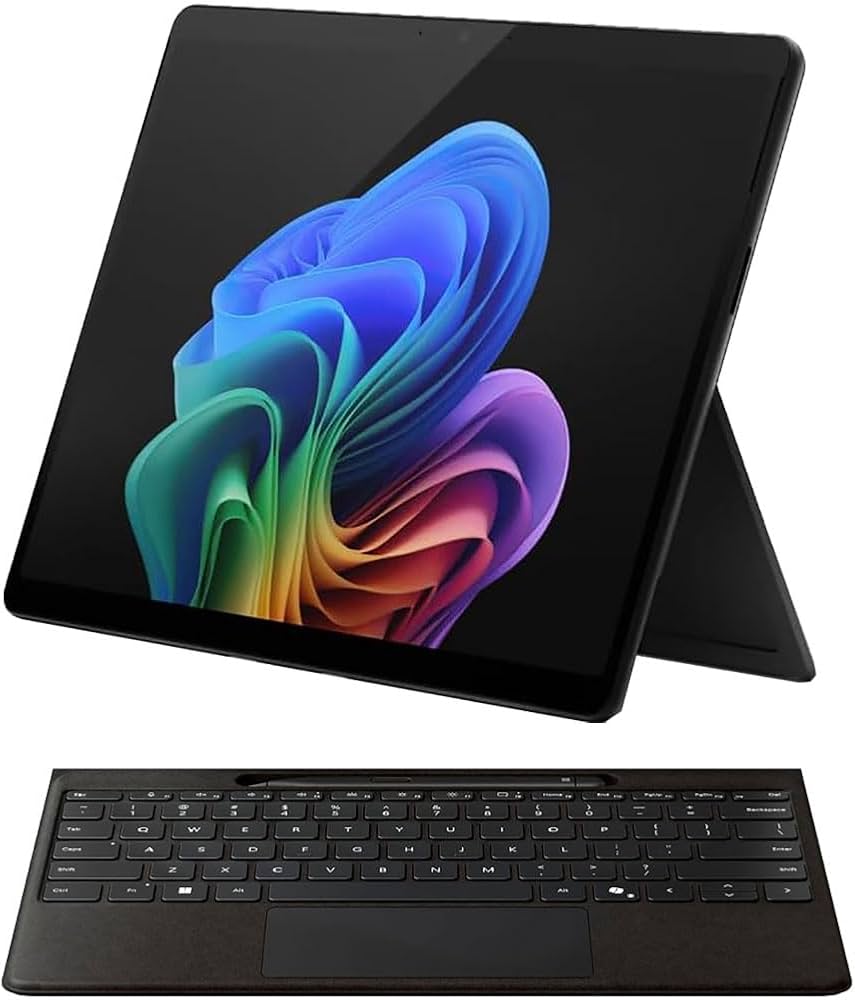
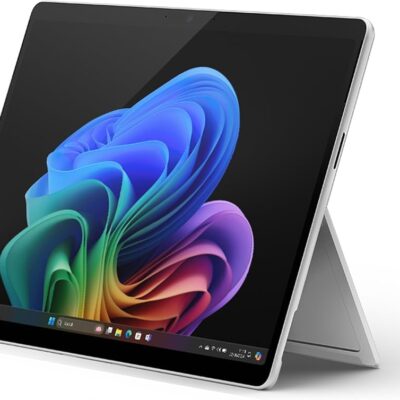
Microsoft Surface Pro 11th Edition Copilot+ PC Snapdragon X Elite – Powerful & Premium 16GB RAM, 1TB SSD
Original price was: KSh 275,000.00.KSh 272,000.00Current price is: KSh 272,000.00.
- 💻 Microsoft Surface Pro 11th Edition Copilot+ PC – Premium portable Windows computing.
- ⚡ Snapdragon X Elite 12-Core – Modern processor platform for compatible productivity workloads.
- 🧠 16GB LPDDR5x RAM – Supports everyday multitasking.
- 📌 Onboard Memory – Plan your memory requirements before purchase.
- 🚀 1TB SSD Storage – Generous space for applications, work, and personal files.
- 🖥️ 13-Inch Display – Compact form factor for work and study.
- 🤖 Copilot+ PC – Supports compatible AI-powered Windows experiences.
- 🪟 Windows 11 Home – Familiar environment for everyday computing.
- ⌨️ Keyboard Included – Convenient for typing and productivity.
- 🖊️ Pen Included – For supported note-taking and pen-enabled applications.
- 🎨 Graphite Finish – Sleek, professional appearance.
- 🛡️ 1-Year Warranty – Subject to applicable warranty terms.
- 🛒 Shop with Ring-Us Technologies – Visit www.ringus.co.ke.
Microsoft Surface Pro 11th Edition Copilot+ PC Snapdragon X Elite – Powerful & Premium 16GB RAM, 1TB SSD
Discover versatile, modern computing with the Microsoft Surface Pro 11th Edition Copilot+ PC, a premium Windows device designed for productivity, portability, and flexible working. Powered by the Snapdragon X Elite 12-Core processor, this configuration combines 16GB LPDDR5x onboard memory, a spacious 1TB SSD, and Windows 11 Home in a sleek Graphite finish.
The included keyboard and pen combo adds versatility, making this device suitable for users who want to type documents, navigate applications, take notes, and work with supported pen-enabled features.
With its 13-inch display, compact form factor, and modern Copilot+ PC platform, the Surface Pro 11th Edition is an attractive option for entrepreneurs, business professionals, students, freelancers, and people who value a portable computing experience.
Whether you are preparing business reports, attending online meetings, researching, managing projects, or organising your daily work, this Surface Pro offers a flexible platform for compatible applications and productivity tools.
Microsoft Surface Pro 11th Edition Specifications
| Feature | Details |
|---|---|
| Brand | Microsoft |
| Product | Surface Pro 11th Edition Copilot+ PC |
| Processor | Snapdragon X Elite 12-Core |
| RAM | 16GB LPDDR5x |
| Memory configuration | Onboard RAM |
| Storage | 1TB SSD |
| Display size | 13 inches |
| Operating system | Windows 11 Home |
| Colour | Graphite |
| Accessories | Keyboard and pen combo included |
| Warranty | 1 year |
| Device category | Portable 2-in-1 Windows device |
Please note: The exact display resolution, refresh rate, SSD interface, battery capacity, and individual accessory model numbers have not been provided. Confirm these details and the exact unit configuration before purchasing if they are important to your needs.
1. Snapdragon X Elite 12-Core Processor for Powerful Productivity
The Microsoft Surface Pro 11th Edition is powered by the Snapdragon X Elite 12-Core processor, a platform developed for modern Windows computing.
Its 12-core design provides a foundation for handling demanding everyday productivity workloads and compatible applications. It is designed for users who want a responsive computing experience while working across documents, browser tabs, communication tools, and other business applications.
For entrepreneurs, the processor can support everyday business administration, online research, spreadsheet work, and compatible financial or customer-management applications.
For students, it can provide a suitable platform for assignments, presentations, online learning, and research, subject to software requirements.
Professionals who work remotely can use compatible productivity tools, communication platforms, and project-management applications to organise their daily responsibilities.
The Snapdragon X Elite platform also supports the Windows on Arm environment. However, application compatibility should be considered before purchasing, particularly if you depend on specialised software developed primarily for traditional Intel or AMD processors.
Check compatibility for essential accounting applications, engineering software, older business programs, device drivers, development tools, and other specialist applications.
For official processor information, visit the Qualcomm Snapdragon X Series website.
2. 16GB LPDDR5x RAM for Smooth Multitasking
The Surface Pro 11th Edition comes with 16GB LPDDR5x RAM, providing memory capacity for a wide range of productivity, communication, and everyday computing activities.
RAM allows your computer to keep active applications and information readily available while you work. Adequate memory can help support switching between documents, research tabs, presentations, and compatible communication applications.
This configuration is suitable for many users who need to manage several tasks throughout the day.
What can you do with 16GB RAM?
- Business operations: Work with documents, spreadsheets, reports, presentations, and compatible business applications.
- Online research: Keep research materials and browser tabs available while preparing documents.
- Freelancing: Manage client communication, writing assignments, administrative tasks, and project files.
- Virtual assistance: Handle email, scheduling, document preparation, and supported online platforms.
- Education: Prepare assignments, access learning materials, and participate in online classes.
- Programming: Work with compatible code editors and development tools, depending on the requirements of your projects.
- Digital content work: Organise creative projects and use compatible editing applications within their hardware requirements.
The memory is onboard, so do not assume that the RAM can be upgraded later. If your work is likely to require substantially more memory, choose a configuration that meets your expected workload from the beginning.
3. Spacious 1TB SSD Storage for Work and Personal Files
With 1TB SSD storage, the Microsoft Surface Pro 11th Edition offers substantial space for applications, business documents, presentations, photographs, project files, research materials, and other digital content.
Storage capacity matters for professionals who prefer keeping their important files available locally rather than relying entirely on online services.
For students, 1TB can accommodate a substantial collection of coursework, learning resources, research documents, and personal files.
For entrepreneurs, it provides room for business records, reports, presentations, and working documents.
For freelancers, the capacity can be useful for organising client projects, reference materials, drafts, and other work-related resources.
An SSD can also provide responsive access to files and applications. Actual performance depends on the specific drive, its interface, the software being used, and the overall device configuration.
Managing your storage effectively
Even with 1TB available, it is good practice to organise files into clear folders and remove unnecessary downloads periodically.
Keep a separate backup of important documents, especially business records, academic work, and client files. Suitable cloud storage or an external backup drive can provide additional protection if your device is lost or damaged.
Because the supplied specifications do not identify the SSD interface or confirm user-replacement options, verify the exact configuration before assuming that the storage can be upgraded.
4. 13-Inch Display for Portable Productivity
The 13-inch display offers a practical screen size for users who need a portable device for work, study, and everyday computing.
A compact display can be convenient for working at a desk, travelling between meetings, attending classes, or accessing documents in shared workspaces.
The screen size is suitable for many common activities, including reading documents, preparing presentations, browsing websites, managing spreadsheets, and participating in compatible video-conferencing applications.
The device’s Surface Pro form factor also makes it an appealing choice for users who prefer a more flexible alternative to a conventional laptop.
The precise display resolution, refresh rate, brightness, and panel technology have not been specified in the supplied details. Check the exact model’s specifications if you require particular visual characteristics for photography, design, video work, or other specialist tasks.
5. Included Keyboard and Pen Combo for Greater Flexibility
One of the practical advantages of this configuration is the inclusion of a keyboard and pen combo.
These accessories provide additional ways to interact with the device, making it useful for different working styles.
Keyboard for typing and productivity
The keyboard is useful for writing reports, preparing assignments, responding to emails, creating presentations, and managing business documents.
For professionals who spend significant time typing, a compatible keyboard can make the device more practical for extended productivity sessions.
It can also help students prepare notes and complete written coursework more comfortably than relying entirely on on-screen typing.
Pen for notes and supported creative tasks
The included pen can be useful for handwritten notes, annotating compatible documents, sketching, and interacting with supported pen-enabled applications.
Students may find it helpful when marking up study materials or recording ideas.
Business professionals can use supported digital-ink features when reviewing documents or organising meeting notes.
Creative users may appreciate pen-based interaction for sketching and other compatible workflows, although performance depends on the software and pen capabilities.
The exact keyboard and pen models have not been specified. Confirm their compatibility, included features, and condition with the seller before purchase.
6. Copilot+ PC for Modern AI-Assisted Computing
The Microsoft Surface Pro 11th Edition is identified as a Copilot+ PC, placing it within Microsoft’s category of Windows computers designed to support compatible AI-powered experiences.
AI-assisted tools can help users approach certain tasks more efficiently, depending on the application, feature availability, software version, and regional requirements.
For example, supported tools may assist with drafting content, summarising information, organising ideas, or working with digital material.
Benefits for business professionals
AI-assisted workflows may help with preparing first drafts of routine communications, structuring meeting notes, or organising information for reports.
Users should review generated content carefully before relying on it for business decisions or sharing it with clients.
Benefits for students
Compatible tools may assist with organising research, outlining assignments, or reviewing learning materials.
Students should follow their institution’s academic-integrity rules and verify information against reliable sources.
Benefits for freelancers
Writers, virtual assistants, and digital professionals may use compatible AI features to support brainstorming, planning, and routine content tasks.
The exact features available depend on Windows updates, application support, language, region, account requirements, and other applicable conditions.
For more information, visit the official Microsoft Copilot+ PCs website.
7. Windows 11 Home for Everyday Computing
The Surface Pro 11th Edition comes with Windows 11 Home, providing a familiar environment for everyday productivity and compatible Windows applications.
Users can organise their files, manage applications, browse the internet, prepare documents, and access supported online services.
Windows 11 Home is suitable for many home users, students, independent professionals, and small-business users whose requirements match the edition.
Before purchasing, consider whether your work requires advanced business-management or organisational features that may be available only through Windows 11 Pro or other suitable services.
Because this device uses a Snapdragon processor, application compatibility is also important. Some traditional Windows applications work through emulation, while others have native Arm versions or may have limitations.
Check that your essential software, peripherals, printer utilities, VPN tools, and specialist applications are supported.
For official information, visit the Microsoft Windows 11 website.
8. Graphite Finish with a Premium Professional Look
The Graphite finish gives the Microsoft Surface Pro 11th Edition a refined, understated appearance that fits naturally into professional and personal environments.
Its neutral colour can complement a modern office, home workspace, university setting, or business meeting.
For entrepreneurs and professionals, appearance may be a small but welcome part of choosing a device that accompanies them throughout the working day.
Using a suitable protective sleeve and cleaning the device according to the manufacturer’s recommendations can help preserve its finish.
Avoid unapproved cleaning chemicals and excessive moisture, and protect the screen and accessories during transport.
9. A Practical Choice for Students and Education
Students need a computing device that supports research, writing, communication, and the organisation of academic work.
The Microsoft Surface Pro 11th Edition combines a Snapdragon X Elite processor, 16GB RAM, and 1TB SSD storage in a portable Windows environment.
It can support compatible word-processing applications, spreadsheets, presentations, online learning platforms, digital research, and other academic tasks.
The included keyboard makes extended typing more practical, while the pen provides another way to interact with supported applications and annotate digital materials.
The 1TB storage capacity also offers room for coursework, reference documents, presentations, and personal files.
Students studying technical subjects should check their course requirements carefully. Engineering, specialised design, scientific computing, and certain programming courses may require software or peripherals with specific compatibility needs.
10. Business Productivity for Entrepreneurs and Professionals
Entrepreneurs and professionals often need a device that can support administrative tasks while remaining convenient to carry.
The Microsoft Surface Pro 11th Edition can be used for compatible business applications, preparing quotations, creating reports, organising spreadsheets, reviewing presentations, and communicating with customers or colleagues.
The keyboard and pen combo offers flexibility for both typing-intensive work and supported handwritten notes.
For consultants and professionals who work at multiple locations, a portable device can make it easier to access documents and prepare for meetings.
Small businesses should also consider their requirements for backups, account security, device management, and application compatibility.
If the device will be used to access sensitive company information, follow suitable security practices and verify that it meets the organisation’s IT policies.
11. Suitable for Freelancers and Remote Workers
Freelancers often work across different applications and responsibilities, so flexibility is an important consideration.
The Surface Pro 11th Edition may suit writers, virtual assistants, researchers, digital marketers, consultants, and other professionals whose workflows rely on compatible applications and online services.
Freelance writing and editing
Writers can use compatible word processors, research tools, document-sharing services, and reference materials to organise their projects.
The included keyboard is useful for extended writing sessions, while the pen may assist with reviewing or annotating supported documents.
Virtual assistance
Virtual assistants can use compatible scheduling systems, email applications, spreadsheets, communication tools, and online administrative platforms.
The device’s portability may be useful when moving between home, an office, and client meetings.
Digital marketing
Digital marketers can manage compatible content calendars, campaign documents, social media platforms, reporting tools, and online research.
More demanding creative work will depend on the specific software, project size, and hardware-acceleration support.
Remote work and communication
Compatible video-conferencing and collaboration applications can help users stay connected with clients and colleagues.
For regular meetings, verify the exact camera, microphone, speaker, and connectivity specifications of the device rather than assuming particular hardware features.
12. Programming and Technical Work
The Snapdragon X Elite platform can support a range of development workflows, but compatibility should be evaluated according to the software you intend to use.
Web development, scripting, coding with compatible editors, and other supported development activities may be suitable.
However, development tools vary in their support for Windows on Arm. Developers should check compatibility for their preferred IDEs, SDKs, databases, package managers, programming libraries, command-line tools, virtual machines, and containers.
Some tools may offer native Arm versions, while others may require emulation or alternative configurations.
If your work relies on specialist engineering software, particular virtualisation tools, or demanding local development environments, confirm compatibility before making a purchase.
The 16GB onboard RAM configuration should also be considered when choosing applications that require substantial memory.
13. Everyday Computing, Entertainment, and Personal Use
Beyond professional work, the Microsoft Surface Pro 11th Edition can serve as a general-purpose Windows device for compatible everyday applications.
Users can browse websites, organise photographs and documents, manage personal finances, communicate online, and access supported entertainment services.
Its 1TB storage provides room for a broad collection of personal files and installed applications, while the included keyboard makes conventional typing convenient.
Media playback, gaming, and other graphics-intensive activities depend on the particular application and its requirements. This device should not automatically be treated as a dedicated gaming workstation or a substitute for hardware designed specifically for demanding graphics workloads.
For everyday computing and compatible productivity tasks, it offers a flexible platform that can fit both personal and professional routines.
14. Responsible Maintenance and Long-Term Value
Looking after a computer can help extend its useful life and protect the value of your purchase.
Keep the device clean, avoid excessive heat and moisture, install supported software updates, and use suitable protection when travelling.
Back up important files regularly. Business records, academic work, and client documents should not exist only on one device.
Because the RAM is onboard, plan your memory requirements carefully before purchasing. Likewise, confirm the SSD’s serviceability before assuming it can be upgraded or replaced.
When the device eventually reaches the end of its useful life, consider refurbishment, reuse, or responsible electronics recycling through an appropriate programme.
Maintaining devices, extending their useful life, and handling electronic waste responsibly can reduce unnecessary waste and make better use of the resources invested in computing equipment.
15. Microsoft Surface Pro 11th Edition Compared with Other Devices
Choosing the right computer depends on how you work, the applications you need, your portability preferences, and your future requirements.
| Feature | Surface Pro 11th Edition | Conventional laptop | Desktop computer |
|---|---|---|---|
| Processor | Snapdragon X Elite 12-Core | Varies by configuration | Varies by configuration |
| RAM | 16GB LPDDR5x onboard | Varies by model | Varies; upgrade options depend on the system |
| Storage | 1TB SSD | Varies by configuration | Varies by configuration |
| Operating system | Windows 11 Home | Depends on configuration | Depends on configuration |
| Form factor | Portable Surface Pro device | Integrated laptop design | Usually stationary |
| Input accessories | Keyboard and pen combo included with this offer | Integrated keyboard; pen support varies | Typically uses separate peripherals |
| Portability | Designed for portable computing | Depends on size and weight | Usually less portable |
| Upgradeability | RAM upgrade should not be assumed | Depends on the model | Often offers more expansion options |
| Best suited to | Portable productivity and compatible applications | A wide range of everyday and specialist tasks | Fixed workspaces and suitable expandable workloads |
This is a general comparison, not a performance benchmark. Actual speed, application compatibility, battery life, and upgrade options depend on the exact devices.
Is this Surface Pro configuration right for you?
Consider this model if you want a premium portable Windows device with a Snapdragon X Elite processor, 16GB RAM, 1TB SSD storage, and an included keyboard and pen combo.
If you rely on specialist software, verify Windows on Arm compatibility before purchasing.
If you regularly need substantial memory expansion, extensive internal hardware upgrades, or specialist graphics capabilities, compare the Surface Pro with other laptops and desktops that better match those requirements.
Frequently Asked Questions
1. Which processor does the Microsoft Surface Pro 11th Edition use?
This configuration is specified with the Snapdragon X Elite 12-Core processor.
2. How much RAM does it have?
It comes with 16GB LPDDR5x RAM. The memory is onboard, so you should not assume that it can be upgraded.
3. How much storage is included?
The supplied specifications list a 1TB SSD, providing space for applications, documents, work files, and personal content.
4. Does the package include a keyboard and pen?
Yes. The supplied product description includes a keyboard and pen combo. Confirm the exact accessory models and package contents with the seller.
5. Does it run Windows 11?
Yes. The supplied configuration comes with Windows 11 Home.
6. Is it suitable for business use?
It can suit many business workflows, including documents, spreadsheets, reports, presentations, communication, and compatible business applications.
7. Can students use it for assignments and research?
Yes. It can support compatible word-processing applications, online research, presentations, learning platforms, and other academic activities. Students should verify specialist course-software requirements.
8. Is it suitable for programming?
It can support selected programming workflows. Confirm that your development tools, libraries, SDKs, and other dependencies support Windows on Arm or offer a suitable compatibility option.
9. Is the RAM upgradeable?
The RAM is onboard, so an upgrade should not be assumed. Choose your memory configuration based on your expected needs.
10. Can the SSD be upgraded?
The supplied information does not confirm whether the SSD is user-replaceable or upgradeable. Check the exact model’s service documentation before planning an upgrade.
11. What colour is this configuration?
This model is listed in Graphite.
12. What warranty is included?
The supplied details state a one-year warranty. Confirm the warranty provider, coverage, exclusions, and service conditions before purchasing.
13. Where can I purchase this Microsoft Surface Pro?
Visit Ring-Us Technologies to explore available computing devices. Confirm current stock, configuration, included accessories, and warranty details before ordering.
Final Thoughts
The Microsoft Surface Pro 11th Edition Copilot+ PC Snapdragon X Elite 12-Core combines a modern processor platform, 16GB LPDDR5x onboard RAM, 1TB SSD storage, and Windows 11 Home in a portable 13-inch device.
The included keyboard and pen combo adds flexibility for typing, note-taking, document annotation, and other supported workflows.
For entrepreneurs, students, professionals, and freelancers, it may be a valuable choice for compatible productivity applications and everyday computing.
Before purchasing, make sure the onboard memory meets your needs and that your essential software supports the Snapdragon Windows environment.
Explore available technology products at Ring-Us Technologies: www.ringus.co.ke.
Related products

Lenovo Yoga 7 Core Ultra 7(155U)16gb/1TBssd


HP Omen 16-wf Gaming Laptop


MacBook Pro 2018 – Powerful, Sleek & Super Reliable (i5 | 16GB | 256GB)
???? MacBook Pro 2018 (Core i5 | 16GB RAM | 256GB SSD)
-
⚡ Powerful Performance: 8th-Gen Intel Core i5 processor delivers fast, smooth multitasking for work, study, and creativity.
-
???? Ample Memory: 16GB RAM ensures effortless multitasking with zero lag — perfect for designers, developers, and students.
-
???? Super-Fast Storage: 256GB NVMe SSD offers lightning-quick boot times and file access.
-
???? Brilliant Retina Display: 13.3″ True Tone Retina screen delivers sharp text and vibrant, true-to-life colors.
-
???? Enhanced Audio & Input: Backlit Magic Keyboard, large Force Touch trackpad, and immersive stereo speakers.
-
???? All-Day Battery Life: Reliable battery performance for productivity on the go.
-
????️ 6-Month Warranty: Includes a limited 6-month warranty for peace of mind.
-
???? Eco-Friendly Build: Energy-efficient design and recyclable aluminum enclosure.
-
???? Lightweight & Portable: Sleek, professional, and easy to carry anywhere.
-
???? Available at: www.ringus.co.ke


Asus Rog Zephyrus G14 AMD Reyzen 9 5000 Series 16GB Ram/1TB SSD

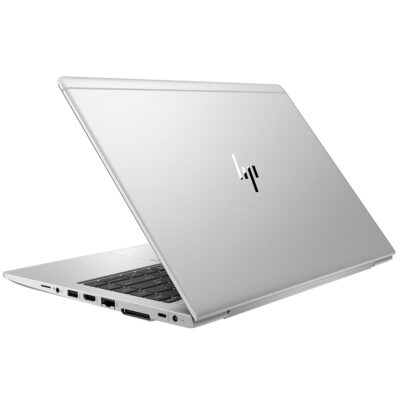
Hp Elitebook 745 G6 RYZEN 5 PRO

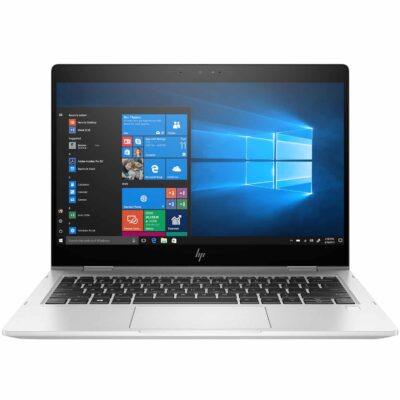
Hp elitebook 830 g7 i7 10th generation
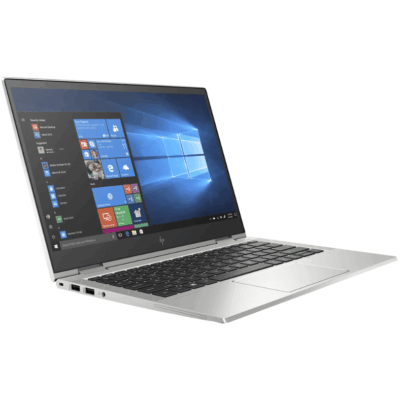
- Hp elitebook 830 g7 i7 10th generation
- Operating system: Windows 10 / 11 Pro 64-Bit Edition
- Memory: 16GB DDR4-2666 MHz RAM (1 x 8 GB) | 64 GB
- Storage: 512GB PCIe® NVMe™ Value M.2 SSD
- Optical drive: None
- Graphics Processor: Integrated, Intel® Premium UHD Graphics
- Processor: Intel® Core™ i7-10510U (1.8 GHz base frequency, up to 4.9 GHz with Intel® Turbo Boost Technology, 8 MB L3 cache, 4 cores)
- Processor Family: 10th Generation Intel® Core™ i7 processor
- Display: 13.3 Inches (33.782cm) diagonal FHD, IPS, anti-glare, WLED-backlit, eDP, 250 nits, 45% NTSC (1920 x 1080)




Reviews
There are no reviews yet.