



MacBook Pro 2018 – Powerful, Sleek & Super Reliable (i5 | 16GB | 256GB)
Original price was: KSh 48,000.00.KSh 45,000.00Current price is: KSh 45,000.00.
???? MacBook Pro 2018 (Core i5 | 16GB RAM | 256GB SSD)
-
⚡ Powerful Performance: 8th-Gen Intel Core i5 processor delivers fast, smooth multitasking for work, study, and creativity.
-
???? Ample Memory: 16GB RAM ensures effortless multitasking with zero lag — perfect for designers, developers, and students.
-
???? Super-Fast Storage: 256GB NVMe SSD offers lightning-quick boot times and file access.
-
???? Brilliant Retina Display: 13.3″ True Tone Retina screen delivers sharp text and vibrant, true-to-life colors.
-
???? Enhanced Audio & Input: Backlit Magic Keyboard, large Force Touch trackpad, and immersive stereo speakers.
-
???? All-Day Battery Life: Reliable battery performance for productivity on the go.
-
????️ 6-Month Warranty: Includes a limited 6-month warranty for peace of mind.
-
???? Eco-Friendly Build: Energy-efficient design and recyclable aluminum enclosure.
-
???? Lightweight & Portable: Sleek, professional, and easy to carry anywhere.
-
???? Available at: www.ringus.co.ke
MacBook Pro 2018 – Powerful, Sleek & Super Reliable (i5 | 16GB | 256GB)
Overview — the balanced pro you can count on
Meet the MacBook Pro 2018, a finely tuned blend of portability, performance, and premium design. Built for people who juggle spreadsheets, design assets, browser tabs, and multitasking workflows, this configuration with an 8th-generation Intel Core i5, 16GB RAM, and a 256GB SSD delivers dependability without unnecessary heft. The 2018 MacBook Pro is ideal for students, creative professionals, remote workers, and anyone who wants a pro-grade laptop that fits easily into daily life.
Load-bearing facts: Apple’s official technical specs and model pages document the CPU options, memory configurations, and SSD choices for the 2018 MacBook Pro. Apple Support+1
Why Choose This MacBook Pro:
✅ Sleek, durable, and professional design
✅ Fast performance with i5 processor and 16GB RAM
✅ Retina display for stunning visuals
✅ Lightweight and travel-friendly
✅ Ideal for students, creatives, and professionals
CPU & general performance
This MacBook Pro is equipped with an 8th-generation Intel Core i5 (quad-core) processor that performs admirably for single-threaded apps and shows its strength when handling multiple concurrent tasks. The CPU offers healthy turbo-boost headroom for heavier operations (compiles, exports, and large spreadsheets). Bench and review coverage at launch emphasized that this generation delivered a notable performance jump over earlier dual-core models, especially under multi-core loads. Laptop Mag
Real-world benefit: day-to-day tasks (web browsing with many tabs, email, Office or iWork suites, Zoom calls, light photo editing) feel snappy; heavier workloads (long video exports, large photo edits, complex code builds) complete faster than older MacBook Pro models.
RAM — 16GB explained and why it matters
Why 16GB?
RAM is the short-term memory of your system: the more you have, the more apps and browser tabs you can run at once without swapping to disk. For someone who uses:
-
dozens of browser tabs,
-
runs virtual machines or containerized dev environments,
-
edits photos in Adobe Lightroom or works with multi-GB data sets,
16GB is the sweet spot. It allows comfortable multitasking and a smoother creative workflow than the base 8GB options. macOS manages memory efficiently, but having 16GB reduces locking and disk-swap events during heavier sessions.
Technical note: On the 13-inch Touch Bar MacBook Pro 2018, Apple offered 8GB or configurable to 16GB of 2133MHz LPDDR3 onboard memory (this is soldered to the logic board). That means 16GB is factory configured rather than user-replaceable. Plan accordingly when buying. Apple Support+1
Practical tips:
-
If you do occasional heavy video editing or work with huge datasets, 16GB is recommended.
-
For purely web/email/Office use, 8GB can be passable, but 16GB extends the machine’s useful lifespan.
SSD — speed, capacity, and everyday impact
The 256GB NVMe SSD in this MacBook Pro is significantly faster than older SATA drives. Apple’s SSDs in these models were praised at release for very high read/write speeds — which translates to instant boot times, lightning-fast app launches, and quick project loads. If you store large video projects or huge photo libraries, you may find 256GB limiting; however, you can easily complement internal storage with external SSDs or cloud storage for large asset libraries.
Why SSD speed matters:
-
Faster scratch and cache operations for creative apps.
-
Quicker file transfers and exports.
-
Longer perceived snappiness for macOS overall.
Storage upgrade note: On the 2018 MacBook Pro, the SSD is often a proprietary module and in many models is not designed for user upgrades; check your exact model. If you need more internal capacity, choose larger configurations at purchase or plan to use external Thunderbolt/USB-C drives. Apple Support+1
Display — Retina + True Tone
The 13.3-inch Retina display with True Tone is one of the highlights. It offers high pixel density, excellent color reproduction, and True Tone for automatic white balance that reduces eye strain in varied lighting. For photo and design work, the Retina panel provides clarity and a very comfortable long-workday viewing experience.
Real benefits: crisp text, accurate-looking images for general use, and True Tone for comfortable viewing in mixed lighting conditions. Reviewers praised the display’s quality at the time of release. Laptop Mag
Input and sound — Magic Keyboard & speakers
This 2018 revision included improvements to the keyboard mechanism over earlier butterfly-switch problems; the keyboard is backlit and, in practice for many users, felt more reliable and comfortable. The Force Touch trackpad is large and responsive, enabling smooth gestures. Speakers are strong for a thin laptop — excellent for video calls and casual listening.
(Users with long typing sessions should still test any used machine for key feel and responsiveness.)
Battery life & portability
Battery life depends on workloads; web browsing and office use reliably get you solid daytime use, though power users running sustained heavy compute will see shorter battery runtimes. The chassis remains compact and travel friendly — you can easily slip it into a backpack or briefcase and take it on the move.
Upgradability & repairability — what to expect
Important practical point: the 2018 MacBook Pro favors a thin and integrated design that limits user upgradability. Memory (RAM) is soldered to the logic board and cannot be upgraded after purchase. The internal SSD in many models is proprietary and, for consumer intents, not designed for easy swaps. iFixit’s teardown documents how components are arranged and highlights that the machine is not as serviceable as older notebooks — repairs often require disassembly by an authorized service or experienced repair technician. If future upgradeability or easy DIY repairs are important, factor that into your decision. iFixit+1
Repair tip: For battery, display, or keyboard issues, Apple Authorized Service Providers or reputable repair shops (or Apple’s own repair programs) are typically the safest route.
Eco & sustainability credentials
Apple publishes product-level environmental reports that describe materials, energy use, and recyclability. The 2018 MacBook Pro family was covered in Apple’s environmental reporting and the company highlighted materials choices, battery chemistry (lithium-ion polymer), and recycling programs (like the Daisy disassembly robot for recovering materials). While no modern laptop is perfect from a sustainability perspective, Apple provides transparent reporting and trade-in/GiveBack programs to reduce e-waste at end of life. Apple+2Apple+2
Practical sustainability actions you can take:
-
Trade in or recycle old devices through official programs.
-
Use power-saving macOS features to reduce energy use.
-
Keep the machine longer by choosing sensible specs (like 16GB RAM) to extend its useful life.
???? Connectivity & macOS Integration
This model comes with four Thunderbolt 3 (USB-C) ports, offering blazing data transfer, charging, and external display support. You can connect to 6K monitors, eGPUs, or external storage with ease. Wi-Fi 802.11ac and Bluetooth 5.0 ensure seamless wireless performance.
Pre-installed with macOS, this laptop integrates seamlessly with the Apple ecosystem, giving you unmatched productivity tools, iCloud integration, AirDrop, Handoff, and enhanced privacy features.
???? Security and Privacy
Keep your data protected with Apple’s T2 security chip, which handles secure boot, encrypted storage, and Touch ID. Rest easy knowing your files are safe, even when working remotely.
Six-Month Warranty (included)
This listing includes a 6-month limited warranty covering major functional defects (motherboard, SSD failure, battery failing to hold reasonable charge under normal use, keyboard faults attributable to manufacturing, etc.). The warranty covers repair or replacement at our discretion and excludes accidental physical damage, liquid damage, or damage caused by unauthorized repairs. Warranty service is provided through our certified technicians — customer pays for shipping if outside pickup radius. Terms and conditions will be included with purchase and are available on request.
Comparison table — how this MacBook Pro stacks up
| Category | MacBook Pro 13 (2018) — i5, 16GB, 256GB | Dell XPS 13 (9370, 2018) — typical i5, 8–16GB, 256GB | HP Spectre x360 13 (2018) — i5/i7, 8–16GB, 256GB | Lenovo ThinkPad X1 Carbon Gen6 (2018) — i5/i7, 8–16GB, 256GB | MacBook Air (Retina, 2018) — i5, 8–16GB, 128/256GB |
|---|
| CPU (stock configuration) | 8th-gen Intel Core i5 quad-core (2.3 GHz base, Turbo to ~3.8 GHz). Good multi-core uplift vs prior dual-core MacBooks. Apple Support | Intel Core i5-8250U (quad-core U-series). Strong efficiency and good multi-thread for the class. PCPer+1 | 8th-gen Intel mobile CPUs (e.g., i5-8265U / i7-8565U depending on config). Good balance of performance + battery. PCWorld | 7th/8th-gen Intel Core i5/i7 options (config dependent); business-class tuning. Lenovo PSREF | 8th-gen dual-core Core i5 (lower power than the MBP i5 quad-core). Good for light tasks. Apple Support |
| RAM | 16GB LPDDR3 (2133 MHz) — soldered, not user-upgradeable (choose at purchase). Apple Support | 8–16GB LPDDR3/DDR4 (depends on SKU). Some SKUs soldered; upgradability varies by configuration. PCPer+1 | 8–16GB DDR4 (varies by SKU) — typically not user-upgradable in thin convertible designs. PCWorld | 8–16GB LPDDR3 (soldered on many configurations) — business focus, limited field upgrades. Lenovo PSREF | 8GB (configurable to 16GB) LPDDR3 — soldered (choose higher config if needed). Apple Support |
| Storage (stock) | 256GB NVMe SSD — very fast; proprietary module in many Apple models (limited DIY upgrade). Apple Support | 256GB PCIe NVMe SSD typical — many models use M.2 PCIe modules (some user/tech replaceable depending on unit). PCPer+1 | 256GB PCIe NVMe SSD typical; good performance; upgradability varies (often challenging). PCWorld | 256GB PCIe SSD common; some business SKUs allow easier service access than ultra-thin consumer models. Lenovo PSREF | 128GB or 256GB PCIe SSD — fast, but smaller base storage than MBP 256GB option. Apple Support |
| Display | 13.3″ Retina (2560×1600) with True Tone — excellent color and sharpness for creatives. Apple Support | 13.3″ (FHD or optional 4K) InfinityEdge display — thin bezels; high pixel density on higher tiers. Dell+1 | 13.3″ (FHD or 4K) touchscreen, convertible hinge — high quality options incl. Gorilla Glass. PCWorld | 14″ (marketed as 14″ class) IPS options — matt or HDR depending on SKU; business-grade color and brightness. Lenovo | 13.3″ Retina (2560×1600) — good quality but generally less powerful GPU and lower base RAM. Apple Support |
| Ports | Typically two or four Thunderbolt 3 (USB-C) ports depending on model — all USB-C workflow. Apple Support | USB-C / Thunderbolt 3 ports (plus adapter for USB-A if needed) — compact port selection. Dell | Mix of USB-C (Thunderbolt on some SKUs) + sometimes USB-A (depends on SKU); convertible adds pen/IR options. PCWorld | Usually 2× USB-C/Thunderbolt + proprietary ports depending on config — business IO focus with some docking support. Lenovo PSREF | Two USB-C/Thunderbolt 3 ports; no USB-A. Apple Support |
| Weight & portability | Very portable (~1.37 kg / ~3.02 lb for 13″ models; exact varies by config). Apple Support | Extremely portable (~1.27 kg / 2.8 lb for XPS 13 9370 in many configs). Dell | Portable (~1.3–1.4 kg depending on touchscreen/4K options) — convertible adds flexibility. PCWorld | Very light for business (around 1.1–1.3 kg depending on config) — designed for mobility. Lenovo | Very light (~1.25 kg / 2.75 lb-ish) — thin and easy to carry. Apple Support |
| Battery life (real-world) | Solid for day use; varies by workload — Apple optimizations give robust battery management for macOS. Apple Support | Strong battery life for FHD models; 4K screens reduce runtime. PCPer | Good battery for mixed use; 4K touch options will reduce endurance. PCWorld | Excellent battery life in many SKUs (marketed for business all-day use). Lenovo | Good all-day for light use; lower RAM/CPU reduces power draw on light tasks. Apple Support |
| Upgradability / Repairability | Low — RAM soldered, SSD proprietary in many SKUs; repairs often require authorized service. Apple Support+1 | Moderate — some models allow SSD replacement; RAM may be soldered in thin configs. Repairability better than Apple in some service aspects. PCPer+1 | Low — thin convertible design limits DIY upgrades; serviceable by pros only. PCWorld | Moderate for business notebooks — Lenovo traditionally offers easier service access than some ultra-thin competitors, but RAM often soldered. Lenovo PSREF | Low — RAM soldered; storage configurable only at purchase; limited DIY repairs. Apple Support |
| Typical target buyer | Creatives, pros who want macOS, and users who value display + build quality. Apple Support | Buyers who want Windows ultrabook with tiny bezels and good performance per weight. Dell | Users who want a convertible/touch experience with premium design. PCWorld | Business users who prioritize portability, keyboard, and manageability. Lenovo | Students and light users who want macOS in a thinner, lighter package at lower price than MBP. Apple Support |
FAQs (frequently asked questions)
Q: Is the RAM upgradeable?
A: No — the RAM is soldered to the logic board on the 2018 MacBook Pro. If you need more than 16GB, purchase a higher specification at the point of sale. Apple Support
Q: Can I replace the SSD myself?
A: In many 2018 MacBook Pro models the SSD is a proprietary module and not designed for easy user replacement. iFixit’s teardown shows the internal layout and the repair complexity; for safe upgrades, consult an authorized service provider. iFixit
Q: What macOS version will run on this machine?
A: The 2018 MacBook Pro supports many modern macOS releases; Apple’s model pages identify compatible OS versions. The machine is compatible with recent macOS versions up to the latest supported releases (check Apple’s compatibility pages for exact cutoffs). Apple Support+1
Q: How long does the battery last?
A: Battery life depends on usage. For everyday browsing and productivity you’ll get multi-hour use; sustained heavy CPU/GPU tasks will shorten runtime. We inspect battery health before sale and provide the current battery cycle count and health report on request.
Q: Do you ship internationally?
A: Check our store policy at www.ringus.co.ke
Related products

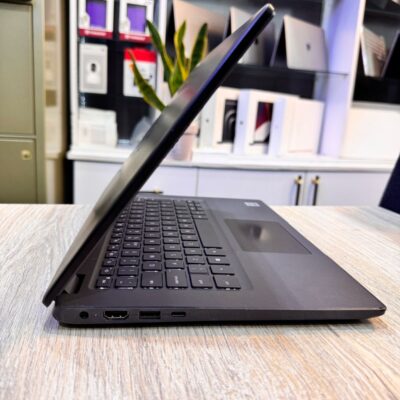
Dell latitude 3410 core i5 10th gen 512ssd /8gb

Asus Rog Zephyrus G14 AMD Reyzen 9 5000 Series 16GB Ram/1TB SSD


MacBook Pro 2023 M3 Pro Chip/18GB Ram/512GB SSD
- MacBook Pro 2023 M3
- Apple M3 Pro 12-Core Chip
- 18GB Unified RAM | 512GB SSD
- 16" 3456 x 2234 Liquid Retina XDR Screen
- 18-Core GPU | 16-Core Neural Engine
- Wi-Fi 6E (802.11ax) | Bluetooth 5.3
- Thunderbolt 4 | HDMI | MagSafe 3
- SDXC Slot | FaceTime HD 1080p Camera
- Backlit Magic Keyboard
- Force Touch Trackpad | Touch ID Sensor
- macOS
- Open Box
- 6 Months Warranty

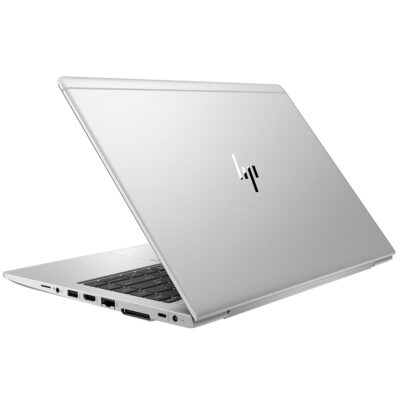
Hp Elitebook 745 G6 RYZEN 5 PRO

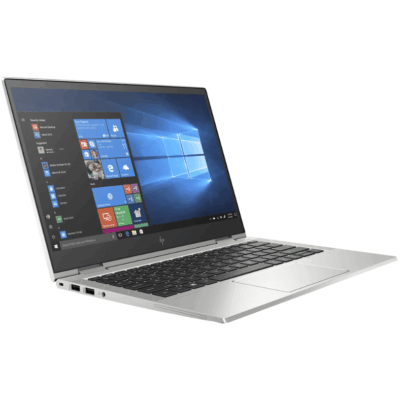
HP ELITEBOOK 830 G6 i5 8th Gen 8GB/256GB


Microsoft Surface Laptop 4

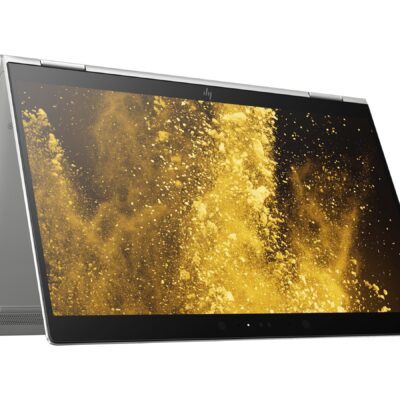
Hp Elitebook x360 1030 G3
- HP ELITEBOOK X360 1030 G3
- Operating system: Windows 10 Pro 64-Bit Edition
- Memory: 16GB LPDDR3-2133 MHz SDRAM
- Storage: 512GB M.2 SATA SED SSD
- Optical drive: No optical drive
- Graphics Processor: Integrated: Intel® UHD Graphics 620
- Processor: Intel® Core™ i5-8250U (1.6GHz base frequency, up to 3.4GHz with Intel® Turbo Boost Technology, 6 MB cache, 4 cores)
- Processor Family: 8th Generation Intel® Core™ i5 processor
- Display: 13.3 Inches (33.8 cm) diagonal FHD IPS eDP + PSR anti-glare LED-backlit touch screen, direct bonded with Corning® Gorilla® Glass 4, 700 cd/m², 100% sRGB (1920 x 1080); HP Sure View Integrated Privacy Screen
- Condition: Boxed Sealed
- Warranty: 6 Months



Reviews
There are no reviews yet.