



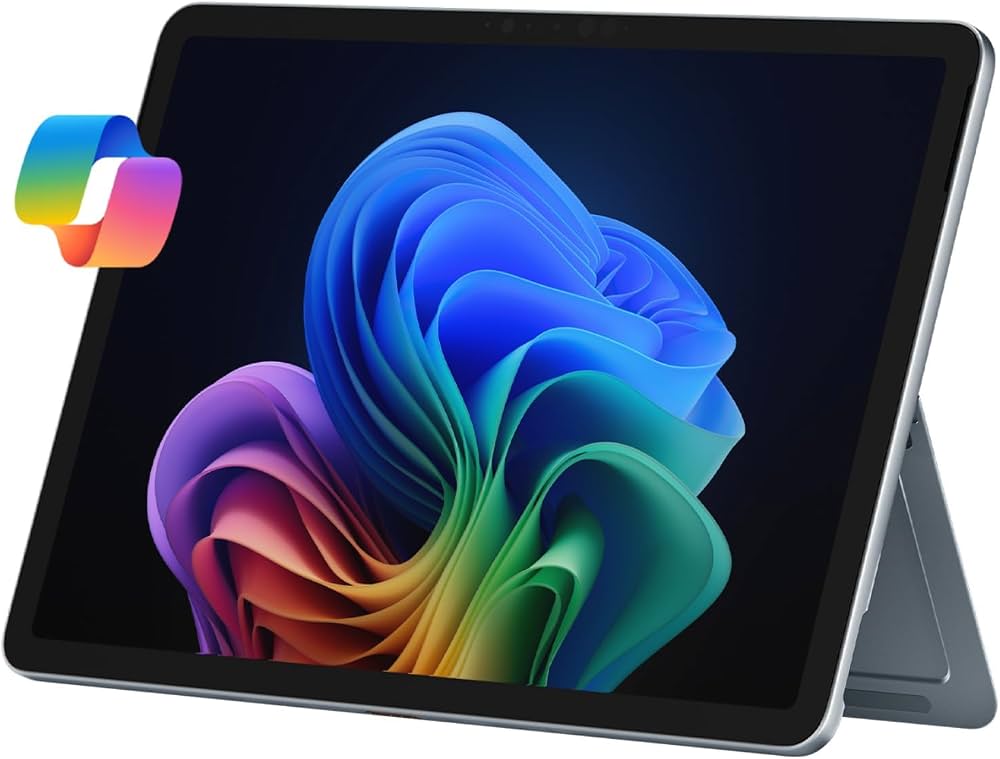
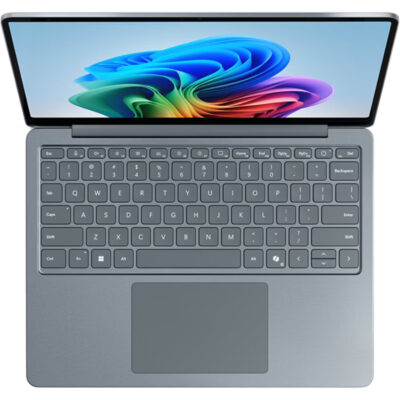
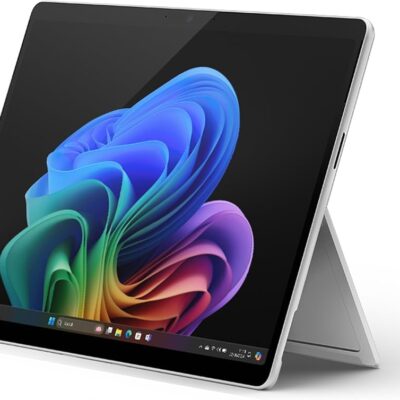
Microsoft Surface Pro 12 Copilot+ PC – Powerful & Premium Snapdragon X Plus 2-in-1 Device
Original price was: KSh 150,000.00.KSh 145,000.00Current price is: KSh 145,000.00.
✨ Microsoft Surface Pro 12 Copilot+ PC – Powerful & Premium Compact Computing Device
- ⚡ Snapdragon X Plus 8-Core – Arm-based processing for compatible applications.
- 🧠 8GB LPDDR5x RAM – Onboard memory for everyday productivity.
- 💾 256GB UFS Storage – Space for essential applications and files.
- 🖥️ 12-Inch Display – Compact format for mobile computing.
- 🤖 Copilot+ PC – Supports compatible Windows AI experiences.
- 🪟 Windows 11 Home – Familiar operating system for everyday tasks.
- ⚪ Platinum Finish – Clean, professional styling.
- 🎓 Suitable for Students – Useful for research, reading, and compatible learning applications.
- 💼 Ideal for Everyday Productivity – Supports compatible office and administrative tools.
- ⌨️ Flexible Accessory Options – Confirm keyboard and stylus inclusion before purchase.
- 🛡️ 1-Year Warranty – Subject to the applicable warranty terms.
- 🛒 Shop with Ring-Us Technologies – Visit www.ringus.co.ke for laptops and technology solutions.
Microsoft Surface Pro 12 Copilot+ PC – Powerful & Premium Snapdragon X Plus 2-in-1 Device
Discover flexible, modern computing with the Microsoft Surface Pro 12 Copilot+ PC, a compact device designed for students, professionals, entrepreneurs, freelancers, and everyday users who value portability and touchscreen productivity.
Powered by the Snapdragon X Plus 8-core processor, this Surface Pro configuration combines 8GB LPDDR5x onboard RAM with 256GB UFS storage. It offers a platform for compatible productivity applications, web browsing, document creation, online communication, research, and everyday computing.
Running Windows 11 Home, the Surface Pro 12 belongs to Microsoft’s Copilot+ PC category, which supports compatible AI-powered Windows experiences. Its Platinum finish gives it a clean, professional appearance suitable for classrooms, offices, meetings, and mobile work.
The Surface Pro product family is designed around a flexible tablet-style computing experience. A compatible keyboard accessory can provide a more traditional typing setup, but buyers should confirm whether a keyboard, stylus, or other accessories are included with this particular unit.
With a one-year warranty as specified, the Microsoft Surface Pro 12 is worth considering for users who want a compact Windows device for compatible work, learning, and personal productivity.
Microsoft Surface Pro 12: Key Specifications
| Feature | Specification |
|---|---|
| Brand | Microsoft |
| Product | Surface Pro 12 |
| Category | Copilot+ PC |
| Processor | Snapdragon X Plus, 8-core |
| RAM | 8GB LPDDR5x |
| Memory configuration | Onboard |
| Storage | 256GB UFS storage |
| Display size | 12 inches |
| Operating system | Windows 11 Home |
| Colour | Platinum |
| Warranty | 1 year |
| Form factor | Surface Pro tablet-style device |
| Keyboard included | Not specified |
| Stylus included | Not specified |
| Touchscreen | Confirm exact configuration |
Important: The exact processor SKU, display resolution, touchscreen details, battery capacity, ports, and included accessories have not been supplied. Confirm these details for the exact unit before purchase.
Snapdragon X Plus 8-Core Processor
The Microsoft Surface Pro 12 is powered by the Snapdragon X Plus 8-core processor, an Arm-based computing platform designed for modern mobile devices and compatible productivity workloads.
It provides a foundation for everyday tasks such as writing documents, managing email, browsing websites, attending online meetings, and using compatible office applications. Students can use supported software for research and coursework, while professionals can manage documents and online workflows.
The overall experience depends on the software being used. Many Windows applications run natively on Arm, while certain x86 and x64 applications may use emulation. Some specialist applications, older utilities, device drivers, and peripherals may have limitations.
If you rely on specific business, academic, technical, or creative software, check that it supports Windows on Arm before purchasing. This is particularly important for users who depend on legacy applications or specialised hardware.
For more information about Snapdragon computing platforms, visit the official Qualcomm website.
8GB LPDDR5x RAM for Everyday Multitasking
The Surface Pro 12 comes with 8GB LPDDR5x RAM, providing memory for compatible everyday applications and common productivity tasks.
Users can work with documents, browse websites, manage email, attend online meetings, and use supported educational applications. The configuration is best evaluated against the applications you expect to run rather than the processor name alone.
For students and general users, 8GB RAM may be sufficient for lighter workloads such as writing, reading, web research, and basic office productivity. However, users who regularly keep many applications open or work with demanding software may benefit from considering a device with more memory.
The RAM is onboard, so buyers should not assume that it can be upgraded later. Choosing a configuration that meets your needs from the beginning is especially important when planning to keep the device for several years.
256GB UFS Storage for Essential Files
The Microsoft Surface Pro 12 includes 256GB UFS storage for applications, documents, downloads, photographs, and personal files.
UFS is a flash-storage technology used in various mobile and compact computing devices. Its performance characteristics differ from conventional NVMe SSD storage, so it should not automatically be described as equivalent to a high-performance NVMe drive.
The 256GB capacity can suit users who primarily work with documents, browser-based services, online learning platforms, and a modest selection of applications. Users with large media libraries or substantial offline software collections should consider their storage needs carefully.
Cloud storage and compatible external storage can help supplement the internal capacity. Regular backups are important for protecting work documents, school assignments, and personal information.
Storage replacement or expansion options have not been confirmed. Check the manufacturer’s service documentation for the exact model before planning any hardware changes.
Compact 12-Inch Design for Portability
The 12-inch format makes the Surface Pro 12 an appealing option for users who want a compact computing device. Its smaller form factor can be convenient for carrying between classrooms, offices, meetings, and home workspaces.
A compact screen provides a practical workspace for reading documents, reviewing presentations, browsing websites, and completing everyday tasks. The experience can be particularly convenient for users who value portability over having a large built-in display.
The Surface Pro form factor is also designed to support a flexible computing experience. With compatible accessories, users can adapt their setup to typing, reading, or viewing content.
The exact weight, dimensions, display resolution, brightness, and refresh rate have not been provided. Confirm these specifications if they are important for travel, extended reading, or specialised visual work.
Flexible Surface Pro Computing
The Surface Pro family combines a tablet-style design with support for compatible accessories that can expand its usefulness.
For reading and browsing, the compact form factor offers a convenient way to interact with compatible applications. When paired with a suitable keyboard accessory, the device can provide a more traditional setup for writing documents, replying to emails, and preparing assignments.
A compatible pen may also support handwriting, annotations, and drawing in applications designed for pen input. However, pen support, accessory compatibility, and whether a keyboard or stylus is included must be confirmed for the exact configuration.
This flexibility can appeal to students, consultants, mobile professionals, and users who move between consuming information and producing documents throughout the day.
Copilot+ PC and Supported AI Experiences
The Microsoft Surface Pro 12 is identified as a Copilot+ PC, Microsoft’s category for compatible Windows devices that meet the hardware requirements for supported AI experiences.
Depending on the installed software, region, language, and feature requirements, Copilot+ PCs can provide access to selected AI-powered productivity and creative features. Availability can vary, and not every AI feature works in every application or region.
Some experiences may require an internet connection, a Microsoft account, additional permissions, or updated software. AI features should not be assumed to be available offline or to run entirely on the device in every situation.
The supplied 8GB RAM configuration should also be considered when evaluating demanding applications. Users intending to run several resource-intensive applications alongside AI tools should check each application’s memory and hardware requirements.
For further information, visit the official Microsoft Copilot+ PC website.
Windows 11 Home for Modern Productivity
The Surface Pro 12 comes with Windows 11 Home, providing a familiar operating environment for compatible applications, web services, and everyday computing.
Users can create documents, browse the web, manage files, communicate online, and install supported applications. Windows 11 Home provides a practical foundation for study, personal use, and many general productivity activities.
Because the device uses an Arm-based processor, software compatibility deserves particular attention. Many everyday applications support Arm, but certain specialised programs, legacy utilities, and device drivers may have limitations.
Before purchasing, confirm compatibility with essential applications, printers, accessories, and workplace systems. Users who depend on specialist software should check the developer’s official requirements.
For official operating-system information, visit Microsoft Windows 11.
Platinum Finish and Professional Styling
The Platinum finish gives the Surface Pro 12 a clean, understated appearance. It can suit professional environments, study spaces, meetings, and personal use.
Its neutral colour complements a range of accessories and working environments. For users who prefer a simple, contemporary design, Platinum offers an alternative to darker or more colourful device finishes.
The compact form factor and clean appearance make it an option for people who want a device that feels appropriate in both professional and everyday settings.
Ideal for Students and Online Learning
Students often need a computer for research, assignments, reading, presentations, and communication. The Surface Pro 12 can support many of these activities through compatible applications and online services.
The 12-inch format can be convenient for reading digital materials, reviewing notes, and carrying the device between classes or study locations. With a compatible keyboard accessory, students can prepare written assignments and complete other typing-intensive tasks.
The 256GB storage can accommodate essential applications and study files, particularly for users who rely on cloud-based resources. Students using specialised engineering, architecture, design, or scientific software should verify both software compatibility and memory requirements.
Because the RAM is onboard, students should carefully consider whether 8GB will be sufficient for their course requirements throughout their studies.
A Practical Device for Business and Office Productivity
The Surface Pro 12 can support many everyday office activities using compatible applications. It may be suitable for preparing documents, managing email, conducting research, reviewing presentations, and working with online productivity platforms.
The compact design can appeal to professionals who move between meetings, desks, and different work locations. A compatible keyboard accessory can make longer writing sessions more practical.
Business users should verify compatibility with their organisation’s software, security tools, VPN clients, printers, and other peripherals. Particular attention is important for businesses that rely on legacy Windows applications or specialised device drivers.
The device’s suitability for business use will depend on the workload, accessory requirements, and software environment.
Entrepreneurs and Small Businesses
Entrepreneurs often need a portable device for communication, customer service, planning, and administration. The Surface Pro 12 can support many compatible browser-based business services and everyday productivity applications.
Users can prepare quotations, organise documents, manage email, review schedules, and conduct research. A compatible keyboard accessory can improve convenience when producing longer documents or responding to customer enquiries.
The 256GB storage is most appropriate for users whose files and applications fit within the available capacity or who supplement local storage with compatible cloud services. Businesses with substantial offline file collections should consider their storage requirements carefully.
Before deploying the device across a business, confirm compatibility with accounting, inventory, payment, and customer-management applications.
Freelancing and Remote Work
Freelancers and remote workers often need a compact device for communication, research, administration, and client projects. The Surface Pro 12 can support many of these tasks through compatible software.
Writers can prepare documents and research online. Virtual assistants can work with supported scheduling and communication platforms. Consultants can review documents, organise project materials, and manage compatible cloud-based workflows.
For regular video meetings, confirm the camera, microphone, connectivity, and port specifications of the exact model. Users who depend on specialist productivity tools should also check Windows on Arm compatibility before purchasing.
The 8GB RAM and 256GB storage configuration is best suited to workloads that fit comfortably within those limits. Users managing larger projects or several resource-intensive applications may want to compare higher-capacity alternatives.
Writing, Research, and Digital Administration
The Surface Pro 12 can be considered for writing-focused and administrative workflows that rely on compatible applications.
Writers can draft articles, edit documents, organise notes, and conduct online research. Students and researchers can review reference materials, manage digital documents, and prepare reports.
Administrative professionals can use supported office applications, email, scheduling services, and browser-based tools. A compatible keyboard accessory can make typing-intensive tasks easier to manage.
The device’s compact form factor may be especially convenient for users who work in different locations. The most important considerations are application compatibility, memory requirements, and whether the available storage meets your needs.
Programming and Technical Learning
The Surface Pro 12 can support selected programming and technical-learning activities when the required tools are compatible with Windows on Arm.
It may be suitable for learning programming concepts, working with supported code editors, creating compatible web projects, and using browser-based development platforms. The Snapdragon processor provides a foundation for compatible development applications.
However, some development environments, software packages, extensions, emulators, containers, and command-line utilities may have architecture-specific requirements. The 8GB RAM configuration can also limit workloads involving several tools or large projects.
Developers should confirm compatibility and memory requirements before purchasing. If your work requires multiple virtual machines, large local databases, or specialised drivers, compare the device with configurations designed for those workloads.
Everyday Computing and Personal Use
Beyond work and study, the Surface Pro 12 can support browsing, digital reading, online communication, personal organisation, and other compatible applications.
The 12-inch display format can be convenient for viewing documents and consuming digital content. Its compact design may appeal to users who want a device for everyday tasks without carrying a larger laptop.
The 256GB storage can accommodate a selection of applications and personal files, although users with large offline media collections should consider additional storage options. The actual entertainment experience depends on the application, display specifications, audio capabilities, and connectivity.
Users who prioritise demanding gaming or professional creative work should compare the device’s graphics capabilities and memory configuration with the requirements of their preferred applications.
Comparing the Surface Pro 12 with Other Device Types
| Feature | Microsoft Surface Pro 12 | Traditional Laptop | Higher-Memory Productivity Device |
|---|---|---|---|
| Processor | Snapdragon X Plus 8-core | Varies by model | Varies by model |
| RAM | 8GB LPDDR5x onboard | Varies by model | Varies by model |
| Storage | 256GB UFS | Varies by model | Varies by model |
| Display size | 12 inches | Varies by model | Varies by model |
| Operating system | Windows 11 Home | Varies by model | Varies by model |
| Form factor | Surface Pro tablet-style design | Conventional laptop | Varies by model |
| Keyboard | Accessory inclusion not specified | Usually integrated | Depends on device |
| Main consideration | Portability and compatible software | Conventional typing and workflow | More memory for demanding workloads |
This is a general comparison rather than a direct benchmark against a specific product. Actual performance, compatibility, storage capacity, and value depend on the exact configuration and intended use.
Maintenance and Responsible Technology Use
Proper care can help extend a device’s useful working life. Protect the display from pressure and impacts, keep liquids away from the device, and use compatible charging accessories.
Install Windows and application updates from trusted sources. Before updating important work software, check compatibility with the applications and accessories you rely on.
Back up important documents, photos, assignments, and business files regularly. Compatible cloud storage or external storage can help protect information if the device is lost, damaged, or needs servicing.
Because the RAM is onboard, users should not plan on adding more memory later without manufacturer-supported options. Choosing a suitable configuration from the beginning is important.
When the device eventually reaches the end of its useful life, consider repair, responsible reuse, or appropriate electronic-waste recycling. Maintaining electronics and handling obsolete devices responsibly can help reduce unnecessary waste.
Upgradeability and Long-Term Value
The Surface Pro 12 has 8GB LPDDR5x onboard RAM and 256GB UFS storage. These specifications should be considered carefully when deciding whether the device will meet your needs over time.
The onboard RAM should not be assumed to be upgradeable. Storage replacement or expansion options have not been confirmed, so consult the manufacturer’s service information for the exact model before planning any changes.
For everyday productivity, reading, research, communication, and compatible lightweight applications, this configuration may be practical. Users running demanding software or keeping many resource-intensive applications open should evaluate whether 8GB RAM and 256GB storage provide enough capacity.
Long-term value also depends on software compatibility, warranty terms, careful handling, and routine backups. Protecting the device and choosing accessories that meet your needs can help preserve its usefulness.
One-Year Warranty
The supplied product information specifies a one-year warranty. This gives buyers a defined warranty period, subject to the seller’s and manufacturer’s applicable terms.
Before purchasing, confirm what the warranty covers, including hardware faults, repair or replacement arrangements, and any exclusions. It is also sensible to check how warranty claims are handled locally and what proof of purchase is required.
Keep the purchase documentation and warranty details in a safe place. Proper care and the use of compatible accessories can help reduce avoidable problems, although normal wear and accidental damage may be treated differently under warranty terms.
Frequently Asked Questions
1. Which processor does the Microsoft Surface Pro 12 use?
It is specified with the Snapdragon X Plus 8-core processor, which uses Arm-based architecture.
2. How much RAM does it have?
It comes with 8GB LPDDR5x RAM. The memory is onboard, so buyers should not assume it can be upgraded.
3. How much storage does it offer?
It has 256GB UFS storage for applications, documents, and personal files.
4. Which operating system does it use?
It comes with Windows 11 Home.
5. Is it a Copilot+ PC?
Yes. It is identified as a Copilot+ PC. Individual AI features depend on software version, hardware support, language, region, and other requirements.
6. Can it run Windows applications?
It runs Windows 11 Home, but compatibility depends on the application. Many applications support Arm natively, while some x86 and x64 applications may rely on emulation. Certain specialist programs, drivers, and peripherals may have limitations.
7. Does it include a keyboard or stylus?
The supplied specifications do not confirm that a keyboard or stylus is included. Confirm accessory availability and compatibility before purchase.
8. Does it have a touchscreen?
Touchscreen capability should be confirmed for the exact configuration before purchase.
9. What colour is this model?
The supplied colour is Platinum.
10. Does it come with a warranty?
Yes. The supplied information specifies a one-year warranty, subject to the applicable terms and conditions.
11. Where can I buy the Microsoft Surface Pro 12?
Visit www.ringus.co.ke to explore laptops and technology solutions from Ring-Us Technologies.
Final Thoughts
The Microsoft Surface Pro 12 Copilot+ PC combines a Snapdragon X Plus 8-core processor, 8GB LPDDR5x onboard RAM, 256GB UFS storage, Windows 11 Home, and a Platinum finish in a compact Surface Pro design.
It is worth considering for students, professionals, entrepreneurs, and everyday users who prioritise portability and work with compatible applications. Its Copilot+ PC designation provides access to supported AI experiences, while the one-year warranty offers a defined warranty period subject to its terms.
The 8GB onboard memory and 256GB storage make it important to evaluate your workload before purchasing. Confirm touchscreen capability, processor SKU, accessory inclusion, and software compatibility to ensure the device matches your needs.
Explore more laptops and technology solutions at Ring-Us Technologies.
Related products

GIGABYTE Radeon RX 7700 XT | 12GB GDDR6 | WINDFORCE RGB Cooling | 192-Bit | 2599 MHz Boost | HDMI & DisplayPort | Epic 1440p Gaming
Step into the future of immersive gaming with the GIGABYTE Radeon RX 7700 XT 12GB graphics card. Built on the powerful AMD RDNA 3 architecture, it delivers exceptional 1440p performance, blazing-fast clock speeds, and superior thermal management. Whether you're a gamer, creator, or multitasker, this GPU is your gateway to next-level graphics.
Key Features
-
12GB GDDR6 VRAM – High-capacity memory for advanced games and creative workloads
-
2599 MHz Boost Clock – Lightning-fast processing power for smoother gameplay
-
192-bit Memory Interface – Ensures wide bandwidth for data-heavy performance
-
WINDFORCE Cooling System – Efficient thermal solution with 3D active fans & heat pipes
-
RGB Fusion Support – Customize lighting with vibrant RGB effects
-
Metal Backplate – Added durability and protection for long-term use
-
Multiple Outputs – Connect multiple displays with HDMI & DisplayPort

Graphics Coprocessor NVIDIA GeForce RTX 2080 Super Brand NVIDIA Graphics Ram Size 8 GB GPU Clock Speed 1650 MHz Video Output Interface DisplayPort, DVI, HDMI
Power your rig with the NVIDIA GeForce RTX 2080 — armed with 8GB GDDR6 memory, real-time ray tracing, and a 256-bit memory interface. This GPU is built for high-performance 1440p and 4K gaming with incredible visual fidelity and high frame rates.
Key Features
-
8GB GDDR6 Memory – Ideal for modern AAA games at 1440p and 4K
-
256-bit Memory Interface – Fast memory access and high bandwidth for large textures
-
Boost Clock up to 1710 MHz – Delivers superior rendering and gaming performance
-
Ray Tracing Cores – Real-time lighting, reflections, and shadows for next-gen realism
-
Turing Architecture – Efficient processing with enhanced shading and AI acceleration
-
Versatile Outputs – DisplayPort, HDMI, and DVI for multi-monitor flexibility
-
VR Ready – Built for immersive experiences with high refresh rates and low latency

EVGA NVIDIA GTX 1060 6GB GDDR5 | VR Ready | 1280 CUDA Cores | PCIe 3.0 | Reliable 1080p Gaming GPU
Experience smooth 1080p gaming with the EVGA NVIDIA GTX 1060. Featuring 6GB of GDDR5 memory, 1280 CUDA Cores, and a high boost clock, this card is built for gamers seeking reliable performance in modern titles and VR applications.
Key Features
-
6GB GDDR5 VRAM – Balanced video memory for modern 1080p gaming and creative workloads
-
Base Clock 1607 MHz / Boost Clock 1835 MHz – High frequency speeds for responsive performance
-
1280 CUDA Cores – Parallel computing power for gaming, streaming, and GPU-accelerated tasks
-
Memory Clock 8008 MHz (Effective) – Delivers quick texture loading and high frame stability
-
PCIe 3.0 Interface – Compatible with most modern motherboards
-
VR Ready – Great entry point into virtual reality experiences

EVGA NVIDIA GTX 1050 Ti 4GB GDDR5 | Powerful Budget Gaming GPU | 768 CUDA Cores | 128-Bit | HDMI | Low Power
The EVGA NVIDIA GTX 1050 Ti is your gateway to reliable 1080p gaming. With 4GB of GDDR5 memory, 768 CUDA cores, and low power consumption, this compact GPU offers solid performance for budget-conscious gamers and creative users.
Key Features
-
4GB GDDR5 VRAM – Adequate memory for modern games, video editing, and HD playback
-
768 CUDA Cores – Solid parallel computing for gaming and GPU-accelerated applications
-
Base Clock 1290 MHz / Boost Clock 1392 MHz – Responsive performance during intense sessions
-
7 Gbps Memory Clock – Fast memory access across a 128-bit interface
-
112 GB/s Bandwidth – Smooth data flow for gaming and multitasking
-
NVIDIA Technologies – Supports G-SYNC™, Ansel, PhysX, 3D Vision, and CUDA
-
Low Power Draw (75W) – No external power connector required, ideal for compact builds

PNY GeForce GTX 1050 2GB GDDR5 | Power-Efficient 1080p Gaming | DirectX 12 Support – Fast & Reliable
Experience fast and efficient 1080p gaming with the NVIDIA GeForce GTX 1050 2GB. Built on the Pascal architecture, this entry-level card is perfect for classic and modern games, delivering smooth performance and power efficiency in a compact form factor.
Key Features
-
2GB GDDR5 VRAM – Optimized for 1080p gaming in classic and modern titles
-
Pascal Architecture – Advanced GPU technology for enhanced power efficiency
-
DirectX 12 Support – Enables better visuals and improved performance in supported games
-
1080p @ 60FPS Gameplay – Ideal for budget gamers and casual players
-
Compact Design – Fits easily into small and mid-sized PC builds
-
Low Power Draw – Runs efficiently without needing external power connectors
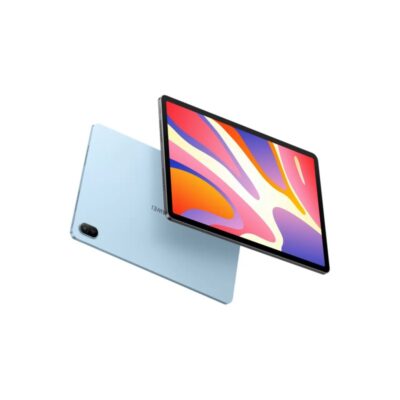

Huawei MatePad SE | 11″ Eye Comfort Display | 8GB RAM | 128GB ROM | 7700mAh Battery – Smart, Sleek & Powerful Tablet
The Huawei MatePad SE is a stylish and performance-driven 11" tablet designed for immersive viewing, exceptional audio, and long-lasting power. With 8GB RAM, 128GB storage, and a 7700mAh battery, it’s perfect for entertainment, learning, and everyday productivity.
Specifications
-
Display: 11” FHD+ Eye Comfort Display
-
Resolution: Full HD+ (Exact resolution varies by region)
-
Processor: Qualcomm Snapdragon (region-dependent variant)
-
RAM: 8GB
-
Storage: 128GB ROM
-
Audio: Quad-Speaker System, HUAWEI Histen 9.0
-
Battery: 7700mAh with 22.5W Fast Charging
-
Operating System: HarmonyOS (EMUI or Android-based depending on region)
-
Camera: Rear & Front Camera (specs not specified)
-
Connectivity: Wi-Fi, Bluetooth
-
Build: Lightweight metal body
-
Ports: USB Type-C, headphone jack
-
Security: Face Unlock (select models

Dell Core i3 2nd Gen Desktop | 4GB RAM | 500GB HDD | Windows 10 – Reliable Office Computer
Get the Dell Core i3 2nd Gen Desktop PC in Kenya – a dependable desktop with Intel Core i3 2nd Generation processor, 4GB RAM, and 500GB HDD storage. Ideal for everyday office tasks, web browsing, and multimedia, offering a solid balance of performance and value.
Specifications
-
Processor: Intel Core i3 2nd Generation
-
Memory: 4GB DDR3 RAM
-
Storage: 500GB HDD
-
Graphics: Integrated Intel HD Graphics
-
Operating System: Windows 10 Pro
-
Ports: USB 2.0, USB 3.0, VGA, Ethernet, Audio In/Out
-
Optical Drive: DVD-ROM
-
Connectivity: Wired LAN
-
Form Factor: Tower/Desktop

Lenovo X1 Carbon Gen 9 | Core i7 11th Gen | 16GB RAM | 512GB SSD | 14” Powerful Touchscreen Ultrabook
Get the Lenovo X1 Carbon Gen 9 in Kenya – a premium ultrabook featuring the latest Intel Core i7 11th Gen processor, 16GB RAM, 512GB SSD, and a brilliant 14” Full HD touchscreen display. Engineered for professionals who demand performance, portability, and style.
Specifications
-
Display: 14" Full HD (1920 x 1080) IPS Touchscreen
-
Processor: Intel Core i7 11th Gen (i7-1165G7)
-
Memory: 16GB LPDDR4x
-
Storage: 512GB PCIe NVMe SSD
-
Graphics: Intel Iris Xe Graphics
-
Operating System: Windows 10 Pro / Windows 11 Ready
-
Weight: Approx. 1.13kg (2.49 lbs)
-
Battery Life: Up to 15 hours
-
Build: Carbon-fiber chassis with MIL-STD-810G military-grade durability


Reviews
There are no reviews yet.