



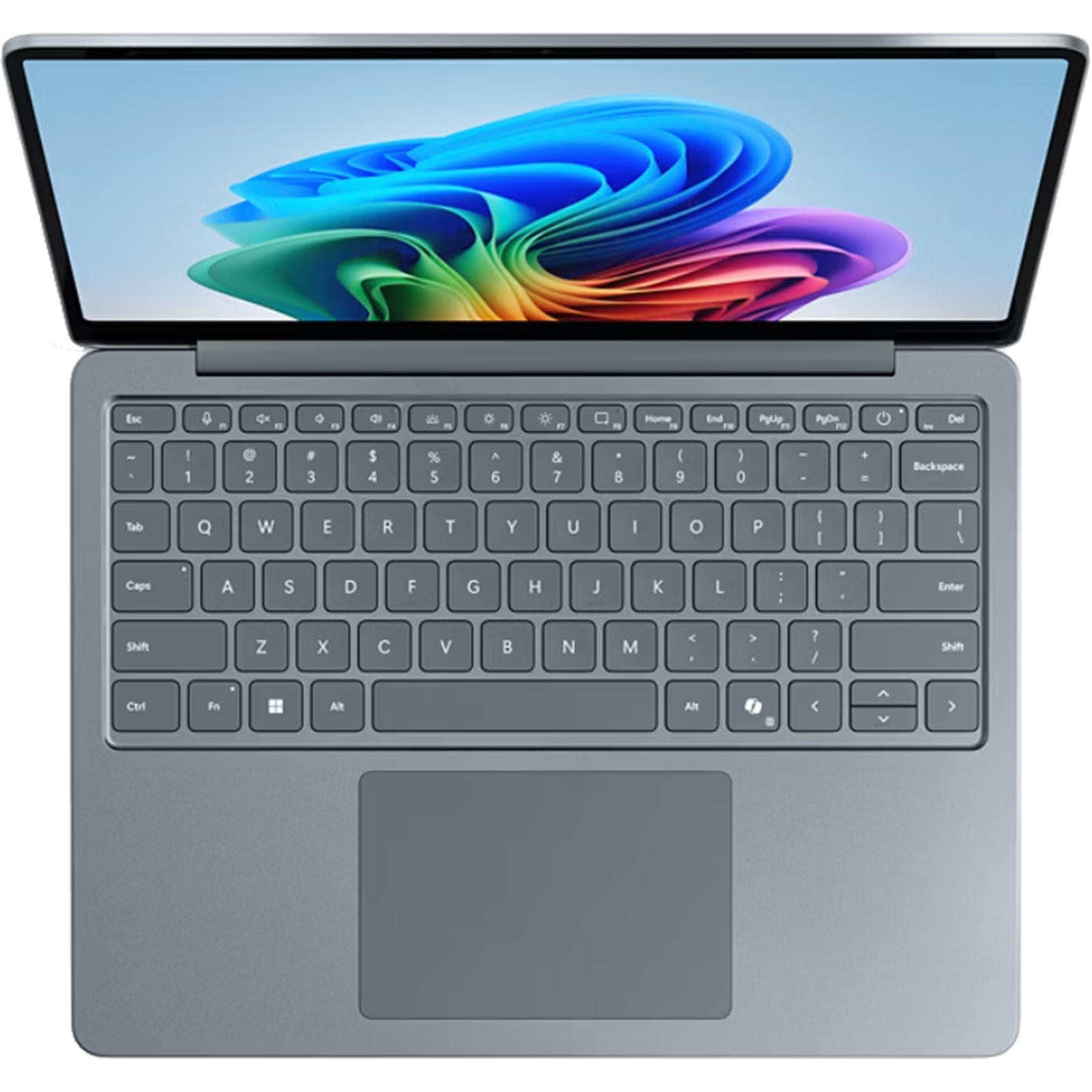
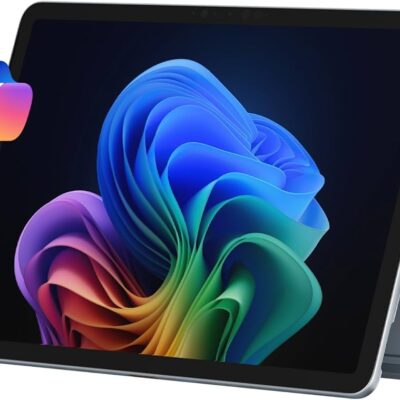
Microsoft Surface Laptop 13 1st Edition Copilot+ PC – Powerful & Premium Snapdragon X Plus Laptop
Original price was: KSh 165,000.00.KSh 160,000.00Current price is: KSh 160,000.00.
✨ Microsoft Surface Laptop 13 1st Edition Copilot+ PC – Powerful & Premium Laptop
- ⚡ Snapdragon X Plus 8-Core – Modern Arm-based processing for compatible applications.
- 🧠 16GB LPDDR5x RAM – Supports multitasking; memory is onboard.
- 🚀 512GB UFS Storage – Space for applications, documents, and personal files.
- 🖥️ 13-Inch Display – Compact format for portable productivity.
- 🤖 Copilot+ PC – Supports compatible Windows AI experiences.
- 🪟 Windows 11 Home – Familiar environment for everyday computing.
- 🌊 Ocean Blue Finish – Distinctive, modern styling.
- 🎓 Ideal for Students and Professionals – Useful for compatible study and productivity tasks.
- 💼 Suitable for Freelancers and Entrepreneurs – Practical for research, writing, and administration.
- 🔧 Onboard RAM – Choose your memory configuration carefully.
- 🛡️ 1-Year Warranty – Subject to the applicable warranty terms.
- 🛒 Shop with Ring-Us Technologies – Visit www.ringus.co.ke for laptops and technology solutions.
Microsoft Surface Laptop 13 1st Edition Copilot+ PC – Powerful & Premium Snapdragon X Plus Laptop
Discover modern productivity with the Microsoft Surface Laptop 13 1st Edition Copilot+ PC, a stylish laptop designed for professionals, entrepreneurs, students, freelancers, and everyday users who value portability, responsive performance, and a modern computing experience.
Powered by the Snapdragon X Plus 8-core processor, this Surface Laptop combines 16GB LPDDR5x onboard memory with 512GB UFS storage. It offers a practical platform for compatible productivity applications, online research, communication, document creation, and everyday multitasking.
Its compact 13-inch design makes it an appealing choice for users who work across different locations. The Ocean Blue finish adds a distinctive appearance, while Windows 11 Home provides the familiar Windows environment alongside supported Copilot+ PC experiences.
With a one-year warranty included as specified, the Microsoft Surface Laptop 13 is worth considering for people seeking a modern, portable computer for work, study, and personal productivity.
Microsoft Surface Laptop 13: Key Specifications
| Feature | Specification |
|---|---|
| Brand | Microsoft |
| Product | Surface Laptop 13 |
| Edition | 1st Edition |
| Computer category | Copilot+ PC |
| Processor | Snapdragon X Plus, 8-core |
| RAM | 16GB LPDDR5x |
| Memory configuration | Onboard |
| Storage | 512GB UFS storage |
| Display size | 13 inches |
| Operating system | Windows 11 Home |
| Colour | Ocean Blue |
| Warranty | 1 year |
| Design focus | Portable productivity |
| Touchscreen | Not specified; confirm exact configuration |
Important: The exact processor SKU, display resolution, touchscreen capability, battery capacity, ports, and other detailed specifications have not been supplied. Confirm these details for the exact unit before purchase.
Snapdragon X Plus 8-Core Processor
The Microsoft Surface Laptop 13 is powered by the Snapdragon X Plus 8-core processor, which uses Arm-based processor architecture. This platform is designed for modern mobile computing and supports a range of compatible productivity and everyday applications.
For professionals, the processor provides a foundation for working with documents, spreadsheets, presentations, email, online meetings, and browser-based tools. Students can use compatible applications for research, coursework, writing, and digital learning.
The overall experience depends on the software being used. Many Windows applications run natively on Arm, while some x86 and x64 applications may rely on Windows emulation. Before purchasing, verify compatibility with specialist applications, peripherals, and workplace software you depend on.
For processor information, visit the official Qualcomm website.
16GB LPDDR5x RAM for Multitasking
With 16GB LPDDR5x RAM, the Surface Laptop 13 provides memory for compatible productivity applications and everyday multitasking.
Users can work across documents, browser tabs, communication platforms, presentations, and research materials. This capacity can be useful for students, administrative professionals, writers, and freelancers who frequently switch between tasks.
The LPDDR5x memory technology is designed for modern computing platforms, balancing memory performance with the needs of a portable device. Actual performance depends on the applications, operating conditions, and overall system configuration.
The RAM is onboard, so buyers should not assume it can be upgraded after purchase. It is important to choose a memory configuration that meets your expected needs for the useful life of the laptop.
512GB UFS Storage for Everyday Files and Applications
The laptop includes 512GB UFS storage, providing space for documents, applications, photos, downloads, study materials, and work projects.
UFS is a type of flash storage technology used in a range of computing and mobile devices. Its actual performance characteristics differ from those of conventional NVMe SSDs, so it should not automatically be described as equivalent to a high-performance NVMe drive.
For everyday productivity, 512GB can provide useful room for files and compatible applications. Users who store large video collections, extensive creative projects, or many large software packages should monitor available capacity.
Cloud storage or a compatible external drive can supplement the internal storage when additional space is needed. Always maintain backups of important documents, business files, and personal information.
Before planning a storage upgrade, confirm whether the specific model supports replacement or expansion. Do not assume that the internal UFS storage is user-upgradeable.
Compact 13-Inch Design for Portability
The 13-inch format makes the Surface Laptop 13 a practical option for users who value a compact computer. It can fit into many laptop bags and workspaces, making it convenient for commuting, meetings, classrooms, and working away from a fixed desk.
The display size offers a useful balance for everyday productivity. Users can write documents, browse websites, review presentations, and manage email without carrying a larger laptop.
A compact laptop can also be convenient for people who regularly move between home, office, school, and other working environments. However, the exact weight and dimensions have not been supplied, so confirm them if portability is a major consideration.
The display resolution, brightness, refresh rate, and touchscreen capability should also be verified before purchase, particularly if you have specific requirements for visual work or touch interaction.
Copilot+ PC and AI-Focused Computing
The Surface Laptop 13 is identified as a Copilot+ PC, Microsoft’s category for compatible Windows computers that meet its hardware requirements for supported AI experiences.
Depending on the software version, region, language, and hardware configuration, supported features may include AI-assisted productivity and creative tools integrated into Windows and compatible applications.
These features can help with certain tasks, but availability varies. Not every AI feature is available in every country, language, application, or system configuration, and some functions require an internet connection or additional account access.
Users should check the current availability of the particular Copilot+ PC features they intend to use. AI branding should not be interpreted as a guarantee that every AI application will run locally or that every feature is available without an internet connection.
Learn more from the official Microsoft Copilot+ PC website.
Windows 11 Home for Modern Productivity
The Surface Laptop 13 comes with Windows 11 Home, providing a familiar environment for compatible applications, browsing, communication, and personal productivity.
Users can organise documents, manage files, attend online meetings, use supported office applications, and install compatible software. The operating system also provides access to supported Windows features and Microsoft services.
Because this Surface uses an Arm-based processor, software compatibility deserves particular attention. Most everyday users may find suitable applications for their needs, but some specialist programs, older utilities, device drivers, and peripherals may have limitations.
If you depend on a specific application for work or study, check whether it supports Windows on Arm before purchasing. This is especially important for specialist business systems, legacy software, technical utilities, and hardware requiring particular drivers.
For official information, visit Microsoft Windows 11.
Ocean Blue Finish and Modern Styling
The Ocean Blue finish gives the Surface Laptop 13 a distinctive appearance compared with more conventional laptop colours. It provides a fresh, contemporary look that can suit professional environments, study spaces, and personal use.
Its understated design makes it suitable for users who want a computer that looks polished without relying on an overly elaborate aesthetic. The compact form factor complements the colour, making it an appealing option for mobile productivity.
Colour preference is personal, but Ocean Blue can be a welcome choice for users who want something different from traditional black or silver finishes.
Ideal for Business and Office Productivity
The Surface Laptop 13 can support many everyday office tasks using compatible software. Its processor, 16GB RAM, and 512GB storage provide a foundation for document creation, research, communication, and general productivity.
It can be suitable for activities such as:
- Preparing letters, reports, and proposals.
- Creating spreadsheets and presentations.
- Managing email and digital correspondence.
- Conducting online research.
- Organising project files and business records.
- Working with compatible cloud-based productivity tools.
- Attending online meetings with supported hardware and software.
- Managing schedules and everyday administrative tasks.
For businesses, compatibility should be assessed before deployment. If your organisation relies on specialised applications, VPN software, security utilities, printers, or other peripherals, confirm that they work correctly with Windows on Arm.
A Practical Laptop for Entrepreneurs and Small Businesses
Entrepreneurs often need a computer for communication, planning, research, administration, and customer service. The Surface Laptop 13 can bring these activities together in a portable device.
Its 16GB RAM supports compatible multitasking, while the 512GB storage provides room for business documents, applications, and project files. The compact format can be convenient for people who move between client meetings, offices, and home workspaces.
Small-business owners can use compatible applications for preparing quotations, managing documents, coordinating projects, and communicating with customers. Software compatibility remains important, particularly for accounting systems, inventory tools, and specialist business platforms.
The one-year warranty provides a defined warranty period according to the applicable terms. Buyers should confirm what the warranty covers, how claims are handled, and whether any regional restrictions apply.
Suitable for Students and Online Learning
Students need a laptop that supports research, assignments, presentations, online learning, and communication. The Surface Laptop 13 provides a portable platform for these activities when the required applications are compatible.
The 13-inch display is suitable for reading digital materials, writing assignments, and browsing academic resources. Its compact design can be convenient for carrying between classes, libraries, and study locations.
The 16GB RAM provides memory for compatible applications, while the 512GB storage offers room for coursework, documents, downloads, and study resources.
Students using specialist engineering, architecture, scientific, or design software should verify compatibility with Windows on Arm. Check the institution’s recommended software and hardware requirements before committing to this configuration.
Freelancing and Remote Work
Freelancers often need to manage clients, documents, communication, research, and online tools from different locations. The Surface Laptop 13 can support many compatible remote-work activities.
Writers can prepare articles, edit documents, and conduct research. Virtual assistants can work with supported scheduling, communication, and administrative platforms. Consultants and other independent professionals can organise project files and manage compatible business applications.
Its compact format can be convenient for working in different environments. However, users who regularly attend video meetings should confirm the camera, microphone, ports, and connectivity specifications of the exact model.
Remote workers should also check whether essential VPN clients, security tools, cloud platforms, and specialist applications support Windows on Arm.
Writing, Research, and Digital Administration
The Surface Laptop 13 can be a useful option for people whose work revolves around written content, research, and administrative tasks.
Writers can draft articles, prepare reports, organise notes, and work with compatible writing tools. Researchers can manage browser tabs, review digital documents, and organise reference material.
Administrative professionals can use supported office applications, email, and online services to coordinate everyday work. The 16GB RAM provides capacity for compatible multitasking, while the 512GB storage accommodates documents and software.
For users whose workloads primarily involve writing, communication, and web-based applications, the compact design can be a practical advantage.
Programming and Technical Learning
The Surface Laptop 13 can support programming and technical learning when the required development tools are compatible with Windows on Arm.
Potential uses include working with supported code editors, learning programming languages, building compatible web projects, and studying software development concepts. The processor and memory provide a foundation for many general development activities.
However, some development tools, software packages, extensions, emulators, drivers, and command-line utilities may have architecture-specific requirements. Developers should confirm compatibility with their preferred environment before purchasing.
Users who rely on virtual machines, particular container configurations, specialist drivers, or demanding technical applications should evaluate their workflow carefully. A laptop’s processor family and RAM capacity alone cannot guarantee compatibility with every development tool.
Everyday Computing and Entertainment
Beyond work and study, the Surface Laptop 13 can support browsing, online communication, digital reading, document management, media playback, and other compatible personal applications.
Its 512GB storage provides space for photos, documents, downloads, and software, depending on the size of the user’s collection. Cloud services and external storage can help supplement the internal capacity.
The laptop’s suitability for gaming depends on the particular game, Arm compatibility, graphics hardware, and performance requirements. Buyers seeking a dedicated gaming computer should compare this model with laptops specifically configured for demanding games.
For everyday users, checking the compatibility of preferred applications and accessories is one of the most important steps before purchase.
Comparing the Surface Laptop 13 with Other Laptop Types
| Feature | Microsoft Surface Laptop 13 | Traditional Business Laptop | General-Purpose Laptop |
|---|---|---|---|
| Processor platform | Snapdragon X Plus 8-core, Arm-based | Varies by model | Varies by model |
| RAM | 16GB LPDDR5x onboard | Varies by model | Varies by model |
| Storage | 512GB UFS | Varies by model | Varies by model |
| Display | 13 inches | Varies by model | Varies by model |
| Operating system | Windows 11 Home | Varies by model | Varies by model |
| AI positioning | Copilot+ PC | Model-dependent | Model-dependent |
| Portability | Compact 13-inch format | Varies by model | Varies by model |
| Upgrade considerations | Onboard RAM; storage options need confirmation | Varies by model | Varies by model |
| Key consideration | Arm software compatibility | Business features and compatibility | Overall configuration and price |
This is a general category comparison rather than a benchmark against a specific competing product. Actual performance, compatibility, battery life, and value depend on the exact configuration and intended workload.
Maintenance and Responsible Technology Use
Proper care can help extend a laptop’s useful working life. Protect the display from pressure and impacts, keep liquids away from the device, and use compatible charging accessories.
Install operating-system and application updates through trusted sources. Before updating critical business software, check that the update and the application remain compatible with your working environment.
Back up important documents, photos, and business files regularly. Cloud storage or a compatible external drive can help protect data if the laptop is lost, damaged, or needs servicing.
The onboard RAM means that future memory expansion should not be assumed. Choosing a configuration that meets your expected needs from the beginning is therefore particularly important.
When the laptop eventually reaches the end of its useful life, consider repair, responsible reuse, or appropriate electronic-waste recycling. Maintaining electronics and handling obsolete devices responsibly can help reduce unnecessary waste.
Upgradeability and Long-Term Value
The Surface Laptop 13 comes with 16GB LPDDR5x RAM onboard and 512GB UFS storage. These specifications should be considered carefully when evaluating how well the laptop will meet your needs over time.
Because the RAM is onboard, do not assume that it can be expanded later. The replacement or expansion options for the UFS storage have not been confirmed and should be checked against the exact model’s service documentation.
For users whose work mainly involves compatible productivity applications, research, communication, and everyday computing, the configuration may be a practical choice. Users with specialist software requirements should verify compatibility before purchasing.
Long-term value also depends on maintenance, software support, warranty terms, and how carefully the laptop is handled. Keeping backups, protecting the device, and using compatible accessories can help preserve its usefulness.
Frequently Asked Questions
1. Which processor does the Microsoft Surface Laptop 13 use?
It is specified with the Snapdragon X Plus 8-core processor, which uses Arm-based architecture.
2. How much RAM does it have?
It comes with 16GB LPDDR5x RAM. The memory is onboard, so buyers should not assume it can be upgraded.
3. How much storage is included?
It has 512GB UFS storage. Confirm the exact storage expansion or replacement options before planning an upgrade.
4. Which operating system does it use?
It comes with Windows 11 Home.
5. Is it a Copilot+ PC?
Yes. It is identified as a Copilot+ PC. Individual AI features depend on hardware support, software version, region, language, and other requirements.
6. Can it run Windows applications?
It runs Windows 11 Home, but compatibility depends on the application. Many applications support Arm natively, while some x86 and x64 applications may use emulation. Certain specialist programs, drivers, and peripherals may not be fully compatible.
7. Is it suitable for students and professionals?
It can be suitable for research, writing, office productivity, communication, and compatible learning applications. Students and professionals using specialist software should verify compatibility first.
8. Does it have a touchscreen?
Touchscreen capability was not included in the supplied specifications. Confirm this feature for the exact unit before purchase.
9. What colour is this configuration?
The supplied colour is Ocean Blue.
10. Does it come with a warranty?
Yes. The supplied information specifies a one-year warranty. Confirm the warranty terms, coverage, and claim process with the seller.
11. Where can I buy the Microsoft Surface Laptop 13?
Visit www.ringus.co.ke to explore laptops and technology solutions from Ring-Us Technologies.
Final Thoughts
The Microsoft Surface Laptop 13 1st Edition Copilot+ PC combines a Snapdragon X Plus 8-core processor, 16GB LPDDR5x onboard RAM, 512GB UFS storage, Windows 11 Home, and an Ocean Blue finish in a compact 13-inch laptop.
It is worth considering for students, entrepreneurs, professionals, writers, freelancers, and everyday users whose applications are compatible with Windows on Arm. The Copilot+ PC positioning adds access to supported AI experiences, while the one-year warranty offers a defined warranty period subject to its terms.
Before purchasing, verify the exact display features, processor SKU, storage options, and compatibility with your essential software. Explore more laptops and technology solutions at Ring-Us Technologies.
Related products


Lenovo Yoga 9 Core i7 11th gen 16GB Ram/1TB SSD

MacBook pro 16 2019 A2141 i7 16GB/512GB


Asus Rog Zephyrus G14 AMD Reyzen 9 5000 Series 16GB Ram/1TB SSD


MacBook Pro 2023 M3 Pro Chip/18GB Ram/512GB SSD
- MacBook Pro 2023 M3
- Apple M3 Pro 12-Core Chip
- 18GB Unified RAM | 512GB SSD
- 16" 3456 x 2234 Liquid Retina XDR Screen
- 18-Core GPU | 16-Core Neural Engine
- Wi-Fi 6E (802.11ax) | Bluetooth 5.3
- Thunderbolt 4 | HDMI | MagSafe 3
- SDXC Slot | FaceTime HD 1080p Camera
- Backlit Magic Keyboard
- Force Touch Trackpad | Touch ID Sensor
- macOS
- Open Box
- 6 Months Warranty


Hp Elitebook x360 1040 G7 i7 10th gen

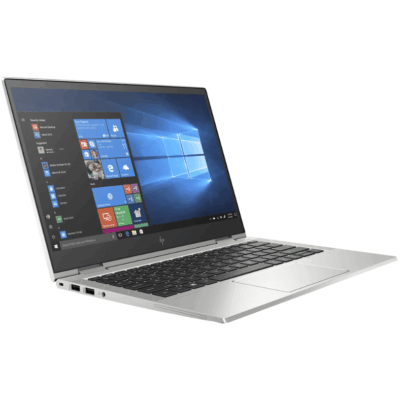
HP ELITEBOOK 830 G6 i5 8th Gen 8GB/256GB

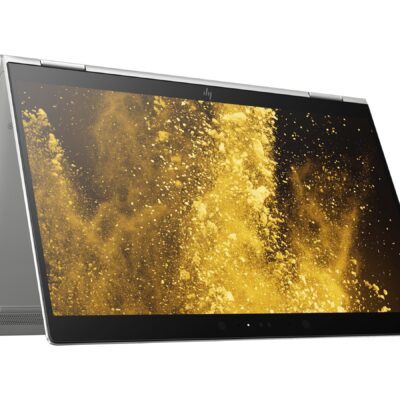
Hp Elitebook x360 1030 G3
- HP ELITEBOOK X360 1030 G3
- Operating system: Windows 10 Pro 64-Bit Edition
- Memory: 16GB LPDDR3-2133 MHz SDRAM
- Storage: 512GB M.2 SATA SED SSD
- Optical drive: No optical drive
- Graphics Processor: Integrated: Intel® UHD Graphics 620
- Processor: Intel® Core™ i5-8250U (1.6GHz base frequency, up to 3.4GHz with Intel® Turbo Boost Technology, 6 MB cache, 4 cores)
- Processor Family: 8th Generation Intel® Core™ i5 processor
- Display: 13.3 Inches (33.8 cm) diagonal FHD IPS eDP + PSR anti-glare LED-backlit touch screen, direct bonded with Corning® Gorilla® Glass 4, 700 cd/m², 100% sRGB (1920 x 1080); HP Sure View Integrated Privacy Screen
- Condition: Boxed Sealed
- Warranty: 6 Months

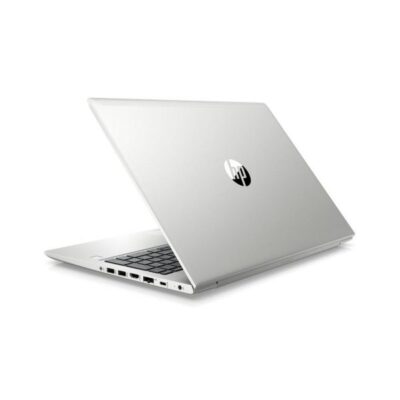
Hp Probook 430 G7
- HP ProBook 430 G7
- Processor: Intel Core i5 10th Gen (Quad-Core, up to 4.6 GHz)
- RAM: 8GB DDR4
- Storage: 256GB SSD
- Display: 13.3-inch Full HD (1920 x 1080)
- Graphics: Intel UHD Graphics (Integrated)
- Operating System: Windows 10 Pro
- Ports: USB 3.1, USB-C, HDMI, Ethernet, Audio jack, SD card reader
- Battery: Up to 12 hours
- Weight: Approx. 1.3 kg
- Condition: Sealed


Reviews
There are no reviews yet.