



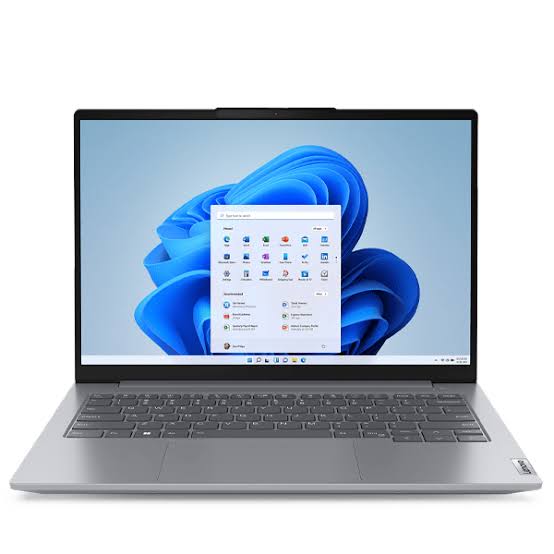
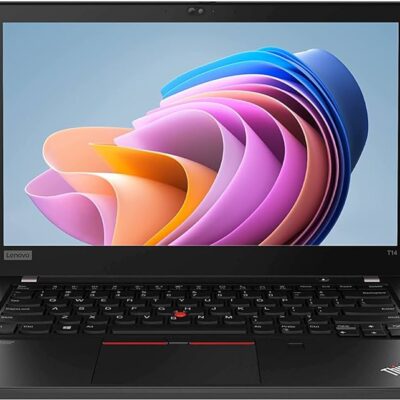
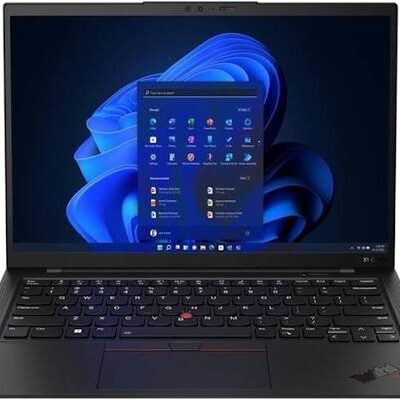
Lenovo ThinkBook Core i7 10th Gen – Powerful & Premium 16GB RAM, 512GB SSD Non-Touch Laptop
Original price was: KSh 50,000.00.KSh 47,000.00Current price is: KSh 47,000.00.
Lenovo ThinkBook Core i7 10th Gen – Powerful & Premium 16GB RAM, 512GB SSD Non-Touch Laptop
- ⚡ Powerful Intel Core i7 10th Gen – Reliable performance for business, office work, study, freelancing, and everyday computing.
- 🧠 16GB RAM – Excellent multitasking capacity for documents, browser tabs, research, spreadsheets, and productivity applications.
- 🚀 512GB SSD – Fast startup, quick application loading, responsive file access, and generous storage for your files and projects.
- 🖥️ Non-Touch Display – Practical traditional laptop experience for typing, research, office work, and professional productivity.
- 💼 Premium ThinkBook Design – Professional and stylish business-oriented laptop suitable for offices, entrepreneurs, and professionals.
- 🎓 Ideal for Students & Professionals – Great for assignments, research, presentations, online learning, and workplace tasks.
- 💻 Perfect for Freelancers & Remote Work – Suitable for writers, virtual assistants, digital marketers, administrators, and online professionals.
- 📊 Excellent for Business – Handles documents, spreadsheets, presentations, email, research, and everyday business applications.
- 👨💻 Great for Programming & IT – Suitable for coding, web development, technical research, and supported development environments.
- 📁 Generous 512GB Storage – More room for applications, documents, projects, business files, and personal data.
- 🛠️ Long-Term Value – Proper maintenance and compatible servicing can help extend the laptop’s useful working life.
- 🛒 Shop with Ring-Us Technologies – Visit www.ringus.co.ke for more laptops and technology solutions.
Lenovo ThinkBook Core i7 10th Gen – Powerful & Premium 16GB RAM, 512GB SSD Non-Touch Laptop
Looking for a powerful, premium, professional laptop for business, office work, freelancing, studying, remote work, and everyday productivity? The Lenovo ThinkBook Core i7 10th Gen combines an Intel Core i7 10th Gen processor with 16GB RAM and a spacious 512GB SSD, giving you a strong foundation for multitasking, productivity, and professional computing.
Designed for users who want more than a basic everyday laptop, this ThinkBook configuration offers a practical balance between processing capability, memory, and storage. The 16GB RAM is particularly useful for users who frequently work with multiple applications and browser tabs, while the 512GB SSD provides considerably more storage space for documents, applications, projects, media, and other files than a smaller 256GB configuration.
The non-touch design also provides a traditional laptop experience, making it well suited to users who primarily work with the keyboard and touchpad rather than requiring touchscreen functionality.
Whether you are an entrepreneur managing a business, a professional working from an office or home, a student handling research and assignments, or a freelancer building an online career, the Lenovo ThinkBook can be a versatile productivity companion.
Lenovo ThinkBook Core i7 10th Gen – Key Specifications
| Feature | Specification |
|---|---|
| Laptop Model | Lenovo ThinkBook |
| Processor | Intel Core i7 10th Gen |
| RAM | 16GB |
| Storage | 512GB SSD |
| Display | Non-Touch |
| Laptop Category | Professional / Business Laptop |
| Ideal For | Business, office work, students, freelancers, remote work and everyday productivity |
Important: Specifications such as exact screen size, display resolution, graphics, ports, operating system, battery condition, keyboard layout, and other configuration details can vary by specific ThinkBook unit. Please confirm the exact configuration before purchase.
Powerful Intel Core i7 10th Gen Performance
At the center of this Lenovo ThinkBook Core i7 10th Gen is an Intel Core i7 processor designed to provide capable performance for a broad range of productivity tasks.
For everyday professional use, the processor provides a solid platform for working with documents, spreadsheets, presentations, web browsers, email, online platforms, research materials, and other productivity applications.
A professional may use the laptop to move between several work applications throughout the day. A student can use it for academic research, writing, presentations, and online learning. A freelancer can use it for writing, virtual assistance, digital marketing, communication, administration, and other supported workflows.
Processor performance always depends on the specific software and workload. Extremely demanding tasks such as advanced 3D rendering, intensive professional video production, or specialized technical applications should be evaluated against their individual hardware requirements.
For general productivity and professional computing, however, the Core i7 platform provides a capable foundation.
For more information about Intel Core processors, visit Intel’s official Core processor page.
16GB RAM – Built for Multitasking
One of the most useful features of this configuration is its 16GB RAM.
RAM, or system memory, plays an important role when multiple applications and tasks are active at the same time.
With 16GB RAM, the ThinkBook provides a generous foundation for everyday multitasking.
You can work across:
- Word-processing applications
- Spreadsheets
- Presentations
- Web browsers
- Research pages
- Cloud-based applications
- Communication platforms
- Business software
- Academic applications
- General productivity tools
For example, you might have several browser tabs open while working on a report, checking email, referencing a spreadsheet, and communicating with a colleague.
A freelancer might have client communication, project documents, research pages, and browser-based tools open at the same time.
A student may be researching a topic online while preparing an assignment and presentation.
The 16GB memory configuration provides useful capacity for these kinds of multitasking workflows.
512GB SSD – Spacious and Responsive Storage
Storage is another major strength of this Lenovo ThinkBook configuration.
It comes with a 512GB SSD, providing both useful storage capacity and responsive data access.
An SSD can contribute to a faster-feeling computing experience compared with traditional mechanical hard-drive storage.
Benefits can include:
- Fast system startup
- Quick application loading
- Responsive file access
- Faster opening of documents
- Convenient file management
- More space for applications and personal files
The 512GB capacity is particularly useful for people who need more room for their work.
You can store documents, spreadsheets, presentations, applications, school projects, business files, photographs, and other data without filling the drive as quickly as you might with a smaller storage configuration.
Of course, actual available storage will be lower than the advertised capacity because some space is used by the operating system and system files.
Users who regularly work with extremely large video libraries, extensive raw photography collections, or other high-capacity files may still benefit from external or cloud storage.
Why 16GB RAM and 512GB SSD Make a Strong Combination
The combination of 16GB RAM and 512GB SSD gives this ThinkBook a well-rounded productivity configuration.
The RAM and storage perform different functions.
16GB RAM provides memory capacity for active applications and multitasking.
512GB SSD provides storage space for the operating system, applications, documents, projects, and personal files.
Together, they provide a practical platform for users who need a laptop for more than simple browsing.
This configuration can be particularly useful for:
- Business users
- Office professionals
- Entrepreneurs
- Students
- Freelancers
- Remote workers
- Writers
- Digital marketers
- Researchers
- Administrators
- General professional users
Professional Lenovo ThinkBook Design
The Lenovo ThinkBook family is positioned around professional and business-oriented computing.
That makes the ThinkBook a natural fit for users who want a laptop that looks and functions appropriately in professional environments.
It can be used in:
- Offices
- Businesses
- Home offices
- Schools
- Universities
- Co-working spaces
- Meetings
- Flexible work environments
For entrepreneurs and professionals, a business-oriented laptop can provide a more appropriate working experience than a device designed primarily for casual entertainment.
Non-Touch Display – Traditional Productivity
This configuration comes with a non-touch display.
For many users, touchscreen functionality is not necessary.
If your daily work consists primarily of typing, researching, working with spreadsheets, preparing presentations, managing email, writing, coding, or using business applications, a traditional keyboard-and-touchpad setup can be perfectly practical.
The non-touch format is particularly suitable for:
- Office productivity
- Document creation
- Spreadsheet work
- Writing
- Research
- Coding
- Business administration
- Online work
If you specifically require touchscreen interaction, this particular configuration would not be the appropriate choice.
Excellent Laptop for Business
The Lenovo ThinkBook Core i7 10th Gen can serve as a practical business computer for a wide range of daily activities.
Business users can work with:
- Documents
- Spreadsheets
- Presentations
- Business correspondence
- Online research
- Customer communication
- Reports
- Planning documents
- Web-based applications
- Administrative systems
The 16GB RAM configuration can be particularly useful for professionals who frequently switch between several applications.
The 512GB SSD also gives you more room for business files and applications.
A Practical Laptop for Entrepreneurs
Entrepreneurs often need one computer to perform many different roles.
During a typical working day, you may need to:
- Respond to customers
- Prepare quotations
- Review documents
- Work on spreadsheets
- Research suppliers
- Manage social media
- Prepare presentations
- Communicate with employees
- Handle online services
- Organize business information
The ThinkBook can support these productivity-focused activities, depending on the specific applications involved.
Its combination of Core i7 processing, 16GB RAM, and 512GB SSD makes it suitable for users who need a flexible business productivity machine.
Lenovo ThinkBook for Students
Students need computers capable of supporting research, writing, presentations, communication, and online learning.
The Lenovo ThinkBook Core i7 10th Gen can be used for:
- Research
- Essays
- Assignments
- Presentations
- Online classes
- Academic documents
- Browsing
- Group projects
- Digital learning platforms
The 16GB RAM can also be helpful for students who frequently work with numerous browser tabs and several applications simultaneously.
The 512GB SSD provides additional space for course materials, assignments, applications, presentations, and other academic files.
Ideal for Freelancers
Freelancers often need a computer that can adapt to different clients and projects.
The Lenovo ThinkBook can be useful for many productivity-focused freelance careers.
Writers
Writers can use the laptop for:
- Article writing
- Blog writing
- Editing
- Research
- Client communication
- Document preparation
- Content planning
Virtual Assistants
Virtual assistants can use it for:
- Email management
- Scheduling
- Online research
- Document preparation
- Customer communication
- Spreadsheet work
- Cloud-based applications
Digital Marketers
Digital marketers can use it for:
- Social media management
- Content planning
- Online research
- SEO-related tasks
- Email marketing
- Digital communication
- Marketing documentation
Administrative Freelancers
Administrative professionals can work with documents, spreadsheets, presentations, scheduling platforms, communication applications, and other supported business software.
Excellent for Remote Work
Remote workers need a laptop that can serve as a central workstation without being tied to one physical office.
The ThinkBook can be used for remote work from:
- Home
- Co-working spaces
- Offices
- Study areas
- Suitable travel environments
It can support many common remote-work activities, including:
- Online research
- Documents
- Spreadsheets
- Presentations
- Cloud applications
- Communication
- Online meetings, depending on the specific hardware and software
If video conferencing is particularly important to your work, confirm the exact camera, microphone, speaker, and connectivity configuration of the specific unit before purchase.
Great for Writers and Content Professionals
For writers and content professionals, the laptop can function as a central workspace for research, writing, editing, and communication.
You can use it for:
- Blog posts
- Articles
- Reports
- Proposals
- Business documents
- Academic writing
- Research
- Content calendars
- Editing
- Client communication
The combination of 16GB RAM and 512GB SSD provides useful capacity for workflows involving multiple research tabs, documents, applications, and project files.
Useful for Digital Marketing
Digital marketing often requires multiple browser tabs and platforms to be open simultaneously.
A marketer might work with social media accounts, websites, analytics tools, email, documents, image resources, research materials, and communication platforms.
The 16GB RAM provides a useful foundation for this type of multitasking.
The ThinkBook can be suitable for:
- Social media management
- SEO research
- Content planning
- Website administration
- Email marketing
- Online research
- Digital communication
- Marketing documentation
As always, specific professional applications should be checked against their hardware requirements.
Suitable for Programming and IT Work
The Lenovo ThinkBook can also serve as a practical machine for many programming and IT-related activities.
It can be used for:
- Learning programming
- Web development
- Code editing
- Technical research
- Documentation
- Software development environments
- Database-related study
- General IT work
The 16GB RAM configuration is useful for developers who need to run several development tools, browsers, documentation, and other applications simultaneously.
For highly demanding virtual machines, large local development environments, advanced 3D development, or other specialized workloads, verify the requirements of your specific tools before purchase.
A Useful Laptop for Online Business
Modern businesses increasingly rely on online platforms.
Whether you are managing an online shop, communicating with customers, creating content, researching products, or handling administrative tasks, a capable laptop is an important business tool.
The ThinkBook can support a wide range of browser-based and productivity-focused workflows.
It can be used for:
- E-commerce administration
- Customer communication
- Website management
- Online research
- Social media
- Content management
- Business documentation
- Digital administration
512GB Storage for Growing Projects
One of the practical advantages of the 512GB SSD is having more room as your work grows.
A freelancer may accumulate client folders.
A student may build a collection of academic materials.
A business owner may need to maintain records, reports, presentations, and business documents.
A content professional may store drafts, project assets, and working files.
The additional storage capacity gives you more flexibility than a smaller SSD while still providing the speed benefits associated with solid-state storage.
For very large collections, however, regular backups and external or cloud storage remain useful.
Productivity for Office Applications
The ThinkBook is well suited to productivity applications commonly used in professional and academic environments.
You can use it for:
- Word processing
- Spreadsheets
- Presentations
- Web research
- PDF documents
- Project planning
- Note-taking
- File organization
The exact software you can install depends on its system requirements and the operating system configuration of the specific laptop.
Lenovo ThinkBook for Meetings and Presentations
Business professionals and students frequently need to present information.
The ThinkBook can be used for preparing and delivering presentations, reviewing reports, and organizing meeting materials.
Its 16GB RAM can be useful when preparing presentations while referencing other documents and online research.
For external monitors, projectors, docking stations, or specialized presentation setups, confirm the exact ports and connectivity options on the specific unit.
Battery and Power Management
Actual battery performance varies according to the specific unit, battery health, workload, screen brightness, software, wireless connectivity, and power settings.
For better battery management:
- Reduce brightness when appropriate.
- Close unnecessary applications.
- Use suitable power-saving settings.
- Keep software updated.
- Avoid excessive heat.
- Use the correct compatible charger.
- Avoid blocking ventilation areas.
If purchasing a pre-owned or refurbished ThinkBook, battery condition should be confirmed if long unplugged working sessions are important to you.
Maintenance Tips for Your Lenovo ThinkBook
Proper maintenance can help extend the useful life of your laptop.
Keep the Laptop Clean
Dust and debris can accumulate around the keyboard, vents, and other openings. Clean the device carefully using suitable materials.
Keep Ventilation Areas Clear
Use the laptop on a firm surface where airflow is not unnecessarily restricted.
Protect the Display
Clean the screen gently using an appropriate microfiber cloth. Avoid applying cleaning liquid directly to the display.
Keep Software Updated
Where appropriate, maintain current operating system updates, drivers, security software, and application updates.
Manage Your SSD
Regularly remove unnecessary files and keep important documents backed up.
Protect Your Data
Use appropriate passwords and security practices, especially when the laptop contains business, academic, or personal information.
Upgradeability and Future Expansion
Upgradeability varies according to the exact ThinkBook model and configuration.
For that reason, buyers should confirm the specific unit’s upgrade options rather than assuming that every component can be expanded.
If future upgrades matter to you, ask about:
- RAM upgrade options
- SSD replacement or expansion
- Battery replacement
- Other serviceable components
The supplied configuration already provides 16GB RAM and 512GB SSD, giving many productivity users a strong starting point.
Responsible and Sustainable Technology Use
Keeping a capable laptop in use for longer can be one practical way of making technology consumption more responsible.
Routine maintenance, repairs, appropriate upgrades, storage management, and careful handling can help extend the useful working life of a laptop.
When a computer eventually reaches the end of its useful life, responsible electronic-waste recycling is preferable to disposing of electronic equipment with ordinary household waste.
The goal is simple: get useful service from your technology for as long as it remains practical, then handle replacement and disposal responsibly.
Lenovo ThinkBook for Different Users
| User | Potential Uses |
|---|---|
| Students | Research, assignments, presentations, online learning |
| Office Professionals | Documents, spreadsheets, email, presentations |
| Entrepreneurs | Business administration, planning, communication |
| Freelancers | Writing, virtual assistance, digital marketing |
| Remote Workers | Online meetings, cloud applications, documents |
| Writers | Articles, research, editing, content creation |
| Digital Marketers | SEO research, social media, content planning |
| Developers | Coding, web development, technical research |
| Researchers | Browsing, documents, data organization |
| General Users | Browsing, communication, media and everyday productivity |
ThinkBook vs a Basic Laptop
| Feature | Lenovo ThinkBook Configuration | Basic Laptop |
|---|---|---|
| Processor | Intel Core i7 10th Gen | Varies |
| RAM | 16GB | Varies |
| Storage | 512GB SSD | Varies |
| Display | Non-Touch | Varies |
| Design | Professional ThinkBook platform | Varies |
| Multitasking | Strong foundation with 16GB RAM | Depends on configuration |
| Storage Capacity | 512GB | Depends on configuration |
| Business Productivity | Well suited | Depends on model |
| Freelancing | Suitable for many workflows | Depends on configuration |
The exact experience will naturally depend on what the alternative laptop offers, but the Core i7 processor, 16GB RAM, and 512GB SSD provide a strong productivity-oriented configuration.
Who Should Consider the Lenovo ThinkBook Core i7 10th Gen?
This laptop is a practical option for users looking for:
- A professional Lenovo laptop
- Intel Core i7 10th Gen processing
- 16GB RAM for multitasking
- 512GB SSD storage
- A traditional non-touch display
- A laptop for business and office productivity
- A machine for freelancing and remote work
- A computer for students and researchers
- A professional device for entrepreneurs
- A versatile everyday productivity laptop
It is especially suitable for users whose work involves documents, browser-based platforms, communication, spreadsheets, presentations, research, writing, and other productivity-focused applications.
Frequently Asked Questions
Is the Lenovo ThinkBook Core i7 10th Gen good for business?
Yes. The Core i7 processor, 16GB RAM, 512GB SSD, and professional ThinkBook platform make it suitable for many business and office productivity workloads.
How much RAM does this Lenovo ThinkBook have?
This configuration comes with 16GB RAM.
How much storage does the ThinkBook have?
This configuration has a 512GB SSD.
Is this Lenovo ThinkBook touchscreen?
No. The configuration provided is non-touch.
Is the Lenovo ThinkBook good for students?
Yes. It can support research, assignments, presentations, online learning, documents, browsing, and other common academic tasks.
Is it suitable for freelancing?
Yes. It can be used for writing, virtual assistance, digital marketing, administration, customer communication, research, and other productivity-focused freelance work.
Is 16GB RAM enough for multitasking?
For many business, academic, professional, and general multitasking workloads, 16GB RAM provides a useful amount of memory. More demanding applications should be checked against their individual requirements.
Is 512GB SSD enough?
For many users, 512GB provides a comfortable amount of space for applications, documents, projects, schoolwork, business files, and personal data. Users with very large media collections may still want additional storage.
Can I use this laptop for programming?
Yes. It can support many programming and development workflows, including coding and web development. More demanding development environments should be checked against their hardware requirements.
Is the ThinkBook suitable for graphic design?
It can support compatible creative applications, but demanding professional graphics, 3D rendering, and specialized workloads should be evaluated against the exact hardware and software requirements.
Is it suitable for remote work?
Yes. The laptop can support many remote-work activities such as documents, email, online research, cloud applications, communication, and productivity software.
Can I upgrade the RAM or SSD?
Upgradeability depends on the exact ThinkBook configuration. Confirm the upgrade options for the specific unit before purchasing.
Why Choose the Lenovo ThinkBook Core i7 10th Gen?
The Lenovo ThinkBook Core i7 10th Gen combines several useful features into one professional productivity package:
- ⚡ Intel Core i7 10th Gen for capable everyday performance
- 🧠 16GB RAM for comfortable multitasking
- 🚀 512GB SSD for fast and spacious storage
- 🖥️ Non-touch display for traditional laptop productivity
- 💼 Professional ThinkBook design
- 🎓 Suitable for students and researchers
- 💻 Suitable for freelancers and remote workers
- 📊 Excellent for business and office productivity
- ✍️ Useful for writers and content professionals
- 📈 Suitable for digital marketing and online business
- 👨💻 Suitable for many programming and IT workflows
- 📁 512GB storage provides useful space for growing projects and files
- 🛠️ Proper maintenance can help extend its useful working life
Final Thoughts
The Lenovo ThinkBook Core i7 10th Gen – Powerful & Premium 16GB RAM, 512GB SSD Non-Touch Laptop is a versatile professional laptop for users who want a combination of capable processing, generous memory, responsive storage, and a practical non-touch design.
With an Intel Core i7 10th Gen processor, 16GB RAM, and a 512GB SSD, this configuration is well positioned for business productivity, office work, academic tasks, freelancing, remote work, research, writing, digital marketing, programming, and everyday computing.
The 16GB RAM provides useful multitasking capacity, while the 512GB SSD offers both speed and additional room for applications, documents, projects, and personal files.
Whether you are an entrepreneur managing your business, a professional working remotely, a student completing assignments, or a freelancer building an online career, the ThinkBook can provide a practical and flexible computing platform.
For official information about Intel Core processors, visit Intel’s official Core processor page.
For official Lenovo information and products, visit Lenovo.
Looking for the Lenovo ThinkBook or other quality laptops in Kenya? Visit Ring-Us Technologies for more laptops and technology solutions.
Sample Customer Testimonial
Sample testimonial — replace with a genuine customer review:
“I needed a professional laptop with plenty of RAM and storage for my work. The ThinkBook’s 16GB RAM and 512GB SSD give me the space and multitasking capacity I need for my everyday projects.”
Related products


Lenovo Yoga 9 Core i7 11th gen 16GB Ram/1TB SSD

Dell latitude 3410 core i5 10th gen 512ssd /8gb


Asus Rog Zephyrus G14 AMD Reyzen 9 5000 Series 16GB Ram/1TB SSD

Hp Elitebook 745 G6 RYZEN 5 PRO


Hp Elitebook x360 1040 G7 i7 10th gen

HP ELITEBOOK 830 G6 i5 8th Gen 8GB/256GB

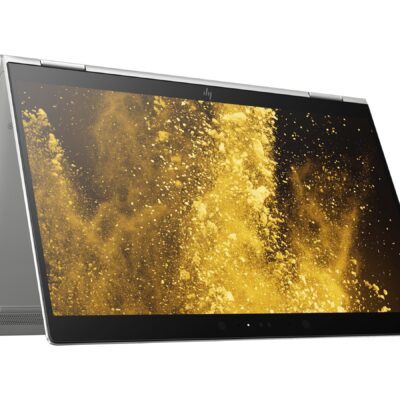
Hp Elitebook x360 1030 G3
- HP ELITEBOOK X360 1030 G3
- Operating system: Windows 10 Pro 64-Bit Edition
- Memory: 16GB LPDDR3-2133 MHz SDRAM
- Storage: 512GB M.2 SATA SED SSD
- Optical drive: No optical drive
- Graphics Processor: Integrated: Intel® UHD Graphics 620
- Processor: Intel® Core™ i5-8250U (1.6GHz base frequency, up to 3.4GHz with Intel® Turbo Boost Technology, 6 MB cache, 4 cores)
- Processor Family: 8th Generation Intel® Core™ i5 processor
- Display: 13.3 Inches (33.8 cm) diagonal FHD IPS eDP + PSR anti-glare LED-backlit touch screen, direct bonded with Corning® Gorilla® Glass 4, 700 cd/m², 100% sRGB (1920 x 1080); HP Sure View Integrated Privacy Screen
- Condition: Boxed Sealed
- Warranty: 6 Months



Reviews
There are no reviews yet.