




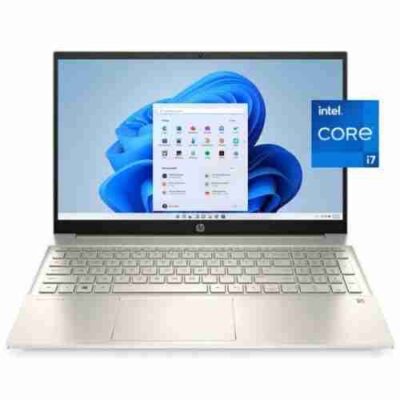

HP OmniBook 3 AI 16 Ultra 7 15th Gen – Powerful & Premium 16GB RAM, 512GB SSD 16-Inch Touchscreen Windows 11 Laptop
Original price was: KSh 138,000.00.KSh 136,000.00Current price is: KSh 136,000.00.
💻 HP OmniBook 3 AI 16 – Powerful & Premium Laptop
🚀 Intel Core Ultra 7 15th Gen – Modern performance for demanding multitasking
🧠 16GB RAM – Comfortable multitasking for work, study and professional applications
⚡ 512GB SSD – Fast storage with useful space for files and software
🖥️ 16-Inch Display – Large workspace for documents, browsing and productivity
👆 Touchscreen – Convenient touch interaction with compatible Windows applications
🤖 AI-Ready Platform – Designed for modern AI-capable computing workloads
🪟 Windows 11 – Modern operating system for work, study and entertainment
💼 Business Ready – Ideal for office work, entrepreneurs and professionals
🌐 Freelancer Friendly – Great for remote work, virtual assistance and online business
🎓 Student Friendly – Excellent for research, assignments and online learning
✍️ Perfect for Writers & Digital Professionals – Comfortable setup for content and productivity
💻 Programming & IT Ready – Suitable for many coding and development workflows
📊 Digital Marketing Ready – Handle multiple browser-based platforms and business tools
✨ Premium Everyday Computing – A versatile laptop for modern professional and personal use
🛒 Shop through www.ringus.co.ke
HP OmniBook 3 AI 16 Ultra 7 15th Gen – Powerful & Premium 16GB RAM, 512GB SSD 16-Inch Touchscreen Windows 11 Laptop
The HP OmniBook 3 AI 16 Ultra 7 15th Gen brings together modern Intel processing, generous memory, fast SSD storage, a large 16-inch touchscreen and Windows 11 in one premium everyday computing package. It is designed for users who want a capable laptop for professional work, study, communication, creativity and demanding multitasking.
With an Intel Core Ultra 7 15th Gen processor, 16GB RAM and a 512GB SSD, this HP OmniBook 3 AI 16 is built to provide responsive performance across a wide range of everyday and professional workloads. The touchscreen adds another convenient way to interact with Windows, applications, documents and creative tools.
Whether you are a business professional, entrepreneur, freelancer, student, writer, programmer, digital marketer or remote worker, this laptop provides a strong foundation for modern productivity.
Key Specifications
| Feature | Specification |
|---|---|
| Brand | HP |
| Series | OmniBook 3 AI 16 |
| Processor | Intel Core Ultra 7 15th Gen |
| RAM | 16GB |
| Storage | 512GB SSD |
| Operating System | Windows 11 |
| Display Size | 16-inch |
| Display Type | Touchscreen |
| Product Type | Premium AI-ready laptop |
Intel Core Ultra 7 15th Gen Performance
At the centre of the HP OmniBook 3 AI 16 is the Intel Core Ultra 7 15th Gen processor, giving this laptop a modern performance platform for productivity and multitasking.
The Core Ultra family is designed for contemporary computing workloads, making it suitable for users who regularly move between multiple applications. You can work with documents, browser tabs, communication platforms, spreadsheets and other everyday applications without relying on an outdated computing platform.
For professionals, having a capable processor matters because productivity is rarely limited to one application. A typical working session may involve email, research, spreadsheets, cloud applications, video meetings and document editing at the same time.
The Core Ultra 7 provides the processing foundation for this type of modern workflow.
You can learn more about Intel’s processor technology through the official Intel Core Ultra page.
16GB RAM for Comfortable Multitasking
The 16GB RAM configuration gives the HP OmniBook 3 AI 16 a strong memory capacity for everyday productivity and multitasking.
RAM allows your computer to keep active applications and working data readily available. More memory can be especially useful when you frequently switch between multiple programs or maintain many browser tabs while working.
For example, a freelancer might have a browser, email, Microsoft Word, a spreadsheet, communication software and a design or content-management platform open during the same work session.
A student may similarly need research tabs, PDF documents, Microsoft Office applications, online learning platforms and communication tools open together.
With 16GB RAM, this OmniBook provides a practical configuration for users who want more breathing room than entry-level memory configurations typically provide.
512GB SSD Storage
The laptop comes with a 512GB SSD, providing fast solid-state storage for your operating system, applications, documents and personal files.
An SSD has no conventional spinning disk mechanism, which makes it well suited to modern laptops where responsiveness, convenience and portability matter.
The 512GB capacity also gives you useful room for everyday files such as:
- Work documents
- School assignments
- Presentations
- Spreadsheets
- PDFs
- Photos
- Videos
- Business files
- Creative projects
- Software applications
- Downloaded resources
Storage requirements vary from person to person, so users who work with exceptionally large video libraries, extensive raw photography collections or large project datasets may eventually need external or additional storage depending on the exact configuration.
For ordinary professional, academic and personal computing, however, 512GB provides a practical starting point.
16-Inch Touchscreen Display
One of the standout features of this configuration is its 16-inch touchscreen display.
The larger screen provides more physical workspace for documents, spreadsheets, websites, presentations and other applications. This can be particularly useful for professionals who spend many hours working from their laptops.
The touchscreen also gives you an additional interaction method beyond the keyboard and touchpad.
You can interact directly with compatible Windows applications, select items, scroll through content and navigate supported interfaces using touch.
For presentations, creative work, browsing and general productivity, touchscreen functionality can make certain tasks feel more direct and convenient.
Windows 11 Experience
The HP OmniBook 3 AI 16 comes with Windows 11, giving users access to Microsoft’s modern Windows environment.
Windows 11 provides a familiar platform for productivity, communication, education and entertainment. It also supports a broad ecosystem of applications used by businesses, schools, freelancers and individual users.
You can learn more about Windows 11 through Microsoft’s official Windows 11 website.
Because this laptop already comes with Windows 11, users can get started with a modern Windows environment without needing to purchase and install an operating system separately.
AI-Ready Computing
The AI designation is an important part of this modern OmniBook configuration.
AI-capable computing is becoming increasingly relevant in productivity software, creative applications, communication tools and other modern workflows. Compatible applications may use local processing capabilities and other system resources for specific AI-related functions.
However, AI functionality depends on the particular application and service being used. Not every AI feature automatically runs locally on the laptop, so software requirements should always be checked before purchasing for a specific AI workload.
For everyday users, the biggest advantage is having a modern computing platform that is designed with current-generation workloads in mind rather than being limited to older-generation technology.
Excellent for Office Productivity
The HP OmniBook 3 AI 16 is well suited to everyday office productivity.
You can use it for tasks such as:
- Microsoft Word
- Microsoft Excel
- Microsoft PowerPoint
- Web research
- PDF documents
- Online meetings
- Business communication
- Data management
- Cloud applications
- Presentations
- Administrative work
The combination of Core Ultra 7 processing, 16GB RAM and 512GB SSD storage creates a balanced configuration for professionals who need a dependable work computer.
The 16-inch touchscreen can also provide additional convenience when navigating documents and applications.
A Strong Choice for Business Owners and Entrepreneurs
Entrepreneurs often need one laptop that can handle many different responsibilities.
A business owner might use the same computer to manage finances, communicate with customers, prepare quotations, update spreadsheets, attend online meetings, manage social media and work on business documents.
The OmniBook 3 AI 16 is suited to this type of flexible workflow.
Its combination of processing power, memory and SSD storage gives entrepreneurs a capable platform for managing daily digital business operations.
It can also serve as a central workstation for small-business administration, especially when paired with cloud storage and external peripherals where necessary.
Useful for Freelancers and Remote Workers
Freelancers and remote workers often depend heavily on their laptops.
Whether you work in virtual assistance, writing, digital marketing, customer support, research, administration or online consulting, your laptop is effectively your workplace.
The 16GB RAM helps support multitasking, while the 512GB SSD provides local storage for work files and applications.
The 16-inch screen can also be useful for people who spend extended periods working with documents, spreadsheets and browser-based platforms.
For remote workers, the laptop can become a flexible workstation that travels between home, office, coworking spaces and other suitable work environments.
Great for Writers and Content Professionals
Writers need a comfortable environment for research, drafting, editing and organizing documents.
The large 16-inch screen can provide a useful workspace for viewing documents alongside research material.
The touchscreen provides an additional navigation method, while the 16GB RAM configuration gives the system enough memory for multitasking between writing applications, browsers, reference materials and communication platforms.
For bloggers, copywriters, authors, editors and other digital professionals, this configuration provides a modern platform for writing-intensive workflows.
Suitable for Digital Marketing
Digital marketing involves much more than posting content.
A marketer may work with:
- Social media platforms
- Content-management systems
- Analytics dashboards
- Email marketing tools
- Canva and other creative applications
- Browser-based advertising platforms
- Spreadsheets
- Presentations
- Customer databases
- Communication applications
This means multitasking is an important part of the job.
The Core Ultra 7 processor, 16GB RAM and 512GB SSD provide a balanced foundation for this type of digital work.
Useful for Programming and IT Work
The HP OmniBook 3 AI 16 can also be considered by programmers, developers and IT learners.
Programming workflows can involve code editors, browsers, documentation, development environments, terminals and testing tools running at the same time.
The 16GB RAM configuration is useful for many general development workflows, while the Core Ultra 7 processor provides a modern processing platform.
Programming requirements vary significantly by language and development environment, however. Users working with specialized virtualization, large development environments or highly demanding workloads should always compare the laptop’s complete configuration with their specific software requirements.
Suitable for Students and Researchers
Students can benefit from a laptop that can serve several purposes throughout the academic year.
The HP OmniBook 3 AI 16 can be used for:
- Online learning
- Research
- Assignments
- Presentations
- Word processing
- Spreadsheet work
- PDF reading
- Academic writing
- Online collaboration
- Educational software
The 16-inch screen can be particularly helpful when reading documents or working with multiple windows.
The 512GB SSD also provides space for coursework, research materials, applications and personal files.
For Creative and Digital Work
The laptop can also support a range of creative workflows.
Users involved in content creation, graphic work, photography organization and other digital activities can benefit from the combination of a modern processor, 16GB RAM and SSD storage.
Actual performance in professional creative applications will depend on the specific software and workload, as well as the laptop’s complete graphics configuration.
For very demanding professional 3D rendering, advanced video production or other graphics-intensive workloads, buyers should confirm that the exact configuration meets the requirements of their preferred software.
Touchscreen Productivity
The touchscreen gives this laptop another dimension of usability.
Instead of relying exclusively on the touchpad or mouse, users can interact directly with compatible interface elements.
This can be useful when:
- Browsing
- Scrolling through documents
- Reviewing presentations
- Navigating supported applications
- Working with visual content
- Demonstrating content to another person
The touchscreen is particularly useful for users who appreciate having multiple ways to interact with their computer.
A Practical Laptop for Modern Work
One of the strengths of the HP OmniBook 3 AI 16 configuration is its balance.
You get a modern Core Ultra 7 processor, 16GB RAM, 512GB SSD storage, a large touchscreen and Windows 11.
Rather than being designed around only one type of user, the configuration can fit a variety of professional, academic and personal requirements.
That makes it an attractive option for people who want one laptop that can adapt as their daily responsibilities change.
Comparison With More Basic Laptop Configurations
| Feature | Basic Productivity Laptop | HP OmniBook 3 AI 16 |
|---|---|---|
| Processor | Entry-level or older generation | Core Ultra 7 15th Gen |
| RAM | Often lower capacity | 16GB |
| Storage | Often smaller capacity | 512GB SSD |
| Display | Standard display | 16-inch touchscreen |
| Operating System | May vary | Windows 11 |
| AI-oriented platform | May be limited | Modern AI-oriented platform |
| Multitasking | Basic | Strong multitasking foundation |
| Professional productivity | Suitable for basic tasks | Designed for broader workflows |
The exact experience will always depend on the software being used and the complete hardware configuration.
Responsible and Sustainable Technology Use
Choosing a capable laptop can also support more responsible technology use over time.
Instead of replacing a computer frequently because it cannot handle modern workloads, purchasing a sufficiently capable machine can potentially extend its useful working life.
Keeping the HP OmniBook 3 AI 16 clean, properly ventilated and well maintained can also help preserve its performance.
When the laptop eventually reaches the end of its useful life, responsible recycling or electronic-waste collection is preferable to simply disposing of electronic equipment with ordinary household waste.
Technology becomes more sustainable when devices are used carefully, maintained properly and responsibly recycled.
Maintenance Tips
To keep your HP OmniBook 3 AI 16 performing well:
Keep ventilation clear
Avoid using the laptop on surfaces that completely block ventilation.
A desk, table or other firm surface is generally preferable to soft surfaces that can restrict airflow.
Keep Windows updated
Install appropriate Windows and security updates to help maintain system stability and security.
Manage storage
Keep enough free space available on the SSD for normal system operation and application requirements.
Large files that are no longer needed can be archived or transferred to suitable external storage.
Protect the touchscreen
Use a soft, suitable cloth when cleaning the display and avoid harsh cleaning chemicals.
Use reliable software
Install applications from trusted sources and maintain appropriate security practices when downloading files or software.
Upgradeability and Configuration Considerations
The exact upgrade options available on a laptop depend on its specific model and hardware configuration.
The supplied configuration is already equipped with 16GB RAM and a 512GB SSD, providing a useful starting point for many users.
Before purchasing additional memory or storage, confirm whether the exact OmniBook 3 AI 16 configuration supports upgrades and what component formats are compatible.
This is especially important because laptop designs can differ significantly between generations and configurations.
Who Should Consider the HP OmniBook 3 AI 16?
This laptop can be a strong fit for:
- Business professionals needing a modern productivity computer
- Entrepreneurs managing several aspects of a business
- Freelancers working online
- Remote workers who need a flexible workstation
- Students handling research and assignments
- Writers and authors working with documents and research
- Digital marketers using multiple online platforms
- Virtual assistants managing several applications
- Programmers and IT learners working with development tools
- Content professionals handling digital workflows
- Everyday users looking for a modern Windows 11 laptop
Frequently Asked Questions
Is the HP OmniBook 3 AI 16 suitable for business?
Yes. The Core Ultra 7 processor, 16GB RAM, 512GB SSD and Windows 11 provide a strong foundation for office productivity, communication, online meetings, document management and other business workflows.
How much RAM does this HP OmniBook have?
This configuration comes with 16GB RAM.
How much storage does it have?
It comes with a 512GB SSD.
Does the HP OmniBook 3 AI 16 have a touchscreen?
Yes. The configuration provided has a 16-inch touchscreen display.
Which operating system does it use?
This configuration comes with Windows 11.
Is the HP OmniBook 3 AI 16 good for students?
Yes. It can handle common student workloads such as research, assignments, presentations, online learning, document creation and general multitasking.
Is it suitable for programming?
It can be suitable for many programming and IT-learning workflows. Developers working with highly specialized or resource-intensive environments should confirm their software requirements against the complete laptop configuration.
Is it good for freelancing and remote work?
Yes. Its processing power, 16GB RAM, SSD storage and large touchscreen make it suitable for many freelancing and remote-work workflows.
Does the AI label mean every AI application will run locally?
No. AI features depend on the software and service being used. The AI-ready platform provides modern hardware capabilities, but individual applications determine which AI functions are supported and how they operate.
Is 512GB SSD enough?
For many users, 512GB provides useful space for applications, documents, photos and everyday files. Users handling very large media libraries or datasets may want additional storage.
What Customers Look For in a Laptop Like This
“I wanted something that could handle work, browsing and several applications without feeling like an entry-level machine. The 16GB RAM configuration is exactly the kind of specification I was looking for.”
— Customer, Nairobi
“The large touchscreen is one of the features that immediately caught my attention. It gives me another way to navigate and work with documents.”
— Customer, Kisumu
“For remote work and online tasks, I wanted a laptop with enough storage and memory rather than the most basic configuration. This setup gives me that balance.”
— Customer, Nakuru
“I like the combination of the newer processor and Windows 11. It feels like a laptop designed for current-day work rather than just basic computing.”
— Customer, Mombasa
“The 16-inch screen makes a difference when I am working with documents and several windows at once.”
— Customer, Eldoret
Why Choose the HP OmniBook 3 AI 16?
The HP OmniBook 3 AI 16 Ultra 7 15th Gen combines several specifications that matter in a modern productivity laptop.
You get a Core Ultra 7 15th Gen processor, 16GB RAM, 512GB SSD storage, a 16-inch touchscreen and Windows 11.
That combination makes it suitable for a broad range of users, from professionals and entrepreneurs to students, freelancers and digital creators.
The large touchscreen provides an additional interaction method, while the SSD and 16GB RAM support a responsive everyday workflow.
Most importantly, the configuration gives users a modern foundation that can accommodate changing digital needs over time.
Get Your HP OmniBook 3 AI 16
If you are looking for a modern HP laptop with powerful processing, generous memory, fast SSD storage, a large touchscreen and Windows 11, the HP OmniBook 3 AI 16 Ultra 7 15th Gen is worth considering.
For availability, pricing and further product details, visit www.ringus.co.ke.
Final Thoughts
The HP OmniBook 3 AI 16 is built around a practical combination of modern performance and everyday usability.
Its Ultra 7 15th Gen processor, 16GB RAM, 512GB SSD, 16-inch touchscreen and Windows 11 make it a versatile choice for professional productivity, education, freelancing, remote work and modern digital tasks.
For users who want a larger touchscreen laptop with a contemporary Intel platform and enough memory and storage for a wide variety of workloads, this OmniBook configuration offers a compelling balance of features.
Related products

Lenovo Yoga 7 Core i7(1165G7) 16gb/512ssd


HP Omen 16-wf Gaming Laptop

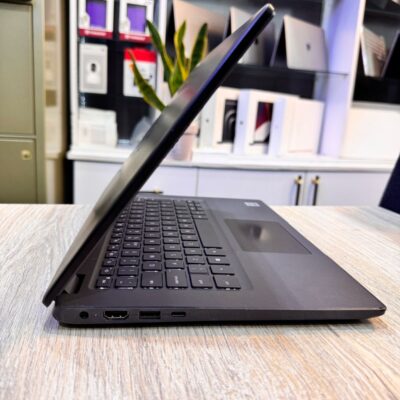
Dell latitude 3410 core i5 10th gen 512ssd /8gb

MacBook Pro 2017 A1707 i716GB/1TB

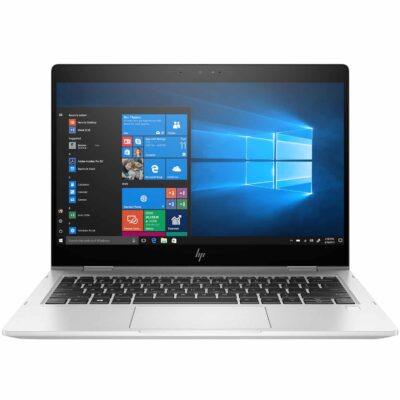
Hp elitebook 830 g7 i7 10th generation
- Hp elitebook 830 g7 i7 10th generation
- Operating system: Windows 10 / 11 Pro 64-Bit Edition
- Memory: 16GB DDR4-2666 MHz RAM (1 x 8 GB) | 64 GB
- Storage: 512GB PCIe® NVMe™ Value M.2 SSD
- Optical drive: None
- Graphics Processor: Integrated, Intel® Premium UHD Graphics
- Processor: Intel® Core™ i7-10510U (1.8 GHz base frequency, up to 4.9 GHz with Intel® Turbo Boost Technology, 8 MB L3 cache, 4 cores)
- Processor Family: 10th Generation Intel® Core™ i7 processor
- Display: 13.3 Inches (33.782cm) diagonal FHD, IPS, anti-glare, WLED-backlit, eDP, 250 nits, 45% NTSC (1920 x 1080)


Dell Latitide 7310 i7 10th gen 16gb/256gb

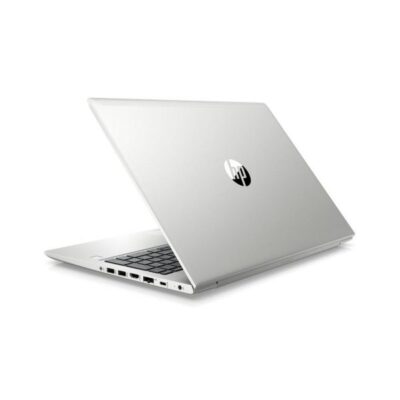
Hp Probook 430 G7
- HP ProBook 430 G7
- Processor: Intel Core i5 10th Gen (Quad-Core, up to 4.6 GHz)
- RAM: 8GB DDR4
- Storage: 256GB SSD
- Display: 13.3-inch Full HD (1920 x 1080)
- Graphics: Intel UHD Graphics (Integrated)
- Operating System: Windows 10 Pro
- Ports: USB 3.1, USB-C, HDMI, Ethernet, Audio jack, SD card reader
- Battery: Up to 12 hours
- Weight: Approx. 1.3 kg
- Condition: Sealed


HP ELITEBOOK 820 G3 i5 6th GEN
- HP Elitebok 820 G3
- Operating system: Windows 10 Pro 64-Bit Edition
- Memory: 16GB DDR4-2133MHz SDRAM (1 x 8 GB) | Supports upto 16GB
- Storage: 512GB PCIe® NVMe™ M.2 Solid State Drive (SSD)
- Optical drive: None
- Graphics Processor: Intel® HD Graphics 520
- Processor: Intel® Core™ i5 6200U (2.3GHz, up to 2.8GHz with Intel Turbo Boost Technology, 3MB cache, 2cores)
- Display: 12.5 inches (31.75 cm) diagonal, LED backlight FHD UltraSlim eDP UWVA (1920 x 1080)
- Condition: Boxed and Sealed
- 6 Months Warranty


Reviews
There are no reviews yet.