



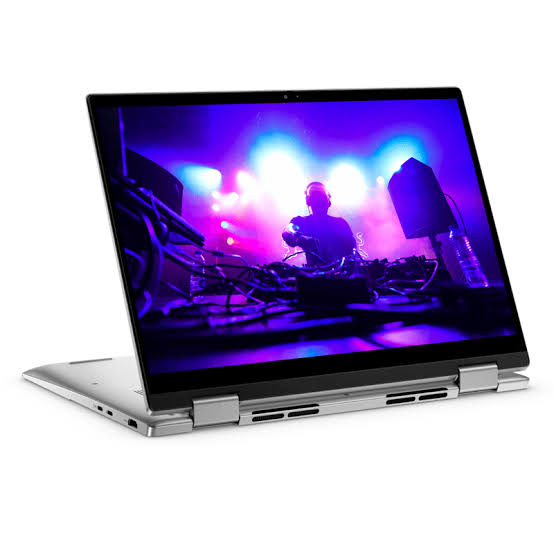
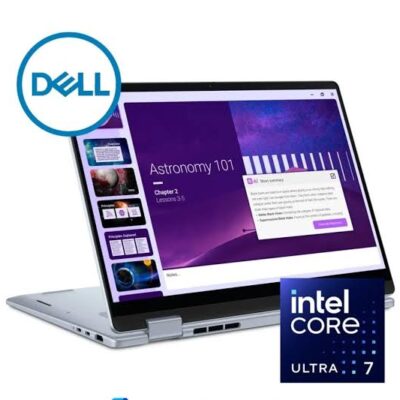
Dell 14 Plus 2-in-1 DB04250 x360 Ultra 9 288V – Powerful & Premium Convertible Laptop
Original price was: KSh 220,000.00.KSh 215,000.00Current price is: KSh 215,000.00.
✨ Dell 14 Plus 2-in-1 DB04250 x360 Ultra 9 288V – Powerful & Premium Convertible Laptop
- ⚡ Intel Core Ultra 9 288V – Powerful processing for compatible professional workloads.
- 🧠 32GB RAM – Generous memory for demanding multitasking.
- 🚀 1TB SSD – Spacious, responsive storage for applications and files.
- 🖥️ 14-Inch FHD+ Display – Practical viewing for productivity and entertainment.
- 🖐️ Touchscreen – Convenient interaction with supported applications.
- 🔄 360° Convertible Design – Flexible laptop and tablet-style modes.
- 🪟 Windows 11 Home – Modern operating system for everyday computing.
- 🔐 Fingerprint Reader – Convenient biometric sign-in with supported software.
- 🩶 Grey Finish – Clean, professional styling.
- 💼 Ideal for Professionals and Entrepreneurs – Supports compatible business and productivity applications.
- 🎓 Suitable for Students and Freelancers – Useful for research, projects, and remote work.
- 🛒 Shop with Ring-Us Technologies – Visit www.ringus.co.ke for laptops and technology solutions.
Dell 14 Plus 2-in-1 DB04250 x360 Ultra 9 288V – Powerful & Premium Convertible Laptop
Experience flexible, modern computing with the Dell 14 Plus 2-in-1 DB04250 x360 Ultra 9 288V, a premium convertible laptop designed for professionals, entrepreneurs, students, freelancers, and users who want powerful specifications with versatile functionality.
Equipped with an Intel Core Ultra 9 288V processor, 32GB RAM, and a spacious 1TB SSD, this laptop offers a strong foundation for demanding multitasking and compatible productivity applications. Its 14-inch FHD+ touchscreen combines convenient touch interaction with a practical display size for work, study, and everyday computing.
The 360-degree convertible design lets you adapt the laptop to different activities. Whether you are preparing reports, reviewing presentations, researching online, or interacting with supported touch applications, the flexible design provides more ways to use your device.
Running Windows 11 Home, the Dell 14 Plus 2-in-1 also features a fingerprint reader for convenient biometric sign-in with compatible software. Its Grey finish provides a clean, professional appearance suitable for offices, classrooms, home workspaces, and business travel.
Dell 14 Plus 2-in-1 DB04250: Key Specifications
| Feature | Specification |
|---|---|
| Brand | Dell |
| Product series | Dell 14 Plus |
| Model | DB04250 x360 |
| Design | 2-in-1 convertible |
| Processor | Intel Core Ultra 9 288V |
| RAM | 32GB |
| Storage | 1TB SSD |
| Display size | 14 inches |
| Display resolution class | FHD+ |
| Display type | Touchscreen |
| Operating system | Windows 11 Home |
| Colour | Grey |
| Security feature | Fingerprint reader |
| Product category | Premium convertible laptop |
Note: Exact display brightness, refresh rate, graphics configuration, battery capacity, ports, and included accessories have not been specified. Confirm these details for the exact unit before purchase.
Intel Core Ultra 9 288V Processing Power
The Intel Core Ultra 9 288V processor is the central processing component of this Dell 2-in-1 configuration. It provides a platform for compatible productivity applications, multitasking, research, communication, and a variety of professional workloads.
For business users, this can mean working with documents, spreadsheets, presentations, online platforms, and project-management tools. Professionals who regularly switch between applications can benefit from pairing the processor with the laptop’s 32GB RAM.
Students and freelancers can use the system for coursework, writing, research, administration, and supported development tools. Actual performance will depend on the specific application, workload, thermal conditions, and software configuration.
Users considering specialised engineering, design, or other demanding professional software should check the relevant system requirements before purchasing.
Learn more about Intel’s processor technology on the official Intel Core Ultra website.
32GB RAM for Advanced Multitasking
One of the standout specifications of this configuration is its 32GB RAM. This generous memory capacity can help users manage multiple compatible applications and complex workflows more comfortably than many lower-memory configurations.
Business professionals can work across spreadsheets, documents, communication platforms, and browser tabs. Researchers and students can keep multiple reference materials and productivity applications available while working on assignments or projects.
Freelancers can benefit when switching between client documents, online tools, design applications, and administrative tasks. Developers may also appreciate the memory capacity when using compatible integrated development environments and other development utilities.
Memory capacity alone does not determine performance in every application. Specialist workloads, virtual machines, large datasets, and advanced creative projects should still be assessed against the software manufacturer’s recommendations.
Before planning a future memory upgrade, confirm whether the memory is soldered or replaceable in the exact configuration. Do not assume that the RAM can be expanded later.
1TB SSD Storage for Projects and Files
The Dell 14 Plus 2-in-1 includes a 1TB solid-state drive (SSD), giving users substantial space for applications, documents, presentations, research files, photographs, and project resources.
SSD storage generally offers faster startup and application-loading times than traditional mechanical hard drives. It also supports responsive access to saved files, helping make everyday computing smoother.
The 1TB capacity is useful for users who prefer to keep a wide range of work and personal files on one computer. Businesses can organise documents and project materials, while students can store coursework, reference files, and compatible software.
Creative professionals should consider their storage requirements carefully when working with large video files, extensive photo libraries, or substantial project assets. Cloud storage and external drives can supplement the internal drive when additional capacity is needed.
Regular backups remain essential. If you intend to replace or expand the SSD in the future, first verify the drive format, supported capacity, and warranty conditions for the exact model.
14-Inch FHD+ Touchscreen Display
The 14-inch FHD+ touchscreen combines a practical display size with convenient touch interaction. It provides a useful workspace for reading documents, preparing reports, browsing websites, reviewing presentations, and using compatible applications.
Touch input offers an alternative to the keyboard and touchpad. Users can tap supported controls, navigate content, and interact directly with applications designed for touch operation.
The 14-inch format is a practical choice for users who move between different workspaces. It offers a screen suitable for everyday productivity without requiring the footprint of a larger laptop.
The supplied specification identifies the display as FHD+, but the exact pixel resolution, brightness, refresh rate, colour coverage, and panel technology have not been confirmed. Users involved in colour-critical design or specialist visual work should verify these details before purchase.
Flexible 360-Degree Convertible Design
The x360 design allows the Dell 14 Plus 2-in-1 to adapt to different working situations. Its convertible hinge provides multiple supported positions, helping users choose an arrangement that suits the task.
Laptop mode: Use the traditional laptop position for typing, reports, spreadsheets, programming, and everyday office work.
Stand mode: Position the screen for viewing presentations, following tutorials, or displaying information during discussions.
Tent mode: Use a supported angled position for viewing content or interacting with touch applications when desk space is limited.
Tablet-style mode: Fold the display back to interact with compatible applications through the touchscreen.
This versatility is useful for professionals who present information, students who review learning materials, and users who alternate between typing and touch-based interaction.
A stylus or pen should not be assumed to be included. Confirm accessory compatibility and availability if pen input is important to your workflow.
Windows 11 Home for Everyday Productivity
The Dell 14 Plus 2-in-1 comes with Windows 11 Home, providing a familiar environment for everyday computing and compatible productivity applications.
Users can manage documents, browse the web, communicate online, organise files, attend virtual meetings, and use a wide range of supported software. The operating system provides a modern desktop experience for home, study, and many professional tasks.
Before purchasing, verify compatibility with any specialised applications or business systems you rely on. Organisations that require particular enterprise-management or security features should compare their needs with the capabilities of Windows 11 Home.
Keep the operating system and applications updated through trusted sources. Regular updates help maintain software compatibility and address known security issues.
For official information, visit Microsoft Windows 11.
Fingerprint Reader for Convenient Sign-In
The integrated fingerprint reader offers a convenient biometric authentication option. When configured with supported software, it can allow users to sign in using a registered fingerprint.
This feature can be useful for professionals, entrepreneurs, and students who access their devices frequently throughout the day. It provides another supported sign-in method without requiring the user to enter a password every time.
Biometric authentication should form part of a wider security routine. Use strong account credentials, lock the screen when stepping away, install security updates, and maintain backups of important files.
A fingerprint reader is a convenience feature, not a substitute for responsible device security. Users handling confidential business or client information should also follow their organisation’s data-protection requirements.
Modern Grey Finish and Professional Design
The Grey finish gives the Dell 14 Plus 2-in-1 a clean, understated appearance. It suits professional environments while remaining practical for home offices, study spaces, and everyday use.
The convertible design adds functional flexibility without requiring users to carry a separate device for every task. This can be appealing to people who use one laptop for work, learning, presentations, and personal computing.
The overall combination of memory, SSD storage, touchscreen interaction, and a flexible hinge makes this configuration worth considering for users who value versatility alongside its core specifications.
Ideal for Business and Office Productivity
The Dell 14 Plus 2-in-1 can support many everyday business activities through compatible applications. Its Intel Core Ultra 9 processor, 32GB RAM, and 1TB SSD provide a capable foundation for multitasking and document-intensive work.
Potential uses include:
- Preparing business reports, proposals, and letters.
- Working with spreadsheets and presentations.
- Managing email and digital correspondence.
- Conducting research and organising information.
- Using compatible accounting and administrative applications.
- Managing project documents and business records.
- Reviewing information through touchscreen interaction.
- Participating in online meetings with compatible hardware and software.
The convertible display can also be useful during discussions or presentations. Users should confirm the camera, microphone, ports, wireless connectivity, and other detailed specifications if these are essential to their working environment.
A Premium Choice for Entrepreneurs and Small Businesses
Entrepreneurs often need a flexible computer for planning, communication, customer service, research, and administration. The Dell 14 Plus 2-in-1 can bring many of these activities together in one device.
The 32GB RAM configuration is particularly worth considering for users who routinely keep several compatible applications open. The 1TB SSD offers space for business documents, software, and project files.
The touchscreen and convertible hinge add convenience when reviewing information or presenting ideas. These features can support flexible working arrangements in offices, at home, and during meetings.
If your business relies on specialist accounting software, inventory systems, point-of-sale applications, or customer-management tools, verify compatibility before buying. The right laptop is one that matches the actual requirements of your daily operations.
Useful for Students and Academic Work
Students often need a laptop that can handle research, writing, presentations, online learning, and file organisation. The Dell 14 Plus 2-in-1 provides a combination of memory, storage, and flexible display functionality for many of these activities.
The 14-inch touchscreen is suitable for reading materials and navigating supported applications. The convertible design can make it convenient to review documents, follow tutorials, and switch between typing and viewing content.
With 32GB RAM and a 1TB SSD, the configuration offers considerable capacity for compatible software, coursework, reference files, and personal documents. Students working with specialised engineering, architecture, scientific, or creative applications should check the software’s processor, graphics, and memory requirements.
Freelancing and Remote Work
Freelancers often manage multiple clients, projects, and online tools. The Dell 14 Plus 2-in-1 can support many compatible remote-work activities, including writing, research, administration, customer communication, and project coordination.
Writers can prepare articles and documents while keeping research resources available. Virtual assistants can work with compatible scheduling, communication, and administrative platforms. Consultants can organise client files, review presentations, and manage project documentation.
The 1TB SSD provides room for files and applications, while the 32GB RAM can support multitasking across compatible workloads. Remote workers should confirm the laptop’s camera, microphone, connectivity, and battery details if they depend on them for frequent video meetings or mobile work.
Programming, Software Development, and Technical Learning
The Dell 14 Plus 2-in-1 can be suitable for many programming and software-development activities, depending on the tools and projects involved. Its processor and 32GB RAM provide a useful platform for compatible code editors, development environments, and technical applications.
The 1TB SSD offers room for software installations, source code, documentation, project assets, and supporting resources. Users learning web development or working on general software projects may find this configuration convenient for keeping their tools and files together.
More demanding development workloads require closer evaluation. If you use multiple virtual machines, large containers, local databases, or complex builds, check the requirements of your preferred tools and confirm that the laptop’s graphics and other hardware meet your needs.
Creative Work and Digital Content
The laptop may support a range of compatible creative applications, including document design, photo organisation, presentation creation, and other digital-content tasks. The combination of 32GB RAM and 1TB SSD can be useful for workflows involving several applications and sizeable files.
The touchscreen and convertible design offer additional ways to review content and interact with supported software. However, these features do not automatically guarantee professional-grade colour accuracy or specialised pen support.
For advanced video editing, 3D rendering, professional graphic design, or other graphics-intensive workloads, verify the exact graphics configuration and the application’s recommended requirements. Display colour coverage and resolution should also be checked if visual accuracy is essential.
Everyday Computing and Personal Use
Beyond professional tasks, the Dell 14 Plus 2-in-1 can support browsing, reading, communication, media playback, personal organisation, and compatible entertainment applications.
The touchscreen allows direct interaction with supported software, while the convertible design provides alternative viewing positions. The 1TB SSD can accommodate personal documents, photographs, downloads, and applications, depending on the size of the user’s collection.
Performance with demanding games or graphics-intensive applications depends on the exact graphics hardware and software requirements. Buyers prioritising gaming should check those specifications rather than relying on the processor name alone.
Dell 14 Plus 2-in-1 Compared with Other Laptop Types
| Feature | Dell 14 Plus 2-in-1 DB04250 | Standard Business Laptop | Basic Everyday Laptop |
|---|---|---|---|
| Processor | Intel Core Ultra 9 288V | Varies by model | Varies by model |
| RAM | 32GB | Varies by model | Varies by model |
| Storage | 1TB SSD | Varies by model | Varies by model |
| Display | 14-inch FHD+ touchscreen | Depends on configuration | Depends on configuration |
| Convertible design | 360-degree 2-in-1 | Not always included | Not always included |
| Operating system | Windows 11 Home | Varies by model | Varies by model |
| Fingerprint reader | Included | Model-dependent | Model-dependent |
| Main advantage | Flexible touch-based use and substantial memory | Depends on business configuration | Often focused on everyday tasks |
This table provides a general category comparison, not a direct performance benchmark against a specific competing laptop. Actual performance and value depend on the complete specifications, price, and intended workload.
Responsible Technology Use and Maintenance
Good maintenance can help keep a laptop useful for longer. Protect the touchscreen from impacts, keep liquids away from the device, use compatible charging equipment, and avoid blocking ventilation openings.
Install updates from trusted sources and maintain current backups of important files. If the laptop develops overheating, charging problems, unusual noises, or other persistent faults, arrange appropriate servicing rather than ignoring the symptoms.
Check the manufacturer’s guidance before cleaning the touchscreen or casing. Suitable cleaning materials and gentle handling can help protect the display and finish.
When considering future upgrades, confirm compatibility and warranty conditions first. When the device eventually reaches the end of its useful life, consider repair, responsible reuse, or appropriate electronic-waste recycling.
Extending the useful life of electronics and handling obsolete equipment responsibly can help reduce unnecessary waste.
Upgradeability and Long-Term Value
The Dell 14 Plus 2-in-1 combines 32GB RAM with 1TB SSD storage, offering substantial capacity for many compatible productivity and multitasking needs. Choosing a configuration that suits your current requirements can reduce the need to replace the laptop prematurely.
However, memory and storage upgrade options should be confirmed for the exact DB04250 configuration. Do not assume that the RAM is replaceable or that the SSD can be expanded without checking the manufacturer’s specifications.
Long-term value also depends on how the laptop is maintained, whether the software remains compatible with your work, and how carefully you protect your data and hardware. Regular backups, appropriate servicing, and responsible use can all contribute to a longer useful life.
Frequently Asked Questions
1. Which processor does the Dell 14 Plus 2-in-1 DB04250 use?
This configuration is specified with the Intel Core Ultra 9 288V processor.
2. How much RAM does it have?
It comes with 32GB RAM, providing substantial memory capacity for compatible multitasking and productivity workloads.
3. How much storage is included?
The laptop includes a 1TB SSD for applications, documents, projects, and personal files.
4. Does it have a touchscreen?
Yes. The supplied specifications include a 14-inch FHD+ touchscreen.
5. Can the screen fold back into tablet-style mode?
Yes. The x360 convertible design supports multiple positions, including tablet-style use.
6. Which operating system does it use?
It comes with Windows 11 Home.
7. Does it have a fingerprint reader?
Yes. A fingerprint reader is included for biometric sign-in with supported software.
8. Is it suitable for business and office work?
Yes. It can support many compatible office, communication, administrative, and productivity applications.
9. Can students and freelancers use it?
Yes. It can support research, coursework, writing, presentations, project coordination, and other compatible productivity tasks.
10. Is it suitable for programming?
It can support many programming and development tools. Users working with demanding virtual machines, containers, or specialised software should verify the requirements of their particular workflow.
11. Does it include a stylus?
A stylus has not been specified as an included accessory. Confirm availability and compatibility if you need one.
12. Where can I purchase the Dell 14 Plus 2-in-1 DB04250?
Visit www.ringus.co.ke to explore laptops and technology solutions from Ring-Us Technologies.
Final Thoughts
The Dell 14 Plus 2-in-1 DB04250 x360 Ultra 9 288V combines an Intel Core Ultra 9 288V processor, 32GB RAM, a 1TB SSD, a 14-inch FHD+ touchscreen, Windows 11 Home, and a fingerprint reader in a versatile convertible design.
Its generous memory capacity and SSD storage make it worth considering for professionals, entrepreneurs, students, freelancers, and users who regularly work across compatible applications. The touchscreen and 360-degree hinge provide added flexibility for typing, viewing, presenting, and touch-based interaction.
The Grey finish completes a clean, professional design. Before purchasing, confirm any additional requirements such as display brightness, graphics specifications, memory upgradeability, and included accessories.
Explore more laptops and technology solutions at Ring-Us Technologies.
Related products

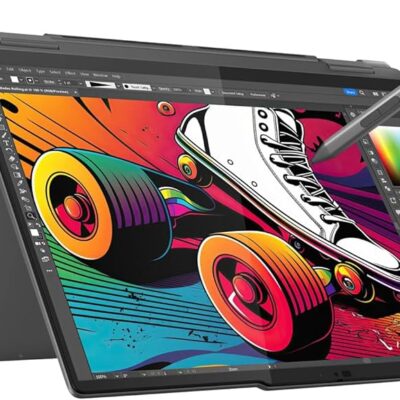
Lenovo Yoga 7 Core Ultra 7(155U)16gb/1TBssd


HP Omen 16-wf Gaming Laptop


MacBook Pro 2018 – Powerful, Sleek & Super Reliable (i5 | 16GB | 256GB)
???? MacBook Pro 2018 (Core i5 | 16GB RAM | 256GB SSD)
-
⚡ Powerful Performance: 8th-Gen Intel Core i5 processor delivers fast, smooth multitasking for work, study, and creativity.
-
???? Ample Memory: 16GB RAM ensures effortless multitasking with zero lag — perfect for designers, developers, and students.
-
???? Super-Fast Storage: 256GB NVMe SSD offers lightning-quick boot times and file access.
-
???? Brilliant Retina Display: 13.3″ True Tone Retina screen delivers sharp text and vibrant, true-to-life colors.
-
???? Enhanced Audio & Input: Backlit Magic Keyboard, large Force Touch trackpad, and immersive stereo speakers.
-
???? All-Day Battery Life: Reliable battery performance for productivity on the go.
-
????️ 6-Month Warranty: Includes a limited 6-month warranty for peace of mind.
-
???? Eco-Friendly Build: Energy-efficient design and recyclable aluminum enclosure.
-
???? Lightweight & Portable: Sleek, professional, and easy to carry anywhere.
-
???? Available at: www.ringus.co.ke


Asus Rog Zephyrus G14 AMD Reyzen 9 5000 Series 16GB Ram/1TB SSD


HP ELITEBOOK 830 G7 i7 10th gen 16GB Ram/512GB SSD
- Operating system: Windows 10 / 11 Pro 64-Bit Edition
- Memory: 16GB DDR4-2666 MHz RAM (1 x 8 GB) | 64 GB
- Storage: 512GB PCIe® NVMe™ Value M.2 SSD
- Optical drive: None
- Graphics Processor: Integrated, Intel® Premium UHD Graphics
- Processor: Intel® Core™ i7-10510U (1.8 GHz base frequency, up to 4.9 GHz with Intel® Turbo Boost Technology, 8 MB L3 cache, 4 cores)
- Processor Family: 10th Generation Intel® Core™ i7 processor
- Display: 13.3 Inches (33.782cm) diagonal FHD, IPS, anti-glare, WLED-backlit, eDP, 250 nits, 45% NTSC (1920 x 1080)
- Boxed sealed


Microsoft Surface Laptop 4

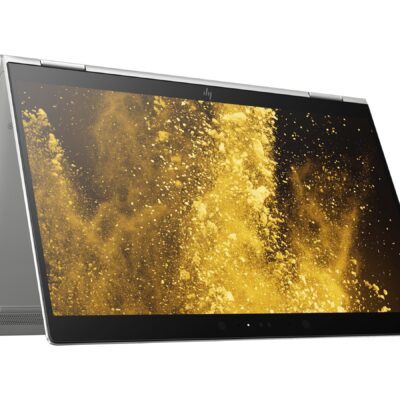
Hp Elitebook x360 1030 G3
- HP ELITEBOOK X360 1030 G3
- Operating system: Windows 10 Pro 64-Bit Edition
- Memory: 16GB LPDDR3-2133 MHz SDRAM
- Storage: 512GB M.2 SATA SED SSD
- Optical drive: No optical drive
- Graphics Processor: Integrated: Intel® UHD Graphics 620
- Processor: Intel® Core™ i5-8250U (1.6GHz base frequency, up to 3.4GHz with Intel® Turbo Boost Technology, 6 MB cache, 4 cores)
- Processor Family: 8th Generation Intel® Core™ i5 processor
- Display: 13.3 Inches (33.8 cm) diagonal FHD IPS eDP + PSR anti-glare LED-backlit touch screen, direct bonded with Corning® Gorilla® Glass 4, 700 cd/m², 100% sRGB (1920 x 1080); HP Sure View Integrated Privacy Screen
- Condition: Boxed Sealed
- Warranty: 6 Months



Reviews
There are no reviews yet.