




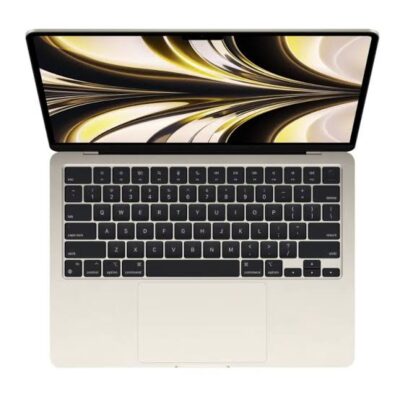
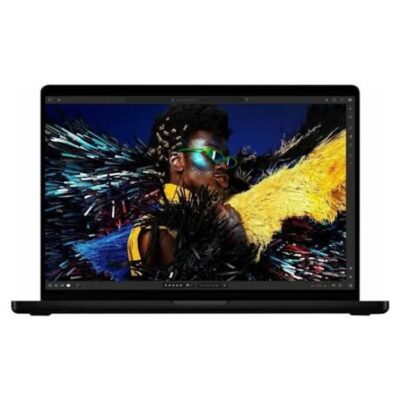
Apple MacBook Air M5 13.6-Inch – Powerful & Premium 16GB RAM, 512GB SSD
Original price was: KSh 235,000.00.KSh 230,000.00Current price is: KSh 230,000.00.
✨ Apple MacBook Air M5 13.6-Inch – Powerful and premium design for modern productivity.
- 🚀 Apple M5 Chip – Designed for responsive everyday computing and compatible creative workflows.
- 🧠 16GB RAM – Supports multitasking, research, office applications, and productivity tasks.
- ⚡ 512GB SSD – Fast storage for applications, documents, projects, and personal files.
- 🖥️ 13.6-Inch Display – Compact screen size for work, study, and entertainment.
- 💼 Premium MacBook Air Design – Ideal for professionals, entrepreneurs, and students.
- 🎓 Student-Friendly Productivity – Suitable for assignments, online learning, and presentations.
- 🌐 Remote Work Ready – Supports compatible communication, office, and collaboration applications.
- 🎨 Creative Workflows – Suitable for supported design, photo-editing, and content-creation software.
- 👨💻 Coding & Development – Supports compatible programming tools and development environments.
- 📂 Practical Storage Capacity – Keep important files and applications organised.
- 🛠️ Care for Long-Term Value – Protect your laptop and use responsible repair and recycling options.
- 🛒 Shop with Ring-Us Technologies – Visit www.ringus.co.ke for laptop and technology options.
Confirm the exact model, colour, operating-system version, included accessories, and warranty before purchase.
Apple MacBook Air M5 13.6-Inch – Powerful & Premium 16GB RAM, 512GB SSD
Experience premium computing with the Apple MacBook Air M5 13.6-inch, featuring 16GB RAM and 512GB SSD storage. Designed for users who value performance, portability, elegant design, and a smooth everyday computing experience, this MacBook Air is an excellent option for professionals, entrepreneurs, students, creatives, and remote workers.
Powered by Apple’s M5 chip, this MacBook Air is designed to support demanding productivity tasks, efficient multitasking, and compatible creative applications. Its 16GB of memory and 512GB SSD provide a practical combination for users who want responsive performance and enough storage for documents, projects, applications, photos, and other important files.
The compact 13.6-inch design makes it convenient for working at home, in the office, at school, or while travelling. Whether you are preparing business reports, managing online projects, editing content, attending virtual meetings, or enjoying entertainment, the MacBook Air offers a premium computing experience in a portable form.
Key Specifications of the Apple MacBook Air M5
| Feature | Specification |
|---|---|
| Brand | Apple |
| Product | MacBook Air |
| Processor | Apple M5 chip |
| Display size | 13.6 inches |
| Memory | 16GB RAM |
| Storage | 512GB SSD |
| Operating system | Confirm the installed macOS version |
| Display resolution | Confirm the exact configuration |
| Colour | Not specified |
| Warranty | Not specified |
| Product website | Ring-Us Technologies |
Please confirm the exact unit’s configuration, colour, operating system, warranty, and included accessories before purchase.
1. Apple M5 Chip for Powerful Everyday Performance
The Apple MacBook Air M5 is designed for users who need a capable laptop for daily productivity and a wide range of professional tasks. Apple’s silicon technology integrates key computing components into a system designed to deliver responsive performance and efficient operation.
For everyday users, this means having a laptop suited to working with documents, researching online, managing email, attending meetings, and switching between compatible applications. The MacBook Air is particularly appealing to people who need a computer that can support a busy working day without requiring a bulky workstation.
The M5 chip also makes this model worth considering for compatible creative workflows. Depending on the application and workload, it can support activities such as photo editing, graphic design, coding, content creation, and video editing.
Actual performance varies according to the software being used, project complexity, and the configuration of the specific unit. Users working with exceptionally demanding professional applications should check the requirements of their preferred software before purchasing.
2. 16GB RAM for Smooth Multitasking
Memory plays an important role in how a computer handles multiple applications and active tasks. With 16GB RAM, this MacBook Air provides a useful memory configuration for professionals, students, and entrepreneurs who regularly move between different activities.
You can use compatible office applications, keep research tabs open, manage email, prepare presentations, and work on documents without relying on a basic entry-level memory configuration. Your experience will still depend on the number and type of applications running simultaneously.
For students, 16GB RAM can support online learning, research, assignments, and presentations. For business users, it can help with spreadsheets, administrative applications, customer records, and everyday office workflows.
Creative professionals can also benefit from having memory available for supported design, photography, and content-production applications. Nevertheless, exceptionally large projects may require more memory than ordinary office work.
Important: Confirm the memory configuration of the exact model before purchasing. Do not assume that the RAM can be upgraded after purchase; MacBook Air memory is generally integrated into the system.
3. 512GB SSD Storage for Your Files and Applications
The 512GB SSD provides storage for applications, documents, business files, photographs, videos, downloads, and creative projects. It offers a practical capacity for users who need more room than a basic 256GB configuration.
Solid-state storage is designed to provide responsive access to files and applications. It can contribute to quick startup, efficient application loading, and a smoother general computing experience compared with traditional mechanical hard drives.
For professionals, the available space can accommodate work documents, presentations, spreadsheets, project files, and commonly used applications. Students can keep notes, research material, assignments, and learning resources in one place.
Photographers and content creators may also appreciate the capacity for current projects. However, extensive video libraries and large creative projects can consume storage quickly.
You can manage space by removing unnecessary downloads, reviewing large files, using compatible external storage, and choosing a suitable cloud-storage service. Remember that the operating system and preinstalled applications occupy part of the advertised capacity, so the full 512GB will not be available for personal files.
4. Compact 13.6-Inch Display for Everyday Productivity
The 13.6-inch display offers a balance between usable screen space and portability. It is suitable for users who need to read documents, browse websites, prepare presentations, work with spreadsheets, and manage everyday applications without carrying a large laptop.
A compact screen can be particularly helpful for students moving between classes, professionals attending meetings, and remote workers who alternate between home and other working environments.
For writing and research, the display provides space for documents, reference material, and browser windows. For presentations and business tasks, it supports a convenient working setup while keeping the laptop relatively compact.
Apple’s MacBook Air models in this size category are associated with Liquid Retina display technology, but you should verify the exact display specifications of the M5 unit being offered. Resolution, brightness, colour characteristics, and other display details should be confirmed against the precise model number.
If display quality is especially important for your work, check the manufacturer’s specifications before making your final decision.
5. Premium Design and Portable Convenience
The MacBook Air family is known for its slim, minimalist design and focus on portability. The 13.6-inch form factor makes this model attractive to people who want a premium laptop that is convenient to carry throughout the day.
A portable computer can make a difference when your work involves client visits, meetings, travel, campus activities, or changing workspaces. Instead of relying on a desktop computer, you can take your work with you and continue using compatible applications wherever you have a suitable working environment.
The compact format also makes it easier to fit the laptop into an appropriate laptop bag alongside essential accessories and documents. For professionals who value a clean, understated appearance, the MacBook Air’s design is another part of its appeal.
The colour of this particular unit has not been provided, so confirm the available finish with the seller before ordering.
6. A Useful Laptop for Business and Office Work
The Apple MacBook Air M5 can be an excellent choice for everyday business productivity. Its memory, SSD storage, and Apple silicon platform make it suitable for many common office workflows.
Business users can use compatible applications for preparing reports, creating presentations, maintaining spreadsheets, communicating with clients, and organising projects. It can also support online research, administrative work, and digital collaboration.
Entrepreneurs and small-business owners may find it useful for handling routine operations, updating documents, preparing quotations, coordinating tasks, and working with web-based business platforms.
Compatibility should always be considered before choosing a computer for a workplace. Some specialist accounting systems, enterprise applications, and industry-specific programs may require particular operating systems or software versions. Check whether your essential business tools support the macOS version and Apple silicon platform on the exact machine.
7. Suitable for Students and Online Learning
Students need a computer that can support research, writing, assignments, presentations, and online learning. The MacBook Air M5 offers a portable option for these activities, with 16GB RAM and 512GB SSD storage providing a useful foundation for study and productivity.
It can be used for writing essays, preparing class presentations, organising notes, reading digital learning materials, and researching topics online. Compatible video-conferencing applications can also support virtual classes, group discussions, and meetings with lecturers.
For university students, the laptop may be useful for business studies, communication, writing, programming, research, and other courses that rely on compatible desktop or web applications.
Students taking specialised courses should confirm software requirements before buying. Certain engineering, architecture, scientific, and technical programs may have Windows-only versions or specific hardware requirements.
8. An Option for Freelancers and Remote Workers
Freelancers and remote professionals often need a reliable laptop for several types of work. The MacBook Air M5 can support many compatible applications used for writing, virtual assistance, online research, project coordination, digital marketing, and customer communication.
Writers can use it to prepare articles, edit manuscripts, organise research, and manage client documents. Virtual assistants can use compatible scheduling, communication, office, and project-management applications.
Digital marketers may use it for content planning, campaign coordination, website management, and social-media workflows. Designers and other creatives can explore compatible software for their preferred work.
The laptop is also suitable for many browser-based tools, although specific capabilities depend on the platform and application. If your income depends on a particular professional program, verify its compatibility and subscription requirements before purchasing.
9. Creative Work, Photography, and Content Production
The Apple MacBook Air M5 is worth considering for people whose daily work includes compatible creative applications. The combination of Apple silicon, 16GB RAM, and 512GB SSD storage can support a range of creative and media-related tasks.
Photographers may use compatible software to organise photographs, edit images, and prepare content for publication. Graphic designers can explore supported tools for layouts, promotional materials, and digital artwork.
Content creators may use suitable applications to plan content, edit projects, prepare thumbnails, and manage media files. Video editing performance depends on factors such as resolution, effects, project complexity, application optimisation, and the specific hardware configuration.
For professional production involving very large projects, extensive visual effects, or sustained heavy workloads, compare the laptop’s capabilities with those of higher-memory or actively cooled professional systems.
10. Programming, Coding, and Technical Work
Developers can use a MacBook Air for many programming and software-development tasks. Depending on the tools selected, it may support web development, code editing, scripting, application development, and technical research.
The 16GB RAM configuration can be helpful when working with a code editor, documentation, browser tabs, and other development tools. The 512GB SSD provides space for development environments, source code, project files, and supported software packages.
Developers should check the compatibility of their preferred tools with Apple’s processor architecture. Particular virtualisation platforms, development frameworks, device emulators, and specialised software may have different requirements.
If your work depends on Windows-specific development tools, confirm whether they run natively, through an appropriate compatibility solution, or not at all on your intended setup.
11. macOS and the Apple Ecosystem
MacBook Air computers run macOS, Apple’s desktop operating system. The exact installed version on this unit should be confirmed with the seller.
macOS provides a desktop environment for managing files, running compatible applications, browsing the internet, and organising everyday work. Apple also offers features that can help users connect compatible devices within its ecosystem.
For people who already use supported Apple devices, ecosystem features may make certain workflows more convenient. However, feature availability depends on the devices involved, software versions, settings, and regional availability.
You can learn more about Apple’s computer platform on the official Apple Mac website.
Before purchasing, confirm that the applications you rely on are compatible with the specific macOS version and Apple silicon hardware. This is particularly important for specialist business software and older applications.
12. Connectivity, Accessories, and Everyday Setup
Connectivity is important when selecting a laptop for business, education, or personal use. You may need to connect external displays, storage devices, headphones, charging accessories, or other peripherals.
The exact port configuration, wireless specifications, charging equipment, and accessory inclusions should be verified against the precise MacBook Air M5 model. Do not assume that a particular adapter, external display cable, mouse, bag, or other accessory is included in the purchase.
If you use external monitors or specialist equipment, check compatibility before ordering. You may need an appropriate adapter or dock depending on your setup.
It is also worth confirming the keyboard layout, charger specifications, and warranty coverage, especially if the laptop is being purchased for business or educational use.
13. Battery and Mobile Productivity
Portability is one of the main attractions of the MacBook Air range. A laptop that can be carried easily allows you to move between workspaces and continue working away from a permanent desk.
Actual battery life depends on the precise configuration, battery condition, workload, screen brightness, wireless activity, and applications being used. Demanding creative tasks may consume more power than light document editing or web browsing.
For a new unit, consult Apple’s published specifications for the exact model to understand the manufacturer’s battery claims. For a previously used or refurbished unit, ask the seller about battery condition and any applicable warranty.
Good battery habits include using compatible charging equipment, avoiding excessive heat, and keeping macOS updated where appropriate. Battery performance naturally changes with age and usage.
14. Comparing the MacBook Air M5 with Other Laptop Options
Choosing the right laptop depends on your budget, workload, software requirements, portability needs, and preferred operating system. The following table compares broad categories rather than claiming exact benchmark results.
| Feature | MacBook Air M5 | Mainstream Windows laptop | Gaming laptop |
|---|---|---|---|
| Main platform | Apple silicon and macOS | Windows, depending on model | Usually Windows |
| Portability | Compact 13.6-inch format | Varies by size and design | Often larger and heavier |
| Memory in this listing | 16GB | Varies by configuration | Varies by configuration |
| Storage in this listing | 512GB SSD | Varies by configuration | Varies by configuration |
| Everyday productivity | Well suited to compatible applications | Well suited to compatible applications | Well suited to compatible applications |
| Creative software | Depends on application compatibility | Depends on application and hardware | Depends on application and hardware |
| Dedicated gaming graphics | Do not assume a discrete GPU | Depends on model | Often includes dedicated graphics |
| Upgrade options | Memory is generally integrated; verify storage servicing options | Varies by model | Varies by model |
| Best choice depends on | macOS preference, portability, compatible workflows | Windows compatibility, budget, available configurations | Gaming, graphics needs, and cooling requirements |
The MacBook Air M5 may be attractive if you want Apple’s operating system and a compact laptop for productivity. A Windows laptop may be more appropriate if your essential software is Windows-only or you need specific business compatibility.
A gaming laptop may be preferable for users whose priorities include demanding games or applications that benefit from a dedicated graphics processor. The best option is the one that fits your real workload rather than simply having the most impressive specifications.
15. Storage Management and Long-Term Value
The 512GB SSD offers a useful amount of local storage, but it is still important to manage files carefully. Applications, operating-system files, downloads, and media projects all contribute to storage usage.
You can help maintain available space by reviewing large files, removing applications you no longer use, and archiving completed projects. External storage and suitable cloud services can also help with files that do not need to remain on the laptop at all times.
Before purchasing, confirm the service options available for the exact model. Do not assume that the memory or internal storage can be upgraded later.
Keeping the laptop clean, protecting it from accidental damage, installing trusted software, and following appropriate battery-care practices can help preserve its usefulness. When a device eventually reaches the end of its service life, responsible repair, reuse, and electronic-waste recycling can help reduce unnecessary waste.
16. Why Buy from Ring-Us Technologies?
Choosing a laptop involves more than selecting a processor and storage capacity. It is important to understand the exact configuration, the condition of the unit, what is included, and the applicable warranty terms.
Ring-Us Technologies provides a destination for customers exploring laptop and technology options. Before completing a purchase, confirm the MacBook Air M5’s exact model number, condition, colour, included charger and accessories, operating-system version, and warranty details.
You can visit www.ringus.co.ke to explore available technology products and contact the seller about the particular configuration you need.
Frequently Asked Questions
1. Is the Apple MacBook Air M5 suitable for business?
Yes. Its 16GB RAM and 512GB SSD make it a strong option to consider for compatible office applications, research, communication, spreadsheets, presentations, and general business productivity.
2. Is 16GB RAM enough for multitasking?
For many everyday workloads, 16GB RAM is a practical configuration. It can support multiple applications and browser tabs, although demanding creative projects and specialised workloads may require additional resources.
3. Is 512GB SSD enough for students?
For many students, 512GB provides useful room for assignments, applications, documents, research materials, and personal files. Students who store large video libraries or extensive creative projects may need external or cloud storage.
4. Can the RAM be upgraded?
Do not assume it can. MacBook Air memory is generally integrated into the system, so buyers should select the appropriate memory configuration before purchasing.
5. Can I use this laptop for graphic design?
It can support compatible graphic-design applications. Check the software developer’s system requirements and confirm that the applications you use are compatible with the M5 chip and installed macOS version.
6. Is it suitable for programming?
It can be suitable for many coding, web-development, and software-development tasks. Confirm compatibility if your projects depend on Windows-only applications, particular virtualisation tools, or specialised development environments.
7. Does the laptop come with a charger and warranty?
The supplied information does not confirm the included accessories or warranty. Ask the seller to clarify these details for the exact unit before purchase.
8. What colour is this MacBook Air?
The colour has not been specified in the product information provided. Confirm the available finish with the seller before placing an order.
9. Which operating system does it use?
The MacBook Air runs macOS, but the exact installed version has not been specified. Confirm the installed version and available update support with the seller.
10. Where can I buy the Apple MacBook Air M5 in Kenya?
Visit Ring-Us Technologies to explore available laptops and confirm the price, stock availability, configuration, and purchase terms for this model.
Final Thoughts: A Powerful and Premium Laptop for Modern Productivity
The Apple MacBook Air M5 13.6-inch with 16GB RAM and 512GB SSD is a compelling configuration to consider for professionals, students, entrepreneurs, freelancers, and everyday users who want a portable laptop with premium positioning.
Its Apple silicon platform, practical memory capacity, solid-state storage, and compact design make it suitable for a wide variety of compatible productivity and creative workflows. It is especially worth considering if you prefer macOS and want a laptop that can move easily between home, school, the office, and other workspaces.
Before buying, confirm the precise model, display specifications, colour, installed macOS version, accessories, condition, and warranty. Selecting the correct configuration will help you make a more informed purchase and get the most value from your investment.
Related products

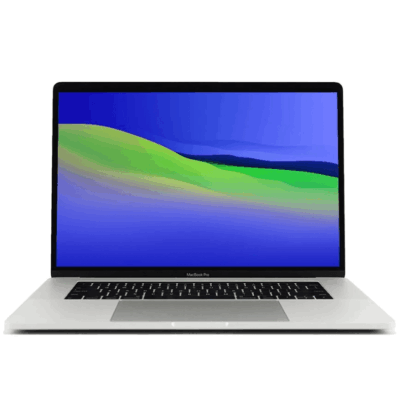
MacBook pro 16 2019 A2141 i7 16GB/512GB


MacBook Pro 2018 – Powerful, Sleek & Super Reliable (i5 | 16GB | 256GB)
???? MacBook Pro 2018 (Core i5 | 16GB RAM | 256GB SSD)
-
⚡ Powerful Performance: 8th-Gen Intel Core i5 processor delivers fast, smooth multitasking for work, study, and creativity.
-
???? Ample Memory: 16GB RAM ensures effortless multitasking with zero lag — perfect for designers, developers, and students.
-
???? Super-Fast Storage: 256GB NVMe SSD offers lightning-quick boot times and file access.
-
???? Brilliant Retina Display: 13.3″ True Tone Retina screen delivers sharp text and vibrant, true-to-life colors.
-
???? Enhanced Audio & Input: Backlit Magic Keyboard, large Force Touch trackpad, and immersive stereo speakers.
-
???? All-Day Battery Life: Reliable battery performance for productivity on the go.
-
????️ 6-Month Warranty: Includes a limited 6-month warranty for peace of mind.
-
???? Eco-Friendly Build: Energy-efficient design and recyclable aluminum enclosure.
-
???? Lightweight & Portable: Sleek, professional, and easy to carry anywhere.
-
???? Available at: www.ringus.co.ke


MacBook Air 2020 A2179 13inch i5 8gb/512SSD
- MacBook Pro A2179
- Processor: Intel Core
- RAM: 8GB LPDDR4X Memory
- Storage: 512GB SSD (ultra-fast performance)
- Display: 13.3-inch Retina Display with True Tone Technology
- Resolution: 2560 x 1600 pixels (227 PPI)
- Graphics: Intel Iris Plus Graphics
- Year: 2020 Model (A2179)
- Operating System: macOS (latest compatible version)
- Keyboard: New Magic Keyboard with improved reliability
- Touch Bar: Yes, with integrated Touch ID sensor
- 6 Months Warranty

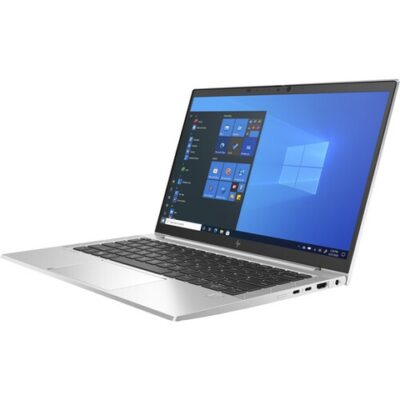
Hp Elitebook 830 G8 i7 11th gen touch screen


HP ELITEBOOK 830 G7 i7 10th gen 16GB Ram/512GB SSD
- Operating system: Windows 10 / 11 Pro 64-Bit Edition
- Memory: 16GB DDR4-2666 MHz RAM (1 x 8 GB) | 64 GB
- Storage: 512GB PCIe® NVMe™ Value M.2 SSD
- Optical drive: None
- Graphics Processor: Integrated, Intel® Premium UHD Graphics
- Processor: Intel® Core™ i7-10510U (1.8 GHz base frequency, up to 4.9 GHz with Intel® Turbo Boost Technology, 8 MB L3 cache, 4 cores)
- Processor Family: 10th Generation Intel® Core™ i7 processor
- Display: 13.3 Inches (33.782cm) diagonal FHD, IPS, anti-glare, WLED-backlit, eDP, 250 nits, 45% NTSC (1920 x 1080)
- Boxed sealed





Reviews
There are no reviews yet.