



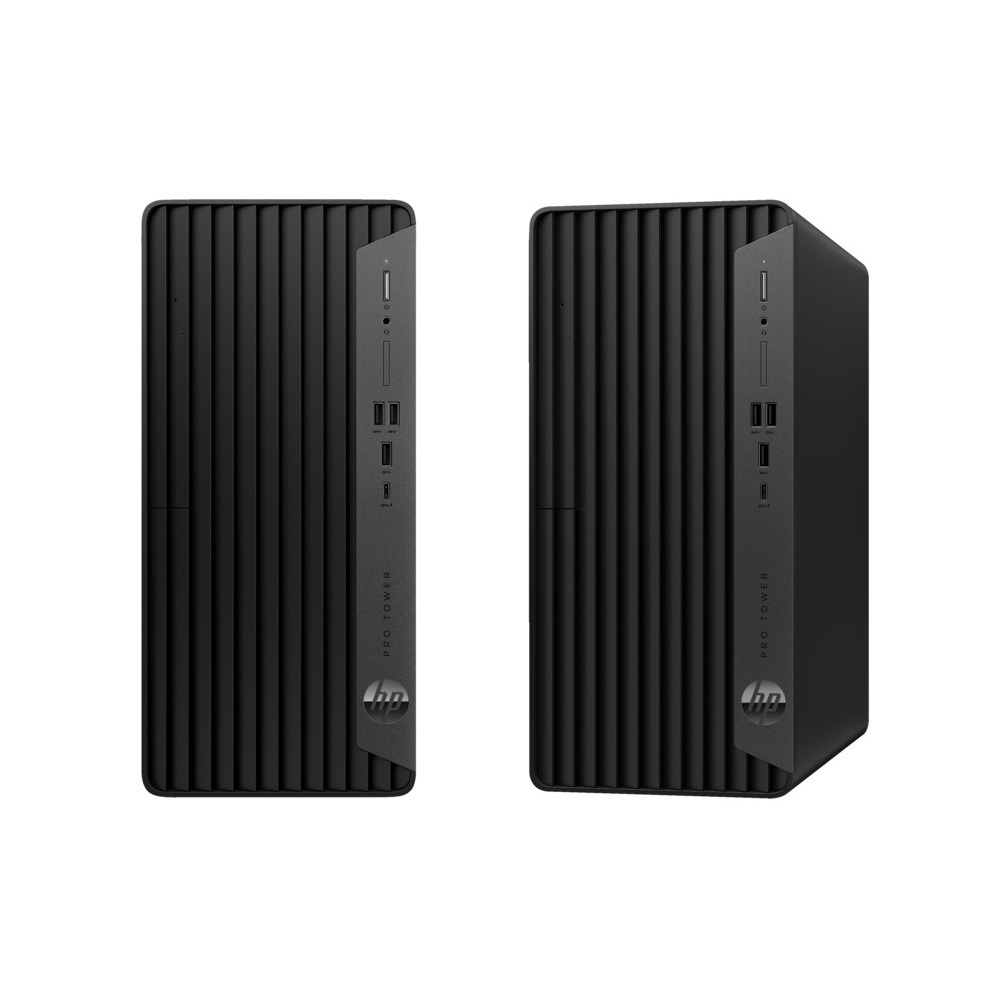
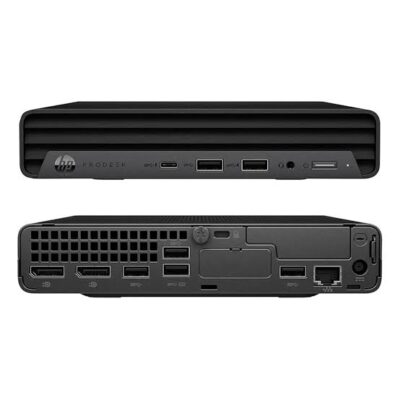

HP Pro Tower 400 G9 Core i7 13th Gen – Powerful & Premium 8GB RAM, 512GB SSD DOS Desktop PC
Original price was: KSh 122,000.00.KSh 120,000.00Current price is: KSh 120,000.00.
💻 HP Pro Tower 400 G9 Core i7 13th Gen – Powerful & Premium Desktop PC
- ⚡ Intel Core i7 13th Gen – Designed for business productivity; confirm the exact processor model.
- 🧠 8GB RAM – Supports everyday multitasking and office applications.
- 🚀 512GB SSD – Responsive storage for files, documents, and software.
- 🏢 Professional Tower Design – Ideal for offices, businesses, and dedicated workstations.
- 📊 Business Productivity – Handle spreadsheets, documents, email, and compatible business software.
- 🎓 Education & IT – Useful for research, programming basics, and technical learning.
- 🛠️ Expansion Potential – Verify compatible memory, storage, and internal upgrades.
- 💿 DOS Operating System – Confirm installation requirements and Windows licensing before use.
- 🖥️ Monitor Not Guaranteed – Check whether a monitor, keyboard, and mouse are included.
- 🛒 Shop Ring-Us Technologies – Visit www.ringus.co.ke for available computers and technology solutions.
HP Pro Tower 400 G9 Core i7 13th Gen – Powerful & Premium 8GB RAM, 512GB SSD DOS Desktop PC
Power your business and everyday productivity with the HP Pro Tower 400 G9 Core i7 13th Gen, 8GB RAM, 512GB SSD, a professional desktop computer designed for offices, businesses, educational institutions, and demanding everyday computing tasks. Combining an advertised 13th Generation Intel Core i7 processor with 8GB of RAM and fast solid-state storage, this HP tower desktop provides a practical foundation for efficient workflows, business applications, multitasking, and professional productivity.
With its traditional tower design, the HP Pro Tower 400 G9 is an excellent option for users who prefer a desktop computer with a dedicated workspace and the potential for internal expansion, subject to the exact configuration. Whether you are setting up an office workstation, upgrading your business computers, equipping a training centre, or creating a productive home office, this desktop offers a versatile platform for everyday computing.
This configuration comes with DOS, meaning you should not assume that Windows is preinstalled. You may need to install a compatible operating system and arrange the appropriate licensing before using it for your intended tasks.
Available from Ring-Us Technologies, the HP Pro Tower 400 G9 is worth considering for customers looking for a professional desktop solution with an Intel Core i7 processor, 8GB RAM, and 512GB SSD storage.
HP Pro Tower 400 G9 Core i7 Specifications
| Specification | Details |
|---|---|
| Brand | HP |
| Product family | HP Pro Tower 400 G9 |
| Form factor | Tower desktop PC |
| Processor | Intel Core i7, 13th Generation; exact processor model to be confirmed |
| Memory (RAM) | 8GB |
| Storage | 512GB SSD |
| Operating system | DOS |
| Graphics | Confirm the exact graphics configuration |
| Display | Confirm separately; monitor not guaranteed |
| Keyboard and mouse | Confirm package contents |
| Connectivity | Verify ports and networking on the exact unit |
| Warranty | Confirm with the seller |
Important: HP desktop configurations can vary. Confirm the exact Intel Core i7 processor number, graphics, available ports, memory configuration, upgrade capacity, and warranty before purchasing.
Powerful Intel Core i7 13th Generation Performance
The Intel Core i7 processor family is designed for performance-oriented computing across a range of workloads. A suitable 13th Generation Core i7 configuration can provide a capable foundation for business applications, office multitasking, research, and compatible professional software.
For organisations that depend on computers throughout the working day, responsiveness and software compatibility are essential. Employees may need to switch between documents, spreadsheets, browser tabs, communication platforms, and business systems without constantly interrupting their workflow.
The HP Pro Tower 400 G9 can be considered for tasks such as:
- Preparing reports, proposals, letters, and business documents.
- Managing spreadsheets and administrative records.
- Handling email and online communication.
- Accessing cloud-based business applications.
- Using compatible accounting and inventory software.
- Preparing presentations and training materials.
- Conducting online research and digital learning.
- Managing routine business operations and office administration.
Actual performance depends on the precise processor model, software requirements, memory, graphics, and workload. For demanding specialist applications, verify the requirements before selecting this configuration.
Explore Intel Core processor technology for more information about Intel’s processor families.
8GB RAM for Everyday Multitasking
The HP Pro Tower 400 G9 comes with 8GB RAM, providing working memory for everyday productivity applications and common business tasks.
RAM allows the computer to keep active applications and data readily accessible while you work. For routine office use, 8GB can be suitable for document editing, web browsing, email, spreadsheets, and other compatible applications.
This configuration may suit:
- Office administrators.
- Receptionists and customer service staff.
- Students and trainees.
- Small-business owners.
- Freelancers and remote workers.
- Employees using browser-based business platforms.
If your work involves large spreadsheets, numerous simultaneous applications, virtual machines, demanding development environments, or professional creative software, you may benefit from additional RAM.
The tower form factor may offer more internal expansion flexibility than some mini desktop designs, but the exact supported memory capacity and available slots must be verified for this model and configuration. Confirm compatibility before purchasing additional memory.
512GB SSD for Fast, Responsive Storage
A 512GB solid-state drive (SSD) provides storage for the operating system, applications, documents, projects, and other files. SSDs generally offer faster data access than traditional mechanical hard drives, helping support a responsive computing experience.
Potential benefits include:
- Faster startup when using a suitably configured operating system.
- Quicker application loading.
- Responsive access to stored files.
- Convenient storage for business documents and presentations.
- Efficient handling of routine office workloads.
A 512GB SSD offers useful capacity for many office and business users. The usable space will be lower than the advertised capacity after formatting and installing the operating system and applications.
For organisations that manage important business records, regular backups are essential. Consider a secure external storage solution or appropriate cloud backup service for financial documents, customer information, and critical files.
Traditional Tower Design for a Professional Workspace
Unlike a compact mini desktop, the HP Pro Tower 400 G9 uses a tower-style chassis. This format is suitable for users who have room for a dedicated desktop system and may want more flexibility when servicing or upgrading the computer.
Potential advantages include:
- A dedicated desktop workstation for office productivity.
- A practical design for fixed workspaces.
- Access to internal components for servicing, depending on the model.
- Potential memory and storage expansion, subject to supported specifications.
- Suitability for offices that need a standard desktop setup.
Tower desktops can be useful for businesses planning to retain computers over several years. However, the exact upgrade options depend on the motherboard, power supply, available slots, chassis layout, and manufacturer specifications.
Ideal for Office and Corporate Productivity
The HP Pro Tower 400 G9 is designed for professional computing environments where users need a dependable desktop platform for daily operations.
Office administration
Administrative teams can use a compatible configuration for reports, spreadsheets, correspondence, document management, and routine office applications.
Reception and customer service
Receptionists and customer service representatives often use computers for email, customer records, appointment management, and web-based platforms. This desktop may support these activities when paired with compatible software and peripherals.
Accounting and finance
Businesses can use desktop computers for invoicing, bookkeeping, budgeting, and financial reporting. Check the requirements of your chosen accounting software, especially if it handles large datasets or multiple users.
Retail and inventory management
The HP tower can serve as a workstation for inventory records, sales administration, product catalogues, and compatible retail management systems. Confirm port availability if you need to connect barcode scanners, receipt printers, or other specialised devices.
Human resources and business management
HR and management teams can use compatible software for employee records, reports, correspondence, and routine administration. Sensitive business information should be protected through appropriate access controls, security updates, and backups.
Suitable for Schools, Colleges, and Training Institutions
Educational institutions need computers for administrative work, research, online learning, presentations, and practical ICT training. The HP Pro Tower 400 G9 may be suitable for staff offices, computer laboratories, libraries, and training environments.
Potential uses include:
- Preparing assignments and presentations.
- Conducting research and accessing online learning platforms.
- Learning office productivity applications.
- Practising introductory programming.
- Studying database and networking fundamentals.
- Managing school and institutional records.
- Using compatible assessment and training applications.
For institutions purchasing several computers, it is important to establish consistent operating-system licensing, security policies, peripheral requirements, and maintenance arrangements before deployment.
Programming, Networking, and IT Work
The advertised Core i7 processor and SSD storage provide a potential starting point for programming and general IT work, depending on the exact hardware configuration and software requirements.
This desktop may be suitable for:
- Learning programming fundamentals.
- Developing basic websites.
- Writing and testing code.
- Using compatible development environments.
- Working with command-line tools and version control.
- Learning database concepts and SQL.
- Studying networking and system administration.
- Practising general IT support tasks.
More intensive development workflows may need additional memory. Virtual machines, emulators, local databases, and container-based environments can consume significant resources. If these activities form a major part of your work, confirm RAM upgrade support and consider a configuration with more memory.
DOS Operating System: What You Need to Know
This HP Pro Tower 400 G9 configuration is advertised with DOS, rather than a confirmed preinstalled Windows operating system.
DOS should not be treated as equivalent to a fully configured modern Windows workstation. Depending on the specific supplied configuration, you may need to install a compatible operating system before using common Windows-based business applications.
Before purchase, confirm:
- Exactly what DOS or operating-system environment is supplied.
- Whether an operating-system installation is required.
- Whether a Windows licence is included or must be purchased separately.
- Whether the intended operating system supports the hardware.
- Whether the required drivers are available.
- Whether your business applications are compatible with the operating system you choose.
For more information, visit the official Microsoft Windows website. If you need model-specific drivers or technical documentation, consult HP Support.
Graphics and Display Compatibility
The graphics capabilities of this desktop depend on the exact processor and configuration. Do not assume that a dedicated graphics card is included unless the seller confirms it.
For standard office productivity, browsing, presentations, and many business applications, compatible integrated graphics may be sufficient. More demanding 3D design, intensive video editing, professional visualisation, and gaming workloads require a closer assessment of graphics performance.
The monitor is not guaranteed to be included with this desktop. Before ordering, confirm the available video outputs and ensure they are compatible with the monitor you intend to use.
If you require multiple displays, check the manufacturer’s specifications for the supported display connections and configurations.
Connectivity and Expansion Options
A desktop computer should have the connections you need for your existing equipment and future plans.
Before purchasing the HP Pro Tower 400 G9, verify the exact unit’s:
- USB ports for peripherals and external storage.
- Video outputs for compatible monitors.
- Ethernet networking connection.
- Wireless connectivity, if required.
- Audio connections.
- Available internal expansion slots.
- Supported memory and storage upgrades.
If you use printers, scanners, external drives, specialised business devices, or multiple monitors, check compatibility in advance. The availability of specific ports and expansion features can vary between configurations.
HP Pro Tower 400 G9 vs HP Pro Mini 400 G9
Both tower and mini desktops can serve business environments, but their physical designs and expansion considerations differ.
| Feature | HP Pro Tower 400 G9 | HP Pro Mini 400 G9 |
|---|---|---|
| Form factor | Traditional tower | Compact mini desktop |
| Desk-space requirement | Requires more space | Designed to save space |
| Everyday office work | Suitable when properly configured | Suitable when properly configured |
| Internal expansion | May provide more room, depending on configuration | Compact design may limit some upgrades |
| Component servicing | Depends on chassis and configuration | Depends on chassis and configuration |
| Ideal environment | Dedicated workstations and offices needing potential expansion | Small desks and space-conscious workstations |
| Best choice | Users prioritising a tower format and potential flexibility | Users prioritising a compact footprint |
Choose the tower if you have sufficient space and want to investigate potential internal expansion. Choose a mini desktop if reducing desk space is your priority. In both cases, compare the exact processor, memory, storage, warranty, and price.
HP Pro Tower 400 G9 vs Entry-Level Desktop PCs
| Feature | HP Pro Tower 400 G9 Core i7 | Entry-Level Desktop |
|---|---|---|
| Processor | Advertised 13th Gen Core i7 | Varies by model |
| RAM | 8GB | Varies by configuration |
| Storage | 512GB SSD | May use an SSD or another storage type |
| Form factor | Tower | Tower, mini, or other design |
| Typical use | Business productivity and compatible professional applications | Basic office, home, and educational work |
| Expansion | Confirm exact model support | Depends on the model |
The right choice depends on your workload and budget. A processor’s name alone does not establish total system performance; the exact CPU model, memory, storage, graphics, and software requirements all matter.
Maintenance and Long-Term Value
Responsible maintenance can help extend a computer’s useful life and reduce avoidable downtime.
Keep the computer ventilated. Place the tower where air can circulate freely and avoid blocking cooling vents.
Control dust. Keep the workspace clean and arrange suitable servicing if dust accumulates inside the chassis.
Use appropriate power protection. A compatible surge protector or UPS can help protect the computer from certain electrical disturbances.
Maintain software security. Install supported updates, use appropriate security software, and confirm that your operating system continues to receive security updates.
Back up important files. Maintain additional copies of critical business data rather than relying on a single SSD.
Check component compatibility. Confirm supported RAM, storage, and expansion options before upgrading.
Reuse and recycle responsibly. When the desktop no longer meets your needs, consider repair, refurbishment, or reuse. At the end of its useful life, use an appropriate electronic-waste collection service and securely erase sensitive data before transferring or disposing of the device.
Frequently Asked Questions
1. What are the specifications of the HP Pro Tower 400 G9?
This advertised configuration features an Intel Core i7 13th Gen processor, 8GB RAM, a 512GB SSD, and DOS. Confirm the exact processor model and remaining specifications with the seller.
2. Is this desktop suitable for business use?
It may be suitable for office productivity, administration, accounting applications, research, and compatible business software. Actual suitability depends on the exact configuration and software requirements.
3. Does it come with Windows installed?
The listing specifies DOS. Do not assume that Windows is included. Confirm the supplied operating-system environment and whether a Windows licence must be purchased separately.
4. Is 8GB RAM enough for office work?
Eight gigabytes can be suitable for many everyday office tasks. If you regularly use memory-intensive applications, large spreadsheets, or virtual machines, consider whether a supported RAM upgrade is appropriate.
5. What are the benefits of the 512GB SSD?
An SSD provides responsive storage for applications and files and generally offers faster data access than a traditional mechanical hard drive.
6. Does the desktop include a monitor?
The monitor is not guaranteed to be included. Confirm the package contents before placing an order.
7. Can it be used for programming?
It may support coding, web development, database learning, and general IT work. More demanding development environments may require additional memory or other hardware capabilities.
8. Can I upgrade the RAM or storage?
Upgrade options depend on the exact configuration. Check the supported memory capacity, storage connections, available slots, and manufacturer documentation before purchasing components.
9. Is it suitable for gaming or professional graphics work?
That depends on the installed graphics solution and the requirements of the applications or games. Confirm whether a dedicated graphics card is included before purchasing it for graphics-intensive workloads.
10. Where can I buy the HP Pro Tower 400 G9 in Kenya?
Visit Ring-Us Technologies to explore available computers and technology products. Confirm current availability, pricing, warranty, and package contents directly with the seller.
Why Choose the HP Pro Tower 400 G9 from Ring-Us Technologies?
The HP Pro Tower 400 G9 Core i7 13th Gen with 8GB RAM and a 512GB SSD is worth considering if you need a professional desktop for everyday business productivity, office administration, education, and compatible IT applications.
Its tower form factor may also appeal to users who prefer a traditional desktop design and want to explore possible future component upgrades. The DOS configuration gives you an opportunity to choose a compatible operating system, but you should confirm installation requirements and licensing before use.
For official product information and technical assistance, visit HP and HP Support. To explore available computers and technology solutions, visit www.ringus.co.ke.
Before purchasing, verify the exact processor model, operating system, graphics configuration, connectivity, upgrade options, warranty, and included accessories to ensure the desktop meets your needs.
Related products


HP ProDesk 400 G7 SFF | Intel Core i7 10th Gen | 32GB RAM | 2TB HDD | 4GB GTX 730 | Windows 11 Pro – Secure & Expandable Desktop PC
The HP ProDesk 400 G7 SFF is a secure, high-performance desktop ideal for business, content creation, and multitasking. With a 10th Gen Intel Core i7, 32GB RAM, 2TB HDD, and a 4GB NVIDIA GTX 730 graphics card, it combines speed, storage, and visual power in a compact small form factor. Built-in HP security features make it a smart investment for professionals.
Specifications
-
Model: HP ProDesk 400 G7 SFF
-
Processor: Intel Core i7 (10th Gen)
-
Memory: 32GB DDR4 RAM
-
Storage: 2TB HDD
-
Graphics: 4GB NVIDIA GeForce GTX 730
-
Operating System: Windows 11 Pro (Upgradeable)
-
Form Factor: Small Form Factor (SFF)
-
Expansion Slots: 2 bays and 2 slots for future upgrades
-
Security Features:
-
HP Sure Sense (AI-based malware protection)
-
HP Sure Click (hardware-enforced web protection)
-
Intrusion sensor
-
Integrated accessory cable lock
-
-
Condition: Brand New
-
Warranty: 6 Months

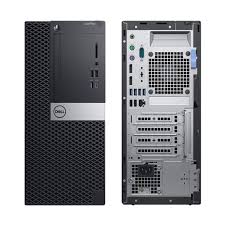
Dell OptiPlex 7070 Tower | Intel Core i7 9th Gen | 8GB RAM | 1TB SSD | 4GB NVIDIA GTX 730 | Windows 11 Pro – Stunning – High-Performance Desktop
The Dell OptiPlex 7070 Tower is a powerful desktop PC built for performance, expandability, and smooth multitasking. Powered by a 9th Gen Intel Core i7 processor, equipped with 8GB RAM, 1TB NVMe SSD, and a dedicated 4GB NVIDIA GTX 730 GPU, it delivers speed and responsiveness for business, design, or personal use.
Specifications
-
Model: Dell OptiPlex 7070 Tower
-
Processor: Intel Core i7-9700 (9th Gen, 8 Cores, up to 4.7GHz)
-
Memory: 8GB DDR4 RAM (PC4)
-
Storage: 1TB M.2 NVMe SSD – High-speed performance
-
Graphics: 4GB NVIDIA GTX 730 (Dedicated)
-
Operating System: Windows 11 Pro (64-bit, Pre-installed)
-
Connectivity:
-
5 x USB 3.1 Ports
-
4 x USB 2.0 Ports
-
1 x USB Type-C Port
-
Ethernet, Serial Port
-
Audio Combo Jack
-
2 x DisplayPorts, VGA
-
-
Display Outputs (GPU): 1 x DisplayPort, 2 x Mini DisplayPorts
-
Wireless: Wi-Fi ready via USB adapter
-
Power Supply: 400W PSU
-
Condition: Brand New
-
Warranty: 6 Months
-
Accessories Included: Wireless Keyboard, Wireless Mouse, TJJ Large Mouse Pad


HP Z600 Workstation | Dual Xeon | 16GB RAM | 2TB HDD | 2GB NVIDIA Quadro – Powerful & Reliable
The HP Z600 Workstation is a high-performance desktop engineered for professionals in media, engineering, and design. With dual Intel Xeon processors, 16GB RAM, a massive 2TB HDD, and a 2GB NVIDIA Quadro GPU, it delivers serious computing power for demanding workflows.
Specifications
-
Processor: Dual Intel® Xeon® X5650 / X5670
-
Memory: 16GB DDR3 ECC RAM
-
Storage: 2TB HDD
-
Graphics: 2GB NVIDIA Quadro (e.g., Quadro 4000)
-
Expansion: Supports up to 48GB RAM, dual PCIe x16 slots
-
Condition: Renewed / Refurbished – Professionally Tested
-
Operating System: Windows 10 Pro / Custom OS upon request

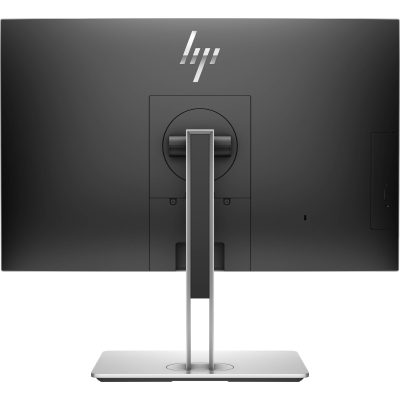
HP EliteOne 800 G4 | Core i7 8th Gen | 8GB RAM | 256GB SSD | 24” FHD AIO – Sleek & Efficient Business Desktop
The HP EliteOne 800 G4 All-in-One PC delivers desktop performance in a space-saving design. Powered by an Intel Core i7 8th Gen processor, 8GB RAM, and 256GB SSD, this 24” AIO is ideal for modern offices needing powerful, clutter-free computing.
Specifications
-
Processor: Intel Core i7 8th Gen
-
Memory: 8GB DDR4 RAM
-
Storage: 256GB SSD
-
Display: 24” Full HD
-
Form Factor: All-in-One
-
Operating System: Windows 10/11
-
Condition: Refurbished
-
Warranty: 6 Months

HP EliteDesk 800 G4 Tower | Intel Core i5 8th Gen | 8GB RAM | 500GB HDD | Windows 10 Pro – Fast & Powerful
Boost your productivity with the HP EliteDesk 800 G4 Tower, built for business-grade performance. Featuring an Intel Core i5 8th Gen processor, 8GB RAM, and 500GB HDD storage, this PC offers secure, reliable, and scalable computing for growing businesses.
Specifications
-
Processor: Intel Core i5 8th Generation
-
Memory: 8GB DDR4 RAM
-
Storage: 500GB SATA HDD
-
Graphics: Integrated Intel UHD Graphics 630
-
Operating System: Windows 10 Pro
-
Form Factor: Tower
-
Ports: USB 3.1, USB Type-C, DisplayPort, VGA, Ethernet, Audio In/Out
-
Optical Drive: Optional (varies by configuration)

HP ProDesk 600 G3 Desktop | Intel Core i5 6th Gen | 8GB RAM | 500GB HDD | Windows 10 Pro-Powerful & Reliable Computer
Get the HP ProDesk 600 G3 Desktop in Kenya – a powerful and reliable business desktop equipped with Intel Core i5 6th Gen processor, 8GB RAM, and 500GB HDD. Designed for enhanced productivity and multitasking in office environments.
Specifications
-
Processor: Intel Core i5 6th Generation
-
Memory: 8GB DDR4 RAM
-
Storage: 500GB HDD
-
Graphics: Integrated Intel HD Graphics
-
Operating System: Windows 10 Pro
-
Form Factor: Desktop Tower
-
Ports: USB 3.0, USB 2.0, DisplayPort, VGA, Ethernet, Audio In/Out

Dell Core i5 2nd Gen Desktop | 4GB RAM | 500GB HDD | Windows 10 – Reliable Office & Home Computer
Get the Dell Core i5 2nd Gen Desktop PC in Kenya – a powerful and reliable desktop with Intel Core i5 2nd Generation processor, 4GB RAM, and 500GB HDD storage. Designed for smooth multitasking, office work, and everyday computing needs.
Specifications
-
Processor: Intel Core i5 2nd Generation
-
Memory: 4GB DDR3 RAM
-
Storage: 500GB HDD
-
Graphics: Integrated Intel HD Graphics
-
Operating System: Windows 10 Pro
-
Ports: USB 2.0, USB 3.0, VGA, Ethernet, Audio In/Out
-
Optical Drive: DVD-ROM
-
Connectivity: Wired LAN
-
Form Factor: Tower/Desktop

Dell Pentium Desktop PC | Intel Pentium | 4GB RAM | 500GB HDD | Windows 10 – Reliable Performance
Get reliable everyday computing with the Dell Pentium Desktop PC – equipped with 4GB RAM, 500GB HDD storage, and Windows 10. Perfect for basic office work, web browsing, and home use, this entry-level system is a cost-effective solution for your daily tasks.
Specifications
-
Processor: Intel Pentium
-
RAM: 4GB DDR3
-
Storage: 500GB Hard Drive
-
OS: Windows 10 Pro
-
Connectivity: Wired LAN, USB, VGA
-
Form Factor: Compact Tower/Desktop
-
Use Case: Office tasks, learning, web browsing, media


Reviews
There are no reviews yet.