



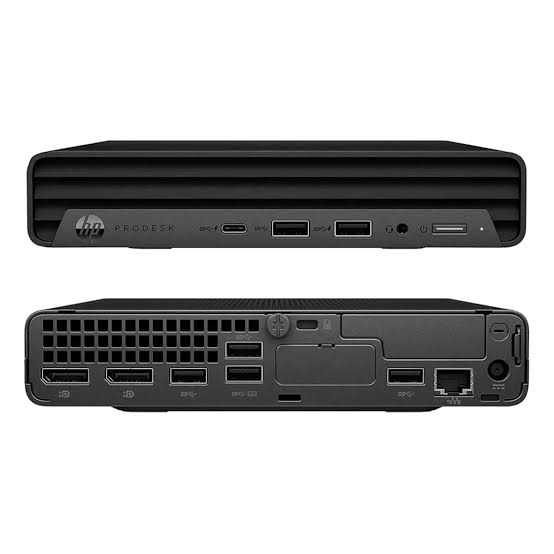

HP Pro Mini 400 G9 Desktop PC Core i7 14th Gen – Powerful & Premium 8GB RAM, 512GB SSD
Original price was: KSh 130,000.00.KSh 126,000.00Current price is: KSh 126,000.00.
💻 HP Pro Mini 400 G9 Core i7 14th Gen – Powerful & Premium Mini Desktop PC
- ⚡ Intel Core i7 Processor – Designed for responsive business productivity; confirm the exact processor model.
- 🧠 8GB RAM – Suitable for everyday multitasking and office applications.
- 🚀 512GB SSD – Fast storage for files, documents, and applications.
- 📦 Compact Mini Design – Saves desk space and supports a tidy workstation.
- 🏢 Business Ready – Suitable for offices, reception desks, and administrative tasks.
- 🎓 Education & IT – Useful for research, learning, and compatible programming applications.
- 📊 Everyday Productivity – Handle documents, spreadsheets, email, and web-based business tools.
- 🔌 Connectivity – Confirm exact ports, networking, and monitor compatibility.
- 🛠️ Upgrade Potential – Check supported memory and storage upgrades for the exact configuration.
- 🛒 Shop Ring-Us Technologies – Visit www.ringus.co.ke for available computers and technology solutions.
HP Pro Mini 400 G9 Desktop PC Core i7 14th Gen – Powerful & Premium 8GB RAM, 512GB SSD
Upgrade your workspace with the HP Pro Mini 400 G9 Desktop PC Core i7, 8GB RAM, 512GB SSD, a compact business computer designed for professional productivity, office operations, education, and everyday computing. Combining a space-saving desktop design with an advertised Intel Core i7 14th Gen processor, 8GB of RAM, and fast solid-state storage, this HP Pro Mini offers a practical solution for businesses and individuals who want a desktop computer without taking up too much desk space.
Whether you are equipping a corporate office, setting up a reception desk, managing a small business, supporting an educational institution, or creating a home workstation, the HP Pro Mini 400 G9 provides a compact computing platform for everyday work. Its small form factor makes it particularly attractive where desk space is limited or a tidy, organised workspace is a priority.
Available through Ring-Us Technologies, this HP desktop is worth considering for users seeking a compact business computer for documents, spreadsheets, email, web applications, research, and compatible professional software.
HP Pro Mini 400 G9 Core i7 Specifications
| Feature | Details |
|---|---|
| Brand | HP |
| Product family | HP Pro Mini 400 G9 |
| Computer type | Mini desktop PC |
| Processor | Intel Core i7, advertised as 14th Generation; verify the exact processor model |
| Memory (RAM) | 8GB |
| Storage | 512GB SSD |
| Form factor | Compact mini desktop |
| Operating system | Not specified; confirm with the seller |
| Graphics | Depends on the exact processor and configuration |
| Monitor | Confirm whether included; typically sold separately in mini PC configurations |
| Keyboard and mouse | Confirm package contents |
| Warranty | Confirm applicable warranty terms |
Please note: Processor specifications and available features can vary by configuration. Confirm the exact CPU model, installed operating system, graphics capabilities, ports, wireless connectivity, and upgrade options for the specific unit before purchase.
Powerful Intel Core i7 Performance for Business Productivity
The Intel Core i7 family is associated with performance-oriented processors designed to handle a broad range of computing workloads. In a suitable configuration, a Core i7 desktop can provide a capable foundation for everyday office work, multitasking, and compatible business applications.
The HP Pro Mini 400 G9 is designed for professional environments where employees need reliable access to the applications and digital tools that keep an organisation running. From preparing reports to managing email and working with online platforms, a desktop workstation should support a smooth and efficient daily routine.
Potential uses include:
- Preparing documents, letters, reports, and proposals.
- Working with spreadsheets and business records.
- Managing email, calendars, and online communication.
- Accessing cloud-based applications and business systems.
- Conducting research and browsing the internet.
- Creating presentations and training materials.
- Running compatible accounting and inventory applications.
- Supporting general administrative and office tasks.
Actual processing performance depends on the precise Intel processor model, software, cooling, memory configuration, and workload. Verify the advertised 14th Gen designation against the processor installed in the specific unit.
Learn more about Intel Core processor technology.
Compact Mini Desktop Design That Saves Space
One of the main attractions of the HP Pro Mini 400 G9 is its compact form factor. Unlike a traditional tower desktop, a mini desktop is designed to occupy less space, making it a practical option for modern offices, small workstations, reception counters, and home offices.
A smaller desktop can help businesses organise their work areas more efficiently, particularly where several computers must fit into a shared office.
Benefits of a compact desktop
- Space-saving workstation: A compact system can help free up valuable desk space.
- Organised office setup: Less desktop equipment can make cable management easier.
- Professional appearance: A mini PC suits modern, streamlined office environments.
- Flexible placement: Depending on the model and mounting accessories, a mini desktop may be positioned on a desk or mounted in a compatible location.
- Business-friendly form factor: Suitable for many reception desks, administrative offices, classrooms, and other fixed workstations.
Before planning a mounted installation, confirm the exact unit’s dimensions and whether compatible mounting accessories are supported or included.
8GB RAM for Everyday Multitasking
The HP Pro Mini 400 G9 configuration advertised here includes 8GB of RAM, providing memory for everyday productivity applications and routine multitasking.
RAM allows your computer to keep active applications and data readily available while you work. With 8GB RAM, users can handle common office tasks such as writing documents, browsing websites, checking email, and using compatible business software.
This configuration may suit:
- Office administrators.
- Receptionists and customer service teams.
- Students and trainees.
- Small-business owners.
- Freelancers and remote workers.
- Employees using web-based business platforms.
Memory needs increase when users open many applications simultaneously or work with large datasets, virtual machines, complex creative projects, or demanding development environments. If your workload requires more memory, ask whether the exact Pro Mini configuration supports a RAM upgrade and confirm its maximum supported capacity.
Do not assume the number of memory slots or the supported memory specification without checking the technical documentation for the exact model.
512GB SSD for Fast and Responsive Storage
The 512GB solid-state drive (SSD) offers storage for applications, documents, presentations, downloads, and business files. SSD technology generally provides faster data access than a traditional mechanical hard drive, which can improve everyday responsiveness.
A 512GB SSD can help with:
- Faster system startup when supported by the installed operating system.
- Quicker application loading.
- Responsive access to saved documents.
- Convenient storage for work files and presentations.
- Efficient handling of routine business applications.
The available capacity will be lower than the advertised figure after formatting and installing the operating system and applications. Businesses handling large quantities of documents or media should consider a sensible backup and storage plan.
Remember that SSD storage is not a replacement for backups. Keep important business records, customer information, financial documents, and project files backed up to a secure separate location.
An Excellent Option for Offices and Corporate Workstations
The HP Pro Mini 400 G9 can be considered for businesses that want compact computers for everyday office work. Its small form factor may be particularly useful in workplaces where multiple employees need dedicated workstations without large computer towers occupying the available space.
Office administration
Administrative staff can use a compatible configuration for documents, reports, spreadsheets, email, digital filing, and routine office applications.
Reception and customer service
Reception teams often need access to communication platforms, customer records, appointment systems, and web-based services. This desktop may support these workflows when paired with compatible software and peripherals.
Accounting and finance
Small businesses may use desktop computers for invoicing, bookkeeping, budgeting, and financial reporting. Confirm the system requirements of your preferred accounting application before deployment.
Retail and inventory management
The HP Pro Mini may be suitable for inventory records, sales administration, product catalogues, and compatible retail management applications. If you intend to connect specialised scanners, printers, or point-of-sale devices, check the available ports and compatibility requirements.
Human resources and administration
HR teams can use desktop computers for employee records, correspondence, spreadsheets, and compatible HR management platforms. Organisations should also apply appropriate access controls and security measures when handling sensitive information.
Suitable for Schools, Colleges, and Training Centres
Educational institutions require computers for administration, research, digital learning, and practical IT exercises. The HP Pro Mini 400 G9 may be a useful option for computer labs, staff offices, libraries, and training rooms where space efficiency is important.
Potential uses include:
- Preparing assignments and presentations.
- Conducting online research.
- Accessing digital learning platforms.
- Teaching basic computer applications.
- Practising introductory programming.
- Supporting institutional administration.
- Using compatible educational and assessment software.
For shared environments, administrators should confirm the software requirements, operating system, security policies, and peripheral needs before purchasing multiple units.
Can the HP Pro Mini 400 G9 Handle Programming?
The HP Pro Mini 400 G9 may be suitable for a range of introductory programming and everyday development tasks, provided the exact processor and software configuration meet the relevant requirements.
Potential activities include:
- Learning programming fundamentals.
- Writing and editing code.
- Developing basic websites.
- Using lightweight integrated development environments.
- Working with command-line tools.
- Learning version control.
- Practising database fundamentals.
- Studying networking concepts and general IT skills.
More demanding development tasks may require additional RAM. Virtual machines, Android emulators, container-based environments, and large software projects can use substantial system resources. If you plan to use these tools regularly, verify upgrade support and consider whether a higher-memory configuration would be more suitable.
Connectivity and Peripheral Compatibility
A mini desktop must provide the connections required by your existing equipment. Before purchasing the HP Pro Mini 400 G9, verify the actual unit’s ports and connectivity options.
Consider whether you need to connect:
- One or more monitors.
- A keyboard and mouse.
- Printers and scanners.
- External storage devices.
- Headsets or speakers.
- Ethernet networking equipment.
- Specialised business or educational peripherals.
The exact port selection can depend on the product configuration. Check the official documentation and confirm that the computer’s display outputs match your monitor’s available inputs. You may need a compatible cable or adapter.
Wireless connectivity should also be confirmed rather than assumed. If your workplace depends on Wi-Fi or Bluetooth, verify that the specific unit includes the required functionality.
Graphics and Display Considerations
Graphics capabilities depend on the exact processor and configuration. Do not assume that this model includes a dedicated graphics card or a particular graphics solution without verifying the specifications.
For everyday office work, browsing, presentations, and general productivity, compatible integrated graphics may be sufficient. More demanding workloads, such as advanced 3D modelling, professional visual effects, and modern gaming, require closer consideration of graphics performance.
The mini desktop itself does not automatically provide a complete display setup. Confirm whether a monitor is included in the advertised package and ensure your selected monitor is compatible with the system’s video outputs.
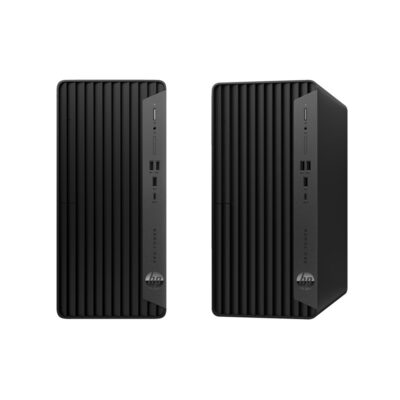
HP Pro Mini 400 G9 vs Traditional Tower Desktops
Choosing between a mini desktop and a traditional tower depends on available space, performance requirements, connectivity, and future upgrade plans.
| Feature | HP Pro Mini 400 G9 | Traditional Tower Desktop |
|---|---|---|
| Physical size | Compact mini form factor | Generally larger |
| Desk-space requirements | Designed to save space | Requires more space |
| Everyday office work | Suitable when properly configured | Suitable when properly configured |
| Internal expansion | Depends on compact chassis and model | Often offers more physical room, depending on the tower |
| Graphics upgrades | Must be checked carefully | May offer more options, depending on the model |
| Port availability | Confirm exact configuration | Varies by model |
| Ideal environment | Compact workstations and space-conscious offices | Workstations requiring more internal expansion flexibility |
A mini desktop is appealing when space is a priority. A larger tower may be preferable when you need extensive internal expansion or a dedicated graphics card. Compare the exact specifications rather than relying on the form factor alone.
HP Pro Mini 400 G9 vs an Entry-Level Desktop
| Feature | HP Pro Mini 400 G9 Core i7 Configuration | Entry-Level Desktop |
|---|---|---|
| Processor | Advertised Core i7; exact model to confirm | Varies by configuration |
| Memory | 8GB RAM | Varies |
| Storage | 512GB SSD | May use an SSD or another storage type |
| Physical footprint | Compact mini desktop | Depends on form factor |
| Typical use | Business productivity and compatible professional software | Basic office, home, and educational tasks |
| Upgrade considerations | Confirm compact-system limitations | Depends on the model |
The most appropriate choice depends on the price, precise processor, memory, storage, software requirements, and upgrade options. A Core i7 label alone does not guarantee a particular level of performance across different processor generations and configurations.
Maintenance, Security, and Long-Term Value
A well-maintained desktop can remain useful for years, depending on its workload, hardware condition, software support, and servicing.
Keep the system ventilated. Avoid blocking cooling vents and keep the computer away from excessive heat, moisture, and dust.
Clean it appropriately. Dust can accumulate around vents and cooling components. Use suitable cleaning methods and professional servicing when necessary.
Keep software updated. Install supported operating-system and application updates. Confirm that the installed operating system receives security updates.
Protect business data. Use strong passwords, appropriate access permissions, and secure backups for important files.
Use suitable power protection. A compatible surge protector or UPS can help protect equipment against certain power disturbances.
Check before upgrading. Confirm memory and storage compatibility before purchasing additional components. Mini desktops can have different expansion limitations from tower computers.
Repair, reuse, and recycle responsibly. When the computer no longer meets your needs, consider repair, refurbishment, or reuse where practical. Use an appropriate electronic-waste collection or recycling service at the end of its useful life. Securely erase sensitive data before transferring or disposing of the system.
Frequently Asked Questions
1. What are the main specifications of the HP Pro Mini 400 G9?
This advertised configuration includes an Intel Core i7 processor described as 14th Gen, 8GB RAM, and a 512GB SSD. Confirm the exact processor model and other specifications with the seller.
2. Is the HP Pro Mini 400 G9 good for office work?
It may be suitable for documents, spreadsheets, email, research, administration, and compatible business applications. Suitability depends on the exact configuration and the software you use.
3. Does it have 8GB RAM?
Yes, the configuration in this listing is advertised with 8GB RAM. Confirm whether the memory can be upgraded if you expect to run more demanding workloads.
4. How much storage does it have?
It is advertised with a 512GB SSD for applications, documents, and other files.
5. Does the computer come with a monitor?
A monitor is not guaranteed to be included. Confirm the package contents before ordering, particularly if you are purchasing the computer for a new workstation.
6. Does it come with Windows?
The operating system has not been specified in this listing. Ask the seller whether the unit includes Windows or another operating system, and whether the software is properly licensed.
7. Can I use it for programming and IT studies?
It may support coding, web development, introductory database work, and general IT studies. More demanding virtualisation and development workloads may require additional memory or other configuration changes.
8. Can it support multiple monitors?
That depends on the available display outputs and the specific monitor configuration. Verify the exact ports and supported display arrangements before purchasing.
9. Can I upgrade the RAM or SSD?
Upgrade options depend on the exact unit. Confirm the supported memory capacity, storage interfaces, and any relevant service requirements before buying components.
10. Where can I buy the HP Pro Mini 400 G9 in Kenya?
Visit Ring-Us Technologies to explore available computers and technology products. Confirm the current price, availability, warranty, processor model, and included accessories directly with the seller.
Why Choose the HP Pro Mini 400 G9 from Ring-Us Technologies?
The HP Pro Mini 400 G9 is worth considering if you need a compact desktop computer for a professional workspace. Its space-saving design, advertised Core i7 processor, 8GB RAM, and 512GB SSD make it a potential option for everyday business productivity, education, administration, and general computing.
Before purchasing, make sure the configuration matches your needs. Verify the exact processor model, operating system, graphics, ports, upgrade options, warranty, and whether a monitor or other accessories are included.
For official product information, visit HP’s website and HP Support. To explore available computers and technology solutions, visit www.ringus.co.ke.
Choose a configuration that supports your current workflow while allowing for the software, memory, and connectivity requirements you may have in the future.
Related products
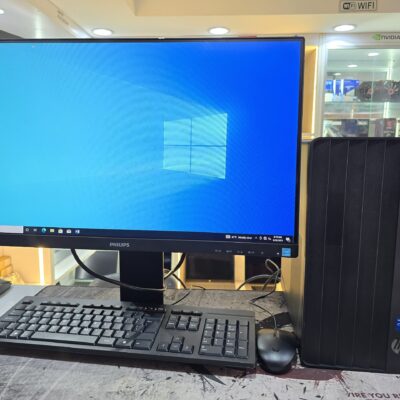
HP Pro Tower 290 G9 | Intel Core i5 12th Gen | 8GB RAM | 512GB SSD | 4GB NVIDIA GT730 | Windows 11 Pro | FHD Monitor – Powerful & Reliable
Power through your day with the HP Pro Tower 290 G9 – built with a 12th Gen Intel Core i5 processor, 4GB NVIDIA GT730 graphics, and fast SSD storage. Perfect for business multitasking, creative tasks, and long-term scalability.
Key Features
-
Intel Core i5 12th Gen – Up to 3.0GHz clock speed and 12 processing threads for fast multitasking
-
8GB DDR4 RAM – Handles office applications, browsing, and business tools with ease
-
512GB NVMe SSD – Lightning-fast load times and reliable storage
-
4GB NVIDIA GT730 – Dedicated graphics for design, video output, and smooth display performance
-
Expansion Ready – PCIe x16 & PCIe x1 slots for future upgrades
-
Enhanced Security – Firmware TPM, HP Drive Lock, and cable lock compatibility
-
Modern I/O – USB 3.0, HDMI, legacy ports for compatibility
-
Complete Bundle – Includes Phillips 243S7E 1080p FHD IPS Monitor with Built-in Audio Speakers

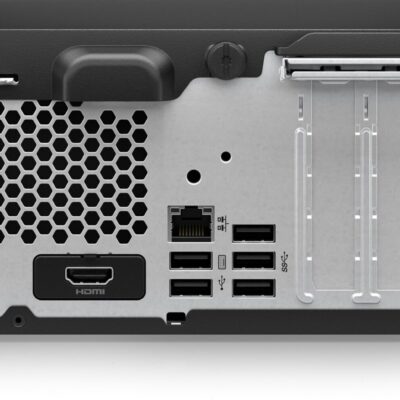
HP ProDesk 400 G9 SFF | Intel Core i7 13th Gen | 32GB RAM | 512GB SSD | Windows 11 Pro – Powerful Desktop for Business & Creative Use
The HP ProDesk 400 G9 SFF is a compact and powerful business-class desktop PC featuring a 13th Gen Intel Core i7 processor, 32GB DDR4 RAM, and a high-speed 512GB SSD. Whether you’re a designer, analyst, student, or entrepreneur, this machine offers speed, reliability, and seamless multitasking in a space-saving design.
Specifications
-
Model: HP ProDesk 400 G9 SFF
-
Processor: Intel Core i7 (13th Gen)
-
Memory: 32GB DDR4 RAM
-
Storage: 512GB SSD (Solid State Drive)
-
Graphics: Integrated Intel UHD Graphics
-
Operating System: Windows 11 Pro (Upgradeable)
-
Form Factor: Small Form Factor (SFF) – Space-saving and efficient
-
Ports:
-
USB 3.2
-
USB Type-C
-
HDMI
-
Ethernet (RJ-45)
-
-
Condition: Brand New
-
Warranty: 6 Months


HP Z230 Workstation | Xeon E3 | 16GB RAM | 2TB HDD | 2GB Graphics – Compact, Reliable & Performance-Driven
-
The HP Z230 Workstation is a compact yet powerful solution for creative professionals and engineers. Equipped with an Intel Xeon E3 processor, 16GB RAM, 2TB storage, and 2GB graphics, it balances high performance and expandability in a space-saving tower.
Specifications
-
Processor: Intel® Xeon® E3-1200 v3 (4th Gen)
-
Memory: 16GB DDR3 RAM (expandable up to 32GB)
-
Storage: 2TB HDD (Upgradeable to SSD)
-
Graphics: 2GB Dedicated Graphics Card
-
Operating System: Windows 10 Pro
-
Chipset: Intel® C226
-
Form Factor: Tower
-

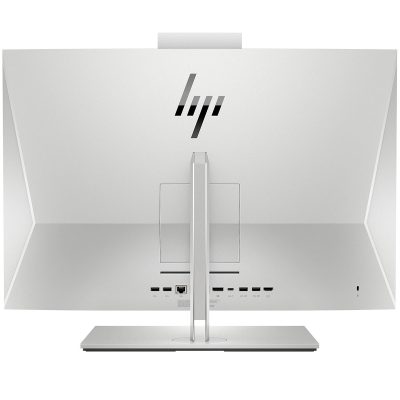
HP EliteOne 800 G3 All-in-One | Core i5 6th Gen | 8GB RAM | 256GB SSD | 23.8” FHD Display-Powerful & Efficient
Upgrade your workspace with the HP EliteOne 800 G3 All-in-One – a sleek and powerful business desktop featuring Intel Core i5 6th Gen performance, 8GB RAM, and a fast 256GB SSD. Designed for modern offices that value space-saving design, speed, and enterprise security.
Specifications
-
Processor: Intel Core i5 6th Generation
-
Memory: 8GB DDR4 RAM
-
Storage: 256GB SSD
-
Display: 23.8” Full HD (1920 x 1080) Anti-glare
-
Graphics: Intel HD Graphics 530
-
Operating System: Windows 10 Pro
-
Webcam: Integrated HD Webcam with Privacy Shutter
-
Connectivity: USB 3.0, DisplayPort, Ethernet, Audio In/Out
-
Design: Slim, space-saving all-in-one chassis

HP EliteDesk 800 G4 Tower | Intel Core i5 8th Gen | 8GB RAM | 500GB HDD | Windows 10 Pro – Fast & Powerful
Boost your productivity with the HP EliteDesk 800 G4 Tower, built for business-grade performance. Featuring an Intel Core i5 8th Gen processor, 8GB RAM, and 500GB HDD storage, this PC offers secure, reliable, and scalable computing for growing businesses.
Specifications
-
Processor: Intel Core i5 8th Generation
-
Memory: 8GB DDR4 RAM
-
Storage: 500GB SATA HDD
-
Graphics: Integrated Intel UHD Graphics 630
-
Operating System: Windows 10 Pro
-
Form Factor: Tower
-
Ports: USB 3.1, USB Type-C, DisplayPort, VGA, Ethernet, Audio In/Out
-
Optical Drive: Optional (varies by configuration)

HP ProDesk 600 G3 Desktop | Intel Core i5 6th Gen | 8GB RAM | 256GB SSD | Windows 10 Pro – Reliable & Powerful
Get the HP ProDesk 600 G3 Desktop in Kenya – a fast and reliable business desktop featuring Intel Core i5 6th Gen processor, 8GB RAM, and speedy 256GB SSD storage. Perfect for smooth multitasking and quick boot times in professional settings.
Specifications
-
Processor: Intel Core i5 6th Generation
-
Memory: 8GB DDR4 RAM
-
Storage: 256GB SSD
-
Graphics: Integrated Intel HD Graphics
-
Operating System: Windows 10 Pro
-
Form Factor: Desktop Tower
-
Ports: USB 3.0, USB 2.0, DisplayPort, VGA, Ethernet, Audio In/Out

HP ProDesk 600 G3 Desktop | Intel Core i5 6th Gen | 8GB RAM | 500GB HDD | Windows 10 Pro-Powerful & Reliable Computer
Get the HP ProDesk 600 G3 Desktop in Kenya – a powerful and reliable business desktop equipped with Intel Core i5 6th Gen processor, 8GB RAM, and 500GB HDD. Designed for enhanced productivity and multitasking in office environments.
Specifications
-
Processor: Intel Core i5 6th Generation
-
Memory: 8GB DDR4 RAM
-
Storage: 500GB HDD
-
Graphics: Integrated Intel HD Graphics
-
Operating System: Windows 10 Pro
-
Form Factor: Desktop Tower
-
Ports: USB 3.0, USB 2.0, DisplayPort, VGA, Ethernet, Audio In/Out

Dell Core i5 3rd Gen Desktop | 4GB RAM | 500GB HDD | Windows 10 – Reliable Everyday Performance
Get the Dell Core i5 3rd Gen Desktop PC in Kenya – a dependable desktop powered by an Intel Core i5 3rd Generation processor, 4GB RAM, and 500GB HDD storage. Perfect for home and office tasks with smooth multitasking and efficient performance.
Specifications
-
Processor: Intel Core i5 3rd Generation
-
Memory: 4GB DDR3 RAM
-
Storage: 500GB HDD
-
Graphics: Integrated Intel HD Graphics
-
Operating System: Windows 10 Pro
-
Ports: USB 2.0, USB 3.0, VGA, Ethernet, Audio In/Out
-
Optical Drive: DVD-ROM
-
Connectivity: Wired LAN
-
Form Factor: Tower/Desktop


Reviews
There are no reviews yet.