




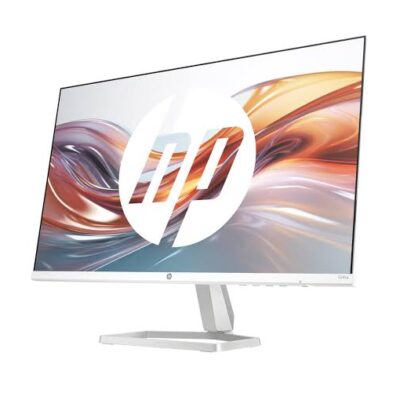
HP Series 3 Pro 322pv Monitor – Premium & Professional Display for Business and Productivity
Original price was: KSh 25,000.00.KSh 20,000.00Current price is: KSh 20,000.00.
🖥️ HP Series 3 Pro 322pv Monitor – Professional Display
- 💼 Professional HP Monitor – Suitable for business and everyday computing.
- 📊 Office Productivity – Work with documents, spreadsheets, email, and reports.
- 🎓 Education Ready – Useful for research, assignments, and online learning.
- 🏢 Business Workstations – A practical option for offices and reception areas.
- 🔌 Computer Compatibility – Confirm video ports and cable requirements.
- 🖥️ Display Specifications – Verify screen size, resolution, and refresh rate.
- 🛠️ Setup Flexibility – Check stand adjustments and mounting compatibility.
- 🧹 Easy Care – Maintain with suitable cleaning and handling practices.
- 📦 Package Contents – Confirm included cables and accessories.
- 🛒 Shop Ring-Us Technologies – Visit www.ringus.co.ke for available monitors and accessories.
HP Series 3 Pro 322pv Monitor – Professional Display for Business and Everyday Productivity
Upgrade your workspace with the HP Series 3 Pro 322pv Monitor, a professional display designed for everyday productivity, office work, business administration, and home computing. As part of HP’s monitor range, it offers a display solution for users who want a dedicated screen for working with documents, spreadsheets, emails, online platforms, and other everyday applications.
Whether you are setting up a corporate office, equipping a reception desk, creating a home workstation, or upgrading your existing desktop setup, the HP Series 3 Pro 322pv is worth considering for a clean, professional workspace.
A suitable monitor can make everyday computer use more comfortable by providing a dedicated display for your applications and digital content. Paired with a compatible desktop or laptop, this HP monitor can support routine business tasks, research, online learning, presentations, and general productivity.
Key Features and Specifications
| Feature | Details |
|---|---|
| Brand | HP |
| Series | HP Series 3 Pro |
| Model | 322pv |
| Product type | Computer monitor |
| Screen size | Confirm the exact specification for this model |
| Resolution | Confirm with the manufacturer’s specifications |
| Panel technology | Confirm exact specification |
| Refresh rate | Confirm exact specification |
| Video connections | Confirm available ports |
| Built-in speakers | Confirm whether included |
| Mounting compatibility | Check the model’s VESA and stand specifications |
| Intended use | Office, business, education, and everyday computing |
| Warranty | Confirm with the seller |
Please note: Verify the exact model specifications before purchase. Screen size, resolution, refresh rate, panel type, connectivity, and mounting features should be confirmed against HP’s official documentation for the 322pv.
Designed for Professional Workspaces
The HP Series 3 Pro 322pv is a monitor option to consider when creating a dedicated workstation for professional and everyday computing.
A separate monitor makes it easier to work with desktop computers and can provide a larger viewing area than many laptop screens. Depending on the confirmed screen specifications, it may be suitable for viewing documents, preparing reports, managing spreadsheets, attending online meetings, and working with browser-based applications.
Potential uses include:
- Office administration and document preparation.
- Business reports and spreadsheet management.
- Email and online communication.
- Research and web browsing.
- Online learning and training.
- Reception and customer service workstations.
- Home-office productivity.
- General desktop computing.
Suitable for Businesses and Offices
Businesses need monitors that support employees’ daily workflows. The HP Series 3 Pro 322pv can be considered for office setups where users require a dedicated display for documents, business applications, and digital communication.
It may suit administrative departments, reception areas, customer service stations, and general office workstations. Before purchasing multiple units for an organisation, confirm the display specifications, connection requirements, warranty, and compatibility with the computers already in use.
A Practical Display for Home and Education
A dedicated monitor can support home offices, students, and training environments by providing a screen for research, assignments, presentations, and online learning.
For educational institutions, the monitor may be considered for computer laboratories, staff offices, and administrative workstations. Confirm that the display connections are compatible with the computers being used and that the resolution meets the intended applications’ requirements.
Compatibility with Desktop Computers and Laptops
Before connecting the HP Series 3 Pro 322pv to your computer, check the available video outputs on both devices.
Important compatibility checks include:
- Whether the monitor and computer share a compatible video connection.
- Whether a suitable cable is included or must be purchased separately.
- Whether an adapter is needed.
- Whether the computer supports the monitor’s native resolution and refresh rate.
- Whether the monitor’s stand and mounting options suit your workspace.
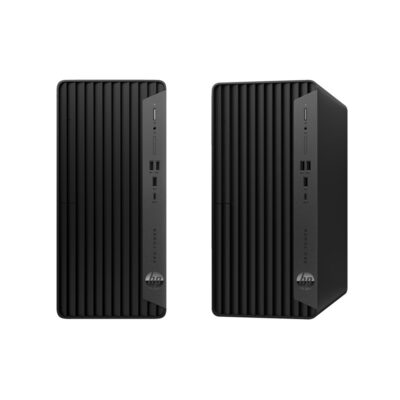
If you are purchasing this monitor alongside an HP desktop, such as an HP Pro Tower or HP Pro Mini, verify the exact display outputs on the computer and monitor before ordering.
How to Choose the Right Monitor
When comparing monitors, consider the screen size, resolution, panel characteristics, connectivity, ergonomics, and the type of work you perform.
| Buying consideration | Why it matters |
|---|---|
| Screen size | Influences how much physical display space is available |
| Resolution | Affects image detail and the amount of content that can fit on screen |
| Panel technology | Can influence viewing angles, contrast, and colour characteristics |
| Refresh rate | Relevant to motion smoothness and certain specialist uses |
| Connectivity | Determines whether the monitor can connect directly to your computer |
| Stand adjustment | Can help you position the screen comfortably |
| Mounting support | May provide additional workstation arrangement options |
| Warranty | Helps clarify the support available if a covered fault occurs |
For everyday office work, prioritise compatibility, readable text, appropriate screen size, and a comfortable viewing position. For design, video, or gaming, investigate the exact specifications required for your applications.
Responsible Use and Maintenance
Keep the monitor in a clean, dry environment and avoid exposing it to moisture, excessive heat, or physical impact. Clean the display using a suitable soft cloth and follow HP’s care instructions. Avoid applying cleaning liquids directly to the screen unless the manufacturer’s guidance permits it.
Position the monitor at a comfortable viewing height and distance, and adjust the brightness to suit your working environment. Use the supplied or recommended power accessories and avoid forcing connectors into ports.
When replacing an old monitor, consider reuse, repair, or an appropriate electronic-waste recycling service. Responsible disposal helps prevent electronic waste from being handled improperly.
Frequently Asked Questions
1. What is the HP Series 3 Pro 322pv?
It is an HP monitor model intended for display use with compatible computers. Confirm the precise specifications for the 322pv before purchase.
2. Is it suitable for office work?
A compatible monitor of this type can support documents, spreadsheets, email, research, and general productivity. Check the exact resolution and screen size against your needs.
3. Can I connect it to a desktop computer?
Yes, provided the monitor’s available inputs are compatible with the desktop’s video outputs. Confirm the ports and cable requirements first.
4. Can I use it with a laptop?
It may be used as an external display if the laptop supports a compatible video connection. An adapter may be necessary in some setups.
5. Does it have built-in speakers?
The speaker configuration has not been confirmed. Check HP’s official specifications for this exact model.
6. What resolution does it support?
Confirm the native resolution from the manufacturer’s official documentation before purchasing.
7. Is a cable included?
Package contents can vary. Ask the seller which video and power cables are supplied.
8. Where can I buy HP monitors in Kenya?
Visit Ring-Us Technologies to explore available monitors and other computer accessories. Confirm availability, price, warranty, and the exact model specifications directly with the seller.
Explore HP Monitors at Ring-Us Technologies
The HP Series 3 Pro 322pv Monitor is an option to consider when equipping a professional workstation for office productivity, education, and everyday computing. Choosing the right display involves confirming the technical specifications and ensuring that it connects properly to your computer.
For more information, visit the official HP website or HP Support for product documentation and technical assistance.
Explore available monitors and computer accessories at www.ringus.co.ke from Ring-Us Technologies.
Related products
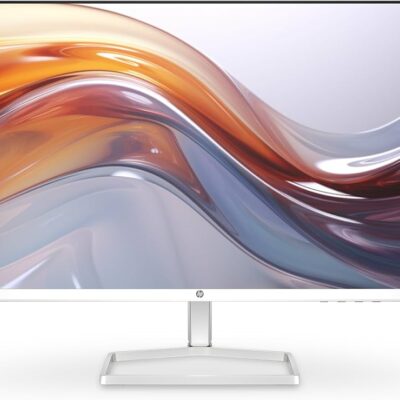
**HP 527sa Series 5 27-Inch Monitor with Speakers – Stunning & Powerful Display for Business and Entertainment**
- 🖥️ 27-Inch Display – A spacious screen for everyday computing.
- 🔊 Built-In Speakers – Convenient audio for supported devices and applications.
- ✨ Full HD Display Category – Confirm the exact resolution for the supplied model.
- 💼 Business Productivity – Suitable for documents, spreadsheets, email and research.
- 🎓 Study Friendly – Useful for assignments, online learning and presentations.
- 🏠 Versatile Use – An option for compatible home and office workstations.
- 🔌 Check Compatibility – Confirm video inputs, audio setup and computer connections.
- 🛒 Shop at Ring-Us Technologies – Visit www.ringus.co.ke to enquire about price and availability.
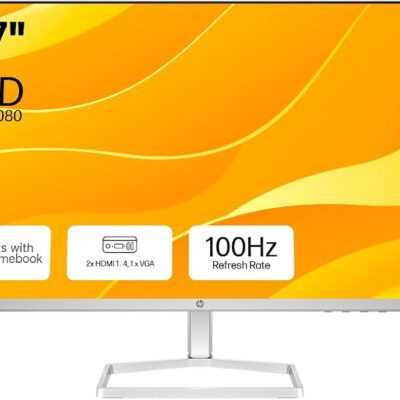
HP 527sw Series 5 27-Inch FHD Monitor – Premium Full HD Display for Work, Study and Entertainment
- 🖥️ 27-Inch Display – A spacious screen for everyday computing.
- ✨ Full HD Display Category – Confirm the exact resolution for the supplied model.
- 💼 Business Productivity – Suitable for documents, spreadsheets, email and research.
- 🎓 Study Friendly – Useful for assignments, online learning and presentations.
- 🏠 Versatile Workstation Use – Consider it for compatible home and office setups.
- 🔌 Check Compatibility – Verify video inputs, refresh rate and computer connections.
- 🛒 Shop at Ring-Us Technologies – Visit www.ringus.co.ke to enquire about price and availability.
HP 524sa Series 5 Monitor 23.8-Inch with Built-In Speakers – Premium Display for Work, Study and Entertainment
- 🖥️ 23.8-Inch Display – A practical screen size for everyday computing.
- 🔊 Built-In Speakers – Convenient audio for supported devices and applications.
- 💼 Business Ready – Suitable for office work, documents, email and research.
- 🎓 Student Friendly – Useful for assignments, online learning and presentations.
- 🏠 Versatile Use – Ideal for compatible home and office workstations.
- 🔌 Connectivity – Confirm the exact inputs and compatibility before purchase.
- 🛒 Shop at Ring-Us Technologies – Visit www.ringus.co.ke to enquire about availability, pricing and warranty.

HP 19-Inch HD Monitor | 1440×900 Resolution | 97% sRGB | Built-in Speakers | Eye Care Tech | VESA Mountable | Brilliant Clarity
Enhance your workspace with the HP 19-Inch HD Monitor , offering vibrant color accuracy, immersive sound, and eye comfort features—all in a compact, space-saving design perfect for both home and office use.
Key Features
-
HD 1440x900 Resolution + 97% sRGB – Sharp image clarity with rich, natural color representation
-
Dual Built-in Speakers – Delivers smooth surround sound for a more immersive experience
-
HDMI & VGA Connectivity – Easily connects to PCs, laptops, and other devices
-
Eye Protection – Flicker-free and low-blue light technology reduces eye strain during long work sessions
-
VESA Mount & Tilt Adjustable – Flexible positioning to match your preferred viewing angle and save space
-
Glossy Surface & Sleek Build – Stylish finish for a clean and professional desktop setup

HP EliteDisplay E27q G4 27″ QHD Monitor Bundle | IPS Panel | Wireless Keyboard + Mouse | Bluetooth Speakers | Ergonomic Wrist Pads | Perfect for Office & Home
Create a powerful, efficient, and ergonomic home or office setup with the HP EliteDisplay E27q G4 Monitor Bundle. Enjoy a stunning 27-inch QHD display, wireless keyboard and mouse, professional Bluetooth speakers, and wrist support pads—all in one complete package designed for productivity and comfort.
Key Features
-
27″ QHD IPS Display – Crisp 2560 x 1440 resolution with ultra-wide viewing angles
-
Low Blue Light & Flicker-Free Tech – Reduces eye strain for long working hours
-
4-Way Adjustable Stand – Tilt, swivel, pivot, and height adjustments for ideal ergonomics
-
Versatile Connectivity – HDMI, DisplayPort, VGA, plus USB 3.2 ports for accessories
-
Wireless Keyboard + Mouse – Reliable MK270 combo ensures cable-free productivity
-
Ergonomic Support – Includes Waverest gel keyboard and mouse wrist pads for daily comfort
-
Pro Mini Bluetooth Speakers – Small, stylish, and powerful with hands-free call support and TWS pairing
-
Portable Audio Solution – Each speaker weighs just 1.3 oz, fits in your palm, and charges via USB
-
Perfect for Home & Office – Designed for multitaskers, professionals, and remote workers alike

HP 524sf Monitor | 24” Full HD | 100Hz | LCD | HDMI + VGA | Sleek, EyeEase & FreeSync
Short Description
The HP 524sf Monitor (24-inch) offers crystal-clear Full HD resolution with a smooth 100Hz refresh rate for both work and play. With AMD FreeSync™, EyeEase blue light protection, and modern + legacy connectivity options, it's an excellent choice for home offices, studios, and everyday computing.
Specifications
-
-
Display Size: 24 inches
-
Resolution: Full HD (1920 x 1080)
-
Refresh Rate: 100Hz
-
Response Time: 5ms GtG
-
Brightness: 250 nits
-
Panel Type: LCD
-
Ports: HDMI 1.4, VGA, Audio-Out
-
Color: Black
-
Certifications: ENERGY STAR®, Eyesafe® Certified
-

Lenovo ThinkVision LT1913p | 19″ Square IPS LED Monitor | 1280×1024 Resolution | VGA & DVI | Ergonomic Stand – Powerful & Sleek monitor
The Lenovo ThinkVision LT1913p is a 19-inch square monitor designed for professionals who prefer the traditional 5:4 aspect ratio. Featuring an IPS panel for wide viewing angles, 1280x1024 resolution, and ergonomic adjustments, it's ideal for business environments requiring consistent and reliable display performance.
Specifications
-
Display: 19" IPS LED with 1280 x 1024 resolution
-
Aspect Ratio: 5:4
-
Brightness: 250 cd/m²
-
Contrast Ratio: 1000:1
-
Response Time: 7 ms
-
Viewing Angles: 178°/178°
-
Connectivity: VGA and DVI-D
-
Stand Adjustments: Tilt, Swivel, Pivot, Height
-
VESA Mount: 100 x 100 mm
-
Certifications: Energy Star 6.0, EPEAT Gold, TCO Display 6.0, TCO Certified Edge 1.1, UL Environment Gold, RoHS Compliant


MSI Optix PAG343 Curved Gamig Monitor
- MSI Optix PAG343 Curved Gamig Monitor
- 3440 x 1440 (2K) 144 Hz 1ms (MPRT)
- 2 x HDMI DisplayPort
- Ultra Wide 34 inch screen
- Curved screen for surround view
- AMD FreeSync
- Ultrawide 21:9 & HDR for best gaming experience
- Height adjustable arm
- Super narrow bezel for max viewing size
- RGB gaming LED finishing
- Condition: Open Box


Reviews
There are no reviews yet.