



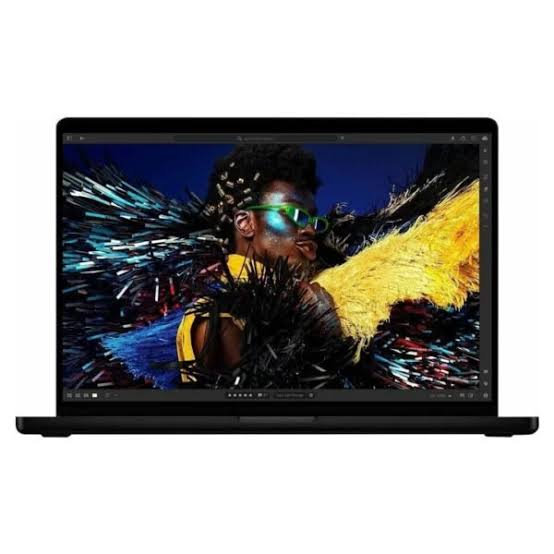

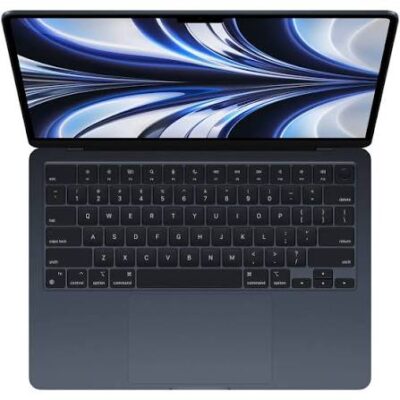
Apple MacBook Pro M5 14.2-Inch – Powerful & Premium 16GB RAM, 1TB SSD
Original price was: KSh 300,000.00.KSh 298,000.00Current price is: KSh 298,000.00.
✨ Apple MacBook Pro M5 14.2-Inch – Powerful & Premium performance for professionals and creators.
- 🚀 Apple M5 Chip – Designed for responsive performance across compatible applications.
- ⚙️ 10-Core CPU – Supports demanding productivity and professional workloads.
- 🎨 10-Core GPU – Suitable for supported graphics and creative applications.
- 🧠 16GB RAM – Practical memory for multitasking and compatible professional software.
- ⚡ 1TB SSD – Spacious, fast storage for applications, files, and projects.
- 🖥️ 14.2-Inch Display – Compact screen size for work, study, and creative tasks.
- 💼 Professional Productivity – Ideal for business users, entrepreneurs, and remote workers.
- 🎬 Creative Workflows – Suitable for compatible photo, design, and video-editing applications.
- 👨💻 Development Ready – Supports compatible coding and software-development tools.
- 📂 Generous Storage – Keep important documents and active projects organised.
- 🛠️ Protect Your Investment – Proper care, backups, and responsible recycling support long-term value.
- 🛒 Shop with Ring-Us Technologies – Visit www.ringus.co.ke for laptop and technology options.
Confirm the exact display specifications, colour, operating-system version, accessories, and warranty before purchase.
Apple MacBook Pro M5 14.2-Inch – Powerful & Premium 16GB RAM, 1TB SSD
Discover premium performance with the Apple MacBook Pro M5 14.2-inch, featuring a 10-core CPU, 10-core GPU, 16GB RAM, 1TB SSD, and Liquid Retina display. Designed for professionals, business owners, developers, students, and creative users, this laptop combines Apple’s advanced silicon technology with substantial storage and a professional computing experience.
Whether you are managing business operations, editing photographs, creating digital content, writing code, or handling demanding productivity tasks, the MacBook Pro M5 offers a capable platform for a wide range of compatible applications.
Its 14.2-inch display provides a practical balance between screen space and portability, making it suitable for working at a desk, in meetings, at home, or while travelling. With 16GB RAM and a spacious 1TB SSD, this configuration is designed for users who value responsive multitasking and room for important files and projects.
Key Specifications
| Feature | Specification |
|---|---|
| Brand | Apple |
| Product | MacBook Pro |
| Chip | Apple M5 |
| CPU | 10-core CPU |
| GPU | 10-core GPU |
| Memory | 16GB RAM |
| Storage | 1TB SSD |
| Display size | 14.2 inches |
| Display technology | Liquid Retina display, as specified |
| Operating system | macOS; exact version to be confirmed |
| Colour | Not specified |
| Warranty | Not specified |
| Website | Ring-Us Technologies |
1. Apple M5 Chip for Powerful Performance
The Apple MacBook Pro M5 is built around Apple’s silicon platform, designed to bring together processing performance, graphics capabilities, and efficient computing in a portable professional laptop.
The 10-core CPU supports a broad range of computing workloads, from everyday productivity and business applications to compatible development and creative software. It makes this configuration worth considering for people who frequently switch between applications and need a dependable machine for a busy working day.
For professionals, this can mean working on documents while researching online, communicating with colleagues, organising projects, and managing business information. For creative users, performance depends on the particular application and the complexity of the work being performed.
The overall experience will vary according to software optimisation, project size, and workload. Users should always check the system requirements of specialist applications before making a purchase.
2. 10-Core CPU for Multitasking and Productivity
The 10-core CPU is an important part of this MacBook Pro’s computing capabilities. The central processing unit handles many of the instructions and calculations needed by the operating system and applications.
For office users, it supports workflows involving spreadsheets, reports, presentations, browser-based services, and communication tools. Entrepreneurs can use compatible software for planning, administration, customer management, and business documentation.
Developers may benefit from the processing capabilities when editing code, compiling projects, testing applications, and running compatible development tools. Creative professionals can also use supported applications for photo processing, design work, and content production.
Actual performance depends on the specific task. A simple document and a complex video-editing project place very different demands on a computer, so choose the configuration according to the work you regularly perform.
3. 10-Core GPU for Graphics and Creative Applications
The integrated 10-core GPU is designed to handle graphics processing and supported visual workloads. A capable GPU can be useful for applications that benefit from graphics acceleration, including photo editing, design, visualisation, and selected video workflows.
For photographers and designers, a suitable graphics platform can assist with image manipulation, creative effects, and visual content preparation. Video creators may benefit when using compatible applications and supported accelerated effects.
The MacBook Pro can also support some gaming and graphics-intensive applications, depending on compatibility and performance requirements. However, users should not assume that every Windows game or professional graphics application is available or performs identically on macOS.
For demanding 3D rendering, advanced visual effects, or large professional projects, compare the exact application’s requirements with the hardware configuration before purchasing.
4. 16GB RAM for Smooth Multitasking
The 16GB RAM configuration offers a practical amount of memory for many professional and everyday workloads. Memory allows the system to keep active applications and working data available while you move between tasks.
You can use compatible office software, maintain research tabs, manage emails, and work on documents as part of a typical productivity workflow. Students can benefit when working on assignments, presentations, and online learning platforms.
For developers, 16GB RAM can be useful for code editors, browser-based documentation, and many development tools. Creative professionals can also use supported design and photo-editing applications, although larger projects may require additional memory.
Remember that the amount of memory required depends on your workload. Check the recommended specifications for any specialist applications you rely on.
Important: MacBook Pro memory is generally integrated into the system. Confirm that 16GB is appropriate for your needs before purchase rather than assuming you can upgrade the RAM later.
5. 1TB SSD for Spacious Storage
The 1TB SSD gives this MacBook Pro a generous storage capacity for applications, business files, research materials, photographs, documents, and creative projects.
Solid-state storage is designed to provide fast access to stored information. It contributes to responsive file access and application loading, although actual speeds depend on the specific storage implementation and workload.
Business users can keep substantial collections of documents and project files on the laptop. Students can store coursework, research resources, presentations, and applications. Photographers and content creators may appreciate having more space for active projects and media files.
A 1TB drive can be particularly helpful if you regularly work with large files or prefer keeping important projects locally available. However, extensive video libraries and high-resolution production files can still consume storage quickly.
Keep your files organised and maintain backups of important data. External storage and suitable cloud services can help you archive completed projects and protect against accidental data loss.
6. 14.2-Inch Display for Professional Work
The 14.2-inch display offers a useful balance between a compact laptop format and sufficient screen space for productive work. It can be suitable for writing, editing documents, preparing presentations, managing spreadsheets, and working with compatible creative applications.
For professionals, a clear display can make it easier to review reports and work with visual content. Students can use the screen for research, online classes, reading, and assignments, while remote workers can use it for meetings and everyday collaboration.
Apple’s MacBook Pro 14-inch family is associated with Liquid Retina XDR display technology. Because the supplied description says “Liquid Retina Display,” confirm the exact display designation and specifications for the product being sold before publishing or purchasing.
For users who prioritise display quality, it is worth checking the official specifications for resolution, brightness, refresh rate, and supported colour features for the exact model.
7. A Professional Laptop for Business
The MacBook Pro M5 is an option for business users who need a portable computer for daily operations and compatible professional applications.
It can support tasks such as preparing reports, creating presentations, managing spreadsheets, communicating with clients, researching markets, and coordinating projects. Its processing capabilities and 1TB SSD make it a useful configuration to consider for users who keep substantial work files on their computers.
Entrepreneurs and small-business owners can use compatible software to organise administrative work, prepare proposals, update documents, and manage online services. Professionals can also use the laptop for meetings, presentations, and remote collaboration.
Before adopting it for an organisation, check that the company’s accounting, enterprise, security, and industry-specific applications are compatible with macOS and Apple silicon.
8. Suitable for Freelancers and Remote Workers
Freelancers often need a laptop that can handle different responsibilities throughout the day. The MacBook Pro M5 can support many compatible tools used for writing, virtual assistance, digital marketing, research, design, and project management.
Writers can prepare articles, manuscripts, reports, and other documents. Virtual assistants can manage email, calendars, research, client communications, and project coordination using compatible applications.
Digital marketers can use supported platforms for content planning, campaign management, website updates, and creative production. Remote workers can also benefit from having a portable machine for working across different locations.
If your income depends on particular professional software, verify its compatibility before purchasing. Some applications may require a specific macOS version, licence, or additional hardware.
9. Creative Design, Photography, and Video Editing
The combination of the M5 chip, 10-core GPU, 16GB RAM, and 1TB SSD makes this MacBook Pro worth considering for compatible creative workflows.
Graphic designers may use supported applications to prepare promotional materials, layouts, digital artwork, and visual assets. Photographers can work with image libraries, edit photographs, and prepare content for publication.
Content creators may use compatible video-editing software to organise footage, assemble projects, and produce videos. Performance depends on video resolution, project complexity, effects, software optimisation, and other system requirements.
The 1TB SSD provides useful room for active media projects, but large video libraries can require additional external storage. For specialised professional workflows, confirm the application’s recommended CPU, GPU, and memory specifications.
10. Programming and Software Development
The Apple MacBook Pro M5 can be suitable for many programming and development workflows. Depending on the tools involved, developers may use it for web development, application development, scripting, code editing, and technical research.
The CPU supports general processing tasks, while the 16GB RAM configuration can accommodate many common development environments. The 1TB SSD provides space for source code, applications, project files, and compatible development tools.
However, development environments differ. If you depend on Windows-only applications, specialised virtual machines, particular emulators, or hardware-specific tools, check compatibility before buying.
For Apple-platform development, confirm the requirements of the relevant developer tools and supported macOS version.
11. macOS and the Apple Ecosystem
MacBook Pro computers run macOS, Apple’s desktop operating system. The exact macOS version installed on this unit has not been provided, so it should be confirmed with the seller.
macOS provides a platform for managing files, running compatible applications, browsing the internet, and handling everyday work. Users with other compatible Apple devices may also benefit from ecosystem features, depending on their devices, settings, and software versions.
For customers moving from Windows, it is useful to check how their existing applications and work files will transfer to macOS. Common document formats can often be shared across platforms, but specialised programs may behave differently or require alternatives.
Learn more about Apple’s computers and software on the official Apple Mac website.
12. Connectivity and Accessories
A professional laptop often needs to connect to external displays, storage devices, headphones, charging equipment, and other peripherals.
Before buying this MacBook Pro, confirm the exact port configuration and supported connections for the specific model. Check compatibility if you plan to use external monitors, specialist storage, docking stations, or other work equipment.
Do not assume that accessories such as a mouse, bag, adapters, external display cables, or additional peripherals are included. Ask the seller to confirm the supplied items and charger specifications.
If you depend on a particular workstation setup, verify that the laptop can support the monitors and accessories you intend to use.
13. Portability for Work and Travel
The 14.2-inch form factor is designed to balance screen space with portability. It can be convenient for professionals who move between meetings, offices, home workspaces, and other locations.
A portable laptop makes it possible to carry documents, applications, and current projects without relying on a fixed desktop setup. This can be particularly helpful for consultants, business owners, students, and creative professionals who work in different environments.
Use a suitable laptop bag and protect the computer from impact, liquids, and excessive heat. If you travel regularly, confirm the charging equipment and any requirements for using the laptop in your destination.
14. Battery and Everyday Use
Battery performance depends on the exact configuration, the condition of the battery, screen brightness, applications, wireless activity, and workload.
Light productivity tasks may consume less power than sustained creative or processing-intensive work. For a new device, check Apple’s published battery information for the precise model; for a used or refurbished unit, ask about battery condition and any applicable warranty.
Use compatible charging equipment and avoid exposing the laptop to excessive heat. Battery capacity naturally changes over time, so battery health is an important consideration when purchasing a previously used computer.
15. Comparing the MacBook Pro M5 with Other Laptop Categories
The right laptop depends on your budget, operating-system preference, applications, portability needs, and workload. The following comparison covers general categories rather than exact benchmark results.
| Feature | MacBook Pro M5 | Mainstream Windows laptop | Gaming laptop |
|---|---|---|---|
| Processor platform | Apple M5 | Varies by model | Varies by model |
| Memory in this listing | 16GB | Varies | Varies |
| Storage in this listing | 1TB SSD | Varies | Varies |
| Operating system | macOS | Usually Windows | Usually Windows |
| Business productivity | Strong option for compatible workflows | Strong option for compatible workflows | Suitable, depending on configuration |
| Creative applications | Depends on compatibility and workload | Depends on hardware and software | Depends on hardware and software |
| Gaming | Depends on macOS game support and performance | Depends on configuration | Often designed with gaming in mind |
| Upgradeability | Memory generally integrated; verify storage service options | Varies by model | Varies by model |
| Best fit | Portable professional and creative work | Windows compatibility and varied budgets | Gaming and graphics-heavy workloads |
The MacBook Pro M5 is worth considering if you prefer macOS and need a portable machine for compatible productivity and creative applications. A Windows laptop may be more suitable when your essential programs are Windows-specific, while a gaming laptop may be preferable for workloads that benefit from dedicated gaming graphics.
16. Maintenance and Long-Term Value
Good maintenance can help preserve the usefulness of a laptop. Keep the computer clean, protect it from physical damage, install trusted software, and follow appropriate battery-care practices.
Organise files regularly and maintain backups of important documents. External storage or suitable cloud services can help protect valuable work and free space for current projects.
Before purchasing, confirm the available servicing options and warranty terms. Do not assume that RAM or internal storage can be upgraded after purchase.
When the laptop eventually reaches the end of its useful life, consider repair, reuse, or responsible electronic-waste recycling. These practices can reduce unnecessary waste and help recover useful materials.
17. Why Choose Ring-Us Technologies?
Selecting a laptop is an investment in your work, education, or business. Understanding the exact specifications, condition, included accessories, and warranty terms helps you make a more informed decision.
Ring-Us Technologies offers a place to explore laptop and technology options. Before placing an order, confirm the exact MacBook Pro M5 configuration, display specification, colour, condition, charger and accessories, and warranty coverage.
Visit www.ringus.co.ke to explore available technology products and enquire about this MacBook Pro configuration.
Frequently Asked Questions
1. Is the MacBook Pro M5 suitable for professional work?
Yes. Its 10-core CPU, 10-core GPU, 16GB RAM, and 1TB SSD make it worth considering for compatible business, productivity, development, and creative applications.
2. Is 16GB RAM enough for multitasking?
For many everyday and professional workloads, 16GB RAM is a practical configuration. Very large creative projects or memory-intensive applications may require more resources.
3. Is 1TB SSD enough for video editing?
A 1TB SSD provides useful space for applications and active projects. Large video libraries and high-resolution footage may still require external storage or a suitable archive.
4. Can the RAM be upgraded?
MacBook Pro memory is generally integrated into the system. Confirm the exact configuration before buying rather than assuming the memory can be upgraded later.
5. Is this laptop good for graphic design?
It can support compatible design applications. Check the software developer’s system requirements and verify that the application supports the M5 chip and installed macOS version.
6. Can it run Windows applications?
Some applications have macOS versions or other compatibility options, but not every Windows program runs natively on a Mac. Confirm compatibility for any software essential to your work.
7. What display does it have?
The supplied specifications list a 14.2-inch Liquid Retina display. Confirm the exact display designation and detailed specifications for the specific unit before purchase.
8. Does it come with a warranty and accessories?
The supplied information does not specify warranty coverage or included accessories. Ask the seller to confirm these details before ordering.
9. What colour is available?
The colour has not been specified. Confirm the available finish with the seller.
10. Where can I buy the MacBook Pro M5 in Kenya?
Visit Ring-Us Technologies to enquire about availability, pricing, exact configuration, and purchase terms.
Final Thoughts
The Apple MacBook Pro M5 14.2-inch with a 10-core CPU, 10-core GPU, 16GB RAM, and 1TB SSD is a premium laptop configuration for users who want a capable portable computer for compatible professional and creative workflows.
Its combination of Apple silicon, graphics capability, memory, and substantial storage makes it suitable for many business tasks, software-development workflows, content-production activities, and everyday productivity needs.
Before purchasing, confirm the exact display specifications, macOS version, colour, condition, included accessories, and warranty. Choosing the right configuration for your workload will help you get lasting value from your investment.
Related products

Lenovo Yoga 7 Core Ultra 7(155U)16gb/1TBssd


HP Elitebook 840 G9 Core i5 12th gen 16gb/512ssd

MacBook pro 16 2019 A2141 i7 16GB/512GB


Asus Rog Zephyrus G14 AMD Reyzen 9 5000 Series 16GB Ram/1TB SSD

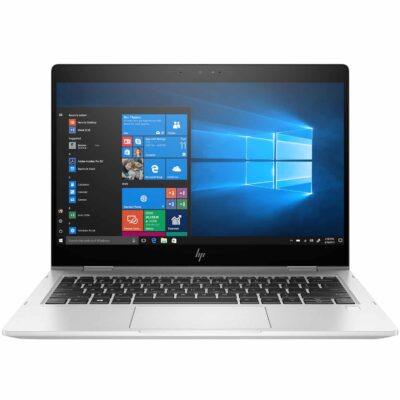
Hp elitebook 830 g7 i7 10th generation
- Hp elitebook 830 g7 i7 10th generation
- Operating system: Windows 10 / 11 Pro 64-Bit Edition
- Memory: 16GB DDR4-2666 MHz RAM (1 x 8 GB) | 64 GB
- Storage: 512GB PCIe® NVMe™ Value M.2 SSD
- Optical drive: None
- Graphics Processor: Integrated, Intel® Premium UHD Graphics
- Processor: Intel® Core™ i7-10510U (1.8 GHz base frequency, up to 4.9 GHz with Intel® Turbo Boost Technology, 8 MB L3 cache, 4 cores)
- Processor Family: 10th Generation Intel® Core™ i7 processor
- Display: 13.3 Inches (33.782cm) diagonal FHD, IPS, anti-glare, WLED-backlit, eDP, 250 nits, 45% NTSC (1920 x 1080)


Hp Elitebook x360 1040 G7 i7 10th gen

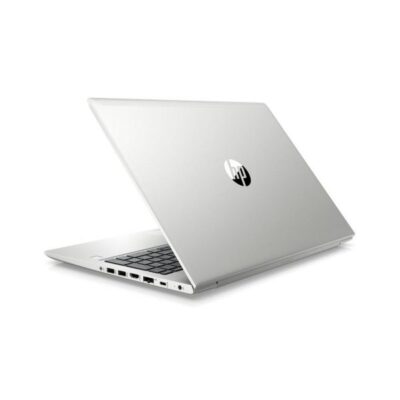
Hp Probook 430 G7
- HP ProBook 430 G7
- Processor: Intel Core i5 10th Gen (Quad-Core, up to 4.6 GHz)
- RAM: 8GB DDR4
- Storage: 256GB SSD
- Display: 13.3-inch Full HD (1920 x 1080)
- Graphics: Intel UHD Graphics (Integrated)
- Operating System: Windows 10 Pro
- Ports: USB 3.1, USB-C, HDMI, Ethernet, Audio jack, SD card reader
- Battery: Up to 12 hours
- Weight: Approx. 1.3 kg
- Condition: Sealed



Reviews
There are no reviews yet.