



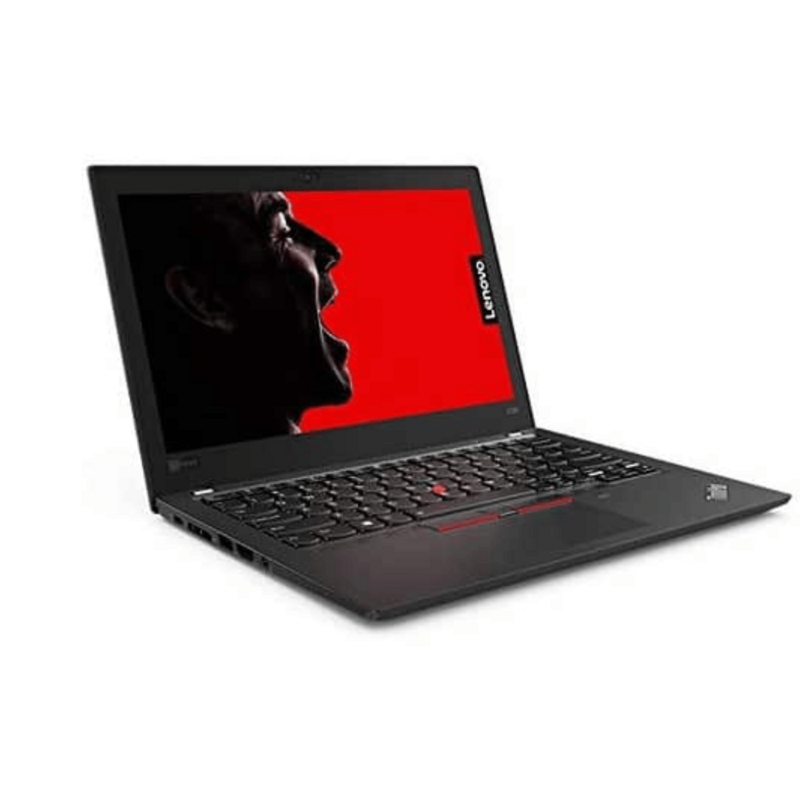
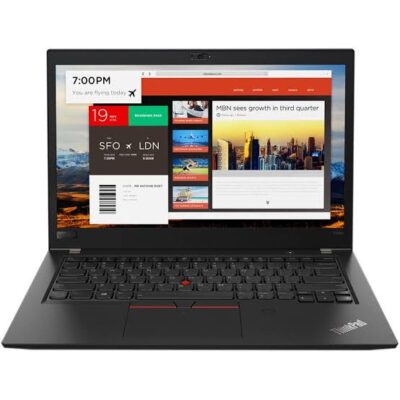
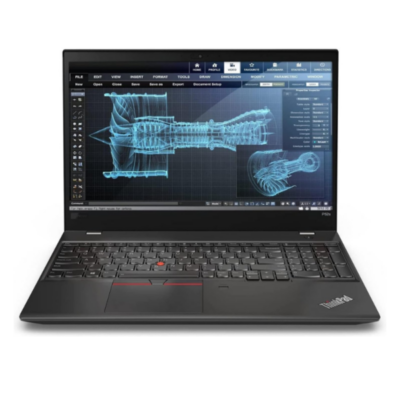
Lenovo ThinkPad X280 Core i5 8th Gen – Powerful & Premium 16GB RAM, 256GB SSD Touchscreen Laptop
Original price was: KSh 30,000.00.KSh 28,000.00Current price is: KSh 28,000.00.
Lenovo ThinkPad X280 Core i5 8th Gen – Powerful & Premium 16GB RAM, 256GB SSD Touchscreen Laptop
- ⚡ Powerful Intel Core i5 8th Gen – Reliable performance for business, office work, school, freelancing, and everyday computing.
- 🧠 16GB RAM – Excellent multitasking capacity for documents, browser tabs, research, email, and productivity applications.
- 🚀 256GB SSD – Fast startup, quick application loading, and responsive access to your files and applications.
- 🖐️ Touchscreen Display – Convenient touch interaction for browsing, reading, presentations, and supported applications.
- 💼 Premium ThinkPad Design – Professional and practical for offices, entrepreneurs, students, and professionals.
- 🎓 Ideal for Students & Professionals – Great for assignments, research, presentations, online learning, and workplace tasks.
- 💻 Perfect for Freelancers & Remote Work – Suitable for writers, virtual assistants, digital marketers, administrators, and online professionals.
- 📊 Excellent for Business Productivity – Handles documents, spreadsheets, presentations, email, research, and everyday business applications.
- 👨💻 Great for Programming & IT – Suitable for coding, web development, technical research, and supported development tools.
- 🧳 Compact & Portable – Practical for users who work across the office, home, school, meetings, or other locations.
- 🛠️ Long-Term Value – Proper maintenance and compatible servicing can help extend the laptop’s useful working life.
- 🛒 Shop with Ring-Us Technologies – Visit https://www.ringus.co.ke for more quality laptops and technology solutions.
Lenovo ThinkPad X280 Core i5 8th Gen – Powerful & Premium 16GB RAM, 256GB SSD Touchscreen Laptop
Looking for a powerful, compact, professional, and versatile laptop for business, school, freelancing, remote work, or everyday productivity? The Lenovo ThinkPad X280 Core i5 8th Gen combines an Intel Core i5 8th Gen processor, generous 16GB RAM, responsive 256GB SSD storage, and a convenient touchscreen in a compact ThinkPad design.
This configuration is particularly useful for users who value portability, multitasking, fast storage, and flexible touchscreen interaction. With 16GB RAM, the laptop provides plenty of memory for working across documents, browser tabs, research pages, communication tools, and productivity applications.
Whether you are a student, entrepreneur, office professional, freelancer, writer, virtual assistant, digital marketer, programmer, or remote worker, the Lenovo ThinkPad X280 provides a practical platform for getting things done.
Lenovo ThinkPad X280 Key Specifications
| Feature | Specification |
|---|---|
| Model | Lenovo ThinkPad X280 |
| Processor | Intel Core i5 8th Gen |
| RAM | 16GB |
| Storage | 256GB SSD |
| Display | Touchscreen |
| Design | Compact ThinkPad laptop |
| Ideal For | Business, office work, students, freelancing, remote work and everyday productivity |
⚡ Powerful Intel Core i5 8th Gen Performance
At the heart of this Lenovo ThinkPad X280 is an Intel Core i5 8th Gen processor, providing a capable foundation for a wide range of everyday and professional workloads.
The Core i5 platform is well suited to tasks such as:
- Microsoft Office applications
- Web browsing
- Online research
- Document creation
- Spreadsheet work
- Presentations
- Online learning
- Video conferencing
- Content writing
- Digital marketing
- Business administration
- Programming
- General productivity
For users who need a laptop for productive daily work rather than extremely specialised workloads, this configuration provides a balanced combination of processing capability and multitasking capacity.
Actual performance will depend on the applications being used and their system requirements.
🧠 16GB RAM for Excellent Multitasking
One of the standout features of this particular configuration is the 16GB RAM.
Having 16GB of memory gives you substantial room for multitasking. This is especially useful if your working day involves constantly switching between different applications and browser tabs.
You can comfortably work across activities such as:
- Documents
- Spreadsheets
- Web research
- Browser tabs
- Online learning platforms
- Communication applications
- Business software
- Writing tools
- Cloud-based services
For freelancers and remote workers, this can be particularly valuable because a typical workflow may involve several applications running simultaneously.
Why 16GB RAM Matters
RAM allows your computer to keep active applications and data readily available while you work. More memory can be helpful when you frequently switch between applications or keep numerous browser tabs open.
The 16GB configuration therefore gives the ThinkPad X280 a strong productivity advantage for users who regularly multitask.
🚀 256GB SSD – Fast and Responsive Storage
The Lenovo ThinkPad X280 comes with a 256GB SSD, giving you responsive storage for your operating system, applications, documents, projects, and other files.
Compared with traditional mechanical storage, SSD technology is designed to provide fast access to stored data.
Benefits include:
- Fast system startup
- Quick application loading
- Responsive file access
- Faster opening of documents
- Convenient storage for work files
- Smooth everyday computing experience
The 256GB capacity is suitable for many productivity-focused users, particularly those who primarily store documents and use cloud storage or external drives for larger collections of media.
If you regularly work with large video files, extensive photo libraries, or very large project folders, you should consider your storage requirements carefully.
🖐️ Convenient Touchscreen Experience
The touchscreen display adds another layer of flexibility to the Lenovo ThinkPad X280.
Instead of relying exclusively on the keyboard and touchpad, you can interact directly with supported applications and on-screen elements.
Touch functionality can be useful for:
- Browsing
- Reading documents
- Viewing presentations
- Navigating applications
- Scrolling through content
- Online learning
- Presentations
- Everyday navigation
For students and professionals who frequently read documents or move between different types of content, touchscreen interaction can provide a convenient alternative input method.
💼 Excellent for Business and Office Work
The Lenovo ThinkPad X280 is a practical choice for professionals who need a compact computer for everyday business activities.
You can use it for:
- Business documents
- Reports
- Spreadsheets
- Presentations
- Online meetings
- Research
- Customer communication
- File management
- Administrative tasks
Its combination of Core i5 performance, 16GB RAM, SSD storage, and touchscreen functionality makes it suitable for a wide range of office productivity requirements.
👔 Great Choice for Entrepreneurs
Entrepreneurs often need a laptop that can perform several different roles.
One moment you may be preparing a business proposal, and the next you could be checking email, researching competitors, managing social media, updating spreadsheets, or communicating with customers.
The Lenovo ThinkPad X280 can support many of these activities.
It can be useful for:
- Business planning
- Online research
- Marketing
- Email management
- Customer service
- Presentations
- Business documentation
- Spreadsheet management
- Social media administration
- Online business activities
Its compact form makes it practical for entrepreneurs who move between meetings, offices, home, and other working environments.
🎓 Ideal for Students
Students need flexibility because academic work involves more than just typing assignments.
The Lenovo ThinkPad X280 can support:
- Assignments
- Research
- Presentations
- Online classes
- Reading digital textbooks
- Academic documents
- Group projects
- Online research
- Communication
- Programming courses
- Productivity applications
The touchscreen can also make reading and navigating certain digital content more convenient.
With 16GB RAM, students can also keep research materials, documents, browser tabs, and other applications open while working.
💻 Perfect for Freelancers and Remote Workers
Remote work requires a laptop that can support communication, productivity, research, and web-based applications.
The Lenovo ThinkPad X280 is suitable for many freelance and remote-work roles.
✍️ Writers
Writers can use it for:
- Research
- Article writing
- Blog creation
- Editing
- SEO content
- Copywriting
- Document management
- Client communication
🧑💻 Virtual Assistants
Virtual assistants can work with:
- Calendars
- Documents
- Spreadsheets
- Online research
- Customer communication
- Scheduling
- Cloud applications
📈 Digital Marketers
Digital marketers can use the laptop for:
- Content planning
- Social media management
- Online research
- Campaign administration
- Email marketing
- Analytics dashboards
- Customer communication
👨💻 Programmers and IT Professionals
The X280 can support coding, web development, technical research, and other development tasks, provided the particular software meets the laptop’s hardware requirements.
🌐 A Practical Laptop for Online Work
The modern workplace increasingly depends on online platforms.
The Lenovo ThinkPad X280 can support many browser-based and cloud productivity activities, including:
- Online research
- Cloud documents
- Online learning
- Remote meetings
- Customer support
- Freelancing platforms
- Business administration
- Website management
- Digital marketing
The 16GB RAM configuration is particularly helpful when working with multiple browser tabs and applications.
Actual performance during video meetings and browser-heavy workloads will depend on your internet connection, software, browser usage, and other system factors.
✍️ Excellent for Writers and Content Professionals
If your work involves a lot of typing, research, editing, and communication, the Lenovo ThinkPad X280 can be a practical productivity companion.
It is suitable for:
- Blog posts
- Articles
- Website content
- SEO writing
- Business proposals
- Reports
- Research papers
- Editing
- Copywriting
- Email communication
The touchscreen can also make navigating documents and online resources convenient.
👨💻 Suitable for Programming and IT
The Lenovo ThinkPad X280 can also serve students and professionals learning or working in technology-related fields.
It can be used for supported:
- Code editors
- Web development
- HTML and CSS
- JavaScript development
- Python programming
- Technical research
- IT coursework
- Software development environments
For specialised development software or resource-intensive technical applications, always check the software developer’s recommended system requirements.
🏢 Productivity for Office Professionals
For everyday office work, a laptop needs to handle documents, spreadsheets, communication, research, and presentations efficiently.
The Lenovo ThinkPad X280 provides a practical combination of:
Core i5 Processing + 16GB RAM + 256GB SSD + Touchscreen
This makes it suitable for many office environments where portability and productivity are important.
📊 Core i5 + 16GB RAM + SSD
The combination of processor, memory, and storage is an important part of the overall laptop experience.
| Component | Benefit |
|---|---|
| Intel Core i5 8th Gen | Capable foundation for everyday professional computing |
| 16GB RAM | Strong multitasking capacity |
| 256GB SSD | Fast and responsive storage |
| Touchscreen | Convenient touch interaction |
| ThinkPad Platform | Professional-oriented productivity experience |
Together, these features make the Lenovo ThinkPad X280 a versatile machine for work, education, freelancing, and everyday computing.
🧳 Compact and Convenient for Mobile Productivity
One of the practical advantages of the X280 form factor is its compact nature.
For users who frequently move between locations, having a smaller business laptop can make transportation easier.
It can be useful for:
- Students moving between classes
- Professionals travelling to meetings
- Freelancers working from cafés or shared spaces
- Remote workers moving between home and office
- Entrepreneurs working across different locations
Its portability makes it easier to maintain a productive workflow beyond a fixed desk.
🔋 Battery and Power Management
Actual battery performance depends on the battery’s condition, usage pattern, brightness, applications, power settings, and configuration.
To help maximise battery life:
- Reduce screen brightness when appropriate.
- Close unnecessary applications.
- Limit unnecessary background activity.
- Use suitable power-saving settings.
- Avoid excessive heat.
- Keep ventilation clear.
- Use a compatible charger.
- Monitor battery health over time.
If purchasing a pre-owned or refurbished unit, confirm the current battery condition before purchase.
🛠️ Maintenance for Long-Term Value
Proper maintenance can help keep your laptop performing reliably.
Keep the laptop clean
Dust and debris can collect around the keyboard and ventilation areas. Regular cleaning can help maintain a cleaner working environment.
Keep your software updated
Operating system and application updates can improve security and compatibility.
Manage your storage
Avoid allowing the SSD to become unnecessarily full. Delete files you no longer need and move larger archives to suitable external or cloud storage.
Protect your files
Important documents should be backed up regularly.
Handle the laptop carefully
Use a protective bag when transporting the device and avoid placing unnecessary pressure on the screen.
Keep it cool
Avoid using the laptop on surfaces that obstruct ventilation, particularly during heavier workloads.
🔧 Upgradeability and Servicing
Component upgradeability and replacement options depend on the exact configuration of the ThinkPad X280.
Before purchasing RAM, storage, a battery, or another component, confirm compatibility with the exact unit.
For official Lenovo product information and support resources, visit:
Lenovo: https://www.lenovo.com/
♻️ Responsible Technology Use
Extending the useful life of a capable computer can contribute to more responsible technology consumption.
Regular maintenance, appropriate servicing, compatible upgrades, careful handling, and responsible electronics recycling can all help reduce unnecessary device replacement.
A laptop does not necessarily need to be replaced simply because newer generations become available. If a device continues to meet your needs and can be maintained appropriately, keeping it in service can be a practical choice.
👥 Who Is the Lenovo ThinkPad X280 Suitable For?
| User | Suitable Uses |
|---|---|
| Students | Research, assignments, presentations and online learning |
| Professionals | Documents, email, spreadsheets and presentations |
| Entrepreneurs | Business administration, marketing and communication |
| Freelancers | Writing, VA work, digital marketing and research |
| Remote Workers | Online meetings, cloud applications and communication |
| Writers | Writing, research, editing and publishing |
| Programmers | Coding and supported development environments |
| Office Workers | Administrative and productivity applications |
| Researchers | Browser-based research, documents and data organisation |
⭐ Why Consider the Lenovo ThinkPad X280?
Here are some of the key features that make this configuration practical:
- ⚡ Intel Core i5 8th Gen processor
- 🧠 16GB RAM for multitasking
- 🚀 256GB SSD for responsive storage
- 🖐️ Touchscreen functionality
- 💼 Professional ThinkPad design
- 🎓 Suitable for students
- 💻 Great for freelancers and remote workers
- 📊 Excellent for office productivity
- 👨💻 Suitable for programming and IT work
- ✍️ Useful for writers and content professionals
- 🧳 Compact for mobile productivity
- 🛠️ Practical long-term maintenance potential
❓ Frequently Asked Questions
Is the Lenovo ThinkPad X280 Core i5 8th Gen good for work?
Yes. The combination of Core i5 8th Gen processing, 16GB RAM, and a 256GB SSD makes it suitable for many everyday business and professional workloads.
How much RAM does this X280 have?
This configuration comes with 16GB RAM.
Does the Lenovo X280 have a touchscreen?
Yes. The configuration provided is listed as touchscreen.
How much storage does it have?
It comes with a 256GB SSD.
Is 16GB RAM enough for students?
For many student workloads, 16GB provides substantial multitasking capacity for research, documents, browser tabs, presentations, and online learning.
Is this laptop good for freelancing?
Yes. It is suitable for many freelance roles, including writing, virtual assistance, digital marketing, administration, research, and supported online work.
Can I use it for programming?
Yes. It can be used for coding, web development, programming courses, technical research, and supported development environments. More demanding software should be checked against its recommended system requirements.
Is the touchscreen useful?
Touch functionality provides an additional way to interact with supported applications, browse content, read documents, and navigate the operating system.
Is the Lenovo X280 good for remote work?
Yes. Its combination of processing capability, 16GB RAM, SSD storage, and touchscreen makes it suitable for many remote-work tasks.
Is the 256GB SSD enough?
For documents, applications, research materials, and everyday files, 256GB can be sufficient. Users with large media libraries or large project files may want additional external or cloud storage.
Can the Lenovo X280 be upgraded?
Upgradeability depends on the exact configuration and component design. Confirm compatibility before purchasing replacement or additional components.
🛒 Get Your Lenovo ThinkPad X280 from Ring-Us Technologies
The Lenovo ThinkPad X280 Core i5 8th Gen with 16GB RAM, 256GB SSD, and touchscreen is a practical choice for users who want a compact laptop with strong multitasking capability and flexible touchscreen interaction.
From students and office professionals to entrepreneurs, freelancers, writers, virtual assistants, programmers, and remote workers, this configuration provides a versatile platform for everyday productivity.
For more quality laptops and technology solutions, visit https://www.ringus.co.ke
Customer Experience
“I needed a compact laptop that could handle my work, research, and multiple applications without feeling limited. The 16GB RAM makes multitasking comfortable, while the touchscreen adds useful flexibility to my everyday workflow.”
🔗 Useful Manufacturer Resources
- Lenovo Official Website: https://www.lenovo.com/
- Intel Core Processors: https://www.intel.com/content/www/us/en/products/details/processors/core.html
Final Thoughts
The Lenovo ThinkPad X280 Core i5 8th Gen – 16GB RAM, 256GB SSD Touchscreen Laptop brings together several useful features in a compact productivity-focused package.
The Intel Core i5 8th Gen processor provides a capable foundation for everyday computing, while 16GB RAM gives you substantial room for multitasking. The 256GB SSD provides responsive storage, and the touchscreen adds another convenient way to interact with your computer.
For students, professionals, entrepreneurs, freelancers, remote workers, writers, and technology users, the Lenovo ThinkPad X280 offers a versatile setup for work, study, research, communication, and everyday productivity.
Lenovo ThinkPad X280 — compact, capable, flexible, and ready for productivity.
Related products

Dell XPS 13 9315 Core i7(1250U) 16gb/512ssd


HP Elitebook 840 G9 Core i5 12th gen 16gb/512ssd

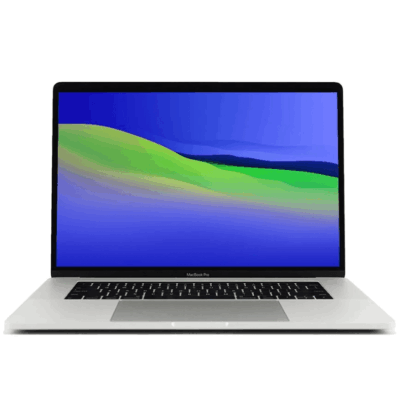
MacBook pro 16 2019 A2141 i7 16GB/512GB


MacBook Pro 2018 – Powerful, Sleek & Super Reliable (i5 | 16GB | 256GB)
???? MacBook Pro 2018 (Core i5 | 16GB RAM | 256GB SSD)
-
⚡ Powerful Performance: 8th-Gen Intel Core i5 processor delivers fast, smooth multitasking for work, study, and creativity.
-
???? Ample Memory: 16GB RAM ensures effortless multitasking with zero lag — perfect for designers, developers, and students.
-
???? Super-Fast Storage: 256GB NVMe SSD offers lightning-quick boot times and file access.
-
???? Brilliant Retina Display: 13.3″ True Tone Retina screen delivers sharp text and vibrant, true-to-life colors.
-
???? Enhanced Audio & Input: Backlit Magic Keyboard, large Force Touch trackpad, and immersive stereo speakers.
-
???? All-Day Battery Life: Reliable battery performance for productivity on the go.
-
????️ 6-Month Warranty: Includes a limited 6-month warranty for peace of mind.
-
???? Eco-Friendly Build: Energy-efficient design and recyclable aluminum enclosure.
-
???? Lightweight & Portable: Sleek, professional, and easy to carry anywhere.
-
???? Available at: www.ringus.co.ke


Asus Rog Zephyrus G14 AMD Reyzen 9 5000 Series 16GB Ram/1TB SSD


MacBook Air 2020 A2179 13inch i5 8gb/512SSD
- MacBook Pro A2179
- Processor: Intel Core
- RAM: 8GB LPDDR4X Memory
- Storage: 512GB SSD (ultra-fast performance)
- Display: 13.3-inch Retina Display with True Tone Technology
- Resolution: 2560 x 1600 pixels (227 PPI)
- Graphics: Intel Iris Plus Graphics
- Year: 2020 Model (A2179)
- Operating System: macOS (latest compatible version)
- Keyboard: New Magic Keyboard with improved reliability
- Touch Bar: Yes, with integrated Touch ID sensor
- 6 Months Warranty

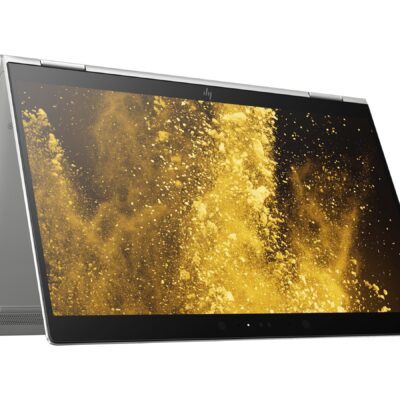
Hp Elitebook x360 1030 G3
- HP ELITEBOOK X360 1030 G3
- Operating system: Windows 10 Pro 64-Bit Edition
- Memory: 16GB LPDDR3-2133 MHz SDRAM
- Storage: 512GB M.2 SATA SED SSD
- Optical drive: No optical drive
- Graphics Processor: Integrated: Intel® UHD Graphics 620
- Processor: Intel® Core™ i5-8250U (1.6GHz base frequency, up to 3.4GHz with Intel® Turbo Boost Technology, 6 MB cache, 4 cores)
- Processor Family: 8th Generation Intel® Core™ i5 processor
- Display: 13.3 Inches (33.8 cm) diagonal FHD IPS eDP + PSR anti-glare LED-backlit touch screen, direct bonded with Corning® Gorilla® Glass 4, 700 cd/m², 100% sRGB (1920 x 1080); HP Sure View Integrated Privacy Screen
- Condition: Boxed Sealed
- Warranty: 6 Months

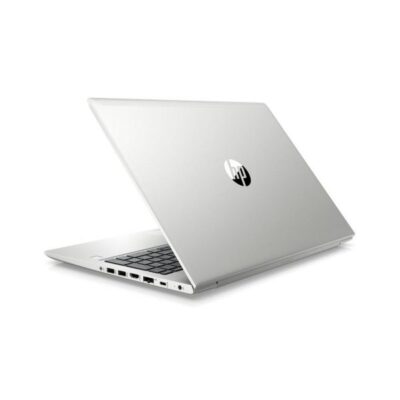
Hp Probook 430 G7
- HP ProBook 430 G7
- Processor: Intel Core i5 10th Gen (Quad-Core, up to 4.6 GHz)
- RAM: 8GB DDR4
- Storage: 256GB SSD
- Display: 13.3-inch Full HD (1920 x 1080)
- Graphics: Intel UHD Graphics (Integrated)
- Operating System: Windows 10 Pro
- Ports: USB 3.1, USB-C, HDMI, Ethernet, Audio jack, SD card reader
- Battery: Up to 12 hours
- Weight: Approx. 1.3 kg
- Condition: Sealed


Reviews
There are no reviews yet.