



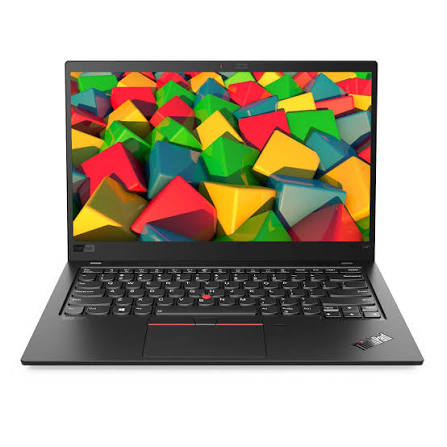
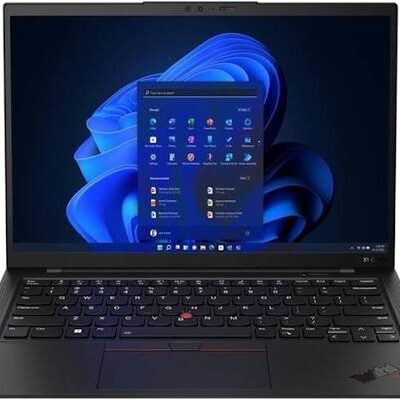
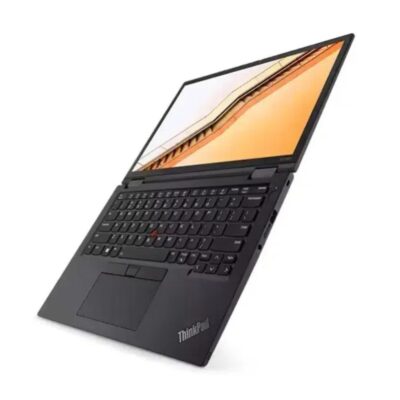
Lenovo ThinkPad X1 Carbon Core i7 10th Gen – Powerful & Premium 16GB RAM, 1TB SSD Touchscreen Laptop
Original price was: KSh 60,000.00.KSh 55,000.00Current price is: KSh 55,000.00.
Lenovo ThinkPad X1 Carbon Core i7 10th Gen – Powerful & Premium 16GB RAM, 1TB SSD Touchscreen Laptop
- ⚡ Powerful Intel Core i7 10th Gen – Reliable performance for business, office work, study, freelancing, and everyday computing.
- 🧠 16GB RAM – Smooth multitasking across documents, browser tabs, research, spreadsheets, and productivity applications.
- 🚀 1TB SSD – Fast startup, quick application loading, and generous storage for files, projects, applications, photos, and videos.
- 🖐️ Touchscreen Display – Convenient touch interaction for browsing, reading, presentations, and supported applications.
- 💼 Premium ThinkPad X1 Carbon Design – Professional and stylish for offices, entrepreneurs, and business professionals.
- 🎓 Ideal for Students & Professionals – Great for assignments, research, presentations, online learning, and workplace tasks.
- 💻 Perfect for Freelancers & Remote Work – Excellent for writers, virtual assistants, digital marketers, administrators, and online professionals.
- 📊 Excellent for Business Productivity – Handles documents, spreadsheets, presentations, email, research, and everyday business applications.
- 👨💻 Great for Programming & IT – Suitable for coding, web development, technical research, and supported development tools.
- 📁 Generous 1TB Storage – Plenty of room for business files, projects, media, applications, and personal data.
- 🛠️ Long-Term Value – Proper maintenance and compatible servicing can help extend the laptop’s useful working life.
- 🛒 Shop with Ring-Us Technologies – Visit https://www.ringus.co.ke for more quality laptops and technology solutions.
Absolutely 😊 This version keeps the 1TB SSD and touchscreen as the main selling points while maintaining the same detailed SEO structure you’ve been using.
Lenovo ThinkPad X1 Carbon Core i7 10th Gen – Powerful & Premium 16GB RAM, 1TB SSD Touchscreen Laptop
Looking for a powerful, premium, professional, and versatile laptop with plenty of storage and a convenient touchscreen? The Lenovo ThinkPad X1 Carbon Core i7 10th Gen with 16GB RAM and 1TB SSD combines capable processing performance, generous memory, large fast storage, and touchscreen convenience in a professional ThinkPad package.
Powered by an Intel Core i7 10th Gen processor, this Lenovo X1 Carbon provides a strong foundation for business, office productivity, study, freelancing, remote work, research, content creation, and everyday computing.
The 16GB RAM gives you substantial multitasking capacity, allowing you to work across multiple applications and browser tabs. Meanwhile, the 1TB SSD provides significantly more storage space for documents, applications, projects, photographs, videos, business files, and other digital content.
The touchscreen display adds another convenient way to interact with the laptop. You can use the traditional keyboard and touchpad for extended work sessions and take advantage of touch interaction when browsing, presenting, navigating, or using compatible applications.
Whether you are a business professional, entrepreneur, student, freelancer, remote worker, writer, digital marketer, or technology professional, the Lenovo ThinkPad X1 Carbon Core i7 10th Gen offers a versatile platform designed around modern productivity.
Lenovo ThinkPad X1 Carbon Core i7 10th Gen – Key Specifications
| Feature | Specification |
|---|---|
| Model | Lenovo ThinkPad X1 Carbon |
| Processor | Intel Core i7 10th Gen |
| RAM | 16GB |
| Storage | 1TB SSD |
| Display | Touchscreen |
| Category | Premium Business & Professional Laptop |
| Ideal For | Business, office work, students, freelancers, remote work and everyday productivity |
| Memory Benefit | 16GB for capable multitasking |
| Storage Benefit | 1TB for applications, files, projects and digital content |
| Touch Benefit | Convenient touch interaction for supported applications |
Exact display resolution, ports, operating system, battery condition, keyboard layout, and other configuration-specific features should be confirmed for the individual unit.
Powerful Intel Core i7 10th Gen Performance
The Intel Core i7 10th Gen processor provides a capable performance foundation for a broad range of professional and everyday workloads.
Modern computer users rarely work with only one application at a time. You might have your email open while researching online, working on a report, checking a spreadsheet, attending an online meeting, and communicating with customers or colleagues.
A capable processor helps support this type of multitasking environment.
The Lenovo X1 Carbon can be used for:
- Business applications
- Office productivity
- Web browsing
- Online research
- Document creation
- Spreadsheet work
- Presentations
- Online meetings
- Freelancing
- Virtual assistance
- Content writing
- Digital marketing
- Online learning
- Administrative work
- General professional computing
The actual performance will depend on the software being used and the demands of the specific workload, but the Core i7 platform provides a strong foundation for professional productivity.
16GB RAM for Powerful Multitasking
The 16GB RAM configuration is one of the important strengths of this Lenovo ThinkPad X1 Carbon.
RAM helps your computer manage active applications and working information. Having more memory can be particularly useful when you regularly move between multiple applications and browser tabs.
For example, you could be working on a business proposal while keeping research tabs open, checking email, using a spreadsheet, and communicating through an online platform.
16GB RAM is useful for:
- Multitasking
- Office applications
- Web research
- Business software
- Online learning
- Content writing
- Digital marketing
- Virtual assistance
- Presentations
- Spreadsheets
- Document management
- Remote work
For freelancers and professionals who work across several platforms, 16GB RAM provides useful capacity for a productive working environment.
Massive 1TB SSD Storage
One of the biggest advantages of this configuration is the 1TB SSD.
Compared with a 256GB storage configuration, 1TB gives you considerably more room for applications, documents, photographs, videos, projects, downloads, business files, and personal data.
This makes the laptop particularly attractive to users who need more internal storage without constantly relying on external drives.
A 1TB SSD can provide room for:
- Business documents
- Academic materials
- Photos
- Videos
- Presentations
- Software
- Projects
- Research files
- Marketing materials
- Creative files
- Personal documents
- Work archives
SSD technology also contributes to responsive everyday computing, including faster system startup and application loading compared with traditional mechanical storage.
The amount of usable space will be lower than the advertised capacity because the operating system and system files occupy part of the drive.
16GB RAM + 1TB SSD: Built for Productivity
The combination of 16GB RAM and a 1TB SSD creates a particularly practical configuration for users who need both multitasking capacity and generous storage.
These two components solve different problems.
16GB RAM helps with multitasking and active workloads.
1TB SSD provides space for storing applications, documents, projects, media, and other files.
This means you do not have to choose between having enough memory for multitasking and having enough room for your digital files.
For professionals, students, entrepreneurs, and freelancers, this combination can provide a comfortable everyday computing experience.
Convenient Touchscreen Experience
The touchscreen display adds another layer of flexibility to the traditional laptop experience.
Instead of relying exclusively on the keyboard and touchpad, you can interact directly with compatible content on the screen.
Touch interaction can be convenient for:
- Browsing
- Reading
- Navigating documents
- Viewing presentations
- Scrolling through content
- Selecting items
- Interactive applications
- Presentations
- General navigation
You can continue using the keyboard and touchpad when performing tasks that require extensive typing.
This makes the touchscreen particularly useful as an additional input method rather than something that replaces traditional laptop controls.
Premium ThinkPad X1 Carbon Design
The ThinkPad X1 Carbon belongs to Lenovo’s premium ThinkPad family and is positioned around professional productivity.
Its professional design makes it suitable for a wide range of environments, including:
- Corporate offices
- Business meetings
- Home offices
- Universities
- Classrooms
- Coworking spaces
- Client meetings
- Professional travel
It can serve as both a dedicated work computer and an everyday personal laptop.
For professionals who want a device that looks appropriate in a business environment while remaining versatile for personal use, the X1 Carbon is a practical option.
Lenovo X1 Carbon for Business
Business users often need laptops capable of handling many different responsibilities.
The same computer may be used for preparing reports, checking email, researching information, working with spreadsheets, attending meetings, communicating with clients, and managing digital files.
The Lenovo ThinkPad X1 Carbon Core i7 10th Gen can support these productivity requirements.
Business tasks include:
- Preparing reports
- Creating presentations
- Managing spreadsheets
- Writing business documents
- Email communication
- Online research
- Customer communication
- Business administration
- Cloud-based work
- Online meetings
- File management
The 1TB SSD also provides generous room for business documents and projects, particularly for users who prefer to keep more of their work stored locally.
An Excellent Laptop for Entrepreneurs
Entrepreneurs often need one laptop that can handle multiple areas of their business.
You might use your laptop for customer communication, marketing, financial documents, research, presentations, social media, business planning, and online services.
The Core i7 processor, 16GB RAM, and 1TB SSD provide a capable platform for these varied activities.
It can support entrepreneurs working with:
- Business email
- Digital marketing
- Social media
- Customer management
- Spreadsheets
- Presentations
- Business documents
- Online research
- Cloud applications
- Communication tools
- Business planning
- Online meetings
The generous 1TB storage is particularly useful for business owners who accumulate documents, marketing materials, photographs, presentations, and other files over time.
Lenovo ThinkPad X1 Carbon for Students
Students need more than a device for typing assignments.
Modern academic work can involve online research, virtual classes, presentations, PDFs, online learning platforms, collaboration, communication, and extensive document storage.
The Lenovo X1 Carbon with 16GB RAM and 1TB SSD is well suited to many of these requirements.
Students can use it for:
- Assignments
- Research
- Academic writing
- Presentations
- Online classes
- E-learning platforms
- PDF reading
- Web browsing
- Group projects
- Study materials
- File storage
The touchscreen can also provide convenient interaction when reading documents, browsing, navigating presentations, or using supported educational applications.
Students using specialist software should always compare the software requirements with the laptop’s exact configuration.
Perfect for Freelancers and Remote Workers
Freelancers and remote professionals often need a flexible laptop capable of handling different digital responsibilities.
The Lenovo X1 Carbon can be suitable for:
- Writers
- Virtual assistants
- Digital marketers
- SEO professionals
- Researchers
- Administrative professionals
- Customer support professionals
- Online entrepreneurs
- Consultants
- Project managers
The 16GB RAM provides useful multitasking capacity, while the 1TB SSD gives you plenty of room for work files and projects.
For someone working with multiple clients, having additional storage can make it easier to organize documents, project folders, presentations, marketing materials, and other work-related data.
Ideal for Writers and Content Professionals
For writers, editors, bloggers, and content professionals, having a comfortable productivity machine is essential.
The Lenovo ThinkPad X1 Carbon can support writing workflows involving research, drafting, editing, communication, and publishing.
You can use it for:
- Blog writing
- Copywriting
- Article writing
- SEO content
- Editing
- Research
- Academic writing
- Business writing
- Content management
- Email communication
The large 1TB SSD is also useful for writers who maintain large libraries of documents, reference materials, photographs, PDFs, research files, and project archives.
Useful for Digital Marketing
Digital marketing often involves working across multiple browser tabs, platforms, dashboards, documents, and communication tools.
A digital marketer may use the laptop for:
- Social media management
- SEO research
- Content planning
- Email marketing
- Campaign management
- Analytics
- Website management
- Online advertising platforms
- Research
- Client communication
The combination of 16GB RAM and a 1TB SSD provides both multitasking capacity and substantial local storage for digital marketing files and projects.
Programming and IT Work
The Lenovo X1 Carbon can also serve as a practical productivity laptop for many programming and IT workflows.
It can be used for:
- Coding
- Web development
- Technical research
- Documentation
- Software development
- Database-related tasks
- Version control
- Testing supported applications
The 16GB RAM can be useful when working with several development tools and browser tabs.
However, users working with virtual machines, emulators, containers, large development environments, or specialist software should always check the requirements of their particular tools.
Great for Presentations and Meetings
The touchscreen can provide an additional way to interact with presentations and other visual content.
The laptop can be used to prepare:
- Business presentations
- Project proposals
- Academic presentations
- Training materials
- Meeting documents
- Reports
- Research materials
For online meetings, actual performance depends on the conferencing platform, internet connection, software, audio/video hardware, and the exact laptop configuration.
If you plan to connect the laptop to an external monitor or projector, confirm the exact ports available on the individual unit.
Generous Storage for Your Digital Life
The 1TB SSD is particularly valuable for people who store a lot of information locally.
Instead of constantly moving files to external storage, you have substantially more room for everyday digital content.
This can be useful for:
Business Owners
Store business documents, reports, marketing materials, presentations, and records.
Students
Keep assignments, research papers, presentations, PDFs, study materials, and course resources.
Freelancers
Maintain client folders, project files, proposals, invoices, reports, and work archives.
Creatives
Store supported creative projects, photographs, videos, documents, and other digital resources.
Everyday Users
Keep personal documents, photographs, downloads, applications, and other important files conveniently accessible.
Managing Your 1TB SSD
Although 1TB provides generous storage, good file management remains important.
Organize your files into clear folders and regularly review files that are no longer required.
For important information, maintain backups using suitable:
- External drives
- Cloud storage
- Network storage
- Backup services
Having a large SSD does not replace the need for backups.
If the laptop contains important business, academic, or personal information, keep an additional secure copy elsewhere.
Battery and Power Management
Battery performance depends on battery health, usage, software, power settings, applications, and the condition of the specific unit.
If you are buying a used laptop, battery condition should be confirmed before purchase.
To improve everyday battery efficiency:
- Reduce unnecessary background applications.
- Lower screen brightness when appropriate.
- Use suitable power-saving settings.
- Close applications you are not using.
- Keep supported software updated.
- Avoid excessive heat.
- Use the correct compatible charger.
- Avoid repeatedly draining the battery unnecessarily.
Good power-management habits can help maximize productive time between charges.
Lenovo X1 Carbon Maintenance Tips
Proper maintenance can help preserve the laptop and extend its useful working life.
Keep the Laptop Clean
Dust and debris can accumulate around the keyboard, display, and ventilation areas. Clean the device carefully using appropriate computer-cleaning equipment.
Protect the Touchscreen
Avoid pressing hard against the display and keep sharp objects away from the screen.
Use a Protective Bag
A quality laptop bag can help protect the device during transportation.
Keep Software Updated
Install supported operating-system and security updates when appropriate.
Manage Your Storage
Regularly organize files and remove unnecessary data.
Back Up Important Files
Do not rely on one copy of important documents, photographs, projects, or business files.
Avoid Excessive Heat
Use the laptop on a stable surface and avoid blocking ventilation areas.
Upgradeability and Servicing
Upgradeability depends on the exact Lenovo X1 Carbon configuration.
Before purchasing additional RAM, storage, or other components, confirm the specifications of the individual unit and the available upgrade options.
Do not assume that every component can be upgraded.
If you require additional storage or hardware servicing, have a qualified technician verify compatibility before purchasing components.
Responsible Technology Use
Keeping a capable laptop in use for longer can be a practical part of responsible technology consumption.
Regular maintenance, appropriate servicing, compatible upgrades where available, careful handling, and responsible recycling or refurbishment at the end of the device’s useful life can help maximize its value.
Extending the useful life of an existing computer can also reduce the need for unnecessary device replacement.
Who Should Buy the Lenovo ThinkPad X1 Carbon Core i7 10th Gen?
👔 Business Professionals
Suitable for documents, spreadsheets, presentations, email, research, online meetings, and everyday business applications.
💼 Entrepreneurs
Useful for managing business operations, communication, marketing, documentation, and digital services.
🎓 Students
Great for assignments, research, presentations, online learning, and storing academic materials.
💻 Freelancers
Suitable for writers, virtual assistants, digital marketers, researchers, administrators, and online professionals.
🏠 Remote Workers
A capable platform for documents, communication, cloud applications, online meetings, and remote productivity.
✍️ Writers and Content Creators
The 1TB SSD provides plenty of room for documents, research materials, projects, and content libraries.
👨💻 IT Professionals
Suitable for supported coding, web development, technical research, and development environments.
Lenovo ThinkPad X1 Carbon vs Basic Productivity Laptops
| Feature | Lenovo ThinkPad X1 Carbon | Basic Productivity Laptop |
|---|---|---|
| Processor | Intel Core i7 10th Gen | Varies |
| RAM | 16GB | Varies |
| Storage | 1TB SSD | Varies |
| Display | Touchscreen | Varies |
| Positioning | Premium professional/business | General/basic computing |
| Multitasking | Strong capacity with 16GB RAM | Depends on configuration |
| Storage Capacity | Generous 1TB | Depends on configuration |
| Ideal Users | Professionals, entrepreneurs, students, freelancers | General everyday users |
Frequently Asked Questions
Is the Lenovo ThinkPad X1 Carbon Core i7 10th Gen good for business?
Yes. The Core i7 processor, 16GB RAM, 1TB SSD, touchscreen, and professional ThinkPad design make this configuration suitable for many business and office productivity tasks.
Is 16GB RAM enough for professional work?
For many business, academic, office, browsing, writing, and multitasking workflows, 16GB RAM provides substantial capacity. Specialist applications may require additional resources.
Is 1TB SSD enough?
For many users, 1TB provides generous space for applications, documents, projects, photographs, videos, business files, and other digital content. Storage needs vary according to how much data you keep locally.
Is this Lenovo X1 Carbon touchscreen?
Yes. The configuration provided is a touchscreen model.
Is the Lenovo X1 Carbon good for students?
Yes. It can support research, assignments, presentations, online learning, document creation, browsing, and many other academic activities.
Can I use it for freelancing?
Yes. It is suitable for many freelance workflows, including writing, virtual assistance, digital marketing, administration, research, and online business.
Can I use it for remote work?
Yes. The laptop can support documents, email, browsers, cloud applications, communication platforms, online meetings, and other common remote-work tasks.
Is it good for programming?
It can handle many programming and web-development workflows. Users working with demanding development environments should check the requirements of their specific software.
Can I store videos and photographs on the laptop?
Yes. The 1TB SSD provides substantially more room for photographs, videos, documents, and other files than smaller storage configurations. The amount of space available for your own files will be less than the advertised capacity because system files use some storage.
Can I upgrade the RAM or storage?
Upgradeability depends on the exact X1 Carbon configuration. Confirm the individual unit’s specifications before purchasing upgrade components.
Does it come with Windows?
The operating system was not included in the specifications provided. Confirm the operating system installed on the exact unit before purchase.
What ports does it have?
Port availability should be confirmed for the exact unit before purchase, particularly if you require specific connections for monitors, projectors, storage devices, or other peripherals.
Is it suitable for gaming?
The ThinkPad X1 Carbon is primarily designed for professional productivity. Buyers interested in gaming should compare the requirements of their preferred games with the exact graphics configuration.
Can I use it for graphic design?
It can support certain creative applications depending on the software and exact configuration. Users working with demanding professional creative software should check the application’s hardware requirements.
Why Choose the Lenovo ThinkPad X1 Carbon Core i7 10th Gen?
The Lenovo ThinkPad X1 Carbon combines several features that make it particularly useful for productivity:
⚡ Intel Core i7 10th Gen – Capable processing for professional and everyday workloads.
🧠 16GB RAM – Substantial memory for multitasking.
🚀 1TB SSD – Generous and responsive storage for applications, files, projects, and digital content.
🖐️ Touchscreen – Convenient touch interaction for supported applications and everyday navigation.
💼 Premium ThinkPad Design – Professional and suitable for business environments.
🎓 Student Friendly – Suitable for research, assignments, presentations, and online learning.
💻 Freelancer Ready – Great for writers, virtual assistants, digital marketers, and online professionals.
🏢 Business Ready – Suitable for office applications, documents, spreadsheets, presentations, and communication.
Final Thoughts
The Lenovo ThinkPad X1 Carbon Core i7 10th Gen – 16GB RAM, 1TB SSD Touchscreen Laptop brings together powerful productivity features in a professional Lenovo ThinkPad platform.
The Intel Core i7 10th Gen processor provides a capable foundation for everyday professional computing, while 16GB RAM gives you substantial multitasking capacity. The 1TB SSD is a major advantage for users who need generous storage for applications, documents, business files, photographs, videos, projects, and other digital content.
The touchscreen adds another convenient way to interact with the laptop, while the professional ThinkPad design makes it suitable for offices, businesses, schools, home offices, and flexible working environments.
It is a versatile option for business professionals, entrepreneurs, students, freelancers, remote workers, writers, digital marketers, virtual assistants, researchers, and IT professionals.
For additional information about Intel Core processors, visit the official Intel Core processor page.
For official Lenovo product information, visit Lenovo.
Shop Lenovo Laptops at Ring-Us Technologies
Looking for more quality laptops and technology solutions? Visit www.ringus.co.ke for laptops suitable for business, school, professional work, freelancing, and everyday computing.
What Customers Say
“The 1TB storage is exactly what I needed. I keep my work documents, projects and personal files on the laptop without constantly worrying about running out of space. The touchscreen is also a really convenient feature for everyday use.”
Related products

Lenovo Yoga 7 Core Ultra 7(155U)16gb/1TBssd


HP Omen 16-wf Gaming Laptop


MacBook Pro 2018 – Powerful, Sleek & Super Reliable (i5 | 16GB | 256GB)
???? MacBook Pro 2018 (Core i5 | 16GB RAM | 256GB SSD)
-
⚡ Powerful Performance: 8th-Gen Intel Core i5 processor delivers fast, smooth multitasking for work, study, and creativity.
-
???? Ample Memory: 16GB RAM ensures effortless multitasking with zero lag — perfect for designers, developers, and students.
-
???? Super-Fast Storage: 256GB NVMe SSD offers lightning-quick boot times and file access.
-
???? Brilliant Retina Display: 13.3″ True Tone Retina screen delivers sharp text and vibrant, true-to-life colors.
-
???? Enhanced Audio & Input: Backlit Magic Keyboard, large Force Touch trackpad, and immersive stereo speakers.
-
???? All-Day Battery Life: Reliable battery performance for productivity on the go.
-
????️ 6-Month Warranty: Includes a limited 6-month warranty for peace of mind.
-
???? Eco-Friendly Build: Energy-efficient design and recyclable aluminum enclosure.
-
???? Lightweight & Portable: Sleek, professional, and easy to carry anywhere.
-
???? Available at: www.ringus.co.ke

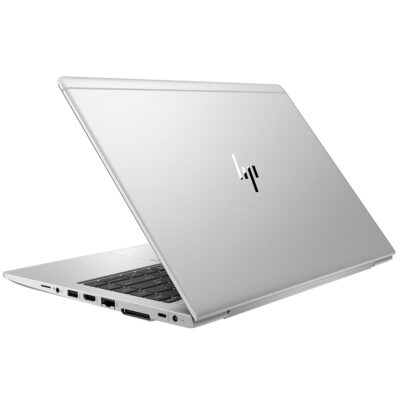
Hp Elitebook 745 G6 RYZEN 5 PRO

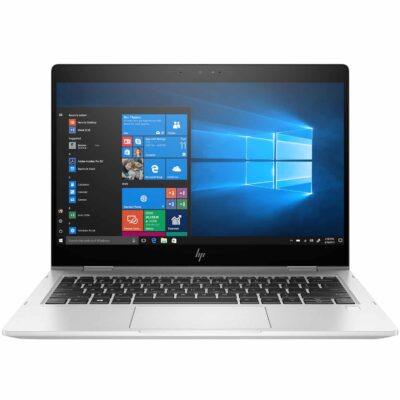
Hp elitebook 830 g7 i7 10th generation
- Hp elitebook 830 g7 i7 10th generation
- Operating system: Windows 10 / 11 Pro 64-Bit Edition
- Memory: 16GB DDR4-2666 MHz RAM (1 x 8 GB) | 64 GB
- Storage: 512GB PCIe® NVMe™ Value M.2 SSD
- Optical drive: None
- Graphics Processor: Integrated, Intel® Premium UHD Graphics
- Processor: Intel® Core™ i7-10510U (1.8 GHz base frequency, up to 4.9 GHz with Intel® Turbo Boost Technology, 8 MB L3 cache, 4 cores)
- Processor Family: 10th Generation Intel® Core™ i7 processor
- Display: 13.3 Inches (33.782cm) diagonal FHD, IPS, anti-glare, WLED-backlit, eDP, 250 nits, 45% NTSC (1920 x 1080)




Reviews
There are no reviews yet.