



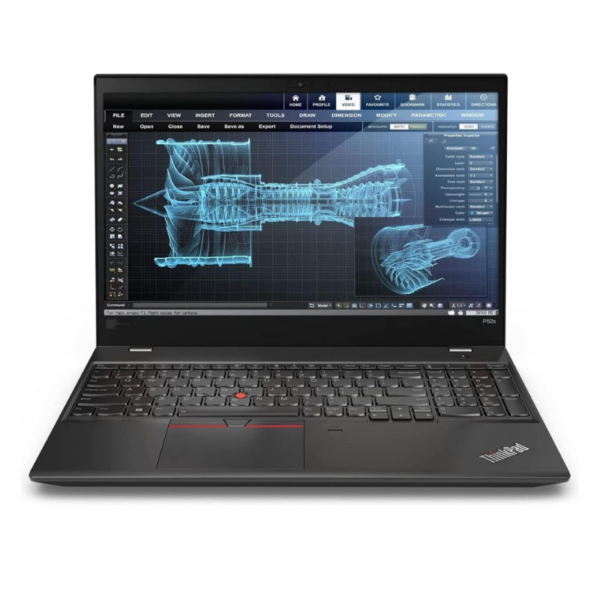
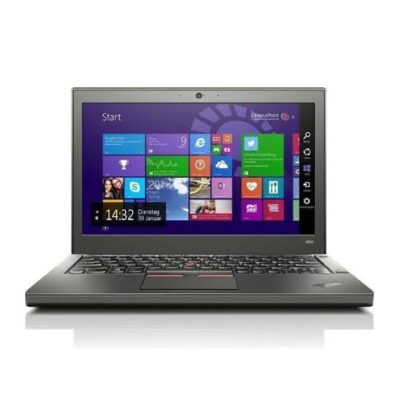
Lenovo ThinkPad P53s – Powerful & Premium Professional Workstation Laptop
Original price was: KSh 48,000.00.KSh 45,000.00Current price is: KSh 45,000.00.
Lenovo ThinkPad P53s – Powerful & Premium Professional Workstation Laptop
- ⚡ Powerful Professional Workstation – Built for demanding business, technical, creative, and productivity workloads.
- 💼 Premium ThinkPad Design – Professional, durable, and ideal for office, business, and professional environments.
- 🏗️ Great for Engineers & Designers – Suitable for technical, engineering, architecture, and design applications depending on configuration.
- 💻 Excellent for Programming – Well suited for developers, IT professionals, coding, research, and technical projects.
- 🎓 Ideal for Students & Professionals – Great for technical courses, assignments, research, presentations, and professional work.
- 🏠 Remote Work Ready – Reliable platform for online meetings, documents, research, communication, and business applications.
- 🚀 Professional Performance – Designed to handle demanding productivity tasks, with performance depending on the exact configuration.
- 🎨 Versatile Workstation – Suitable for business, freelancing, design, engineering, programming, and other professional workloads.
- 🧳 Mobile Productivity – Take your professional workstation with you to the office, classroom, meetings, or home.
- 🔧 Long-Term Value – Proper maintenance and compatible upgrades can help extend the laptop’s useful life.
- 🌱 Responsible Computing Choice – Extending the useful life of a capable workstation can help reduce unnecessary device replacement.
- 🌐 Shop with Ring-Us Technologies – Visit www.ringus.co.ke for more laptops and technology solutions.
Lenovo ThinkPad P53s – Powerful & Premium Professional Workstation Laptop
Looking for a powerful, professional, and reliable laptop for demanding business, creative, engineering, design, or everyday productivity tasks? The Lenovo ThinkPad P53s is a professional mobile workstation designed for users who need more than a basic everyday laptop.
Part of Lenovo’s ThinkPad P Series, the Lenovo ThinkPad P53s combines a professional workstation-oriented platform with the portability and practicality expected from a ThinkPad. It is designed for professionals, engineers, designers, architects, business users, students, consultants, and other users who need a dependable computer for serious productivity.
Whether you are working from the office, studying at university, managing projects, working remotely, handling business applications, or using professional software, the ThinkPad P53s provides a practical foundation for getting work done.
Because configurations of the ThinkPad P53s can differ, the exact processor, RAM, SSD capacity, display type, graphics configuration, operating system, battery condition, and ports should always be confirmed for the individual unit.
Lenovo ThinkPad P53s at a Glance
| Feature | Lenovo ThinkPad P53s | Standard Business Laptop | Basic Entry-Level Laptop |
|---|---|---|---|
| Category | Mobile Workstation | Business Laptop | General-Purpose Laptop |
| Design | Professional ThinkPad design | Business-oriented | Basic consumer design |
| Performance | Workstation-oriented platform | Everyday productivity | Basic productivity |
| Multitasking | Suitable for demanding professional workflows depending on configuration | Good for everyday tasks | Basic to moderate |
| Professional Software | Suitable depending on exact configuration | Suitable for general software | More limited |
| Office Work | Excellent | Excellent | Suitable |
| Students | Excellent for technical courses | Excellent | Suitable |
| Freelancing | Excellent | Very good | Suitable |
| Remote Work | Excellent | Excellent | Suitable |
| Engineering/Design | Suitable depending on configuration | Varies | More limited |
| Portability | Designed as a mobile workstation | Generally portable | Generally portable |
| Long-Term Value | Professional-grade platform | Good | Budget-focused |
Important: The exact performance of a ThinkPad P53s depends on its processor, RAM, storage, graphics configuration, display, and condition. Please confirm the specifications of the particular unit before purchase.
Professional Workstation Designed for Productivity
The Lenovo ThinkPad P53s is designed for professionals who need a laptop capable of handling more serious workloads than basic browsing and document creation.
Its workstation positioning makes it suitable for users working with professional applications, technical projects, business systems, engineering-related software, design workflows, data analysis, and other productivity tasks.
It can also function as a powerful everyday business laptop for users who simply want a professional machine with additional performance capability.
For professionals who frequently move between offices, meetings, client locations, classrooms, and home offices, having a mobile workstation can provide a convenient balance between performance and portability.
Why Choose the Lenovo ThinkPad P53s?
The ThinkPad brand is well known for professional productivity and business-focused laptop designs.
The ThinkPad P53s extends this approach into Lenovo’s mobile workstation range.
It is particularly attractive to users who want a laptop that can serve both as a professional work machine and as a portable computer.
Instead of purchasing separate computers for business administration, technical work, study, and remote work, the P53s can provide a versatile platform for multiple types of productivity, depending on its exact configuration.
Powerful Performance for Professional Users
The exact processor and graphics configuration of a ThinkPad P53s can vary, so performance should be evaluated according to the specifications of the individual unit.
A properly configured P53s can be suitable for a wide range of professional workloads, including office productivity, technical applications, research, programming, design-related work, project management, and professional software.
This makes the laptop particularly useful for users whose work requires more than simple web browsing and word processing.
Professionals can use it for applications involving:
- Engineering
- Architecture
- Technical design
- Programming
- Data analysis
- Business management
- Research
- Project management
- Digital work
- Professional documentation
Software requirements vary, so users should always check the recommended specifications of their specific applications.
Excellent for Business and Office Work
Even though the ThinkPad P53s is positioned as a mobile workstation, it is equally capable of serving as a professional business laptop.
It can be used for:
- Microsoft Office
- Word processing
- Spreadsheets
- Presentations
- Internet research
- Business administration
- Customer management
- Financial documentation
- Project management
- Online meetings
- Cloud-based applications
For business owners and professionals who want one machine capable of handling both everyday office work and more demanding professional applications, the P53s can be a practical solution.
Lenovo ThinkPad P53s for Engineers
Engineering students and professionals often require computers capable of running specialized applications.
Depending on the exact hardware configuration, the Lenovo ThinkPad P53s can be suitable for technical and engineering-related workloads.
Potential uses include:
- Engineering software
- Technical documentation
- CAD-related applications
- Project planning
- Data analysis
- Research
- Programming
- Technical presentations
However, software requirements differ considerably. Users working with particularly demanding 3D models or large engineering projects should confirm the exact processor, RAM, graphics hardware, and software requirements before purchase.
A Practical Laptop for Architects and Designers
Architectural and design students often need a laptop for research, presentations, drawing-related applications, documentation, and professional software.
The ThinkPad P53s can provide a professional platform for these activities depending on its configuration.
It can be useful for:
- Architectural studies
- Technical drawings
- Design research
- Project documentation
- Presentations
- 3D-related applications
- Creative productivity
- Portfolio development
For demanding 3D rendering and highly intensive graphics workflows, users should verify that the exact P53s configuration meets the requirements of their preferred software.
Excellent for Programming and Development
Developers and programmers need a dependable computer capable of running development environments, browsers, databases, documentation, and other tools simultaneously.
The Lenovo ThinkPad P53s can be suitable for:
- Web development
- Software development
- Programming
- Database work
- Coding projects
- Testing environments
- Research
- Technical documentation
Its professional workstation orientation makes it an appealing option for developers who want a serious productivity machine.
The ideal configuration will depend on the programming languages, development environments, virtual machines, containers, databases, and other tools being used.
Great for Freelancers
Freelancers often perform several different jobs from one computer.
A freelancer may write documents in the morning, design or edit content later, attend an online meeting, communicate with clients, manage files, and work on a technical project in the evening.
The Lenovo ThinkPad P53s can provide a versatile platform for this kind of professional lifestyle.
It is suitable for freelancers working in areas such as:
- Writing
- Virtual assistance
- Digital marketing
- Programming
- Research
- Design
- Technical consulting
- Project management
- Business administration
- Online services
A mobile workstation can be particularly useful for freelancers who need their computer to support both ordinary business activities and specialized professional workloads.
Ideal for Remote Work
Remote professionals need a laptop that can serve as a complete mobile office.
The ThinkPad P53s can support many remote-work activities, including:
- Video meetings
- Cloud applications
- Document creation
- Spreadsheet management
- Online research
- Project management
- Client communication
- File management
- Professional software
Its professional design also makes it suitable for moving between a home office, coworking space, client location, or traditional workplace.
Lenovo ThinkPad P53s for Students
Students studying technical, business, engineering, computer science, architecture, design, or other demanding subjects may benefit from having a professional workstation-class laptop.
The P53s can be used for:
- Research
- Assignments
- Presentations
- Programming
- Technical applications
- Online classes
- Academic writing
- Project work
- Data analysis
- Documentation
Students should check their institution’s recommended software specifications before purchasing, particularly if their course requires specialized engineering, architecture, CAD, graphics, or simulation software.
Professional ThinkPad Design
The ThinkPad family has a distinctive professional design focused on productivity.
The ThinkPad P53s follows this business-oriented approach, making it suitable for professional environments.
Its appearance works naturally in:
- Corporate offices
- Boardrooms
- Classrooms
- Client meetings
- Home offices
- Consulting environments
- Business travel
For professionals who prefer a laptop that looks appropriate in a formal working environment, the ThinkPad design is a practical choice.
Built for People Who Work
A professional workstation is different from a laptop designed mainly for entertainment.
The Lenovo ThinkPad P53s is aimed at people who need their computer to help them accomplish real work.
Whether you are preparing an engineering report, managing a business, writing code, preparing a presentation, researching a project, or attending an online meeting, the laptop is designed around productivity.
This makes it a particularly interesting option for professionals who want versatility from a single machine.
Lenovo ThinkPad P53s for Business Owners
Entrepreneurs often need a computer capable of handling everything from administration to specialized business tasks.
The P53s can be useful for:
- Business planning
- Accounting applications
- Presentations
- Customer management
- Research
- Marketing
- Project management
- Online business
- Communication
- Data management
A business owner can use the same machine for ordinary administrative work and more demanding professional applications when the configuration supports them.
Mobile Workstation for Professionals on the Move
One of the major advantages of the P53s concept is mobility.
Professionals do not always work from a single desk. You may need to take your laptop to meetings, construction sites, classrooms, client offices, or home.
A mobile workstation provides the flexibility to take professional computing capabilities with you.
This can be particularly useful for consultants, engineers, architects, designers, project managers, researchers, and freelancers.
Storage and Performance
The storage capacity and type of the exact ThinkPad P53s unit should be confirmed before purchase.
Where the laptop is configured with SSD storage, users can benefit from faster everyday responsiveness compared with traditional mechanical hard drives.
SSD storage can improve activities such as:
- System startup
- Application loading
- File access
- Document management
- Software installation
- General system responsiveness
The amount of storage required depends on how you use the laptop.
Professionals working with large CAD files, videos, design projects, databases, or other large files should ensure that the specific configuration provides enough storage for their needs.
Multitasking for Professional Work
Modern professionals rarely work with only one application open.
You might have a browser, email client, spreadsheet, document, communication application, and professional software running simultaneously.
The amount of RAM installed in the specific P53s is therefore important.
Users should confirm the RAM configuration before purchase and consider their intended applications when deciding whether the available memory is sufficient.
For heavier workloads, having adequate RAM can make a significant difference to the overall multitasking experience.
Long-Term Value
A professional laptop can remain useful for years when it continues to meet the user’s actual needs.
Proper maintenance, compatible upgrades, software management, and responsible handling can help extend the useful life of a computer.
The Lenovo ThinkPad P53s is particularly attractive to users who want a professional machine that can serve multiple purposes instead of purchasing separate laptops for different tasks.
Upgradeability and Maintenance
Upgrade possibilities vary according to the exact P53s configuration.
Before purchasing replacement or additional components, confirm compatibility with the specific machine.
Potential areas to investigate may include:
- RAM
- Storage
- Battery
- Cooling components
- Other serviceable hardware
Professional servicing is recommended when dealing with internal components or hardware problems.
Keeping the laptop clean, ensuring adequate ventilation, maintaining software, and monitoring storage can all contribute to reliable long-term use.
Responsible Technology Use
Extending the useful life of a capable laptop can be a practical approach to responsible technology consumption.
Rather than replacing a machine simply because newer models are available, users can continue using a laptop when it still meets their performance requirements.
Maintenance, repair, compatible upgrades, and responsible recycling at the end of the device’s useful life can all support more sustainable technology habits.
The ThinkPad P53s can therefore be a practical choice for users who value longevity and professional functionality.
Laptop Maintenance Tips
Keep ventilation areas clear
Avoid using the laptop on surfaces that block airflow. Proper ventilation helps manage operating temperatures.
Clean the exterior regularly
Use appropriate cleaning methods to remove dust and dirt from the laptop’s exterior.
Keep software updated
Install relevant operating-system and security updates where supported.
Manage storage
Remove unnecessary files and maintain adequate free storage space.
Protect the laptop during travel
Use a suitable laptop bag or protective sleeve when transporting the workstation.
Back up important files
Professional projects, business documents, academic work, and personal data should be backed up regularly.
Service the laptop when necessary
Unusual heat, charging problems, unexpected shutdowns, or other hardware issues should be professionally assessed.
Battery and Power Management
Battery performance varies depending on the individual battery’s health, age, workload, screen brightness, applications, and power settings.
For pre-owned units, battery condition should be confirmed before purchase.
Users can improve battery efficiency by:
- Reducing unnecessary background applications
- Adjusting screen brightness
- Using appropriate power settings
- Disconnecting unused peripherals
- Keeping software properly managed
If the battery has degraded significantly, a compatible replacement may restore useful portable operation.
Who Should Buy the Lenovo ThinkPad P53s?
The Lenovo ThinkPad P53s can be an excellent fit for users who need a professional and versatile workstation platform.
It is particularly relevant to:
- 👨💼 Business professionals
- 👨💻 Programmers
- 🏗️ Engineers
- 🏛️ Architects
- 🎨 Designers
- 🎓 Technical students
- 💻 Freelancers
- 🏠 Remote workers
- 📊 Data professionals
- 🧑💼 Entrepreneurs
- 📚 Researchers
- 🧑💻 IT professionals
- 📋 Project managers
The exact suitability depends on the individual configuration and the software you intend to run.
Lenovo ThinkPad P53s vs a Basic Laptop
A basic laptop may be perfectly adequate for simple browsing, email, and document creation.
However, professionals who use specialized software or require a more professional platform may need additional capability.
The ThinkPad P53s is positioned as a mobile workstation, making it more appropriate for users who need a versatile professional machine.
Its workstation-oriented design can be especially relevant to technical professionals, engineers, architects, designers, programmers, and other users with specialized computing needs.
Professional Workstation Without the Desktop
One of the major benefits of a mobile workstation is the ability to take your professional computing environment with you.
Instead of being tied to a desktop computer, professionals can work from different locations while carrying their projects and applications with them.
For consultants, students, engineers, architects, freelancers, and remote professionals, this flexibility can be extremely useful.
Check Your Software Requirements Before Buying
Professional software can have very specific hardware requirements.
If you intend to use CAD, 3D design, engineering software, video editing applications, simulation tools, or other demanding programs, check the software manufacturer’s recommended processor, RAM, graphics, and operating-system requirements.
The exact configuration of the Lenovo ThinkPad P53s should then be compared with those requirements before purchase.
This is especially important because different P53s configurations may have different processors, memory capacities, graphics hardware, storage, and display options.
Learn More About Lenovo ThinkPad Workstations
For official Lenovo product information, drivers, specifications, and support resources, visit the Lenovo official website.
For information about Intel processors, visit the official Intel Core processors page.
These official resources can help buyers verify technical information and software compatibility.
Frequently Asked Questions
What is the Lenovo ThinkPad P53s?
The Lenovo ThinkPad P53s is a professional mobile workstation in Lenovo’s ThinkPad P Series, designed for productivity and professional workloads.
Is the ThinkPad P53s good for business?
Yes. It can be used for everyday business tasks such as documents, spreadsheets, email, presentations, research, communication, and business applications.
Is the Lenovo ThinkPad P53s good for engineering?
It can be suitable for engineering-related work depending on its exact processor, RAM, graphics configuration, and the specific engineering software being used.
Is the ThinkPad P53s good for architecture?
It can be useful for architecture students and professionals, particularly for productivity, documentation, research, and compatible design applications. Demanding 3D workloads should be checked against the exact hardware configuration.
Can I use the ThinkPad P53s for programming?
Yes. It can support many programming and development workloads. The ideal configuration depends on the development tools, virtual machines, databases, and other software you use.
Is it suitable for students?
Yes. It can be particularly useful for students studying engineering, architecture, computer science, business, design, and other technical or professional courses.
Is the ThinkPad P53s good for freelancing?
Yes. Its professional platform can support writing, programming, digital marketing, research, administration, design-related work, and many other freelance activities depending on the configuration.
Can I use it for remote work?
Yes. It can serve as a professional mobile workstation for documents, communication, online meetings, research, project management, and other remote-work activities.
Can it run CAD software?
The suitability depends on the exact processor, RAM, graphics hardware, and the CAD software being used. Check the software’s recommended specifications before purchasing.
Is the ThinkPad P53s good for gaming?
The P53s is primarily a professional workstation rather than a dedicated gaming laptop. Gaming performance will depend heavily on the exact graphics configuration and the requirements of the games being played.
Can the Lenovo ThinkPad P53s be upgraded?
Some configurations may support upgrades or servicing, but this depends on the exact model and configuration. Confirm compatibility before purchasing components.
Does the ThinkPad P53s have a touchscreen?
Touchscreen availability varies by configuration. Confirm the display specification of the exact unit before purchase.
How much RAM does the ThinkPad P53s have?
RAM configurations vary. Please confirm the RAM specification of the specific unit being sold.
How much storage does the ThinkPad P53s have?
Storage configurations vary. Confirm the exact SSD or storage capacity of the individual unit.
What processor does the ThinkPad P53s have?
The P53s was available in different configurations. Confirm the exact processor of the specific unit before purchase.
Sample Customer Testimonials
Sample testimonial — replace with a genuine customer review:
“I needed a professional laptop for work and technical applications, and the ThinkPad P53s gives me the flexibility I was looking for.”
Sample testimonial — replace with a genuine customer review:
“I like the professional ThinkPad design and the fact that I can use it for both business work and my personal projects.”
Sample testimonial — replace with a genuine customer review:
“The P53s has been a practical workstation for my everyday professional tasks and remote work.”
Buy Lenovo ThinkPad P53s from Ring-Us Technologies
If you are looking for a Powerful & Premium Lenovo ThinkPad P53s Professional Workstation Laptop, this ThinkPad provides a professional platform suitable for business, technical work, education, freelancing, remote work, programming, research, and other productivity-focused activities.
Its workstation-oriented design makes it particularly interesting for professionals who want a versatile laptop that can handle both everyday business tasks and specialized workloads, depending on the exact hardware configuration.
Before purchasing, confirm the specific processor, RAM, storage, display, graphics, battery condition, operating system, and ports of the available unit to ensure it matches your requirements.
For more laptops and technology solutions, visit Ring-Us Technologies.
Key Specifications
- Model: Lenovo ThinkPad P53s
- Category: Professional Mobile Workstation
- Processor: Varies by configuration
- RAM: Varies by configuration
- Storage: Varies by configuration
- Display: Varies by configuration
- Graphics: Varies by configuration
- Ideal For: Business, engineering, architecture, programming, design, freelancing, education, research, and professional productivity
Lenovo ThinkPad P53s – Powerful & Premium professional performance for serious work, study, business, and productivity.
Related products


HP Elitebook 840 G9 Core i5 12th gen 16gb/512ssd

Dell latitude 3410 core i5 10th gen 512ssd /8gb


MacBook Pro 2023 M3 Pro Chip/18GB Ram/512GB SSD
- MacBook Pro 2023 M3
- Apple M3 Pro 12-Core Chip
- 18GB Unified RAM | 512GB SSD
- 16" 3456 x 2234 Liquid Retina XDR Screen
- 18-Core GPU | 16-Core Neural Engine
- Wi-Fi 6E (802.11ax) | Bluetooth 5.3
- Thunderbolt 4 | HDMI | MagSafe 3
- SDXC Slot | FaceTime HD 1080p Camera
- Backlit Magic Keyboard
- Force Touch Trackpad | Touch ID Sensor
- macOS
- Open Box
- 6 Months Warranty

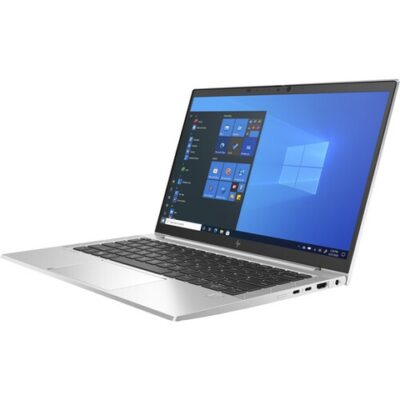
Hp Elitebook 830 G8 i7 11th gen touch screen


HP ELITEBOOK 830 G7 i7 10th gen 16GB Ram/512GB SSD
- Operating system: Windows 10 / 11 Pro 64-Bit Edition
- Memory: 16GB DDR4-2666 MHz RAM (1 x 8 GB) | 64 GB
- Storage: 512GB PCIe® NVMe™ Value M.2 SSD
- Optical drive: None
- Graphics Processor: Integrated, Intel® Premium UHD Graphics
- Processor: Intel® Core™ i7-10510U (1.8 GHz base frequency, up to 4.9 GHz with Intel® Turbo Boost Technology, 8 MB L3 cache, 4 cores)
- Processor Family: 10th Generation Intel® Core™ i7 processor
- Display: 13.3 Inches (33.782cm) diagonal FHD, IPS, anti-glare, WLED-backlit, eDP, 250 nits, 45% NTSC (1920 x 1080)
- Boxed sealed


Microsoft Surface Laptop 4

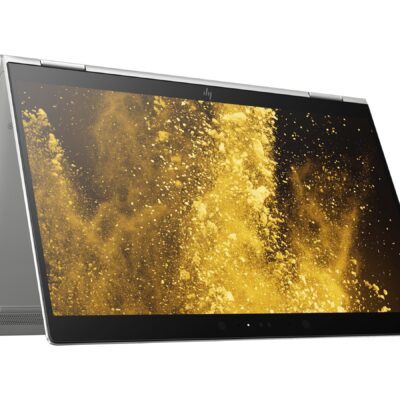
Hp Elitebook x360 1030 G3
- HP ELITEBOOK X360 1030 G3
- Operating system: Windows 10 Pro 64-Bit Edition
- Memory: 16GB LPDDR3-2133 MHz SDRAM
- Storage: 512GB M.2 SATA SED SSD
- Optical drive: No optical drive
- Graphics Processor: Integrated: Intel® UHD Graphics 620
- Processor: Intel® Core™ i5-8250U (1.6GHz base frequency, up to 3.4GHz with Intel® Turbo Boost Technology, 6 MB cache, 4 cores)
- Processor Family: 8th Generation Intel® Core™ i5 processor
- Display: 13.3 Inches (33.8 cm) diagonal FHD IPS eDP + PSR anti-glare LED-backlit touch screen, direct bonded with Corning® Gorilla® Glass 4, 700 cd/m², 100% sRGB (1920 x 1080); HP Sure View Integrated Privacy Screen
- Condition: Boxed Sealed
- Warranty: 6 Months


HP ELITEBOOK 820 G3 i5 6th GEN
- HP Elitebok 820 G3
- Operating system: Windows 10 Pro 64-Bit Edition
- Memory: 16GB DDR4-2133MHz SDRAM (1 x 8 GB) | Supports upto 16GB
- Storage: 512GB PCIe® NVMe™ M.2 Solid State Drive (SSD)
- Optical drive: None
- Graphics Processor: Intel® HD Graphics 520
- Processor: Intel® Core™ i5 6200U (2.3GHz, up to 2.8GHz with Intel Turbo Boost Technology, 3MB cache, 2cores)
- Display: 12.5 inches (31.75 cm) diagonal, LED backlight FHD UltraSlim eDP UWVA (1920 x 1080)
- Condition: Boxed and Sealed
- 6 Months Warranty


Reviews
There are no reviews yet.