



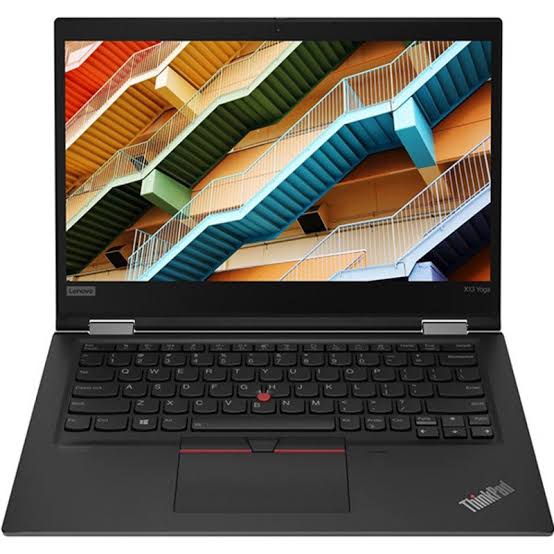
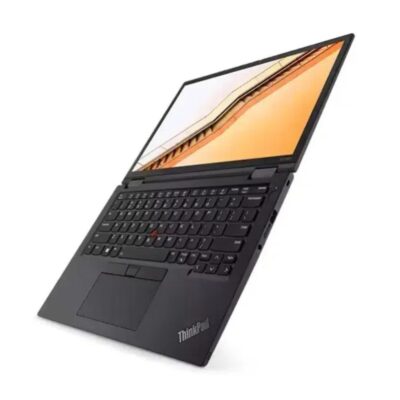
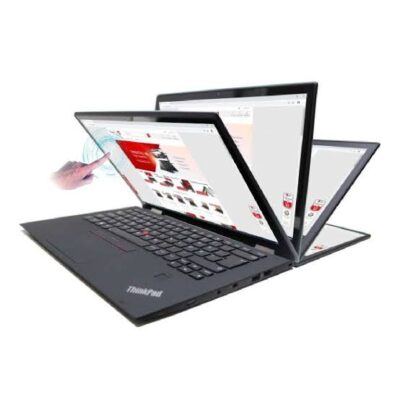
Lenovo ThinkPad P1 Core i7 9th Gen – Powerful & Premium 16GB RAM, 512GB SSD, 4GB Graphics
Original price was: KSh 60,000.00.KSh 57,000.00Current price is: KSh 57,000.00.
Lenovo ThinkPad P1 Core i7 9th Gen – Powerful & Premium 16GB RAM, 512GB SSD, 4GB Graphics Non-Touch Laptop
- ⚡ Powerful Intel Core i7 9th Gen – Strong performance for professional work, business, technical applications, and everyday productivity.
- 🧠 16GB RAM – Excellent multitasking capacity for demanding applications, research, documents, and professional workflows.
- 🚀 512GB SSD – Fast startup, quick application loading, responsive file access, and generous storage for projects.
- 🎨 4GB Graphics – Dedicated graphics capability for supported design, engineering, architecture, creative, and technical applications.
- 🖥️ Non-Touch Display – Practical traditional laptop experience for professional work, programming, design, and productivity.
- 🏗️ Ideal for Engineers & Architects – Suitable for supported CAD, technical, design, and engineering workflows.
- 👨💻 Great for Programming & IT – Excellent platform for coding, development environments, technical research, and IT projects.
- 🎓 Perfect for Technical Students – Great for engineering, architecture, IT, computer science, design, assignments, and research.
- 💼 Professional Workstation – Built for users who need more capability than a standard everyday laptop.
- 💻 Freelancer & Remote Work Ready – Suitable for designers, developers, writers, consultants, and other online professionals.
- 🛠️ Long-Term Value – Proper maintenance and compatible servicing can help extend the laptop’s useful working life.
- 🛒 Shop with Ring-Us Technologies – Visit https://www.ringus.co.ke for more quality laptops and technology solutions.
Lenovo ThinkPad P1 Core i7 9th Gen – Powerful & Premium 16GB RAM, 512GB SSD, 4GB Graphics Non-Touch Laptop
Looking for a powerful professional laptop that can handle demanding productivity, technical applications, creative workloads, and everyday business tasks? The Lenovo ThinkPad P1 Core i7 9th Gen combines a powerful Intel Core i7 9th Gen processor, generous 16GB RAM, responsive 512GB SSD storage, and 4GB dedicated graphics in a professional non-touch workstation platform.
Designed for users who need more than a basic office laptop, the Lenovo ThinkPad P1 is a practical choice for professionals, engineers, architects, designers, programmers, students in technical fields, freelancers, business owners, and other users working with demanding applications.
The combination of 16GB RAM and 512GB SSD provides a strong foundation for multitasking and file management, while the 4GB graphics memory gives the laptop additional graphics capability for supported professional and creative applications.
Whether you’re working on technical projects, developing software, preparing presentations, editing content, managing business operations, or studying a demanding course, the Lenovo ThinkPad P1 offers a professional computing platform built around productivity and performance.
🔑 Lenovo ThinkPad P1 Core i7 9th Gen Key Specifications
| Feature | Specification |
|---|---|
| Model | Lenovo ThinkPad P1 |
| Processor | Intel Core i7 9th Gen |
| RAM | 16GB |
| Storage | 512GB SSD |
| Graphics | 4GB Graphics |
| Display | Non-Touch |
| Laptop Category | Professional Workstation |
| Ideal For | Engineering, architecture, design, programming, business, freelancing, study, and professional workloads |
⚡ Powerful Intel Core i7 9th Gen Performance
The Intel Core i7 9th Gen processor gives the Lenovo ThinkPad P1 a strong performance foundation for professional computing.
Core i7 processors are designed for users who need capable performance across multiple applications and workflows. For professionals, this can mean smoother handling of productivity software, research, communication tools, technical applications, and other supported programs.
The processor is particularly useful when combined with the laptop’s 16GB RAM and 4GB graphics, creating a configuration aimed at users who need more performance than a basic entry-level computer.
The Lenovo ThinkPad P1 can be suitable for activities such as:
- Professional productivity
- Engineering applications
- Architectural workflows
- Programming
- Technical research
- Graphic and creative applications
- Business applications
- Data-related tasks
- Content creation
- Multitasking
- Online work
- Academic projects
Actual performance will depend on the specific application, workload, drivers, and software requirements.
For more information about Intel Core processors, visit the official Intel website.
🧠 16GB RAM for Serious Multitasking
One of the major advantages of this Lenovo ThinkPad P1 configuration is its 16GB RAM.
Memory plays an important role in multitasking because it provides temporary working space for applications and active processes.
With 16GB RAM, the laptop provides a substantial amount of memory for professional productivity and multitasking.
You can work across activities such as:
- Documents
- Spreadsheets
- Presentations
- Web browsers
- Research
- Communication platforms
- Programming environments
- Professional applications
- Creative software
- Technical applications
- Business tools
For professionals who regularly work with multiple applications at once, 16GB RAM provides useful headroom compared with lower-memory configurations.
It is also beneficial for users who work with larger projects or software that has higher memory requirements.
🚀 512GB SSD – Fast and Spacious Storage
The 512GB SSD provides a combination of speed and useful storage capacity.
An SSD uses flash storage rather than the spinning mechanical components found in traditional hard drives. This can contribute to faster system startup, quicker application loading, and responsive file access.
With 512GB available, you have useful space for:
- Professional applications
- Business documents
- Design projects
- Engineering files
- Programming projects
- Academic work
- Presentations
- Research materials
- Photos
- Videos
- Personal files
For professionals working with particularly large projects, additional external or cloud storage can be used alongside the internal SSD.
The combination of 16GB RAM + 512GB SSD creates a strong productivity foundation for users who need both multitasking capacity and responsive storage.
🎨 4GB Graphics for Professional and Creative Work
The Lenovo ThinkPad P1 configuration features 4GB graphics, giving the laptop additional graphics capability for supported applications.
This can be particularly relevant to users working in fields where graphics processing matters.
Potential use cases include:
- Graphic design
- Engineering applications
- Architecture
- CAD-related workflows
- 3D applications
- Video-related workloads
- Technical visualization
- Creative software
- Professional graphics applications
However, graphics requirements vary significantly between applications. A laptop suitable for one type of design or engineering software may not necessarily meet the requirements of every advanced 3D or professional application.
For this reason, users should always compare the laptop’s actual graphics hardware and memory with the recommended specifications of their specific software.
The 4GB graphics configuration nevertheless gives this ThinkPad P1 an important advantage for users who need dedicated graphics capability rather than relying exclusively on basic integrated graphics.
🏗️ Ideal for Engineers and Architects
The Lenovo ThinkPad P1 can be an excellent platform for professionals working with technical applications, provided the specific software requirements are supported by the configuration.
Engineers and architects may use laptops for:
- Technical drawings
- Design applications
- Project documentation
- Engineering calculations
- Architectural planning
- 3D visualization
- Research
- Presentations
- Project management
- Technical communication
The combination of Core i7 processing, 16GB RAM, 512GB SSD storage, and 4GB graphics provides a capable foundation for many professional workflows.
Before purchasing for a specialized engineering or architecture application, always verify the software’s processor, RAM, graphics, and operating-system requirements.
👨💻 Excellent for Programming and IT Professionals
The Lenovo ThinkPad P1 is also well suited to many programming and technology-related workflows.
Developers can use it for:
- Software development
- Web development
- Programming
- Database work
- Development environments
- Technical research
- Code testing
- Documentation
- Project management
- Virtualized workflows where supported
The 16GB RAM is particularly useful for developers who work with multiple applications, browser windows, development tools, databases, and communication platforms.
The 512GB SSD also gives programmers useful space for development environments, project files, repositories, applications, and documentation.
For highly specialized workloads such as extensive virtual machines, large-scale data processing, or advanced AI development, users should confirm the requirements of their specific tools.
🎨 A Practical Laptop for Designers and Creatives
Creative professionals often need more than basic office performance.
Depending on the application and exact graphics configuration, the Lenovo ThinkPad P1 can support workflows involving:
- Graphic design
- Image editing
- Digital content creation
- Technical illustration
- Creative projects
- Video-related tasks
- Design presentations
- Professional editing applications
The 4GB graphics provides additional graphics resources for compatible applications, while the 16GB RAM supports multitasking between creative software, browsers, documents, and communication tools.
Again, demanding professional workflows can vary considerably, so software requirements should always be checked before purchase.
💼 Lenovo ThinkPad P1 for Business Professionals
A professional laptop should be able to handle more than one type of task.
The Lenovo ThinkPad P1 can support business activities such as:
- Document preparation
- Presentations
- Spreadsheets
- Online research
- Business communication
- Project management
- Data organization
- Customer management
- Business applications
- Online meetings
- Professional reporting
For entrepreneurs and business owners, the laptop can provide a capable platform for managing day-to-day digital operations.
The professional workstation positioning also makes it suitable for users whose work combines ordinary business productivity with technical or creative applications.
💻 Great for Freelancers and Remote Professionals
Freelancers often need a laptop that can adapt to different types of clients and projects.
The Lenovo ThinkPad P1 can support freelancers working in areas such as:
- Graphic design
- Programming
- Architecture
- Technical drawing
- Writing
- Digital marketing
- Virtual assistance
- Research
- Consulting
- Content creation
- Project management
Its 16GB RAM and 512GB SSD provide useful resources for managing multiple projects and applications.
For remote professionals, it can also support common online activities such as communication, research, document management, online meetings, and collaborative work.
🎓 Suitable for Technical Students
Students studying technical and creative disciplines can benefit from a more capable laptop.
The Lenovo ThinkPad P1 can be considered by students in fields such as:
- Engineering
- Architecture
- Computer science
- Information technology
- Graphic design
- Digital media
- Data-related studies
- Other technical disciplines
Students can use it for assignments, research, presentations, programming, technical projects, and supported professional applications.
Its 16GB RAM also gives students room to work across several applications without being limited to basic single-task computing.
📊 Why 16GB RAM and 4GB Graphics Matter
The combination of 16GB RAM and 4GB graphics makes this configuration particularly relevant to users with more demanding workflows.
RAM and graphics memory perform different roles.
16GB system RAM helps the computer manage active applications and multitasking.
4GB graphics memory provides dedicated memory for graphics-related processing on the supported graphics hardware.
This distinction is important because a laptop can have plenty of system RAM but still require suitable graphics hardware for certain professional applications.
The ThinkPad P1 configuration brings both capabilities together, making it a versatile professional workstation option.
🖥️ Non-Touch Display for Professional Productivity
This particular configuration has a non-touch display.
For many professional users, a traditional non-touch display is perfectly practical.
It is well suited to:
- Keyboard-based productivity
- Programming
- Document preparation
- Engineering workflows
- Research
- Spreadsheet work
- Business applications
- Graphic and technical work
- Professional software
The absence of touchscreen functionality does not limit the laptop’s ability to perform standard productivity tasks.
For users who prefer traditional keyboard-and-touchpad interaction, a non-touch workstation can be a straightforward choice.
🏢 A Professional Workstation for the Office
The Lenovo ThinkPad P1 can serve as a central productivity computer for professionals who require a combination of office and technical capabilities.
Imagine starting your day with email and project management, moving into technical software for a project, preparing a presentation in the afternoon, and finishing with research and documentation.
A professional workstation can provide a single platform for these different activities.
This makes the ThinkPad P1 relevant to consultants, engineers, designers, architects, developers, project managers, business owners, and other professionals.
🔥 Built for More Than Basic Computing
There is an important difference between a basic laptop and a workstation-oriented machine.
Basic laptops are often designed primarily for everyday activities such as browsing, documents, email, and media consumption.
A workstation-oriented laptop is intended to accommodate more demanding professional workloads.
With the Core i7 9th Gen processor, 16GB RAM, 512GB SSD, and 4GB graphics, this Lenovo ThinkPad P1 configuration provides a specification set aimed at users who need more versatility from their laptop.
📁 Managing 512GB of Storage
Although 512GB provides useful capacity, professional files can become large very quickly.
Engineering drawings, high-resolution images, videos, software installations, virtual machines, and project archives can consume storage space rapidly.
To manage your storage effectively:
- Remove unnecessary files regularly.
- Uninstall software you no longer use.
- Move older projects to external storage.
- Use cloud storage for suitable files.
- Keep important files backed up.
- Organize project folders clearly.
- Monitor available SSD space.
Good storage management can help maintain an organized and productive working environment.
🔋 Battery and Power Management
Actual battery performance depends on several factors, including battery health, workload, screen brightness, power settings, applications, connectivity, and the condition of the individual laptop.
Workstation-class laptops may also consume more power during demanding workloads, particularly when using graphics-intensive applications.
For better everyday battery management:
- Reduce screen brightness when practical.
- Close applications that are not being used.
- Disable unnecessary background processes.
- Use appropriate power settings.
- Keep ventilation areas clear.
- Avoid excessive heat.
- Use a compatible charger.
- Check battery health on older units.
- Keep important work backed up.
For a used or refurbished unit, battery condition can vary, so confirm the actual battery health when purchasing.
🛠️ Maintenance Tips
Proper maintenance can help extend the useful life of your Lenovo ThinkPad P1.
Keep It Clean
Dust and dirt can accumulate around ventilation areas and other components. Keep the laptop clean and avoid blocking airflow.
Protect the Keyboard and Display
Avoid placing liquids near the laptop and clean the display using appropriate materials.
Maintain Good Ventilation
Demanding applications can generate additional heat. Always use the laptop on a suitable hard surface that allows proper airflow.
Keep Software Updated
Operating-system and application updates can improve security, stability, and compatibility.
Back Up Your Work
Important professional and personal files should be backed up using a suitable external drive or cloud-storage solution.
Service When Necessary
If the laptop develops thermal, storage, battery, or hardware issues, professional servicing can help identify the problem before it becomes more serious.
🔧 Upgradeability and Servicing
The exact upgrade possibilities of a Lenovo ThinkPad P1 depend on the particular generation and configuration.
Potentially serviceable components may vary, so users should not assume that every component can be upgraded without checking the exact machine.
Before purchasing or upgrading, confirm:
- Current RAM configuration
- Supported RAM specifications
- SSD configuration
- Supported storage options
- Graphics hardware
- Battery condition
- Internal hardware layout
Professional servicing is recommended for internal upgrades when you are uncertain about compatibility.
🌱 Responsible and Sustainable Technology Use
Buying a capable professional laptop and maintaining it properly can help extend its useful working life.
Regular servicing, careful handling, appropriate upgrades where supported, and responsible recycling can all contribute to more sustainable technology use.
Instead of replacing a capable device unnecessarily, maintaining it and using it effectively can help reduce avoidable electronic waste.
At the end of its useful life, electronic equipment should be handled through appropriate e-waste recycling channels rather than ordinary waste disposal.
👥 Who Is the Lenovo ThinkPad P1 Best Suited For?
This configuration can be particularly relevant to:
| User | Suitable Activities |
|---|---|
| 🏗️ Engineers | Technical applications, project work, research |
| 🏛️ Architects | Design, documentation, supported CAD workflows |
| 🎨 Designers | Creative applications and digital projects |
| 👨💻 Programmers | Coding, development environments, research |
| 🎓 Technical Students | Assignments, programming, projects, research |
| 💼 Business Professionals | Office applications and professional workloads |
| 💻 Freelancers | Design, development, writing, consulting |
| 🏠 Remote Workers | Communication, productivity, project work |
| 🚀 Entrepreneurs | Business management and digital operations |
| 📊 Project Managers | Documentation, communication, planning |
⚖️ Lenovo ThinkPad P1 vs a Standard Productivity Laptop
The ThinkPad P1 configuration is designed around a different type of workload from a basic everyday laptop.
| Feature | Lenovo ThinkPad P1 |
|---|---|
| Processor | Intel Core i7 9th Gen |
| RAM | 16GB |
| Storage | 512GB SSD |
| Graphics | 4GB |
| Display | Non-Touch |
| Primary Focus | Professional productivity and workstation workloads |
| Suitable Users | Professionals, engineers, designers, developers, students, businesses |
| Storage Type | SSD |
| Multitasking | Strong foundation with 16GB RAM |
If your work involves only simple browsing, documents, and email, you may not need workstation-level specifications. However, users working with technical, creative, or professional applications may benefit from having more capable hardware.
❓ Frequently Asked Questions
Is the Lenovo ThinkPad P1 Core i7 9th Gen a workstation?
The ThinkPad P1 is a professional workstation-oriented laptop series, and this configuration combines a Core i7 processor, 16GB RAM, 512GB SSD, and 4GB graphics.
How much RAM does this Lenovo P1 have?
This configuration has 16GB RAM.
How much storage does it have?
It comes with a 512GB SSD.
Does the Lenovo ThinkPad P1 have dedicated graphics?
The configuration provided includes 4GB graphics. The exact graphics processor should be confirmed for the individual unit if a specific professional application requires a particular GPU.
Is the Lenovo P1 good for graphic design?
It can be suitable for supported graphic-design applications, with 16GB RAM and 4GB graphics providing a useful foundation. Always check the requirements of the specific software you intend to use.
Is it suitable for architecture?
The Lenovo ThinkPad P1 can be suitable for architecture-related workflows, including supported design and technical applications. For specific CAD or 3D software, confirm the recommended graphics and system requirements.
Is it good for engineering?
It can be a practical option for engineering students and professionals using supported engineering software. The suitability depends on the exact application and its hardware requirements.
Can I use it for programming?
Yes. The Core i7 processor, 16GB RAM, and SSD storage make it suitable for many programming and development workflows.
Is it suitable for students?
Yes. It can be particularly useful for students studying engineering, architecture, computer science, IT, design, and other technical disciplines.
Is the display touchscreen?
No. The configuration described here has a non-touch display.
Is 512GB SSD enough?
512GB provides useful space for operating-system files, applications, documents, projects, and personal data. Users with large professional media or project archives can supplement it with external or cloud storage.
Is 16GB RAM enough for professional work?
16GB RAM provides substantial memory for many professional productivity and technical workloads. Highly specialized applications may have higher requirements, so check the software specifications for demanding projects.
Can I upgrade the RAM or SSD?
Upgradeability depends on the exact ThinkPad P1 generation and configuration. Confirm compatibility and supported specifications before purchasing replacement or upgrade components.
🛒 Why Buy from Ring-Us Technologies?
Choosing a professional laptop is about matching the specifications to your actual work.
The Lenovo ThinkPad P1 Core i7 9th Gen offers a powerful combination of processing performance, generous memory, fast SSD storage, and 4GB graphics.
It can be a practical choice for professionals who need a versatile computer for business, technical applications, programming, design, architecture, engineering, creative work, study, and freelancing.
At Ring-Us Technologies, we help customers find laptops suited to different professional, academic, and personal needs.
Visit https://www.ringus.co.ke to explore more quality laptops and technology solutions.
⭐ Customer Experience
“I needed a laptop that could handle more than ordinary office work, especially because some of my projects involve technical and graphics-related applications. The ThinkPad P1 gives me the performance and storage I need while still working well for everyday business tasks.”
🔍 Final Thoughts
The Lenovo ThinkPad P1 Core i7 9th Gen – Powerful & Premium 16GB RAM, 512GB SSD, 4GB Graphics Non-Touch Laptop is built around a specification combination that appeals to users who need more than basic computing.
The Intel Core i7 9th Gen processor provides a capable performance foundation, while 16GB RAM supports substantial multitasking. The 512GB SSD offers responsive storage for applications, documents, projects, and professional files.
The inclusion of 4GB graphics adds another important dimension, making this configuration relevant to users working with supported design, engineering, architecture, programming, creative, and technical applications.
Its non-touch display maintains a traditional professional laptop experience, while the ThinkPad P1 platform makes it a practical consideration for professionals, students, freelancers, entrepreneurs, engineers, architects, designers, and technology users.
For official Lenovo information, visit the Lenovo website.
Choose the Lenovo ThinkPad P1 Core i7 9th Gen when your work demands a capable professional laptop with 16GB RAM, 512GB SSD storage, and 4GB graphics.
Related products

Lenovo Yoga 7 Core Ultra 7(155U)16gb/1TBssd


Lenovo Yoga 9 Core i7 11th gen 16GB Ram/1TB SSD

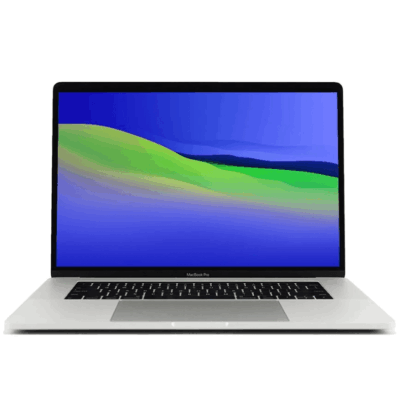
MacBook pro 16 2019 A2141 i7 16GB/512GB


MacBook Pro 2018 – Powerful, Sleek & Super Reliable (i5 | 16GB | 256GB)
???? MacBook Pro 2018 (Core i5 | 16GB RAM | 256GB SSD)
-
⚡ Powerful Performance: 8th-Gen Intel Core i5 processor delivers fast, smooth multitasking for work, study, and creativity.
-
???? Ample Memory: 16GB RAM ensures effortless multitasking with zero lag — perfect for designers, developers, and students.
-
???? Super-Fast Storage: 256GB NVMe SSD offers lightning-quick boot times and file access.
-
???? Brilliant Retina Display: 13.3″ True Tone Retina screen delivers sharp text and vibrant, true-to-life colors.
-
???? Enhanced Audio & Input: Backlit Magic Keyboard, large Force Touch trackpad, and immersive stereo speakers.
-
???? All-Day Battery Life: Reliable battery performance for productivity on the go.
-
????️ 6-Month Warranty: Includes a limited 6-month warranty for peace of mind.
-
???? Eco-Friendly Build: Energy-efficient design and recyclable aluminum enclosure.
-
???? Lightweight & Portable: Sleek, professional, and easy to carry anywhere.
-
???? Available at: www.ringus.co.ke


HP ELITEBOOK 830 G7 i7 10th gen 16GB Ram/512GB SSD
- Operating system: Windows 10 / 11 Pro 64-Bit Edition
- Memory: 16GB DDR4-2666 MHz RAM (1 x 8 GB) | 64 GB
- Storage: 512GB PCIe® NVMe™ Value M.2 SSD
- Optical drive: None
- Graphics Processor: Integrated, Intel® Premium UHD Graphics
- Processor: Intel® Core™ i7-10510U (1.8 GHz base frequency, up to 4.9 GHz with Intel® Turbo Boost Technology, 8 MB L3 cache, 4 cores)
- Processor Family: 10th Generation Intel® Core™ i7 processor
- Display: 13.3 Inches (33.782cm) diagonal FHD, IPS, anti-glare, WLED-backlit, eDP, 250 nits, 45% NTSC (1920 x 1080)
- Boxed sealed

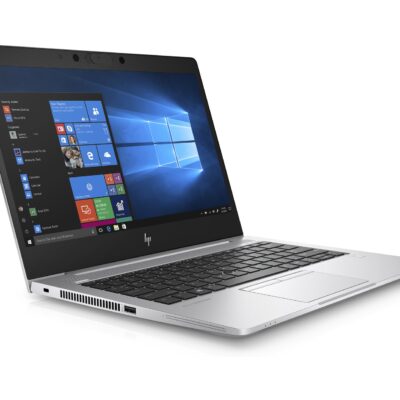
HP Elitebook 830 G7

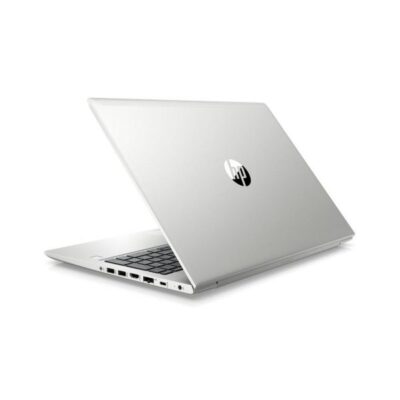
Hp Probook 430 G7
- HP ProBook 430 G7
- Processor: Intel Core i5 10th Gen (Quad-Core, up to 4.6 GHz)
- RAM: 8GB DDR4
- Storage: 256GB SSD
- Display: 13.3-inch Full HD (1920 x 1080)
- Graphics: Intel UHD Graphics (Integrated)
- Operating System: Windows 10 Pro
- Ports: USB 3.1, USB-C, HDMI, Ethernet, Audio jack, SD card reader
- Battery: Up to 12 hours
- Weight: Approx. 1.3 kg
- Condition: Sealed



Reviews
There are no reviews yet.