



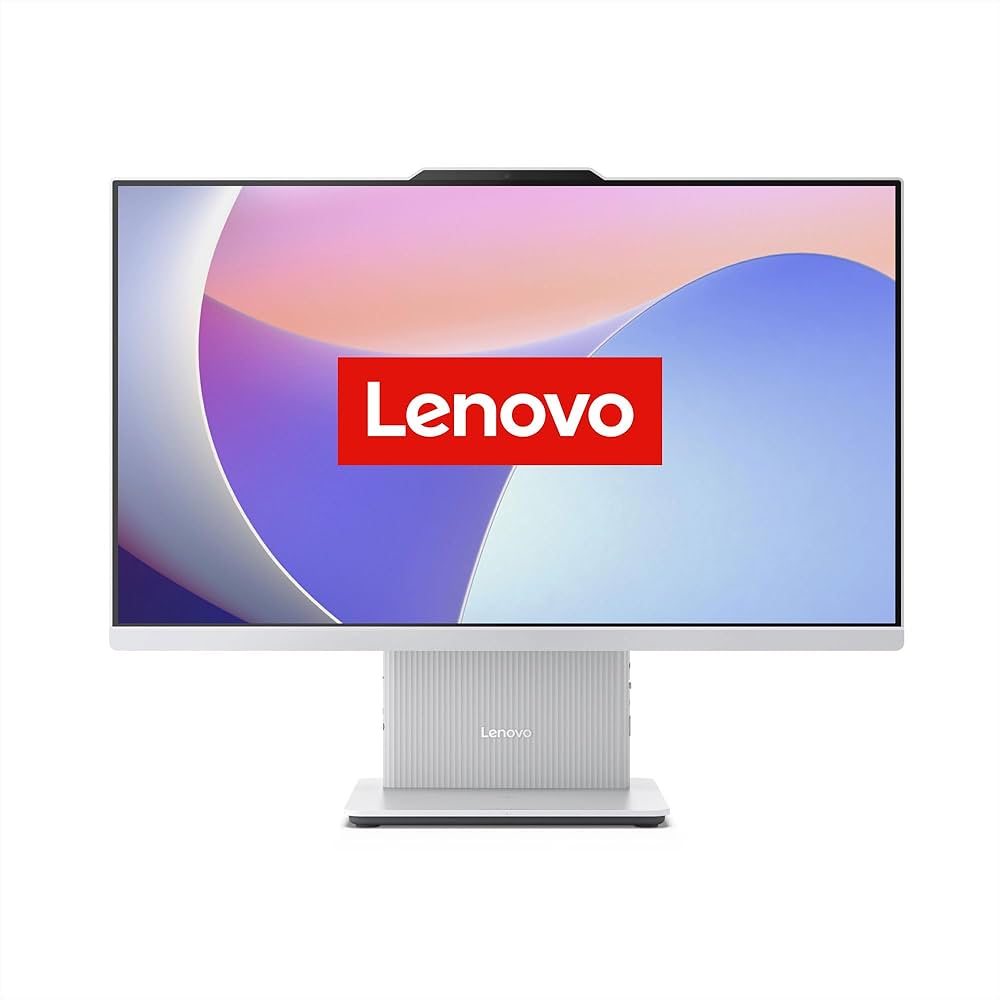


Lenovo IdeaCentre 24-Inch All-in-One Core i5 13th Gen – Powerful & Premium 8GB RAM, 512GB SSD Desktop PC
Original price was: KSh 120,000.00.KSh 115,000.00Current price is: KSh 115,000.00.
Lenovo IdeaCentre 24-Inch All-in-One Core i5 13th Gen – Powerful & Premium 8GB RAM, 512GB SSD Desktop PC
- ⚡ Intel Core i5 13th Gen – Suitable for everyday productivity and compatible office applications.
- 🧠 8GB RAM – Supports routine multitasking, browsing, documents, and email.
- 🚀 512GB SSD – Responsive storage for applications, documents, and files.
- 🖥️ 24-Inch Display – Enjoy a spacious viewing area for work, learning, and everyday computing.
- 💼 All-in-One Design – Combines the computer and display in one streamlined unit.
- 🏢 Office Ready – Ideal for administrative tasks, business records, and daily productivity.
- 🎓 Student Friendly – Suitable for assignments, research, presentations, and online learning.
- 🌐 Remote Work – A practical desktop workstation for compatible freelance and home-office tasks.
- 📂 Everyday Storage – Store your documents, presentations, and applications with ease.
- 🛠️ Verify Your Configuration – Confirm the exact model, operating system, graphics, and warranty.
- 🛒 Shop Ring-Us Technologies – Visit www.ringus.co.ke for available computers and technology products.
Lenovo IdeaCentre 24-Inch All-in-One Core i5 13th Gen – Powerful & Premium 8GB RAM, 512GB SSD Desktop PC
Bring performance, style, and workspace efficiency together with the Lenovo IdeaCentre 24-Inch All-in-One PC featuring a 13th Generation Intel Core i5 processor, 8GB RAM, and a 512GB SSD. Designed for modern homes, offices, educational environments, and small businesses, this all-in-one desktop combines the computer and display in one streamlined unit to help create a clean and organized workspace.
With its 24-inch display, responsive solid-state storage, and capable Intel Core i5 processor, the Lenovo IdeaCentre is a practical choice for everyday productivity. Whether you are preparing documents, managing spreadsheets, attending online classes, conducting research, handling business records, or working with compatible office applications, this computer provides a convenient desktop solution for a wide range of tasks.
The integrated design reduces the need for a separate desktop tower, while the 512GB SSD provides space for applications and important files. For users looking for a modern computer that balances functionality, appearance, and everyday performance, the Lenovo IdeaCentre deserves consideration.
Explore available computers and technology products at Ring-Us Technologies.
Key Features of the Lenovo IdeaCentre 24-Inch All-in-One
- 13th Generation Intel Core i5 processor: Designed to support everyday computing, office productivity, and compatible business applications.
- 8GB RAM: Provides memory for routine multitasking, document preparation, browsing, email, and other common computer activities.
- 512GB SSD storage: Offers space for documents, applications, presentations, and personal files, with the responsive access associated with solid-state storage.
- 24-inch display: Provides a comfortable viewing area for office documents, research, presentations, and general computing.
- All-in-one design: Integrates the computer and display into one unit, helping reduce desktop clutter.
- Professional appearance: Suitable for business offices, reception areas, home workspaces, and educational institutions.
- Versatile productivity: Supports common office, administrative, educational, and personal computing tasks, subject to the installed software and configuration.
Product Specifications
| Feature | Specification |
|---|---|
| Brand | Lenovo |
| Product family | IdeaCentre |
| Computer type | All-in-One desktop PC |
| Processor | Intel Core i5 |
| Processor generation | 13th Generation |
| RAM | 8GB |
| Storage | 512GB SSD |
| Display size | 24 inches |
| Display type | Confirm exact model |
| Operating system | Confirm configuration |
| Graphics | Confirm configuration |
| Display resolution | Confirm exact model |
| Connectivity and ports | Confirm exact model |
| Warranty | Confirm with seller |
Specifications are based on the details supplied. The exact IdeaCentre model number, processor variant, screen features, operating system, graphics, and upgrade options should be verified before purchase.
1. Intel Core i5 13th Gen Performance
The Lenovo IdeaCentre is equipped with a 13th Generation Intel Core i5 processor, providing a foundation for everyday productivity and compatible professional applications.
For many users, a computer is an essential tool for communication, research, administration, learning, and business management. A capable processor helps the system execute instructions and manage the work required by supported applications.
The Core i5 processor family is suitable for a broad range of everyday tasks, including preparing reports, working with spreadsheets, creating presentations, browsing websites, managing email, and using common office software.
For business users, this can mean having a workstation for routine administrative responsibilities, customer records, correspondence, stock documentation, and other compatible business applications.
Students can use the computer for online research, assignments, educational platforms, and presentation preparation. At home, it can serve as a central computer for household administration, browsing, personal projects, and general digital activities.
Actual performance depends on the exact processor model, installed software, memory configuration, and workload. For demanding applications such as advanced 3D rendering, intensive video editing, or specialist engineering software, check the full system specifications before purchasing.
You can learn more about Intel processor technology through the official Intel Core processors website.
2. 8GB RAM for Everyday Multitasking
The Lenovo IdeaCentre comes with 8GB RAM, providing memory for common computing activities and everyday productivity.
RAM temporarily holds the information that applications need while running. Having sufficient memory helps a computer manage active programs and switch between tasks. With 8GB RAM, this configuration can suit routine office work, web browsing, document editing, email, and educational activities.
Typical uses include:
- Preparing letters, reports, and presentations.
- Working with standard spreadsheets.
- Browsing websites and conducting online research.
- Managing email and digital correspondence.
- Accessing compatible business and administrative applications.
- Completing assignments and online learning activities.
- Organizing files and managing everyday personal tasks.
The best experience depends on how many applications are open at once and how demanding those applications are. Large spreadsheets, numerous browser tabs, creative software, and other memory-intensive workloads can place greater demands on the system.
If your daily work involves heavy multitasking or specialist applications, check whether the exact IdeaCentre model supports a memory upgrade. Do not assume that the RAM is upgradeable without verifying the manufacturer’s specifications.
3. 512GB SSD for Responsive Storage
The 512GB solid-state drive (SSD) offers a practical balance of storage capacity and responsiveness for many home and office users.
An SSD stores the operating system, applications, and files. Compared with a traditional mechanical hard drive, an SSD generally provides faster data access, which can help with startup, application loading, and opening files.
The 512GB capacity gives you room to store a range of digital content, including:
- Office documents and spreadsheets.
- Business reports and administrative records.
- Educational notes and assignments.
- Presentations and project files.
- Photographs and personal documents.
- Installed software and everyday applications.
- Downloaded resources and other work materials.
For small businesses, this storage capacity can provide a useful space for frequently accessed documents and compatible business programs. It is still wise to maintain backups of important information using an external drive or a suitable cloud storage service.
Remember that the available space will be less than the advertised capacity because the operating system, recovery files, and installed applications may occupy part of the drive.
If you regularly work with extensive video libraries, large creative projects, or substantial archives, consider whether additional external storage will be useful.
4. A 24-Inch Display for Comfortable Computing
The Lenovo IdeaCentre features a 24-inch display, giving users a substantial viewing area for everyday work.
A display of this size can be useful when preparing documents, reviewing spreadsheets, reading digital materials, or working with several windows. It can also make a desktop workstation more comfortable for users who spend extended periods working with office applications.
For example, an administrative worker may use the screen to review a report while referring to information in another window. A student may read learning materials while preparing an assignment. A business owner may review sales records, invoices, and other documents throughout the working day.
The 24-inch format can also suit reception desks, staff offices, home workspaces, and other environments where a dedicated computer is required.
However, the screen size alone does not establish its resolution, brightness, colour accuracy, refresh rate, or touch capability. Those features vary between models, so confirm the exact display specification before purchase.
5. Space-Saving All-in-One Design
One of the main attractions of an all-in-one computer is its integrated design. Rather than placing a separate computer tower beside a monitor, the main computing hardware and display are combined into one unit.
This can help reduce the number of separate components occupying your desk and create a cleaner-looking workstation.
The Lenovo IdeaCentre may be particularly useful for:
- Corporate and administrative offices.
- Small and medium-sized businesses.
- Reception areas and customer service desks.
- Home offices and study spaces.
- Schools and training institutions.
- Professionals who prefer a tidy desktop arrangement.
A streamlined setup can make it easier to organize documents, stationery, and other work essentials around the computer. It may also simplify the physical arrangement of a workstation, although the exact cable requirements and included accessories depend on the model.
An all-in-one computer still needs appropriate power, ventilation, and compatible peripherals. Before purchasing, confirm the available USB ports, display connections, networking features, and wireless connectivity for your intended setup.
6. A Practical Choice for Business and Office Work
For businesses, a desktop computer is often a central tool for daily operations. The Lenovo IdeaCentre’s Core i5 processor, 8GB RAM, and 512GB SSD provide a practical configuration to consider for common productivity tasks.
It can be used for preparing correspondence, managing spreadsheets, creating presentations, maintaining records, conducting online research, and working with compatible business software.
Potential users include:
- Office administrators.
- Receptionists and customer service staff.
- Entrepreneurs and small-business owners.
- Sales and administrative teams.
- Consultants and independent professionals.
- Staff handling digital documentation and reporting.
For businesses operating from a fixed location, an all-in-one computer can offer a tidy alternative to a separate tower-and-monitor arrangement.
If the computer will run specialized accounting systems, inventory platforms, customer relationship management software, or other business applications, check the software’s system requirements and licensing before purchase.
7. Suitable for Students and Educational Use
A computer can support learning by providing access to research materials, digital textbooks, online classes, assignments, and educational software.
The Lenovo IdeaCentre’s 24-inch display provides space for reading digital content and preparing documents, while the Core i5 processor and SSD are suitable for many everyday academic activities.
Students may use it for:
- Writing assignments and research papers.
- Creating presentations and standard spreadsheets.
- Browsing educational websites.
- Accessing online learning platforms.
- Organizing notes and course materials.
- Completing projects using compatible applications.
- Developing general digital literacy skills.
The all-in-one format can also be considered for school offices, training centres, and other educational environments that need fixed workstations.
For online learning or video meetings, confirm whether the exact model includes a webcam and microphone. If these are not included, compatible external accessories may be required.
8. Useful for Remote Work and Freelancing
Remote workers and freelancers often rely on a computer for communication, research, document preparation, and client-related tasks.
The Lenovo IdeaCentre can serve as a desktop workstation for writers, virtual assistants, online researchers, administrative freelancers, and other professionals whose workloads are compatible with the supplied specifications.
The 24-inch display provides space for reviewing documents, reading online resources, and arranging applications on the screen. The SSD supports responsive access to stored files, while the Core i5 processor provides a platform for compatible productivity software.
For users who spend most of their working time at one desk, an all-in-one computer can be a convenient alternative to a portable laptop.
However, 8GB RAM may be limiting for some demanding workflows. Professionals who regularly use several memory-intensive applications, virtual machines, advanced design programs, or large development environments should confirm their software requirements and investigate compatible upgrade options.
9. Everyday Home and Personal Computing
Beyond business and education, the Lenovo IdeaCentre can serve as a shared home computer for a variety of routine activities.
Its 24-inch screen offers room for browsing, organizing personal documents, managing household records, accessing online services, and enjoying compatible media applications.
Families may use a shared computer for school assignments, personal administration, and general internet access. Individuals may also use it for writing, planning, online shopping, and managing digital files.
For households with multiple users, separate user accounts and appropriate security settings can help keep personal documents and preferences organized.
As with any computer, keep important files backed up, install supported security updates, and use strong passwords to help protect your information.
10. Lenovo IdeaCentre Compared with Other Computer Types
Choosing the right computer depends on your working habits, available space, performance requirements, and budget.
The table below compares the Lenovo IdeaCentre with general computer categories rather than specific competing models.
| Feature | Lenovo IdeaCentre 24 AIO | Traditional Desktop PC | Laptop Computer |
|---|---|---|---|
| Display | Integrated 24-inch display | Usually a separate monitor | Integrated portable display |
| Processor in this configuration | Intel Core i5 13th Gen | Depends on selected model | Depends on selected model |
| RAM in this configuration | 8GB | Depends on selected model | Depends on selected model |
| Storage in this configuration | 512GB SSD | Depends on selected model | Depends on selected model |
| Workspace | Integrated computer and display | Tower and monitor occupy separate space | Compact workstation |
| Portability | Best suited to a fixed location | Best suited to a fixed location | Designed for mobility |
| Upgrade options | Depend on exact model | Often broader, depending on components | Usually model-dependent |
| Best suited to | Everyday desktop productivity | Flexible desktop configurations | Work and study on the move |
Lenovo IdeaCentre vs a Traditional Desktop
The Lenovo IdeaCentre combines the computer and display into a single unit, helping create a more streamlined desk arrangement. A traditional desktop usually separates the tower from the monitor, which may provide more flexibility when selecting or replacing individual components.
Choose the all-in-one format if you value an integrated workstation. If you need extensive internal expansion, specialist graphics hardware, or frequent component changes, compare the upgrade and repair options of the exact desktop models.
Lenovo IdeaCentre vs a Laptop
A laptop is generally more practical for people who travel frequently or need to move between home, school, and the office.
The Lenovo IdeaCentre is designed more for a fixed workspace, where the 24-inch display can provide a comfortable area for everyday productivity.
If you work mainly from one desk, an all-in-one may be a sensible choice. If portability is essential, a laptop may be better suited to your routine.
Lenovo IdeaCentre vs a Smaller All-in-One
A smaller all-in-one may occupy less space, but a 24-inch display provides a larger viewing area for documents, research, and office applications.
Consider the available desk space, screen preferences, and the amount of time you spend working at the computer before choosing between different display sizes.
11. What to Check Before Buying
Lenovo IdeaCentre computers are available in different configurations, so the product family name does not establish every technical detail.
Before purchasing, confirm the following:
- Exact model number: Helps identify the correct specifications and support documentation.
- Processor variant: Confirm the precise 13th Generation Intel Core i5 model.
- Operating system: Verify whether Windows is installed and which edition is included.
- Display resolution: Check the resolution and other relevant display specifications.
- Graphics: Confirm the installed graphics configuration for your intended applications.
- Ports and connectivity: Check support for printers, external drives, networking, and other accessories.
- Webcam and microphone: Important if you regularly attend online meetings or classes.
- Wireless connectivity: Confirm the Wi-Fi and Bluetooth capabilities required for your setup.
- Upgrade options: Check whether the RAM and SSD can be replaced or expanded.
- Warranty and condition: Confirm warranty coverage and whether the unit is new, refurbished, or previously used.
- Included accessories: Ask whether the keyboard, mouse, power cable, and other accessories are included.
These checks help ensure that the computer matches your needs and that there are no surprises after purchase.
12. Maintenance and Long-Term Value
Good maintenance habits can help keep your Lenovo IdeaCentre working reliably.
Keep the screen clean. Use an appropriate soft cloth and follow Lenovo’s cleaning guidance. Avoid harsh chemicals that could damage the display.
Maintain ventilation. Place the computer on a stable surface and keep its ventilation openings unobstructed.
Install supported updates. Keep the operating system, applications, and security software updated to help maintain compatibility and protect your information.
Back up important files. Keep copies of essential documents, photographs, and business records on a separate drive or suitable cloud storage service.
Protect the computer from power disturbances. Consider a suitable surge protector or UPS where appropriate for your power environment.
Seek qualified servicing. Use a qualified technician for hardware problems and check warranty terms before opening or modifying the computer.
Repair, reuse, and recycle responsibly. If the computer develops a fault, consider whether repair is practical before replacing the entire unit. At the end of its useful life, use a suitable electronic-waste collection or recycling service rather than disposing of electronic equipment with ordinary household waste.
Frequently Asked Questions
1. Is the Lenovo IdeaCentre 24 suitable for office work?
Yes. The supplied Core i5 13th Gen processor, 8GB RAM, and 512GB SSD make it worth considering for everyday office applications, document preparation, spreadsheets, email, research, and compatible business software.
2. How much RAM does this Lenovo all-in-one have?
This configuration comes with 8GB RAM. It is suitable for many routine computing tasks, although memory-intensive workloads may benefit from additional RAM if the exact model supports an upgrade.
3. Does it have an SSD?
Yes. The supplied specification lists a 512GB SSD, providing storage for applications and files with the responsive access associated with solid-state drives.
4. Is the display 24 inches?
Yes. The supplied product description specifies a 24-inch display. The exact resolution and other panel features should be confirmed for the model being sold.
5. Is it suitable for students?
Yes. It can support online research, assignments, presentations, educational platforms, and other everyday learning activities, provided the installed software and configuration meet the requirements.
6. Can I use it for programming?
It can support many introductory programming tasks, web development activities, and compatible development tools. More demanding programming workflows, multiple virtual machines, and memory-intensive environments should be evaluated against the exact specifications.
7. Can it run graphic design or video editing software?
It may support some creative applications, but suitability depends on the exact processor, graphics hardware, memory, and software requirements. Confirm these details before purchasing it for professional design, 3D rendering, or intensive video editing.
8. Does it come with Windows?
The operating system was not specified in the supplied details. Confirm the installed operating system and edition with the seller.
9. Can the RAM or SSD be upgraded?
Upgradeability depends on the exact Lenovo IdeaCentre model. Consult the manufacturer’s specifications or ask the seller to verify supported upgrades.
10. Where can I buy the Lenovo IdeaCentre in Kenya?
Visit Ring-Us Technologies to explore available computers and technology products. Confirm the current price, availability, warranty, and exact specifications before ordering.
Why Choose the Lenovo IdeaCentre 24-Inch Core i5?
The Lenovo IdeaCentre 24-Inch All-in-One Core i5 13th Gen brings together a capable processor, 8GB RAM, 512GB SSD, and a large display in an integrated desktop format.
It is a practical option to consider for everyday office productivity, education, administration, home computing, and compatible remote-work applications. Its all-in-one design helps create an organized workstation, while its SSD supports responsive access to files and applications.
If you want a dedicated desktop computer that combines everyday functionality with a clean, integrated appearance, this Lenovo IdeaCentre is worth considering.
Explore available products at Ring-Us Technologies and choose a computer configuration that suits your work, study, or business requirements.
Please confirm the exact model number, operating system, display resolution, graphics, upgrade options, warranty, and included accessories before purchase.
Bring performance, style, and workspace efficiency together with the Lenovo IdeaCentre 24-Inch All-in-One PC featuring a 13th Generation Intel Core i5 processor, 8GB RAM, and a 512GB SSD. Designed for modern homes, offices, educational environments, and small businesses, this all-in-one desktop combines the computer and display in one streamlined unit to help create a clean and organized workspace.
With its 24-inch display, responsive solid-state storage, and capable Intel Core i5 processor, the Lenovo IdeaCentre is a practical choice for everyday productivity. Whether you are preparing documents, managing spreadsheets, attending online classes, conducting research, handling business records, or working with compatible office applications, this computer provides a convenient desktop solution for a wide range of tasks.
The integrated design reduces the need for a separate desktop tower, while the 512GB SSD provides space for applications and important files. For users looking for a modern computer that balances functionality, appearance, and everyday performance, the Lenovo IdeaCentre deserves consideration.
Explore available computers and technology products at Ring-Us Technologies.
Key Features of the Lenovo IdeaCentre 24-Inch All-in-One
- 13th Generation Intel Core i5 processor: Designed to support everyday computing, office productivity, and compatible business applications.
- 8GB RAM: Provides memory for routine multitasking, document preparation, browsing, email, and other common computer activities.
- 512GB SSD storage: Offers space for documents, applications, presentations, and personal files, with the responsive access associated with solid-state storage.
- 24-inch display: Provides a comfortable viewing area for office documents, research, presentations, and general computing.
- All-in-one design: Integrates the computer and display into one unit, helping reduce desktop clutter.
- Professional appearance: Suitable for business offices, reception areas, home workspaces, and educational institutions.
- Versatile productivity: Supports common office, administrative, educational, and personal computing tasks, subject to the installed software and configuration.
Product Specifications
| Feature | Specification |
|---|---|
| Brand | Lenovo |
| Product family | IdeaCentre |
| Computer type | All-in-One desktop PC |
| Processor | Intel Core i5 |
| Processor generation | 13th Generation |
| RAM | 8GB |
| Storage | 512GB SSD |
| Display size | 24 inches |
| Display type | Confirm exact model |
| Operating system | Confirm configuration |
| Graphics | Confirm configuration |
| Display resolution | Confirm exact model |
| Connectivity and ports | Confirm exact model |
| Warranty | Confirm with seller |
Specifications are based on the details supplied. The exact IdeaCentre model number, processor variant, screen features, operating system, graphics, and upgrade options should be verified before purchase.
1. Intel Core i5 13th Gen Performance
The Lenovo IdeaCentre is equipped with a 13th Generation Intel Core i5 processor, providing a foundation for everyday productivity and compatible professional applications.
For many users, a computer is an essential tool for communication, research, administration, learning, and business management. A capable processor helps the system execute instructions and manage the work required by supported applications.
The Core i5 processor family is suitable for a broad range of everyday tasks, including preparing reports, working with spreadsheets, creating presentations, browsing websites, managing email, and using common office software.
For business users, this can mean having a workstation for routine administrative responsibilities, customer records, correspondence, stock documentation, and other compatible business applications.
Students can use the computer for online research, assignments, educational platforms, and presentation preparation. At home, it can serve as a central computer for household administration, browsing, personal projects, and general digital activities.
Actual performance depends on the exact processor model, installed software, memory configuration, and workload. For demanding applications such as advanced 3D rendering, intensive video editing, or specialist engineering software, check the full system specifications before purchasing.
You can learn more about Intel processor technology through the official Intel Core processors website.
2. 8GB RAM for Everyday Multitasking
The Lenovo IdeaCentre comes with 8GB RAM, providing memory for common computing activities and everyday productivity.
RAM temporarily holds the information that applications need while running. Having sufficient memory helps a computer manage active programs and switch between tasks. With 8GB RAM, this configuration can suit routine office work, web browsing, document editing, email, and educational activities.
Typical uses include:
- Preparing letters, reports, and presentations.
- Working with standard spreadsheets.
- Browsing websites and conducting online research.
- Managing email and digital correspondence.
- Accessing compatible business and administrative applications.
- Completing assignments and online learning activities.
- Organizing files and managing everyday personal tasks.
The best experience depends on how many applications are open at once and how demanding those applications are. Large spreadsheets, numerous browser tabs, creative software, and other memory-intensive workloads can place greater demands on the system.
If your daily work involves heavy multitasking or specialist applications, check whether the exact IdeaCentre model supports a memory upgrade. Do not assume that the RAM is upgradeable without verifying the manufacturer’s specifications.
3. 512GB SSD for Responsive Storage
The 512GB solid-state drive (SSD) offers a practical balance of storage capacity and responsiveness for many home and office users.
An SSD stores the operating system, applications, and files. Compared with a traditional mechanical hard drive, an SSD generally provides faster data access, which can help with startup, application loading, and opening files.
The 512GB capacity gives you room to store a range of digital content, including:
- Office documents and spreadsheets.
- Business reports and administrative records.
- Educational notes and assignments.
- Presentations and project files.
- Photographs and personal documents.
- Installed software and everyday applications.
- Downloaded resources and other work materials.
For small businesses, this storage capacity can provide a useful space for frequently accessed documents and compatible business programs. It is still wise to maintain backups of important information using an external drive or a suitable cloud storage service.
Remember that the available space will be less than the advertised capacity because the operating system, recovery files, and installed applications may occupy part of the drive.
If you regularly work with extensive video libraries, large creative projects, or substantial archives, consider whether additional external storage will be useful.
4. A 24-Inch Display for Comfortable Computing
The Lenovo IdeaCentre features a 24-inch display, giving users a substantial viewing area for everyday work.
A display of this size can be useful when preparing documents, reviewing spreadsheets, reading digital materials, or working with several windows. It can also make a desktop workstation more comfortable for users who spend extended periods working with office applications.
For example, an administrative worker may use the screen to review a report while referring to information in another window. A student may read learning materials while preparing an assignment. A business owner may review sales records, invoices, and other documents throughout the working day.
The 24-inch format can also suit reception desks, staff offices, home workspaces, and other environments where a dedicated computer is required.
However, the screen size alone does not establish its resolution, brightness, colour accuracy, refresh rate, or touch capability. Those features vary between models, so confirm the exact display specification before purchase.
5. Space-Saving All-in-One Design
One of the main attractions of an all-in-one computer is its integrated design. Rather than placing a separate computer tower beside a monitor, the main computing hardware and display are combined into one unit.
This can help reduce the number of separate components occupying your desk and create a cleaner-looking workstation.
The Lenovo IdeaCentre may be particularly useful for:
- Corporate and administrative offices.
- Small and medium-sized businesses.
- Reception areas and customer service desks.
- Home offices and study spaces.
- Schools and training institutions.
- Professionals who prefer a tidy desktop arrangement.
A streamlined setup can make it easier to organize documents, stationery, and other work essentials around the computer. It may also simplify the physical arrangement of a workstation, although the exact cable requirements and included accessories depend on the model.
An all-in-one computer still needs appropriate power, ventilation, and compatible peripherals. Before purchasing, confirm the available USB ports, display connections, networking features, and wireless connectivity for your intended setup.
6. A Practical Choice for Business and Office Work
For businesses, a desktop computer is often a central tool for daily operations. The Lenovo IdeaCentre’s Core i5 processor, 8GB RAM, and 512GB SSD provide a practical configuration to consider for common productivity tasks.
It can be used for preparing correspondence, managing spreadsheets, creating presentations, maintaining records, conducting online research, and working with compatible business software.
Potential users include:
- Office administrators.
- Receptionists and customer service staff.
- Entrepreneurs and small-business owners.
- Sales and administrative teams.
- Consultants and independent professionals.
- Staff handling digital documentation and reporting.
For businesses operating from a fixed location, an all-in-one computer can offer a tidy alternative to a separate tower-and-monitor arrangement.
If the computer will run specialized accounting systems, inventory platforms, customer relationship management software, or other business applications, check the software’s system requirements and licensing before purchase.
7. Suitable for Students and Educational Use
A computer can support learning by providing access to research materials, digital textbooks, online classes, assignments, and educational software.
The Lenovo IdeaCentre’s 24-inch display provides space for reading digital content and preparing documents, while the Core i5 processor and SSD are suitable for many everyday academic activities.
Students may use it for:
- Writing assignments and research papers.
- Creating presentations and standard spreadsheets.
- Browsing educational websites.
- Accessing online learning platforms.
- Organizing notes and course materials.
- Completing projects using compatible applications.
- Developing general digital literacy skills.
The all-in-one format can also be considered for school offices, training centres, and other educational environments that need fixed workstations.
For online learning or video meetings, confirm whether the exact model includes a webcam and microphone. If these are not included, compatible external accessories may be required.
8. Useful for Remote Work and Freelancing
Remote workers and freelancers often rely on a computer for communication, research, document preparation, and client-related tasks.
The Lenovo IdeaCentre can serve as a desktop workstation for writers, virtual assistants, online researchers, administrative freelancers, and other professionals whose workloads are compatible with the supplied specifications.
The 24-inch display provides space for reviewing documents, reading online resources, and arranging applications on the screen. The SSD supports responsive access to stored files, while the Core i5 processor provides a platform for compatible productivity software.
For users who spend most of their working time at one desk, an all-in-one computer can be a convenient alternative to a portable laptop.
However, 8GB RAM may be limiting for some demanding workflows. Professionals who regularly use several memory-intensive applications, virtual machines, advanced design programs, or large development environments should confirm their software requirements and investigate compatible upgrade options.
9. Everyday Home and Personal Computing
Beyond business and education, the Lenovo IdeaCentre can serve as a shared home computer for a variety of routine activities.
Its 24-inch screen offers room for browsing, organizing personal documents, managing household records, accessing online services, and enjoying compatible media applications.
Families may use a shared computer for school assignments, personal administration, and general internet access. Individuals may also use it for writing, planning, online shopping, and managing digital files.
For households with multiple users, separate user accounts and appropriate security settings can help keep personal documents and preferences organized.
As with any computer, keep important files backed up, install supported security updates, and use strong passwords to help protect your information.
10. Lenovo IdeaCentre Compared with Other Computer Types
Choosing the right computer depends on your working habits, available space, performance requirements, and budget.
The table below compares the Lenovo IdeaCentre with general computer categories rather than specific competing models.
| Feature | Lenovo IdeaCentre 24 AIO | Traditional Desktop PC | Laptop Computer |
|---|---|---|---|
| Display | Integrated 24-inch display | Usually a separate monitor | Integrated portable display |
| Processor in this configuration | Intel Core i5 13th Gen | Depends on selected model | Depends on selected model |
| RAM in this configuration | 8GB | Depends on selected model | Depends on selected model |
| Storage in this configuration | 512GB SSD | Depends on selected model | Depends on selected model |
| Workspace | Integrated computer and display | Tower and monitor occupy separate space | Compact workstation |
| Portability | Best suited to a fixed location | Best suited to a fixed location | Designed for mobility |
| Upgrade options | Depend on exact model | Often broader, depending on components | Usually model-dependent |
| Best suited to | Everyday desktop productivity | Flexible desktop configurations | Work and study on the move |
Lenovo IdeaCentre vs a Traditional Desktop
The Lenovo IdeaCentre combines the computer and display into a single unit, helping create a more streamlined desk arrangement. A traditional desktop usually separates the tower from the monitor, which may provide more flexibility when selecting or replacing individual components.
Choose the all-in-one format if you value an integrated workstation. If you need extensive internal expansion, specialist graphics hardware, or frequent component changes, compare the upgrade and repair options of the exact desktop models.
Lenovo IdeaCentre vs a Laptop
A laptop is generally more practical for people who travel frequently or need to move between home, school, and the office.
The Lenovo IdeaCentre is designed more for a fixed workspace, where the 24-inch display can provide a comfortable area for everyday productivity.
If you work mainly from one desk, an all-in-one may be a sensible choice. If portability is essential, a laptop may be better suited to your routine.
Lenovo IdeaCentre vs a Smaller All-in-One
A smaller all-in-one may occupy less space, but a 24-inch display provides a larger viewing area for documents, research, and office applications.
Consider the available desk space, screen preferences, and the amount of time you spend working at the computer before choosing between different display sizes.
11. What to Check Before Buying
Lenovo IdeaCentre computers are available in different configurations, so the product family name does not establish every technical detail.
Before purchasing, confirm the following:
- Exact model number: Helps identify the correct specifications and support documentation.
- Processor variant: Confirm the precise 13th Generation Intel Core i5 model.
- Operating system: Verify whether Windows is installed and which edition is included.
- Display resolution: Check the resolution and other relevant display specifications.
- Graphics: Confirm the installed graphics configuration for your intended applications.
- Ports and connectivity: Check support for printers, external drives, networking, and other accessories.
- Webcam and microphone: Important if you regularly attend online meetings or classes.
- Wireless connectivity: Confirm the Wi-Fi and Bluetooth capabilities required for your setup.
- Upgrade options: Check whether the RAM and SSD can be replaced or expanded.
- Warranty and condition: Confirm warranty coverage and whether the unit is new, refurbished, or previously used.
- Included accessories: Ask whether the keyboard, mouse, power cable, and other accessories are included.
These checks help ensure that the computer matches your needs and that there are no surprises after purchase.
12. Maintenance and Long-Term Value
Good maintenance habits can help keep your Lenovo IdeaCentre working reliably.
Keep the screen clean. Use an appropriate soft cloth and follow Lenovo’s cleaning guidance. Avoid harsh chemicals that could damage the display.
Maintain ventilation. Place the computer on a stable surface and keep its ventilation openings unobstructed.
Install supported updates. Keep the operating system, applications, and security software updated to help maintain compatibility and protect your information.
Back up important files. Keep copies of essential documents, photographs, and business records on a separate drive or suitable cloud storage service.
Protect the computer from power disturbances. Consider a suitable surge protector or UPS where appropriate for your power environment.
Seek qualified servicing. Use a qualified technician for hardware problems and check warranty terms before opening or modifying the computer.
Repair, reuse, and recycle responsibly. If the computer develops a fault, consider whether repair is practical before replacing the entire unit. At the end of its useful life, use a suitable electronic-waste collection or recycling service rather than disposing of electronic equipment with ordinary household waste.
Frequently Asked Questions
1. Is the Lenovo IdeaCentre 24 suitable for office work?
Yes. The supplied Core i5 13th Gen processor, 8GB RAM, and 512GB SSD make it worth considering for everyday office applications, document preparation, spreadsheets, email, research, and compatible business software.
2. How much RAM does this Lenovo all-in-one have?
This configuration comes with 8GB RAM. It is suitable for many routine computing tasks, although memory-intensive workloads may benefit from additional RAM if the exact model supports an upgrade.
3. Does it have an SSD?
Yes. The supplied specification lists a 512GB SSD, providing storage for applications and files with the responsive access associated with solid-state drives.
4. Is the display 24 inches?
Yes. The supplied product description specifies a 24-inch display. The exact resolution and other panel features should be confirmed for the model being sold.
5. Is it suitable for students?
Yes. It can support online research, assignments, presentations, educational platforms, and other everyday learning activities, provided the installed software and configuration meet the requirements.
6. Can I use it for programming?
It can support many introductory programming tasks, web development activities, and compatible development tools. More demanding programming workflows, multiple virtual machines, and memory-intensive environments should be evaluated against the exact specifications.
7. Can it run graphic design or video editing software?
It may support some creative applications, but suitability depends on the exact processor, graphics hardware, memory, and software requirements. Confirm these details before purchasing it for professional design, 3D rendering, or intensive video editing.
8. Does it come with Windows?
The operating system was not specified in the supplied details. Confirm the installed operating system and edition with the seller.
9. Can the RAM or SSD be upgraded?
Upgradeability depends on the exact Lenovo IdeaCentre model. Consult the manufacturer’s specifications or ask the seller to verify supported upgrades.
10. Where can I buy the Lenovo IdeaCentre in Kenya?
Visit Ring-Us Technologies to explore available computers and technology products. Confirm the current price, availability, warranty, and exact specifications before ordering.
Why Choose the Lenovo IdeaCentre 24-Inch Core i5?
The Lenovo IdeaCentre 24-Inch All-in-One Core i5 13th Gen brings together a capable processor, 8GB RAM, 512GB SSD, and a large display in an integrated desktop format.
It is a practical option to consider for everyday office productivity, education, administration, home computing, and compatible remote-work applications. Its all-in-one design helps create an organized workstation, while its SSD supports responsive access to files and applications.
If you want a dedicated desktop computer that combines everyday functionality with a clean, integrated appearance, this Lenovo IdeaCentre is worth considering.
Explore available products at Ring-Us Technologies and choose a computer configuration that suits your work, study, or business requirements.
Please confirm the exact model number, operating system, display resolution, graphics, upgrade options, warranty, and included accessories before purchase.
Related products

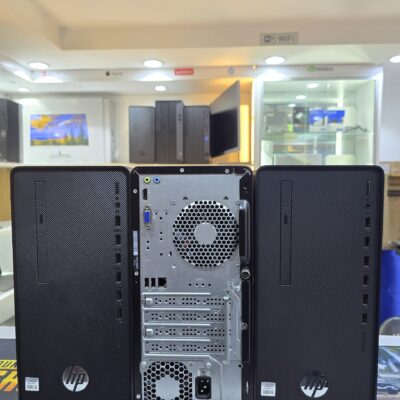
HP 290 G4 Micro Tower | Intel Core i7 10th Gen | 8GB RAM | 256GB SSD | Windows 11 Pro | Fast, Reliable Business Desktop
Run your business smoothly and efficiently with the HP 290 G4 Micro Tower Desktop. Powered by a 10th Gen Intel Core i7 processor, 8GB RAM, and a fast SSD, this desktop is built for multitasking, performance, and future-ready reliability.
Key Features
-
Intel Core i7 10th Gen Processor – Turbo boost up to 4.8GHz for seamless multitasking and fast response
-
8GB DDR4 RAM – Handle multiple applications at once without lag
-
256GB SSD Storage – Quick boot times and faster file access
-
Supports 4K Output – Enjoy crisp visuals with up to 60Hz refresh rate
-
Versatile Connectivity – Comes with HDMI, VGA, USB 3.0 for flexible device compatibility
-
Windows 11 Pro (64-bit) – Modern OS designed for productivity, performance, and security
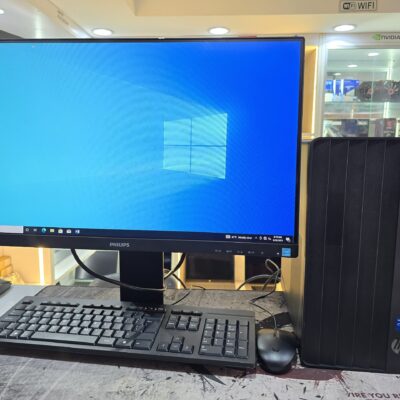
HP Pro Tower 290 G9 | Intel Core i5 12th Gen | 8GB RAM | 512GB SSD | 4GB NVIDIA GT730 | Windows 11 Pro | FHD Monitor – Powerful & Reliable
Power through your day with the HP Pro Tower 290 G9 – built with a 12th Gen Intel Core i5 processor, 4GB NVIDIA GT730 graphics, and fast SSD storage. Perfect for business multitasking, creative tasks, and long-term scalability.
Key Features
-
Intel Core i5 12th Gen – Up to 3.0GHz clock speed and 12 processing threads for fast multitasking
-
8GB DDR4 RAM – Handles office applications, browsing, and business tools with ease
-
512GB NVMe SSD – Lightning-fast load times and reliable storage
-
4GB NVIDIA GT730 – Dedicated graphics for design, video output, and smooth display performance
-
Expansion Ready – PCIe x16 & PCIe x1 slots for future upgrades
-
Enhanced Security – Firmware TPM, HP Drive Lock, and cable lock compatibility
-
Modern I/O – USB 3.0, HDMI, legacy ports for compatibility
-
Complete Bundle – Includes Phillips 243S7E 1080p FHD IPS Monitor with Built-in Audio Speakers

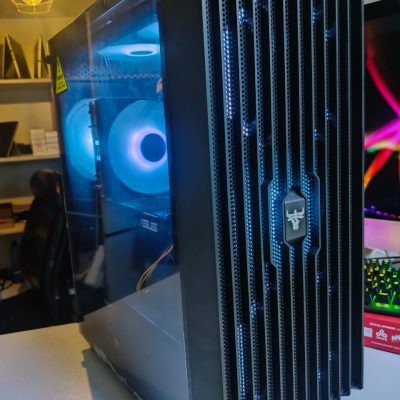
Custom Gaming/Editing PC | Intel Core i7 10th Gen | 32GB RAM | 1TB SSD + 1TB HDD | Radeon RX 5700 XT 8GB | Stunning High-performance desktop for gaming & content creation
This custom gaming /editing PC is designed for high-performance computing, gaming, and creative workflows. Powered by a 10th Gen Intel Core i7 processor, paired with 32GB RGB RAM, 1TB SSD + 1TB HDD storage, and the Radeon RX 5700 XT 8GB graphics card (RTX 2070 equivalent), this desktop delivers top-tier speed, multitasking, and graphics performance—perfect for gamers and content creators.
Specifications
-
Processor: Intel Core i7-10700 (10th Gen, 8-core, 16-thread, up to 4.8GHz Turbo)
-
Motherboard: ASUS Prime B760-PLUS D4 (with PCIe 4.0 support)
-
Memory: 32GB TeamGroup T-Force Delta RGB DDR4 3200MHz RAM
-
Storage 1: 1TB Kingston NV2 PCIe NVMe M.2 SSD
-
Storage 2: 1TB Seagate HDD
-
Graphics card: Radeon RX 5700 XT 8GB (RTX 2070 equivalent)
-
Connectivity: Supports latest PCIe 4.0 devices
-
Chassis: Custom ATX tower with airflow optimization
-
Power supply: 650W 80+ Bronze Certified PSU
-
Operating system: (Not included – customizable as per buyer needs)
-
Condition: Brand new, custom built
-
Warranty: 6 months

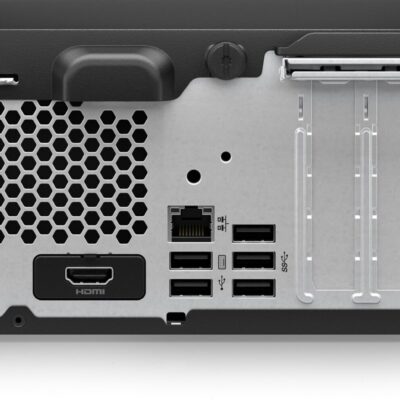
HP ProDesk 400 G9 SFF | Intel Core i7 13th Gen | 32GB RAM | 512GB SSD | Windows 11 Pro – Powerful Desktop for Business & Creative Use
The HP ProDesk 400 G9 SFF is a compact and powerful business-class desktop PC featuring a 13th Gen Intel Core i7 processor, 32GB DDR4 RAM, and a high-speed 512GB SSD. Whether you’re a designer, analyst, student, or entrepreneur, this machine offers speed, reliability, and seamless multitasking in a space-saving design.
Specifications
-
Model: HP ProDesk 400 G9 SFF
-
Processor: Intel Core i7 (13th Gen)
-
Memory: 32GB DDR4 RAM
-
Storage: 512GB SSD (Solid State Drive)
-
Graphics: Integrated Intel UHD Graphics
-
Operating System: Windows 11 Pro (Upgradeable)
-
Form Factor: Small Form Factor (SFF) – Space-saving and efficient
-
Ports:
-
USB 3.2
-
USB Type-C
-
HDMI
-
Ethernet (RJ-45)
-
-
Condition: Brand New
-
Warranty: 6 Months


HP Z600 Workstation | Dual Xeon | 16GB RAM | 2TB HDD | 2GB NVIDIA Quadro – Powerful & Reliable
The HP Z600 Workstation is a high-performance desktop engineered for professionals in media, engineering, and design. With dual Intel Xeon processors, 16GB RAM, a massive 2TB HDD, and a 2GB NVIDIA Quadro GPU, it delivers serious computing power for demanding workflows.
Specifications
-
Processor: Dual Intel® Xeon® X5650 / X5670
-
Memory: 16GB DDR3 ECC RAM
-
Storage: 2TB HDD
-
Graphics: 2GB NVIDIA Quadro (e.g., Quadro 4000)
-
Expansion: Supports up to 48GB RAM, dual PCIe x16 slots
-
Condition: Renewed / Refurbished – Professionally Tested
-
Operating System: Windows 10 Pro / Custom OS upon request

HP EliteDesk 800 G4 Tower | Intel Core i5 8th Gen | 8GB RAM | 500GB HDD | Windows 10 Pro – Fast & Powerful
Boost your productivity with the HP EliteDesk 800 G4 Tower, built for business-grade performance. Featuring an Intel Core i5 8th Gen processor, 8GB RAM, and 500GB HDD storage, this PC offers secure, reliable, and scalable computing for growing businesses.
Specifications
-
Processor: Intel Core i5 8th Generation
-
Memory: 8GB DDR4 RAM
-
Storage: 500GB SATA HDD
-
Graphics: Integrated Intel UHD Graphics 630
-
Operating System: Windows 10 Pro
-
Form Factor: Tower
-
Ports: USB 3.1, USB Type-C, DisplayPort, VGA, Ethernet, Audio In/Out
-
Optical Drive: Optional (varies by configuration)

Dell Core i5 3rd Gen Desktop | 4GB RAM | 500GB HDD | Windows 10 – Reliable Everyday Performance
Get the Dell Core i5 3rd Gen Desktop PC in Kenya – a dependable desktop powered by an Intel Core i5 3rd Generation processor, 4GB RAM, and 500GB HDD storage. Perfect for home and office tasks with smooth multitasking and efficient performance.
Specifications
-
Processor: Intel Core i5 3rd Generation
-
Memory: 4GB DDR3 RAM
-
Storage: 500GB HDD
-
Graphics: Integrated Intel HD Graphics
-
Operating System: Windows 10 Pro
-
Ports: USB 2.0, USB 3.0, VGA, Ethernet, Audio In/Out
-
Optical Drive: DVD-ROM
-
Connectivity: Wired LAN
-
Form Factor: Tower/Desktop



Reviews
There are no reviews yet.