




HP Pro Mini 400 G9 Core i5 13th Gen – Powerful & Premium 8GB RAM, 512GB SSD DOS Mini Desktop PC
Original price was: KSh 115,000.00.KSh 113,000.00Current price is: KSh 113,000.00.
HP Pro Mini 400 G9 Core i5 13th Gen – Powerful & Premium 8GB RAM, 512GB SSD DOS Mini Desktop PC
- ⚡ Intel Core i5 13th Gen – Suitable for everyday productivity and compatible business applications.
- 🧠 8GB RAM – Supports routine multitasking, documents, browsing, and office tasks.
- 🚀 512GB SSD – Responsive storage for software, files, and business documents.
- 📦 Compact Mini Desktop – Saves desk space in professional workstations.
- 💼 Business Ready – Ideal for compatible office applications, administration, and record keeping.
- 🏢 Professional HP Design – Suitable for offices, small businesses, and educational institutions.
- 💻 DOS Configuration – Operating system installation and licensing may be required.
- 🖥️ CPU-Only Package – Confirm whether a monitor, keyboard, mouse, and other accessories are included.
- 🛠️ Check Upgrade Options – Verify supported RAM, storage, and connectivity for the exact model.
- 🛒 Shop Ring-Us Technologies – Visit www.ringus.co.ke for available computers and technology products.
HP Pro Mini 400 G9 Core i5 13th Gen – Powerful & Premium 8GB RAM, 512GB SSD DOS Mini Desktop PC
Get reliable business computing in a compact form with the HP Pro Mini 400 G9 Core i5 13th Gen Desktop PC, featuring 8GB RAM, a 512GB SSD, and DOS operating system configuration. Designed for professional environments where desk space matters, this mini desktop delivers a practical computing solution for offices, small businesses, educational institutions, and home workstations.
Unlike a traditional desktop tower, the HP Pro Mini 400 G9 features a compact chassis that fits neatly into a modern workspace. Its Intel Core i5 13th Generation processor provides a capable platform for everyday productivity, while 8GB RAM supports routine multitasking and the 512GB SSD offers responsive storage for applications and files.
This is a CPU-only desktop configuration. A monitor, keyboard, and mouse should not be assumed to be included unless confirmed by the seller. The computer is supplied with DOS rather than an assumed preinstalled Windows configuration, giving buyers the opportunity to install a compatible operating system according to their needs and licensing.
Whether you are equipping an office, setting up an administrative workstation, or looking for a compact business computer, the HP Pro Mini 400 G9 offers a space-conscious alternative to a full-sized desktop PC.
Explore available computers and technology products at Ring-Us Technologies.
Key Features of the HP Pro Mini 400 G9
- Intel Core i5 13th Gen processor: Designed to support everyday business productivity and compatible office applications.
- 8GB RAM: Provides memory for routine multitasking, document editing, browsing, and general office work.
- 512GB SSD storage: Offers space for software, documents, presentations, and other files with responsive data access.
- Compact mini desktop design: Helps conserve desk space in offices, reception areas, and home workstations.
- DOS configuration: Allows installation of a compatible operating system separately, subject to hardware support and licensing.
- CPU-only package: A desktop computer unit without an assumed included monitor or peripherals.
- Professional HP Pro-series design: Suitable for business, administration, education, and everyday productivity.
- Flexible workstation setup: Can be paired with a compatible monitor, keyboard, mouse, and other peripherals.
Product Specifications
| Feature | Specification |
|---|---|
| Brand | HP |
| Product family | HP Pro Mini |
| Model | Pro Mini 400 G9 |
| Computer type | Mini desktop PC |
| Processor | Intel Core i5 |
| Processor generation | 13th Generation |
| RAM | 8GB |
| Storage | 512GB SSD |
| Operating system configuration | DOS |
| Package type | CPU only |
| Monitor included | Not specified; confirm with seller |
| Keyboard and mouse | Not specified; confirm with seller |
| Graphics | Confirm exact configuration |
| Ports and connectivity | Confirm exact configuration |
| Warranty | Confirm with seller |
Specifications are based on the supplied product details. Confirm the exact processor model, graphics, port selection, upgrade options, and package contents before purchase.
1. Intel Core i5 13th Generation Performance
The HP Pro Mini 400 G9 is equipped with an Intel Core i5 13th Generation processor, providing a foundation for routine office computing and compatible professional applications.
A capable processor is important for tasks such as preparing reports, editing documents, working with spreadsheets, managing email, browsing the internet, and accessing web-based business platforms. For office staff and small-business owners, these activities form a significant part of the daily workload.
The Core i5 processor family is designed for a broad range of productivity needs. Paired with the computer’s 8GB RAM and SSD storage, it makes this configuration worth considering for everyday business and administrative use.
Potential applications include word processing, standard spreadsheet work, presentations, online research, inventory documentation, and compatible accounting or customer management systems.
Actual performance depends on the precise processor variant, software, and workload. For demanding tasks such as advanced 3D rendering, intensive video editing, or other graphics-heavy professional applications, confirm the exact hardware configuration before buying.
Learn more about Intel’s processor technology through the official Intel Core processors website.
2. 8GB RAM for Everyday Productivity
The HP Pro Mini 400 G9 comes with 8GB RAM, providing memory for common computing tasks.
RAM temporarily holds the information applications need while running. Having sufficient memory helps the computer manage active programs and switch between everyday tasks.
This configuration can be suitable for:
- Preparing documents and business correspondence.
- Creating presentations and standard spreadsheets.
- Browsing websites and conducting online research.
- Managing email and routine communication.
- Accessing compatible office and administrative applications.
- Working with digital records and reports.
- Completing general educational and personal computing tasks.
For businesses that primarily use standard office applications, 8GB RAM can provide a practical starting point. However, the memory demands of modern applications vary, and running many browser tabs or several resource-intensive programs simultaneously may require additional capacity.
If your workload involves extensive multitasking, specialist software, or development environments, check whether the exact model supports a memory upgrade and confirm the supported memory specifications before purchasing.
3. 512GB SSD for Responsive Storage
The 512GB solid-state drive (SSD) provides storage for your operating system, applications, documents, and other digital files.
Compared with a traditional mechanical hard drive, an SSD generally provides faster data access. This can help improve startup times, application loading, and file access when the system and software are configured appropriately.
The 512GB capacity is useful for storing:
- Office documents, spreadsheets, and presentations.
- Business reports and administrative records.
- Compatible software and productivity applications.
- Educational materials and research files.
- Project documents and downloaded resources.
- Personal files and other everyday digital content.
For office environments, the SSD can help keep frequently used applications and files readily accessible. It is still important to maintain backups of critical business information using an external drive or a suitable cloud storage service.
The available space will be lower than the advertised capacity because the operating system, applications, and recovery files may occupy part of the drive.
4. Compact Design for Space-Conscious Workstations
The HP Pro Mini 400 G9 is designed for users who need a desktop computer without the footprint of a conventional tower.
Its mini desktop format can help create a tidier workstation and leave more room for paperwork, peripherals, and other office essentials. Depending on the desk and mounting arrangements supported by the exact model, a compact computer may also offer flexible placement options.
This makes the HP Pro Mini worth considering for:
- Corporate and administrative offices.
- Small and medium-sized businesses.
- Reception and customer service workstations.
- School offices and training facilities.
- Home offices with limited desk space.
- Businesses setting up multiple employee computers.
A smaller chassis does not mean that every desktop accessory is included. You will need a compatible display and suitable input devices for a complete workstation unless these are supplied separately.
Check the manufacturer’s guidance for ventilation, mounting compatibility, and placement before installing the computer in a confined space.
5. A Practical Business Computer
Businesses rely on desktop computers for communication, administration, record keeping, and day-to-day operations. The HP Pro Mini 400 G9 offers a compact platform for compatible productivity applications.
It can be considered for roles such as:
- Office administration.
- Reception and front-office operations.
- Sales documentation and reporting.
- Customer service.
- Business correspondence.
- Stock and inventory record keeping.
- Standard accounting and office applications.
- General data entry and document processing.
For organizations equipping several workstations, a mini desktop may help conserve desk space while providing a consistent desktop setup.
Before deploying it across an organization, confirm compatibility with your existing software, printers, networking equipment, security policies, and other peripherals.
6. Suitable for Education and Training
Educational institutions and training centres often need computers for administration, research, learning platforms, and standard office applications.
The HP Pro Mini 400 G9 can be considered for compatible educational and administrative tasks, including:
- Preparing assignments and presentations.
- Accessing online learning platforms.
- Conducting research.
- Managing digital documents.
- Supporting staff administration.
- Practising basic computing skills.
- Running compatible office and educational software.
For computer laboratories or training rooms, the compact design can help organize multiple workstations. However, confirm the graphics, memory, networking, and peripheral requirements of any specialist educational software before purchasing.
If the computer will be used for online meetings or classes, remember that a webcam and microphone are not confirmed in the supplied package details and may need to be purchased separately.
7. DOS Operating System: What Buyers Need to Know
This HP Pro Mini 400 G9 configuration is specified as DOS, so buyers should not assume that Windows is preinstalled and ready to use.
DOS is a command-line operating system environment rather than the typical Windows desktop experience used by many modern office applications. Depending on the exact configuration, the system may require installation of a compatible operating system before it can be used for normal Windows-based productivity workflows.
Before purchasing, consider the following:
- Operating system installation: Confirm what the DOS configuration includes and what installation steps will be required.
- Windows licensing: If you need Windows, check the cost of a genuine, compatible licence.
- Hardware drivers: Confirm that the intended operating system supports the computer’s processor, graphics, networking, audio, and other hardware.
- Application compatibility: Check that your business or educational applications support the operating system you plan to install.
- Installation assistance: If you are not comfortable installing an operating system, ask whether the seller offers installation as an additional service.
A DOS configuration may suit buyers who have their own operating system deployment process or prefer to install a compatible system separately. However, factor in any additional licensing and installation costs when comparing prices.
8. CPU-Only Package: What Is Included?
The term CPU only is commonly used by computer sellers to describe the desktop computer unit sold without a monitor and other external accessories. Technically, the CPU is the processor inside the computer, but in retail listings, the term often refers to the complete desktop unit.
For this listing, the safe assumption is that the package is for the HP Pro Mini 400 G9 desktop unit only, with the precise included accessories to be confirmed.
You may need the following items for a complete workstation:
- A compatible monitor.
- A keyboard.
- A mouse.
- A suitable power cable or adapter, as applicable to the supplied unit.
- A compatible operating system and licence, if required.
- Networking or other peripherals based on your needs.
Before ordering, ask the seller to confirm exactly what is in the box. This helps prevent unexpected additional costs and ensures that you have everything needed to set up the computer.
9. HP Pro Mini 400 G9 Compared with Other Desktop Options
Choosing a computer depends on your workload, available space, budget, and need for expansion. The table below compares general desktop categories rather than specific competing models.
| Feature | HP Pro Mini 400 G9 | Traditional Desktop Tower | All-in-One PC |
|---|---|---|---|
| Form factor | Compact mini desktop | Separate desktop tower | Computer integrated with display |
| Processor in this listing | Intel Core i5 13th Gen | Depends on model | Depends on model |
| RAM in this listing | 8GB | Depends on model | Depends on model |
| Storage in this listing | 512GB SSD | Depends on model | Depends on model |
| Display included | Not specified; CPU-only listing | Usually separate | Integrated display |
| Desk space | Compact computer unit | Typically more space for the tower | Integrated computer and display |
| Upgrade options | Depend on exact model | Often broader, depending on components | Usually model-dependent |
| Best suited to | Compact business workstations | Flexible desktop configurations | Streamlined large-screen setups |
HP Pro Mini vs a Traditional Desktop Tower
The HP Pro Mini takes up less space than many traditional desktop towers. This can be useful for businesses that need to organize multiple workstations or have limited desk space.
A traditional tower may offer more room for internal expansion, depending on the model. If you expect to install specialist graphics cards or several internal storage drives, compare the exact systems’ expansion capabilities before making a decision.
HP Pro Mini vs an All-in-One Computer
An all-in-one integrates the computer and display into a single unit, while the HP Pro Mini is a separate desktop computer that can be connected to a compatible monitor.
The Pro Mini gives you the flexibility to choose a display that suits your workspace, but the monitor and peripherals may represent additional costs if they are not already available.
If you already own a compatible monitor, the mini desktop can be a convenient way to create a compact workstation.
10. Important Checks Before Purchase
Before purchasing the HP Pro Mini 400 G9, confirm the details that can vary by configuration.
- Exact processor model: Verify the specific Intel Core i5 13th Generation processor.
- Operating system: Confirm the DOS configuration and whether installation assistance is available.
- Memory configuration: Check the RAM arrangement and supported upgrade options.
- Storage: Confirm the SSD specification and available expansion options.
- Graphics: Verify the installed graphics configuration for your applications.
- Ports: Check the USB, display, audio, and other connections needed for your peripherals.
- Networking: Confirm the wired and wireless networking capabilities you require.
- Package contents: Verify whether the power cable, monitor, keyboard, mouse, and other accessories are included.
- Warranty and condition: Confirm the warranty terms and whether the unit is new, refurbished, or previously used.
- Software licensing: Account for the cost of any operating system or business software you need to purchase separately.
These checks are especially important for CPU-only and DOS configurations because the complete workstation may require additional components and software.
11. Maintenance and Long-Term Value
Good maintenance practices can help preserve the performance and useful life of your HP Pro Mini.
Keep the computer ventilated. Place the unit according to HP’s guidance and keep its ventilation openings clear of dust and obstructions.
Keep software updated. Install supported operating system, application, and security updates to help maintain compatibility and protect your files.
Back up important data. Use an external drive or suitable cloud storage service to protect business records, documents, and personal files.
Protect against power disturbances. Consider a suitable surge protector or UPS where appropriate for your power environment.
Arrange qualified servicing. If the computer develops a fault, consult a qualified technician and check the warranty terms before opening or modifying the unit.
Repair and recycle responsibly. Consider repair when practical, and use an appropriate electronic-waste collection or recycling service when the computer reaches the end of its useful life.
Frequently Asked Questions
1. Is the HP Pro Mini 400 G9 suitable for office work?
Yes. The supplied Core i5 13th Gen processor, 8GB RAM, and 512GB SSD make it worth considering for compatible office applications, document preparation, spreadsheets, email, research, and general administration.
2. How much RAM does it have?
This configuration comes with 8GB RAM. Check the exact model’s supported memory capacity if you expect to upgrade it later.
3. Does it have an SSD?
Yes. The supplied specification lists a 512GB SSD, providing storage for applications and files with responsive data access.
4. Does it come with Windows?
The supplied configuration is listed as DOS, so Windows should not be assumed to be preinstalled. Confirm the exact operating system arrangement and any installation or licensing costs before purchase.
5. Does the package include a monitor?
The listing specifies CPU only. Confirm with the seller whether the monitor, keyboard, mouse, and other accessories are excluded or available separately.
6. Can I use it for programming?
It can support many programming and web development tasks, depending on the operating system, installed tools, and exact hardware configuration. More demanding development workloads should be checked against their system requirements.
7. Is it suitable for graphic design or video editing?
It may handle some creative applications, but suitability depends on the graphics configuration, memory, processor variant, and software requirements. Verify these specifications before purchasing it for demanding professional workloads.
8. Can I upgrade the RAM or SSD?
Upgradeability depends on the exact Pro Mini 400 G9 configuration. Check the manufacturer’s specifications or ask the seller to verify supported memory and storage upgrades.
9. What additional items may I need?
Depending on what you already own, you may need a compatible monitor, keyboard, mouse, operating system licence, and any additional peripherals required for your work.
10. Where can I buy the HP Pro Mini 400 G9 in Kenya?
Visit Ring-Us Technologies to explore available computers and technology products. Confirm current stock, pricing, warranty, and package contents before ordering.
Why Consider the HP Pro Mini 400 G9?
The HP Pro Mini 400 G9 Core i5 13th Gen combines a compact desktop design with 8GB RAM and a 512GB SSD, making it worth considering for everyday office productivity, business administration, education, and other compatible computing tasks.
Its mini desktop form factor helps conserve desk space, while the CPU-only configuration gives buyers flexibility to use a compatible monitor and peripherals they already own. The DOS operating system arrangement should be considered as part of the total setup cost if you require Windows or another graphical operating system.
For businesses, institutions, and individuals who want a compact desktop workstation, this HP Pro Mini offers a practical starting point.
Explore available computers at Ring-Us Technologies and confirm the exact specifications and package contents before purchasing.
Product availability, pricing, warranty, processor variant, operating system requirements, and included accessories should be confirmed with the seller.
Related products
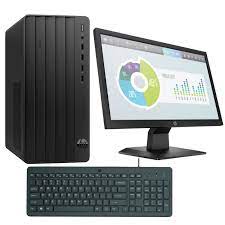
HP 290 G9 TWR | 13th Gen Intel Core i5 | 8GB RAM | 512GB SSD | UHD Graphics | Fast, Secure & Expandable Business Powerhouse
Experience reliable performance and future-ready expandability with the HP 290 G9 TWR Tower. Powered by a 13th Gen Intel Core i5-13500 processor, 8GB DDR4 RAM, and a fast 512GB SSD, this desktop is built for businesses and professionals looking for smooth multitasking and upgrade flexibility.
Key Features
-
Intel Core i5-13500 Processor – 13th Gen performance with hybrid architecture for seamless multitasking and responsiveness
-
8GB DDR4 RAM (Expandable) – Supports up to 32GB memory for future-proof productivity
-
512GB PCIe NVMe SSD – Lightning-fast storage for quick boot-ups and file access
-
Intel UHD Graphics 770 – Integrated graphics perfect for everyday business needs
-
Expansion-Ready – Includes PCIe x16 and x1 slots, two bays for HDDs or SSDs, and configurable USB/legacy ports
-
HP 9.5mm Slim DVD Writer – Read/write support for optical media
-
Data Protection – Built-in firmware TPM, HP Drive Lock, and physical security slot for your business data
-
Professional Build – Designed for small-to-medium businesses and office environments

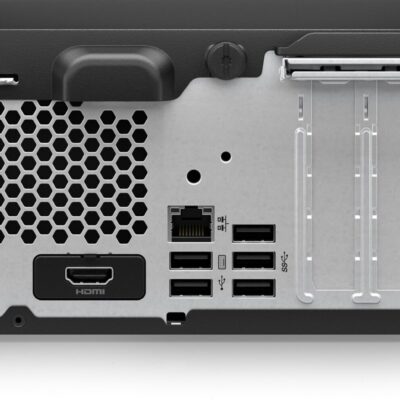
HP ProDesk 400 G9 SFF | Intel Core i7 13th Gen | 32GB RAM | 512GB SSD | Windows 11 Pro – Powerful Desktop for Business & Creative Use
The HP ProDesk 400 G9 SFF is a compact and powerful business-class desktop PC featuring a 13th Gen Intel Core i7 processor, 32GB DDR4 RAM, and a high-speed 512GB SSD. Whether you’re a designer, analyst, student, or entrepreneur, this machine offers speed, reliability, and seamless multitasking in a space-saving design.
Specifications
-
Model: HP ProDesk 400 G9 SFF
-
Processor: Intel Core i7 (13th Gen)
-
Memory: 32GB DDR4 RAM
-
Storage: 512GB SSD (Solid State Drive)
-
Graphics: Integrated Intel UHD Graphics
-
Operating System: Windows 11 Pro (Upgradeable)
-
Form Factor: Small Form Factor (SFF) – Space-saving and efficient
-
Ports:
-
USB 3.2
-
USB Type-C
-
HDMI
-
Ethernet (RJ-45)
-
-
Condition: Brand New
-
Warranty: 6 Months


Dell OptiPlex 7080 Tower | Intel Core i7 10th Gen | 8GB RAM | 1TB HDD | Intel UHD Graphics 630 – Powerful Business Desktop PC
The Dell OptiPlex 7080 Tower is a powerful and efficient business-class desktop PC. With a 10th Gen Intel Core i7 processor, 8GB DDR4 RAM, and 1TB HDD, it delivers strong performance for multitasking, data processing, and office workflows. Designed for expandability and optimized by AI, the 7080 is built to evolve with your needs.
Specifications
-
Model: Dell OptiPlex 7080 Tower
-
Processor: Intel Core i7-10700 (10th Gen, 8 Cores, 16M Cache, up to 4.8GHz)
-
Memory: 8GB DDR4 RAM
-
Storage: 1TB HDD (Hard Disk Drive)
-
Graphics: Intel UHD Graphics 630 (integrated)
-
Operating System: Free DOS (Windows installable)
-
Connectivity:
-
USB 3.2 Gen 2 and Gen 1 ports
-
Ethernet LAN
-
-
Expansion:
-
PCIe x16 slot (supports optional graphics card)
-
Support for Intel Optane Memory
-
Dual M.2 SSD slots available
-
-
Cooling Design: Shifted venting pattern for optimized airflow
-
AI Optimization: Dell Optimizer with ExpressResponse for top app performance
-
Power Supply: 260W
-
Condition: Brand New
-
Warranty: 6 Months


HP Z230 Workstation | Xeon E3 | 16GB RAM | 2TB HDD | 2GB Graphics – Compact, Reliable & Performance-Driven
-
The HP Z230 Workstation is a compact yet powerful solution for creative professionals and engineers. Equipped with an Intel Xeon E3 processor, 16GB RAM, 2TB storage, and 2GB graphics, it balances high performance and expandability in a space-saving tower.
Specifications
-
Processor: Intel® Xeon® E3-1200 v3 (4th Gen)
-
Memory: 16GB DDR3 RAM (expandable up to 32GB)
-
Storage: 2TB HDD (Upgradeable to SSD)
-
Graphics: 2GB Dedicated Graphics Card
-
Operating System: Windows 10 Pro
-
Chipset: Intel® C226
-
Form Factor: Tower
-

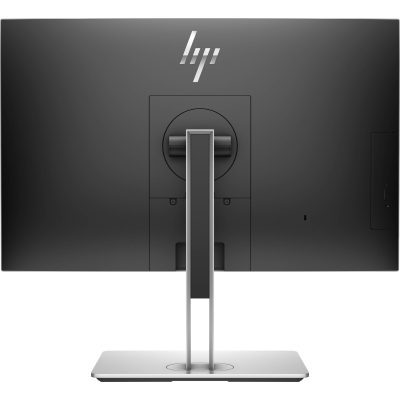
HP EliteOne 800 G4 | Core i7 8th Gen | 8GB RAM | 256GB SSD | 24” FHD AIO – Sleek & Efficient Business Desktop
The HP EliteOne 800 G4 All-in-One PC delivers desktop performance in a space-saving design. Powered by an Intel Core i7 8th Gen processor, 8GB RAM, and 256GB SSD, this 24” AIO is ideal for modern offices needing powerful, clutter-free computing.
Specifications
-
Processor: Intel Core i7 8th Gen
-
Memory: 8GB DDR4 RAM
-
Storage: 256GB SSD
-
Display: 24” Full HD
-
Form Factor: All-in-One
-
Operating System: Windows 10/11
-
Condition: Refurbished
-
Warranty: 6 Months

Dell OptiPlex 3040 / 5040 / 7040 | Core i5 6th Gen | 8GB RAM | 500GB HDD | MiniTower Desktop PC – Fast & Powerful
Boost your business performance with the Dell OptiPlex 3040 / 5040 / 7040 MiniTower, powered by Intel Core i5 6th Gen, 8GB RAM, and a spacious 500GB HDD. Ideal for offices, schools, and institutions that need reliable and secure performance in a compact yet powerful form.
Specifications
-
Processor: Intel Core i5 6th Generation
-
Memory: 8GB DDR4 RAM
-
Storage: 500GB SATA HDD
-
Graphics: Intel HD Graphics 530
-
Form Factor: MiniTower
-
Operating System: Windows 10 Pro (Windows 11 Compatible)
-
Ports: USB 3.0, USB 2.0, HDMI, DisplayPort, Ethernet, Audio I/O
-
Expansion Slots: PCIe x16, PCIe x1
-
Security: TPM 2.0, Kensington Lock Slot

HP ProDesk 600 G3 MiniTower | Intel Core i5 6th Gen | 8GB RAM | 500GB HDD | Windows 10 Pro- Fast & Effcient
Experience dependable business performance with the HP ProDesk 600 G3 MiniTower. Powered by a 6th Gen Intel Core i5 processor, 8GB RAM, and a 500GB hard drive, this desktop is perfect for professionals who need reliability, expandability, and security.
Specifications
-
Processor: Intel Core i5 6th Generation
-
Memory: 8GB DDR4 RAM
-
Storage: 500GB HDD
-
Graphics: Integrated Intel HD Graphics 530
-
Operating System: Windows 10 Pro
-
Form Factor: MiniTower (MT)
-
Ports: USB 2.0, USB 3.0, DisplayPort, VGA, Ethernet, Audio In/Out
-
Optical Drive: Yes (DVD-RW)


Reviews
There are no reviews yet.