



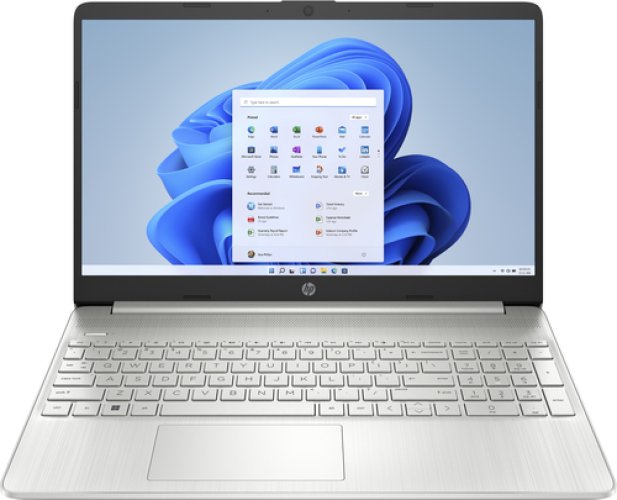
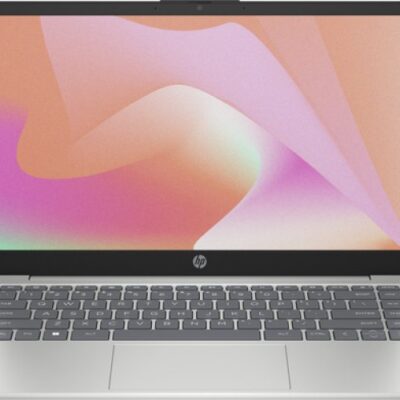
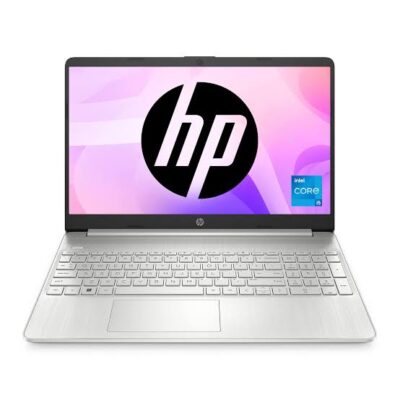
HP 15 Core i3-1315U – Powerful & Premium 8GB RAM, 256GB SSD 15.6-Inch Touchscreen Windows 11 Laptop**
Original price was: KSh 70,000.00.KSh 67,000.00Current price is: KSh 67,000.00.
HP 15 Core i3-1315U – Powerful & Premium 8GB RAM, 256GB SSD 15.6-Inch Touchscreen Windows 11 Laptop
- ⚡ Powerful Intel Core i3-1315U – Reliable performance for office work, school, freelancing, browsing, and everyday productivity.
- 🧠 8GB RAM – Smooth multitasking across documents, browser tabs, research, email, and productivity applications.
- 🚀 256GB SSD – Fast startup, quick application loading, and responsive access to your files and applications.
- 🖥️ 15.6-Inch Display – Larger workspace for documents, spreadsheets, presentations, browsing, and online learning.
- 🖐️ Touchscreen Display – Convenient touch interaction for browsing, navigation, presentations, and supported applications.
- 🪟 Windows 11 – Modern Windows environment for productivity, communication, learning, and compatible applications.
- 💼 Premium HP 15 Design – Professional and practical for offices, entrepreneurs, students, and everyday users.
- 🎓 Ideal for Students & Professionals – Great for assignments, research, presentations, online learning, and workplace tasks.
- 💻 Perfect for Freelancers & Remote Work – Suitable for writers, virtual assistants, digital marketers, administrators, and online professionals.
- 📊 Excellent for Business Productivity – Handles documents, spreadsheets, presentations, email, research, and everyday business applications.
- ✍️ Great for Writers & Digital Professionals – Practical for content creation, research, editing, communication, and online work.
- 🛒 Shop with Ring-Us Technologies – Visit https://www.ringus.co.ke for more quality laptops and technology solutions.
HP 15 Core i3-1315U – Powerful & Premium 8GB RAM, 256GB SSD 15.6-Inch Touchscreen Windows 11 Laptop
Looking for a modern HP laptop with a spacious touchscreen display, responsive SSD storage, and a capable Intel processor for everyday productivity? The HP 15 Core i3-1315U brings together an Intel Core i3-1315U processor, 8GB RAM, 256GB SSD storage, a 15.6-inch touchscreen display, and Windows 11 in a practical laptop designed for work, study, business, freelancing, and everyday computing.
The larger 15.6-inch touchscreen gives you a comfortable workspace for documents, research, presentations, browsing, and online learning, while touch interaction provides another convenient way to navigate supported applications and content.
With its combination of Core i3-1315U processing, 8GB RAM, and 256GB SSD storage, this HP 15 is designed for users who want a straightforward productivity laptop capable of handling common digital workloads.
HP 15 Core i3-1315U – Key Specifications
| Feature | Specification |
|---|---|
| Brand | HP |
| Model | HP 15 |
| Processor | Intel Core i3-1315U |
| RAM | 8GB |
| Storage | 256GB SSD |
| Display Size | 15.6 inches |
| Display Type | Touchscreen |
| Operating System | Windows 11 |
| Laptop Category | Everyday Productivity / Business / Study |
| Ideal For | Students, professionals, entrepreneurs, freelancers, remote workers, and home users |
Specification note: The exact display resolution, graphics configuration, ports, battery capacity/condition, keyboard layout, and upgrade options were not provided. These should be confirmed for the specific HP 15 configuration before purchase.
Intel Core i3-1315U – Modern Everyday Performance
The Intel Core i3-1315U provides the processing foundation for this HP 15.
The processor is designed for mobile computing and everyday productivity, making it suitable for users whose work revolves around common applications, web browsing, documents, communication, research, and other mainstream tasks.
For students, office professionals, entrepreneurs, and home users, this means having a modern processor platform for handling daily computing responsibilities.
The HP 15 can be used for:
- Microsoft Office-style productivity
- Word processing
- Spreadsheet work
- Presentations
- Internet browsing
- Online research
- Virtual meetings
- Online learning
- Business administration
- Customer communication
- Content writing
- Digital marketing
- File management
- Web-based applications
- General personal computing
The actual performance of any application depends on its individual requirements and how demanding your overall workload is.
For specialized professional applications, always compare the software’s requirements with the exact hardware configuration before purchase.
8GB RAM for Everyday Multitasking
The 8GB RAM provides a practical amount of memory for mainstream productivity.
RAM allows the laptop to keep active applications and information readily available while you work. This is important when moving between documents, websites, email, research, and other applications.
For example, you can work on a document while researching information online, check your email, and switch between different browser tabs and productivity applications.
8GB RAM is suitable for:
- Word processing
- Spreadsheets
- Presentations
- Web browsing
- Online research
- Online learning
- Virtual meetings
- Administrative work
- Social media management
- Business applications
- General home computing
If you plan to run highly demanding professional applications, large virtual machines, advanced 3D software, or other intensive workloads, check the application’s recommended memory requirements first.
256GB SSD – Responsive Storage
The HP 15 comes with a 256GB SSD, giving you solid-state storage for Windows, applications, documents, projects, and personal files.
An SSD can provide a more responsive experience than traditional mechanical hard-drive storage, particularly when starting the computer, launching applications, and accessing files.
Benefits of the 256GB SSD include:
- Fast system startup
- Quick application launches
- Responsive file access
- Convenient document storage
- Faster everyday file handling
- A responsive productivity experience
For students and office users, 256GB can provide useful space for assignments, documents, presentations, spreadsheets, research materials, and everyday applications.
Users who store large video collections, extensive photographs, large creative projects, or other storage-heavy files may benefit from additional external or cloud storage.
15.6-Inch Touchscreen Display
One of the defining features of this HP 15 is its 15.6-inch touchscreen display.
The larger screen gives you more physical workspace compared with smaller laptop displays, making it useful for reading documents, viewing presentations, working with spreadsheets, browsing websites, and participating in online learning.
The touchscreen adds another interaction method beyond the traditional keyboard and touchpad.
You can use touch interaction for supported activities such as:
- Navigating compatible applications
- Scrolling through pages
- Browsing
- Selecting items
- Viewing content
- Interacting with supported Windows features
The touchscreen can be especially useful for users who enjoy more direct interaction with their laptop.
The exact display resolution, brightness, panel technology, and other display specifications were not provided, so these should be confirmed for the particular unit.
A Larger Screen for Productivity
The 15.6-inch format can be particularly useful for people who spend many hours working with documents or websites.
A larger display gives you more room to view information at once, which can be convenient when working with:
- Spreadsheets
- Documents
- Presentations
- Research materials
- Business dashboards
- Websites
- Online learning platforms
- Digital content
For users who mostly work from a desk or home office, a 15.6-inch laptop can provide a comfortable everyday workspace.
Windows 11 – Modern Computing Environment
The HP 15 comes with Windows 11, giving you a modern Windows environment for compatible productivity applications, communication, browsing, research, and everyday computing.
Windows 11 provides a familiar platform for users who need to create documents, manage files, browse websites, attend online meetings, and use compatible business and educational software.
You can use the system for:
- Office productivity
- Online learning
- Web browsing
- File management
- Video conferencing
- Research
- Business communication
- Personal computing
- Compatible creative applications
Always check software requirements before purchasing a laptop for specialized applications.
HP 15 for Office Work
The HP 15 Core i3-1315U provides a practical platform for everyday office responsibilities.
Office professionals can use it for documents, spreadsheets, presentations, email, research, communication, and web-based business systems.
It can be useful for:
- Administrative assistants
- Receptionists
- Customer service representatives
- Sales staff
- Office administrators
- Secretaries
- Account assistants
- Managers
- Virtual assistants
- Entrepreneurs
The larger 15.6-inch display can be particularly convenient for spreadsheets, documents, and applications where additional screen space is useful.
HP 15 for Entrepreneurs
Running a small business often means handling several different tasks from one computer.
The HP 15 can support everyday entrepreneurial activities such as:
Business documentation
Create proposals, quotations, reports, invoices, letters, and other documents.
Customer communication
Manage email and compatible online communication platforms.
Marketing
Research markets, prepare content, manage social media, and work with web-based marketing platforms.
Administration
Maintain spreadsheets, records, schedules, and other business files.
Online business
Access e-commerce platforms, cloud services, websites, dashboards, and other web-based business tools.
For entrepreneurs, the combination of a larger touchscreen and practical productivity hardware can make everyday digital business management convenient.
HP 15 for Students
Students increasingly depend on laptops for assignments, research, online classes, presentations, and communication.
The HP 15 Core i3-1315U can support many mainstream academic tasks.
Students can use it for:
- Online classes
- Research
- Assignments
- Presentations
- Word processing
- Academic reading
- Group projects
- Educational websites
- Downloading study materials
- Organizing coursework
- Online communication
The 15.6-inch display gives students a comfortable workspace for reading and working with documents.
The touchscreen can also provide convenient interaction with supported educational content and Windows applications.
For specialized courses requiring demanding CAD, 3D rendering, advanced video editing, or other intensive software, students should confirm the application’s requirements first.
HP 15 for Freelancers
Freelancers often need a laptop capable of handling several online activities throughout the day.
The HP 15 can be suitable for mainstream freelance work involving documents, research, communication, and web-based applications.
It can support:
- Writers
- Virtual assistants
- Online researchers
- Customer service professionals
- Digital marketing assistants
- Social media managers
- Administrative freelancers
- Online tutors
- Data-entry professionals
- Transcription work
The 15.6-inch display provides useful working space when managing documents and online platforms.
HP 15 for Remote Work
Remote professionals need a reliable platform for communication, documents, research, and online services.
The HP 15 can support many common work-from-home activities, including:
- Online meetings
- Documents
- Spreadsheets
- Presentations
- Research
- Cloud-based applications
- Customer communication
- Project management platforms
- File organization
The larger screen can be especially useful when working with multiple windows or information-heavy websites.
The exact camera, microphone, speaker, wireless, and port specifications were not provided, so confirm those features if they are important to your remote-work setup.
HP 15 for Writers and Content Professionals
Writers need a comfortable environment for drafting, editing, researching, and managing documents.
The HP 15 can support:
- Blog writing
- Copywriting
- Editing
- Research
- Content planning
- Social media content
- Email communication
- Online publishing
- Freelance writing
- Document preparation
The 15.6-inch display gives writers more room for documents and research materials, while the 256GB SSD provides responsive storage for writing projects and files.
HP 15 for Digital Marketing
Digital marketers often work across several websites and online platforms.
The HP 15 can be used for:
- Social media management
- Content planning
- Online research
- Email marketing
- Website administration
- Customer communication
- Competitor research
- Content writing
- Campaign coordination
- Web-based analytics
The touchscreen provides an additional way to interact with supported applications and web content.
HP 15 for Virtual Assistants
Virtual assistants often need to switch between communication, research, scheduling, documents, and online platforms.
The HP 15 provides a practical setup for:
- Email management
- Calendar management
- Data entry
- Online research
- Document preparation
- Scheduling
- Spreadsheet work
- Customer communication
- File organization
- Social media assistance
- Client platforms
The larger 15.6-inch screen can be helpful when working with multiple windows and information sources.
Touchscreen Productivity
The touchscreen is one of the features that distinguishes this HP 15 configuration from a traditional non-touch laptop.
Touch interaction can be convenient when:
- Browsing websites
- Scrolling through documents
- Navigating supported applications
- Viewing presentations
- Selecting onscreen items
- Interacting with compatible Windows features
It does not replace the keyboard and touchpad for every task. Instead, it gives users another way to interact with the computer when touch is convenient.
HP 15 for Everyday Home Use
The HP 15 can also serve as a practical family or home computer.
It can be used for:
- Internet browsing
- Online shopping
- Personal documents
- Video calls
- Online learning
- Entertainment
- Research
- Personal budgeting
- File management
- Digital communication
The 15.6-inch screen makes it particularly suitable for users who prefer a larger laptop display for home computing.
Battery and Power Management
Battery performance depends on several factors, including battery condition, screen brightness, active applications, wireless connectivity, power settings, and the exact configuration of the laptop.
To get better everyday battery performance:
Adjust screen brightness
Use a comfortable brightness level appropriate for your environment.
Close unnecessary applications
Applications running in the background can consume system resources and power.
Use Windows power settings
Select an appropriate power mode depending on whether you need maximum performance or longer battery use.
Keep Windows updated
Updates can include security improvements and system optimizations.
Avoid excessive heat
Use the laptop on a stable surface that allows appropriate airflow.
Use the correct charger
Always use a compatible charger with the correct specifications.
If the HP 15 is pre-owned or refurbished, battery condition may vary and should be confirmed for the particular unit.
How to Maintain Your HP 15
Proper care can help keep your laptop performing well and extend its useful working life.
Keep it clean
Dust can accumulate around vents, keyboard areas, and other openings. Clean the laptop carefully using suitable cleaning methods.
Keep the SSD organized
Avoid filling the 256GB SSD completely. Keep enough free space available for Windows, applications, temporary files, and your work.
Back up important files
Keep important business documents, assignments, photographs, and projects backed up using cloud storage, an external drive, or another suitable method.
Protect the touchscreen
Avoid pressing the screen excessively and use appropriate cleaning materials designed for laptop displays.
Protect the laptop during transport
Use a suitable laptop bag and avoid placing heavy objects on top of the laptop.
Install trusted software
Download applications from reputable sources and keep your operating system appropriately updated.
Upgradeability and Future Use
Upgrade options depend on the exact HP 15 Core i3-1315U configuration.
Some laptop components may be upgradeable, while others may be fixed or limited depending on the specific model.
For that reason, do not assume that the RAM or SSD can be upgraded without confirming the exact unit.
The current 8GB RAM and 256GB SSD configuration provides a practical starting point for mainstream productivity.
If you expect your workload to become substantially more demanding, confirm available upgrade options before purchasing.
Responsible and Sustainable Technology Use
Taking good care of your HP 15 and extending its useful working life can support more responsible technology use.
Regular cleaning, appropriate servicing, compatible upgrades where available, careful transportation, and responsible recycling can all help reduce unnecessary device replacement.
Rather than describing the HP 15 itself as “eco-friendly,” it is more accurate to recognize that keeping a capable laptop in useful service for longer can support more sustainable technology habits.
When the laptop eventually reaches the end of its useful life, responsible electronic-waste recycling is preferable to ordinary disposal.
Who Should Buy the HP 15 Core i3-1315U?
| User | Suitable Uses |
|---|---|
| Students | Research, assignments, presentations, online learning |
| Office Professionals | Documents, spreadsheets, presentations, email |
| Entrepreneurs | Business administration, communication, online business |
| Freelancers | Writing, research, virtual assistance, online work |
| Remote Workers | Meetings, documents, communication, web applications |
| Writers | Writing, editing, research, publishing |
| Digital Marketers | Social media, research, content, online platforms |
| Virtual Assistants | Email, scheduling, research, data entry |
| Home Users | Browsing, communication, learning, entertainment |
HP 15 Core i3-1315U – Specification Comparison
| Feature | HP 15 Configuration | Practical Benefit |
|---|---|---|
| Processor | Intel Core i3-1315U | Modern mobile processing for everyday productivity |
| RAM | 8GB | Practical multitasking |
| Storage | 256GB SSD | Fast and responsive storage |
| Display | 15.6 inches | Larger workspace for productivity |
| Touchscreen | Yes | Convenient touch interaction |
| Operating System | Windows 11 | Modern Windows environment |
| Primary Use | Productivity | Work, study, business, freelancing and home use |
Frequently Asked Questions
Is the HP 15 Core i3-1315U good for students?
Yes. It is suitable for many mainstream student activities, including assignments, research, presentations, online classes, document creation, and communication.
Is 8GB RAM enough for everyday work?
For many mainstream productivity tasks, 8GB RAM is a practical configuration. Users working with demanding professional software should check the recommended system requirements.
Is 256GB SSD enough?
For documents, assignments, applications, research, and everyday files, 256GB can be useful. Users with large video collections, extensive photographs, or large professional projects may benefit from additional storage.
Is the HP 15 touchscreen?
Yes. The configuration provided specifies a 15.6-inch touchscreen display.
Is the HP 15 suitable for remote work?
Yes. It can support common remote-work activities such as documents, email, online meetings, research, communication, and web-based applications.
Can I use it for programming?
It can be suitable for learning programming and many mainstream development tasks. Users running demanding development environments should compare their software requirements with the laptop’s configuration.
Is it good for graphic design?
It can support lighter creative work depending on the application. For professional 3D work, advanced video editing, or demanding graphics applications, confirm the exact graphics hardware and software requirements first.
Is the 15.6-inch display good for office work?
The larger display provides useful workspace for documents, spreadsheets, presentations, research, and multitasking.
Can the RAM be upgraded?
That depends on the exact HP 15 configuration. Confirm the specific unit before assuming the RAM is upgradeable.
Can the 256GB SSD be upgraded?
Upgradeability depends on the exact configuration and storage interface. Confirm the particular unit’s supported options.
Is it good for gaming?
The supplied specifications do not identify a dedicated graphics configuration, so it should primarily be considered a productivity laptop unless the exact graphics hardware is confirmed for specific games.
Does it come with Windows 11?
Yes. The configuration provided specifies Windows 11.
Why Choose the HP 15 Core i3-1315U?
⚡ Modern Intel Core i3-1315U Processor
A modern mobile processor designed to provide a practical foundation for everyday productivity.
🧠 8GB RAM
Suitable for everyday multitasking across documents, browsing, research, communication, and productivity applications.
🚀 256GB SSD
Provides responsive storage and quick access to Windows, applications, documents, and everyday files.
🖥️ 15.6-Inch Touchscreen
A larger display gives you more workspace while touchscreen interaction adds another convenient way to navigate supported applications.
🪟 Windows 11
A modern Windows environment for compatible productivity, communication, education, and personal applications.
💼 Versatile Productivity
Suitable for students, professionals, entrepreneurs, freelancers, remote workers, writers, and home users.
Final Thoughts
The HP 15 Core i3-1315U with 8GB RAM, 256GB SSD, 15.6-inch touchscreen, and Windows 11 is a practical laptop for users who want a larger display combined with modern everyday computing capabilities.
The Intel Core i3-1315U provides the processing foundation, while 8GB RAM supports everyday multitasking and the 256GB SSD provides responsive storage for applications, documents, projects, and personal files.
Its 15.6-inch touchscreen is particularly useful for users who prefer a larger workspace and enjoy having touch interaction available for supported applications.
From students preparing assignments to professionals managing office work, entrepreneurs running businesses, freelancers working online, and home users handling everyday digital activities, the HP 15 provides a versatile platform for mainstream productivity.
For demanding specialist workloads, always confirm the exact graphics configuration, display specifications, ports, battery condition, and upgrade options of the particular unit before purchase.
For more quality laptops and technology solutions, visit https://www.ringus.co.ke.
Official Resources
Related products

Graphics Coprocessor NVIDIA GeForce RTX 2080 Super Brand NVIDIA Graphics Ram Size 8 GB GPU Clock Speed 1650 MHz Video Output Interface DisplayPort, DVI, HDMI
Power your rig with the NVIDIA GeForce RTX 2080 — armed with 8GB GDDR6 memory, real-time ray tracing, and a 256-bit memory interface. This GPU is built for high-performance 1440p and 4K gaming with incredible visual fidelity and high frame rates.
Key Features
-
8GB GDDR6 Memory – Ideal for modern AAA games at 1440p and 4K
-
256-bit Memory Interface – Fast memory access and high bandwidth for large textures
-
Boost Clock up to 1710 MHz – Delivers superior rendering and gaming performance
-
Ray Tracing Cores – Real-time lighting, reflections, and shadows for next-gen realism
-
Turing Architecture – Efficient processing with enhanced shading and AI acceleration
-
Versatile Outputs – DisplayPort, HDMI, and DVI for multi-monitor flexibility
-
VR Ready – Built for immersive experiences with high refresh rates and low latency

Vandossy Radeon RX 5700 XT 8GB GDDR6 | RDNA | PCIe 4.0 | High-FPS Gaming Beast – Fast & Powerful
Unlock high-performance 1440p gaming with the Radeon RX 5700 XT. Featuring 8GB of GDDR6 memory, advanced RDNA architecture, and PCIe 4.0 support, this card delivers stunning visuals, high frame rates, and powerful multitasking — perfect for gamers and creators alike.
Key Features
-
8GB GDDR6 Memory – Fast, efficient VRAM for smooth gameplay and multitasking
-
RDNA Architecture (7nm) – Improved efficiency, performance, and cooler operation
-
PCIe 4.0 Support – Twice the bandwidth for future-proofed gaming builds
-
Boost Clock up to 1905 MHz – Delivers high FPS in modern AAA titles
-
Multi-Monitor Support – 1x HDMI and 3x DisplayPort for flexible output setups
-
Built for Gaming – Reliable performance for 1080p Ultra and 1440p High settings
-
600W PSU Recommended – Stable power for uninterrupted performance

AMD Radeon RX 580 8GB GDDR5 | Dual-Slot | 256-bit | DirectX 12 | 1440p Stunning Gaming Performance
Get reliable 1080p and entry-level 1440p gaming with the AMD Radeon RX 580. Featuring 8GB of GDDR5 memory, DirectX 12 support, and a 256-bit memory interface, this card is perfect for budget-conscious gamers and creators looking for solid performance.
Key Features
-
8GB GDDR5 Memory – Ample VRAM for modern gaming, creative work, and multitasking
-
256-bit Memory Bus – Wide bandwidth (256GB/s) for smooth data flow and high-res textures
-
Dual-Slot Design – Efficient thermal performance in most standard cases
-
Multi-Monitor Output – 1x HDMI + 3x DisplayPort for versatile display configurations
-
DirectX 12 Support – Optimized for newer game engines and graphical enhancements
-
OEM Package – Card-only (no retail box or driver CD included; drivers available online)

NVIDIA Quadro K2200 4GB GDDR5 | Compact Pro GPU | Ultra-Quiet Cooling | Certified for CAD & 3D
Delivering efficient 3D performance and compact compatibility, the NVIDIA Quadro K2200 features 4GB GDDR5 memory, 640 CUDA cores, and support for up to 4 ultra-HD displays. Ideal for CAD, DCC, and professional workflows on space-constrained workstations.
Key Features
-
4GB GDDR5 Memory – High-speed professional-grade memory for fluid 3D performance
-
640 CUDA Cores – Reliable parallel processing for modeling, simulation, and creative apps
-
DisplayPort 1.2 + DVI Outputs – Supports up to 4 displays with ultra-HD 4K resolutions
-
80 GB/s Memory Bandwidth – Ensures smooth rendering and texture loading
-
Ultra-Quiet Active Cooling – Operates silently, ideal for quiet work environments
-
Low Power Consumption (68W) – Perfect for energy-efficient, compact workstation builds
-
ISV Certified – Optimized and tested for top professional software (AutoCAD, SolidWorks, Adobe)

NVIDIA GeForce GT 730 | 4GB DDR3 | 64-Bit | Low Profile | HDMI/DVI/VGA | DirectX 12 | Powerful Entry-Level Graphics Card
The NVIDIA GeForce GT 730 4GB DDR3 is a reliable entry-level graphics card ideal for upgrading integrated graphics. With support for triple display output, low power consumption, and a low-profile design, it’s perfect for media centers, business PCs, or light gaming setups.
Specifications
-
GPU Model: NVIDIA GeForce GT 730
-
CUDA Cores: 384
-
Memory: 4GB DDR3
-
Memory Bus: 64-bit
-
Base Clock Speed: 902 MHz
-
Memory Clock: 1600 MHz effective
-
Memory Interface: PCI Express 2.0 x8
-
TDP: 25–38W (Max)
-
Cooling: Passive, single-slot design
-
Outputs:
-
1x HDMI
-
1x DVI-D
-
1x VGA
-
-
Display Support: Triple simultaneous display, HDCP compliant
-
DirectX Version: DirectX 12 (feature level 11_0)
-
Recommended PSU: 300W
-
Form Factor: Low-profile ready (includes both full and low brackets)
-
Dimensions: 145mm length (single-slot)

Dell Core i3 2nd Gen Desktop | 4GB RAM | 500GB HDD | Windows 10 – Reliable Office Computer
Get the Dell Core i3 2nd Gen Desktop PC in Kenya – a dependable desktop with Intel Core i3 2nd Generation processor, 4GB RAM, and 500GB HDD storage. Ideal for everyday office tasks, web browsing, and multimedia, offering a solid balance of performance and value.
Specifications
-
Processor: Intel Core i3 2nd Generation
-
Memory: 4GB DDR3 RAM
-
Storage: 500GB HDD
-
Graphics: Integrated Intel HD Graphics
-
Operating System: Windows 10 Pro
-
Ports: USB 2.0, USB 3.0, VGA, Ethernet, Audio In/Out
-
Optical Drive: DVD-ROM
-
Connectivity: Wired LAN
-
Form Factor: Tower/Desktop

Lenovo X1 Carbon Gen 9 | Core i7 11th Gen | 16GB RAM | 512GB SSD | 14” Powerful Touchscreen Ultrabook
Get the Lenovo X1 Carbon Gen 9 in Kenya – a premium ultrabook featuring the latest Intel Core i7 11th Gen processor, 16GB RAM, 512GB SSD, and a brilliant 14” Full HD touchscreen display. Engineered for professionals who demand performance, portability, and style.
Specifications
-
Display: 14" Full HD (1920 x 1080) IPS Touchscreen
-
Processor: Intel Core i7 11th Gen (i7-1165G7)
-
Memory: 16GB LPDDR4x
-
Storage: 512GB PCIe NVMe SSD
-
Graphics: Intel Iris Xe Graphics
-
Operating System: Windows 10 Pro / Windows 11 Ready
-
Weight: Approx. 1.13kg (2.49 lbs)
-
Battery Life: Up to 15 hours
-
Build: Carbon-fiber chassis with MIL-STD-810G military-grade durability

HP EliteBook x360 1030 G4 | Intel® Core™ i7 8th Gen | 16GB RAM | 512GB SSD – Sleek, Fast & Powerful
Buy the HP EliteBook x360 1030 G4 Touch Screen Laptop in Kenya. Built with premium design, enterprise security, and convertible flexibility for mobile professionals.
Specifications
-
Display: 13.3″ Full HD Touchscreen
-
Processor: Intel® Core™ i7 (8th Gen)
-
RAM: 16GB LPDDR3
-
Storage: 512GB SSD
-
OS: Windows 10/11 Pro
-
Design: Sleek x360 convertible aluminum build


Reviews
There are no reviews yet.