



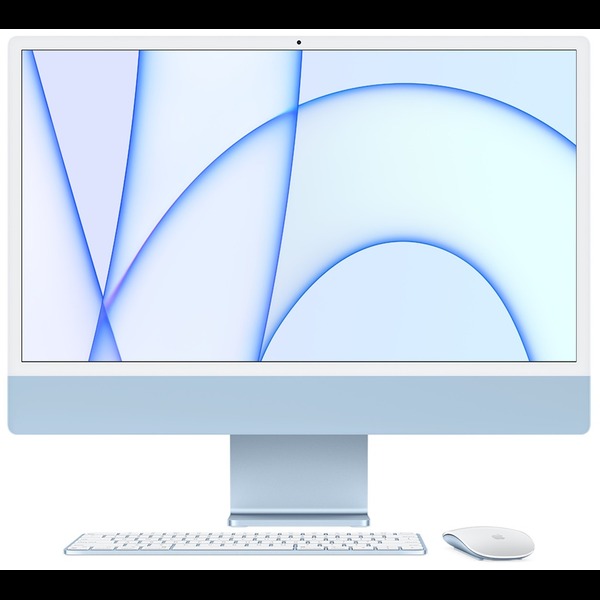


Apple iMac M3 24-Inch Blue – Powerful & Premium All-in-One Desktop
Original price was: KSh 230,000.00.KSh 225,000.00Current price is: KSh 225,000.00.
- 🍎 Apple iMac M3 – Powerful & premium all-in-one desktop computer.
- ⚡ 8-Core CPU – Responsive performance for everyday productivity.
- 🎮 10-Core GPU – Supports graphics and compatible creative applications.
- 🧠 8GB Unified Memory – Suitable for everyday multitasking and office work.
- 🚀 256GB SSD – Fast storage for applications, documents, and files.
- 🖥️ 24-Inch 4.5K Retina Display – Enjoy detailed, high-resolution visuals.
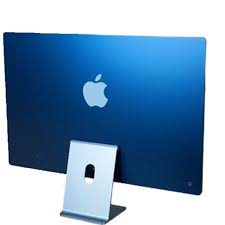
- 💙 Elegant Blue Finish – Stylish design for modern workspaces.
- 💼 Business Ready – Ideal for office tasks, reports, and presentations.
- 🎓 Great for Students – Supports research, assignments, and online learning.
- 🎨 Creative Productivity – Suitable for compatible design and photo-editing applications.
- 🖥️ All-in-One Design – Combines the computer and display in one unit.
- 🛒 Shop at Ring-Us Technologies – Visit www.ringus.co.ke for quality computers and technology solutions.
Apple iMac M3 24-Inch Blue – Powerful & Premium All-in-One Desktop
Upgrade your workspace with the Apple iMac M3 featuring an 8-core CPU, 10-core GPU, 8GB unified memory, 256GB SSD, and a stunning 24-inch 4.5K Retina display. Finished in an attractive Blue colour, this all-in-one desktop combines computing power, an integrated display, and Apple’s macOS experience in a streamlined design.
Designed for professionals, students, business owners, and home users, the Apple iMac M3 offers a practical solution for everyday productivity, communication, research, and compatible creative applications. Its integrated design helps keep your workspace organised without the need for a separate desktop tower.
Whether you are preparing business documents, attending online meetings, managing projects, editing photographs, or enjoying multimedia content, this iMac provides a versatile desktop computing experience. The combination of Apple’s M3 chip, a 10-core GPU, and a high-resolution Retina display makes it an appealing choice for users who value performance and visual clarity.
Apple iMac M3 Specifications
| Feature | Specification |
|---|---|
| Brand | Apple |
| Product | iMac |
| Chip | Apple M3 |
| CPU | 8-core CPU |
| GPU | 10-core GPU |
| Memory | 8GB unified memory |
| Storage | 256GB SSD |
| Display size | 24 inches |
| Display technology | 4.5K Retina display |
| Colour | Blue |
| Operating system supplied | macOS Sonoma 14 |
| Computer type | All-in-one desktop |
| Ideal uses | Office work, education, business, browsing, communication, and compatible creative applications |
The specifications above are based on the details provided. Confirm the exact model number, connectivity options, included accessories, warranty, and physical condition with the seller before purchase.
Apple M3 Chip with an 8-Core CPU
At the heart of this iMac is Apple’s M3 chip, featuring an 8-core CPU designed to handle everyday computing and a range of compatible professional workloads. The CPU manages instructions and performs the processing tasks required by the operating system and applications.
For everyday users, this means having a computer suited to common activities such as browsing the internet, preparing documents, managing spreadsheets, writing reports, and communicating online. It can also support more involved workflows when the applications are compatible and their resource requirements fit the system.
Smooth everyday productivity
The iMac M3 is suitable for people who want a desktop computer for regular work without assembling a separate computer and display. It can support typical office and home productivity tasks, including:
- Preparing reports, letters, and business documents.
- Creating presentations and working with spreadsheets.
- Managing email, calendars, and online communication.
- Conducting research and browsing multiple websites.
- Working with compatible business and educational software.
- Organising files, photographs, and digital projects.
The experience you achieve depends on the applications you use, the number of tasks running simultaneously, and your overall workload. For routine productivity and general computing, the M3 platform offers a capable foundation.
Useful for small businesses
Small businesses and entrepreneurs can use the iMac for administrative work, customer communication, invoicing through compatible software, inventory records, research, and day-to-day planning.
Its all-in-one format is especially practical for reception desks, offices, home workspaces, and other settings where a tidy desktop setup is desirable. Before choosing it for a business, verify that your accounting, inventory, point-of-sale, and management applications support macOS.
10-Core GPU for Graphics and Visual Applications
This configuration includes a 10-core GPU, which handles graphics processing and can accelerate compatible visual and computational workloads. Graphics capability is useful for more than gaming; it also matters for rendering interface elements, editing photographs, designing layouts, and working with supported creative software.
The GPU can help support compatible creative workflows, although performance depends on the application, project complexity, and software optimisation.
Graphic design and digital creativity
The iMac M3 can be considered for graphic designers, content creators, and other users who work with compatible creative applications. Its high-resolution display provides a useful workspace for visual projects, while the GPU supports graphics processing within the capabilities of the system.
Possible uses include:
- Designing marketing materials and social media graphics.
- Editing photographs with compatible software.
- Creating presentations and visual reports.
- Working on illustrations and layouts.
- Preparing digital content for websites.
- Managing compatible audio and video projects.
For professional video editing, complex visual effects, 3D work, or other intensive creative workloads, evaluate the application’s minimum requirements carefully. The 8GB memory configuration may limit some demanding workflows, so heavier professional users should consider whether a higher-memory model would be more suitable.
8GB Unified Memory for Everyday Computing
The iMac comes with 8GB of unified memory, which is shared across the Apple chip’s processing components. This architecture differs from a conventional desktop configuration with separately installed system RAM and dedicated graphics memory.
For general use, 8GB can support everyday productivity such as writing, email, browsing, online meetings, and working with compatible office applications. It is particularly relevant for users whose typical workloads do not involve many demanding applications running simultaneously.
What can you do with 8GB RAM?
- Handle routine office documents and spreadsheets.
- Browse websites and conduct online research.
- Attend virtual meetings using compatible applications.
- Manage email and business communications.
- Complete assignments and educational tasks.
- Use everyday productivity and organisational software.
- Enjoy supported entertainment and multimedia applications.
Your experience will depend on the number of browser tabs, the applications running in the background, and the size of the files being processed. Memory-intensive development tools, virtual machines, large creative projects, and complex media workflows may benefit from more memory.
Important buying consideration: Apple silicon iMac memory is integrated into the chip architecture and is not a conventional user-upgradeable RAM module. If you expect to run demanding applications or keep many memory-intensive programs open, consider your future requirements before choosing the 8GB configuration.
256GB SSD Storage for Essential Files and Applications
This iMac includes a 256GB solid-state drive (SSD). SSD storage is designed to provide responsive access to files and help applications launch quickly.
The capacity can be suitable for users who mainly work with documents, web applications, smaller projects, and files that are also stored in the cloud. It provides space for the operating system, applications, personal files, and everyday business documents.
Practical uses for 256GB storage
You can use the internal drive for documents, presentations, spreadsheets, research materials, applications, photographs, and other commonly accessed files. It can be a practical starting point for users who do not need to keep extensive media libraries on the computer.
However, the usable capacity will be lower after the operating system and installed applications occupy storage. Large video files, extensive photo collections, and multiple creative projects can fill the drive quickly.
Managing storage efficiently
To get the most from the 256GB SSD, keep your files organised and remove unnecessary downloads when they are no longer needed. You can also consider compatible external storage or cloud storage for archives and larger projects.
For business use, maintain a separate backup of important documents rather than relying on the internal drive alone. Backups help protect against accidental deletion, device failure, and other unexpected problems.
Internal storage upgrade options should not be assumed. Check the exact model’s service specifications before purchasing if you expect to need additional storage in the future.
24-Inch 4.5K Retina Display for Detailed Visuals
One of the standout features of the Apple iMac M3 is its 24-inch 4.5K Retina display. The high-resolution screen is designed to present text, images, and other visual content with fine detail.
For people who spend much of their day reading, writing, analysing documents, or viewing visual content, display quality can make a meaningful difference to the overall computing experience. A generous screen area also makes it convenient to keep a document open alongside a browser window or another application.
Great for office and business tasks
The 24-inch display provides a desktop workspace for spreadsheets, reports, presentations, email, and business-management tools. Users can organise their work across windows and review information without depending entirely on a small laptop screen.
For reception areas and offices, an integrated desktop can also create a neat working environment while providing a screen suitable for everyday administrative tasks.
Useful for design and photography
A high-resolution display can be valuable when reviewing photographs, working with layouts, and preparing visual materials. Designers can use the screen to inspect details in compatible applications and organise creative projects.
Display resolution alone does not guarantee colour accuracy for professional production. If your work depends on precise colour matching or specialist visual standards, confirm the exact display characteristics and whether calibration is appropriate for your workflow.
Entertainment and everyday use
The display also suits watching supported video content, viewing photographs, browsing websites, and enjoying other multimedia applications. Its 24-inch size gives users a comfortable desktop viewing area for both work and leisure.
Blue Finish and All-in-One Desktop Design
The Blue finish gives this iMac a distinctive appearance that can complement modern offices, home workspaces, studios, and reception areas. Its design combines the computer and display into one unit, helping reduce the number of separate components required for a desktop setup.
Compared with a traditional desktop tower and external monitor, an all-in-one computer can simplify workspace organisation. You do not need to choose a separate computer case and monitor, although you may still want accessories such as a keyboard, mouse, external storage, or other peripherals depending on what is included with the unit.
The exact accessories supplied with this configuration have not been specified, so confirm their inclusion before purchase.
macOS Sonoma 14 for Productivity and Everyday Use
This configuration is listed with macOS Sonoma 14, Apple’s desktop operating system. macOS provides the environment for installing compatible applications, managing files, organising windows, browsing the internet, and carrying out everyday computing tasks.
For home users and professionals, the operating system supports a broad range of productivity and communication workflows. Users should confirm that the applications they rely on are compatible with the installed version of macOS.
Compatibility matters
If you are switching from Windows, review your essential software before choosing the iMac. Many common applications are available for macOS, but some specialist business, engineering, accounting, and institutional programs may have different requirements.
Also check printer, scanner, storage, and other peripheral compatibility where applicable. macOS version support and available updates can change over time, so confirm the update options for the exact device rather than assuming a particular version will remain current indefinitely.
For official information, visit Apple’s macOS website and the Apple Mac website.
Who Should Buy the Apple iMac M3?
The iMac M3 can be a good fit for users who want a desktop computer with an integrated high-resolution display and a streamlined setup. Its suitability depends on the amount of memory and storage your work requires.
1. Business owners and entrepreneurs
The iMac can support compatible business applications, customer communication, research, document preparation, presentations, and administration. Its all-in-one design is suitable for a fixed workstation where a tidy appearance matters.
2. Office workers and administrators
For administrative work, the iMac can handle documents, spreadsheets, email, online meetings, reporting, and general office applications. The 24-inch display provides room for working with multiple windows and reviewing information.
3. Students and educators
Students can use it for assignments, research, online learning, presentations, and educational applications compatible with macOS. It is particularly appropriate for a study desk or home learning space where portability is not essential.
4. Freelancers and remote professionals
Writers, virtual assistants, researchers, digital marketers, and other freelancers can use the iMac for compatible productivity tools, client communication, content preparation, and project management. Its desktop format suits people who work primarily from one location.
5. Graphic designers and content creators
The 4.5K Retina display and 10-core GPU make the iMac worth considering for compatible visual-design and creative applications. Users working with large projects or demanding software should carefully evaluate the 8GB memory and 256GB storage limits before buying.
6. Home users
The iMac is suitable for browsing, email, video calls, document preparation, personal organisation, photographs, and supported entertainment applications. Its integrated format can simplify the setup for a family or personal workstation.
Apple iMac M3 Compared with Other Desktop Options
Choosing between an all-in-one computer, a traditional desktop, and a laptop depends on how and where you work. This comparison outlines general differences rather than claiming benchmark results for specific machines.
| Feature | Apple iMac M3 | Traditional desktop PC | Laptop |
|---|---|---|---|
| Design | Computer integrated with display | Separate computer case and monitor in a typical setup | Portable computer with integrated display |
| Display | 24-inch 4.5K Retina | Depends on selected monitor | Depends on model |
| Processor | Apple M3, 8-core CPU | Depends on configuration | Depends on configuration |
| Graphics | Apple M3, 10-core GPU | Depends on configuration | Depends on configuration |
| Memory | 8GB unified memory | Varies by model | Varies by model |
| Storage | 256GB SSD | Varies by model | Varies by model |
| Portability | Intended mainly for a fixed workspace | Generally stationary | Designed for portability |
| Upgrade flexibility | Limited; memory is not conventionally upgradeable | Often greater, depending on components | Varies by model |
| Ideal user | Users who value an integrated Apple desktop | Users who need flexibility in components | Users who need to work in different locations |
The iMac may be attractive if you prefer macOS and want an integrated desktop with a high-resolution screen. A traditional desktop may offer more flexibility for upgrading selected components, while a laptop is better suited to users who need to carry their computer regularly.
The best option is the one that matches your software, workspace, performance needs, and budget.
Maintenance, Care and Long-Term Value
Taking care of your iMac can help keep it working reliably. Follow Apple’s guidance for cleaning the display and exterior, avoid exposing the computer to liquids, and keep its workspace clean and well ventilated.
Install appropriate software and security updates, use trusted application sources, and back up important files regularly. A separate backup is especially useful for business documents, customer information, assignments, photographs, and creative work.
Before purchasing, confirm whether the unit is new, refurbished, or pre-owned. If it is used, inspect the display, ports, camera and audio functions, keyboard and mouse if included, and overall operating condition. Check the warranty and included accessories as well.
Because the memory is not a conventional upgradeable component, consider your expected software requirements carefully. Good storage management and external backups can help with file capacity, but they do not replace the need to select an appropriate memory configuration.
When the computer eventually reaches the end of its useful life, consider repair, reuse, resale, or responsible electronic-waste recycling. Extending the useful life of electronics and disposing of them responsibly can help reduce unnecessary electronic waste.
Frequently Asked Questions
1. What processor does the Apple iMac M3 have?
This configuration is listed with the Apple M3 chip featuring an 8-core CPU. It is designed for everyday productivity and a range of compatible applications.
2. How many GPU cores does it have?
The supplied specification lists a 10-core GPU. It supports graphics processing and compatible visual or computational workloads, with actual performance depending on the application.
3. Is 8GB RAM enough for everyday use?
It can be suitable for browsing, office documents, email, online meetings, and other general tasks. Users working with demanding creative software, complex projects, or many memory-intensive applications should evaluate whether a higher-memory configuration would be more appropriate.
4. Can I upgrade the RAM later?
Do not assume that you can. The unified memory is integrated into Apple’s chip architecture rather than installed as conventional replaceable desktop RAM.
5. How much storage does it have?
This iMac has a 256GB SSD. Available space for personal files will be lower after the operating system and installed applications occupy storage.
6. Can I add more storage?
Compatible external storage can provide additional capacity. However, internal storage upgradeability should not be assumed; confirm the exact model’s service options before purchase.
7. What is special about the 4.5K Retina display?
Its high resolution is designed to provide detailed text, images, and visual content on a 24-inch screen. This can be useful for office work, browsing, photography, and compatible design applications.
8. Which operating system does it use?
The supplied specification lists macOS Sonoma 14. Confirm the installed version and available update support for the exact device before buying.
9. Is it suitable for a business or office?
Yes, it can support common office and business tasks through compatible applications. Check your organisation’s software, peripheral, and system requirements before choosing macOS.
10. Is it good for graphic design?
It can suit compatible graphic-design and image-editing workflows. For large professional projects, assess the memory, storage, and specific software requirements carefully.
11. Does it come with a keyboard and mouse?
The included accessories have not been specified in the supplied details. Confirm whether the keyboard, mouse, power cable, and any other accessories are included with the unit.
12. What should I confirm before buying?
Verify the exact model number, 8-core CPU, 10-core GPU, 8GB unified memory, 256GB SSD, display details, Blue finish, macOS version, condition, warranty, and included accessories.
Final Thoughts
The Apple iMac M3 24-inch with an 8-core CPU, 10-core GPU, 8GB unified memory, 256GB SSD, and 4.5K Retina display is an attractive all-in-one desktop for everyday productivity, home computing, education, and compatible professional applications.
Its high-resolution screen, integrated design, and Apple silicon platform make it worth considering for users who prefer a desktop workspace and the macOS ecosystem. The main purchasing considerations are the fixed 8GB memory configuration and 256GB storage capacity, particularly if you expect to run demanding applications or manage large files.
Explore available computers and technology solutions at Ring-Us Technologies to find a device that fits your work, study, and everyday computing needs.
Related products
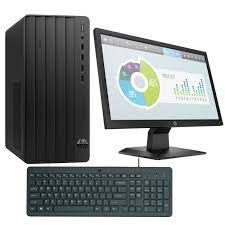
HP 290 G9 TWR | 13th Gen Intel Core i5 | 8GB RAM | 512GB SSD | UHD Graphics | Fast, Secure & Expandable Business Powerhouse
Experience reliable performance and future-ready expandability with the HP 290 G9 TWR Tower. Powered by a 13th Gen Intel Core i5-13500 processor, 8GB DDR4 RAM, and a fast 512GB SSD, this desktop is built for businesses and professionals looking for smooth multitasking and upgrade flexibility.
Key Features
-
Intel Core i5-13500 Processor – 13th Gen performance with hybrid architecture for seamless multitasking and responsiveness
-
8GB DDR4 RAM (Expandable) – Supports up to 32GB memory for future-proof productivity
-
512GB PCIe NVMe SSD – Lightning-fast storage for quick boot-ups and file access
-
Intel UHD Graphics 770 – Integrated graphics perfect for everyday business needs
-
Expansion-Ready – Includes PCIe x16 and x1 slots, two bays for HDDs or SSDs, and configurable USB/legacy ports
-
HP 9.5mm Slim DVD Writer – Read/write support for optical media
-
Data Protection – Built-in firmware TPM, HP Drive Lock, and physical security slot for your business data
-
Professional Build – Designed for small-to-medium businesses and office environments

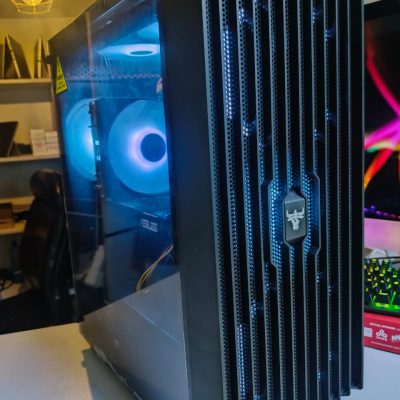
Custom Gaming/Editing PC | Intel Core i7 10th Gen | 32GB RAM | 1TB SSD + 1TB HDD | Radeon RX 5700 XT 8GB | Stunning High-performance desktop for gaming & content creation
This custom gaming /editing PC is designed for high-performance computing, gaming, and creative workflows. Powered by a 10th Gen Intel Core i7 processor, paired with 32GB RGB RAM, 1TB SSD + 1TB HDD storage, and the Radeon RX 5700 XT 8GB graphics card (RTX 2070 equivalent), this desktop delivers top-tier speed, multitasking, and graphics performance—perfect for gamers and content creators.
Specifications
-
Processor: Intel Core i7-10700 (10th Gen, 8-core, 16-thread, up to 4.8GHz Turbo)
-
Motherboard: ASUS Prime B760-PLUS D4 (with PCIe 4.0 support)
-
Memory: 32GB TeamGroup T-Force Delta RGB DDR4 3200MHz RAM
-
Storage 1: 1TB Kingston NV2 PCIe NVMe M.2 SSD
-
Storage 2: 1TB Seagate HDD
-
Graphics card: Radeon RX 5700 XT 8GB (RTX 2070 equivalent)
-
Connectivity: Supports latest PCIe 4.0 devices
-
Chassis: Custom ATX tower with airflow optimization
-
Power supply: 650W 80+ Bronze Certified PSU
-
Operating system: (Not included – customizable as per buyer needs)
-
Condition: Brand new, custom built
-
Warranty: 6 months


HP ProDesk 400 G7 SFF | Intel Core i7 10th Gen | 32GB RAM | 2TB HDD | 4GB GTX 730 | Windows 11 Pro – Secure & Expandable Desktop PC
The HP ProDesk 400 G7 SFF is a secure, high-performance desktop ideal for business, content creation, and multitasking. With a 10th Gen Intel Core i7, 32GB RAM, 2TB HDD, and a 4GB NVIDIA GTX 730 graphics card, it combines speed, storage, and visual power in a compact small form factor. Built-in HP security features make it a smart investment for professionals.
Specifications
-
Model: HP ProDesk 400 G7 SFF
-
Processor: Intel Core i7 (10th Gen)
-
Memory: 32GB DDR4 RAM
-
Storage: 2TB HDD
-
Graphics: 4GB NVIDIA GeForce GTX 730
-
Operating System: Windows 11 Pro (Upgradeable)
-
Form Factor: Small Form Factor (SFF)
-
Expansion Slots: 2 bays and 2 slots for future upgrades
-
Security Features:
-
HP Sure Sense (AI-based malware protection)
-
HP Sure Click (hardware-enforced web protection)
-
Intrusion sensor
-
Integrated accessory cable lock
-
-
Condition: Brand New
-
Warranty: 6 Months

HP ProDesk 600 G3 MiniTower | Intel Core i5 6th Gen | 8GB RAM | 500GB HDD | Windows 10 Pro- Fast & Effcient
Experience dependable business performance with the HP ProDesk 600 G3 MiniTower. Powered by a 6th Gen Intel Core i5 processor, 8GB RAM, and a 500GB hard drive, this desktop is perfect for professionals who need reliability, expandability, and security.
Specifications
-
Processor: Intel Core i5 6th Generation
-
Memory: 8GB DDR4 RAM
-
Storage: 500GB HDD
-
Graphics: Integrated Intel HD Graphics 530
-
Operating System: Windows 10 Pro
-
Form Factor: MiniTower (MT)
-
Ports: USB 2.0, USB 3.0, DisplayPort, VGA, Ethernet, Audio In/Out
-
Optical Drive: Yes (DVD-RW)

HP ProDesk 600 G3 Desktop | Intel Core i5 6th Gen | 8GB RAM | 256GB SSD | Windows 10 Pro – Reliable & Powerful
Get the HP ProDesk 600 G3 Desktop in Kenya – a fast and reliable business desktop featuring Intel Core i5 6th Gen processor, 8GB RAM, and speedy 256GB SSD storage. Perfect for smooth multitasking and quick boot times in professional settings.
Specifications
-
Processor: Intel Core i5 6th Generation
-
Memory: 8GB DDR4 RAM
-
Storage: 256GB SSD
-
Graphics: Integrated Intel HD Graphics
-
Operating System: Windows 10 Pro
-
Form Factor: Desktop Tower
-
Ports: USB 3.0, USB 2.0, DisplayPort, VGA, Ethernet, Audio In/Out

Dell Core i5 3rd Gen Desktop | 4GB RAM | 500GB HDD | Windows 10 – Reliable Everyday Performance
Get the Dell Core i5 3rd Gen Desktop PC in Kenya – a dependable desktop powered by an Intel Core i5 3rd Generation processor, 4GB RAM, and 500GB HDD storage. Perfect for home and office tasks with smooth multitasking and efficient performance.
Specifications
-
Processor: Intel Core i5 3rd Generation
-
Memory: 4GB DDR3 RAM
-
Storage: 500GB HDD
-
Graphics: Integrated Intel HD Graphics
-
Operating System: Windows 10 Pro
-
Ports: USB 2.0, USB 3.0, VGA, Ethernet, Audio In/Out
-
Optical Drive: DVD-ROM
-
Connectivity: Wired LAN
-
Form Factor: Tower/Desktop

Dell Core i3 2nd Gen Desktop | 4GB RAM | 500GB HDD | Windows 10 – Reliable Office Computer
Get the Dell Core i3 2nd Gen Desktop PC in Kenya – a dependable desktop with Intel Core i3 2nd Generation processor, 4GB RAM, and 500GB HDD storage. Ideal for everyday office tasks, web browsing, and multimedia, offering a solid balance of performance and value.
Specifications
-
Processor: Intel Core i3 2nd Generation
-
Memory: 4GB DDR3 RAM
-
Storage: 500GB HDD
-
Graphics: Integrated Intel HD Graphics
-
Operating System: Windows 10 Pro
-
Ports: USB 2.0, USB 3.0, VGA, Ethernet, Audio In/Out
-
Optical Drive: DVD-ROM
-
Connectivity: Wired LAN
-
Form Factor: Tower/Desktop


Reviews
There are no reviews yet.