



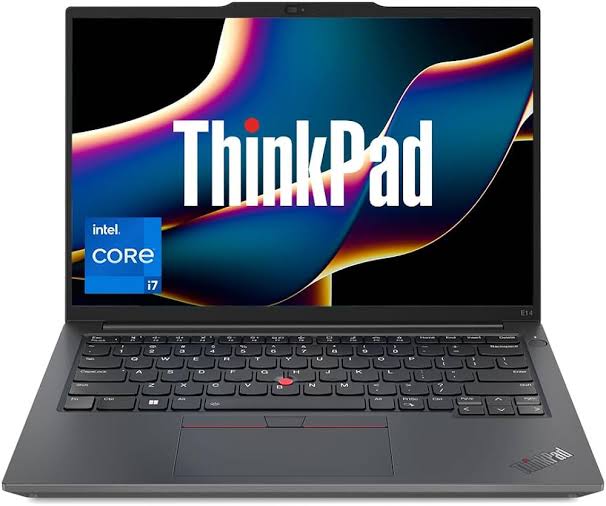
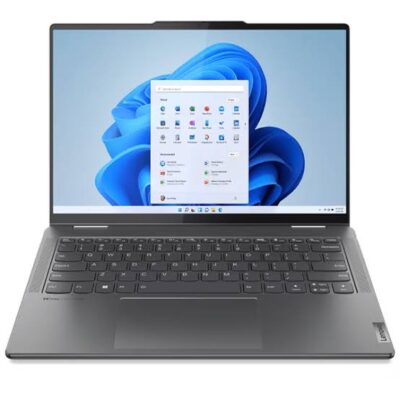
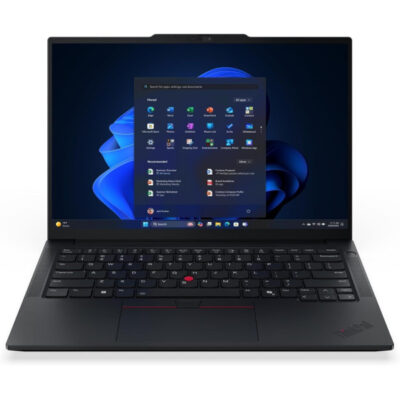
Lenovo ThinkPad E14 Gen 7 Core U5 – Powerful & Premium 16GB RAM, 512GB SSD, 14-Inch Laptop
Original price was: KSh 132,000.00.KSh 129,000.00Current price is: KSh 129,000.00.
Lenovo ThinkPad E14 Gen 7 Core U5 – Powerful & Premium 16GB RAM, 512GB SSD, 14-Inch Laptop
- ⚡ Intel Core U5 Processor – Designed for everyday productivity and professional computing.
- 🧠 16GB RAM – Supports multitasking across compatible applications.
- 🚀 512GB SSD – Fast storage for documents, software, projects, and files.
- 💼 Professional ThinkPad Series – A practical option for business and office work.
- 📚 Ideal for Students – Suitable for research, assignments, presentations, and online learning.
- 👨💻 Great for Freelancers – Supports writing, virtual assistance, administration, and online work.
- 📊 Business Productivity – Useful for spreadsheets, reports, email, and everyday business applications.
- 🌐 Remote Work Ready – Suitable for compatible web-based tools and digital workflows.
- 💻 Programming & IT Learning – Supports many general coding and development tasks.
- 🖥️ 14-Inch Display – A practical screen size for work and study.
- 🛠️ Carefully Check Configuration – Confirm the exact processor, operating system, display, and upgrade options.
- 🛒 Shop at Ring-Us Technologies – Visit www.ringus.co.ke to enquire about availability and pricing.
Lenovo ThinkPad E14 Gen 7 Core U5 – Powerful & Premium 16GB RAM, 512GB SSD, 14-Inch Laptop
Experience Powerful Everyday Productivity with the Lenovo ThinkPad E14 Gen 7
The Lenovo ThinkPad E14 Gen 7 Core U5 is a professional laptop designed for users who need dependable computing, efficient multitasking, and a practical design for everyday work. Combining an Intel Core U5 processor, 16GB RAM, 512GB SSD storage, and a 14-inch display, this laptop offers a balanced setup for business professionals, students, entrepreneurs, freelancers, and remote workers.
Whether you are preparing business reports, managing spreadsheets, attending online meetings, researching information, or working on multiple applications, the Lenovo ThinkPad E14 Gen 7 provides a capable platform for everyday productivity. Its memory and solid-state storage help support a responsive computing experience, while its 14-inch form factor makes it suitable for a variety of working environments.
For professionals who want a laptop that supports both office productivity and flexible working arrangements, the ThinkPad E14 Gen 7 deserves consideration. It brings together practical specifications that can help you organize your work, manage daily responsibilities, and stay productive.
Lenovo ThinkPad E14 Gen 7 Core U5: Key Specifications
| Feature | Specification |
|---|---|
| Brand | Lenovo |
| Series | ThinkPad |
| Model | ThinkPad E14 Gen 7 |
| Processor | Intel Core U5 |
| Memory | 16GB RAM |
| Storage | 512GB SSD |
| Display size | 14 inches |
| Laptop category | Professional and business laptop |
| Operating system | Not specified |
| Display resolution | Not specified |
| Touchscreen | Not specified |
| Colour | Not specified |
Please confirm the exact processor model, operating system, display configuration, and other unit-specific details before purchase.
1. Intel Core U5 Processing for Everyday Productivity
The Lenovo ThinkPad E14 Gen 7 features an Intel Core U5 processor, providing a foundation for everyday computing and professional productivity. The exact processor model has not been specified, so performance will depend on the particular CPU configuration fitted to the unit.
For common work activities, a suitable Core U5 configuration can support tasks such as document preparation, email management, web research, presentations, online learning, and business applications. It is a practical option for users who need a reliable computer for regular professional responsibilities.
Efficient Workflows for Busy Professionals
Modern work often involves moving between several applications throughout the day. You might prepare a report while checking emails, consult online research while updating a spreadsheet, or review documents while participating in a virtual meeting.
The combination of the processor and 16GB RAM is designed to support these kinds of everyday productivity workflows. Actual results depend on the processor configuration, software requirements, and the number of demanding applications running simultaneously.
Suitable for Business and Office Applications
From administrative work to business communication, the Lenovo ThinkPad E14 Gen 7 can serve as a useful platform for compatible office software. It is suitable for activities such as preparing letters, organizing records, creating presentations, and reviewing business documents.
Professionals who regularly work with spreadsheets, word-processing software, browser-based business systems, and email applications can benefit from having a laptop configured for practical everyday use.
To explore Intel’s processor families and technical information, visit the official Intel website.
2. 16GB RAM for Smoother Multitasking
One of the important features of the Lenovo ThinkPad E14 Gen 7 is its 16GB RAM configuration. Memory plays a significant role in how comfortably a computer handles multiple open applications and active tasks.
For users who regularly keep several browser tabs open while working with documents, spreadsheets, messaging applications, and research materials, 16GB RAM provides useful capacity for multitasking.
Work Across Multiple Applications
Instead of repeatedly closing applications to make room for other tasks, users can benefit from having sufficient memory for common productivity workloads. This is especially helpful for professionals who move frequently between research, communication, data entry, and document editing.
The actual number of applications you can run comfortably depends on their individual memory requirements. However, 16GB is a practical capacity for many everyday office and professional computing needs.
A Useful Choice for Students
Students often need to switch between online research, digital notes, assignments, presentation tools, and learning platforms. The ThinkPad E14 Gen 7’s 16GB RAM configuration can support these activities, helping students organize their academic work more conveniently.
It can also suit users undertaking online courses, professional training, and independent study, provided the laptop meets the requirements of their chosen applications.
Helpful for Freelancers and Remote Workers
Freelancers may work with several clients and projects in a single day. A virtual assistant, for example, might use email, a customer relationship management platform, online documents, scheduling tools, and research websites at the same time.
With 16GB RAM, the Lenovo ThinkPad E14 Gen 7 offers a useful foundation for these workflows. It is worth considering for virtual assistants, writers, administrators, digital marketers, and other professionals whose work depends on managing several applications efficiently.
3. Fast and Practical 512GB SSD Storage
The Lenovo ThinkPad E14 Gen 7 comes with a 512GB SSD, providing storage space for documents, business files, presentations, software, educational materials, and other digital content.
A solid-state drive uses flash storage rather than the spinning platters found in traditional mechanical hard drives. SSDs can offer faster data access and more responsive everyday operation than conventional hard drives.
Enjoy Responsive Everyday Computing
SSD storage can help reduce startup and application-loading times compared with a traditional hard drive, although actual performance depends on the specific drive, processor, software, and operating system.
This responsiveness can make everyday computer use more convenient. Opening documents, accessing saved files, launching applications, and moving between work activities can feel smoother when the storage system is responsive.
Space for Work, Study, and Personal Files
A 512GB SSD provides a useful amount of storage for many professional and educational workloads. You can organize work documents, spreadsheets, presentations, research files, photographs, and compatible applications on one computer.
The available space will be lower than the advertised capacity after system software and applications occupy part of the drive. Users with large video libraries, extensive project archives, or substantial creative files should consider their storage needs carefully.
SSD Versus Traditional HDD Storage
Compared with a traditional mechanical hard drive, an SSD generally offers faster access to stored data and has no moving mechanical parts. This can contribute to a more responsive computing experience and can be advantageous for a laptop used throughout the day.
If your current computer relies on a mechanical hard drive, moving to an SSD-based system can make a noticeable difference to everyday responsiveness. The overall result still depends on the computer’s other components and software configuration.
4. A Practical 14-Inch Display
The ThinkPad E14 Gen 7 features a 14-inch display, providing a practical screen size for work, study, and everyday computing.
A 14-inch laptop can be a useful middle ground for people who want enough screen space for documents and applications without carrying a larger-screen computer. It is suitable for working at a desk, studying at home, attending meetings, and moving between different work locations.
Convenient for Documents and Presentations
The display can support common activities such as reading documents, preparing presentations, reviewing spreadsheets, browsing websites, and participating in compatible online learning or meeting platforms.
For users who regularly prepare reports or work with multiple windows, an external monitor may provide additional workspace when needed, subject to the laptop’s available display connections and supported configuration.
A Balanced Size for Everyday Use
The 14-inch format can suit students carrying a computer between classes, professionals moving between meetings, and freelancers who work in different environments.
However, the exact resolution, brightness, panel technology, colour coverage, and touchscreen capability have not been provided. Users with specialist display requirements, such as colour-critical photography or design work, should confirm the precise display specifications before purchasing.
5. Professional ThinkPad Design
Lenovo’s ThinkPad family is associated with business computing and professional productivity. The E14 Gen 7 continues the series’ business-oriented positioning, making it a suitable candidate for users who want a laptop for workplace responsibilities and everyday professional tasks.
A business laptop should do more than run applications. It should fit naturally into the way you work, whether that involves writing reports, communicating with clients, organizing projects, attending meetings, or managing administrative responsibilities.
The ThinkPad E14 Gen 7 is designed for this type of practical computing environment. Its 14-inch format also makes it a reasonable option for people who need a computer that can serve both as a primary work machine and as a device for work outside the office.
Specific construction materials, weight, colour, keyboard layout, ports, and security features can vary by configuration. Check the exact unit details if any of these features are essential to your purchasing decision.
6. A Productive Laptop for Business Owners and Entrepreneurs
Business owners often need one computer to handle a wide range of responsibilities. These may include preparing quotations, managing invoices, responding to customers, updating stock records, researching suppliers, and coordinating daily operations.
The Lenovo ThinkPad E14 Gen 7’s Core U5 processor, 16GB RAM, and 512GB SSD provide a useful specification combination for these general business activities.
Support Daily Business Administration
The laptop can be used with compatible accounting software, spreadsheets, word-processing applications, inventory platforms, email services, and web-based business systems.
For small businesses, having a dedicated computer for administrative work can help centralize documents and make it easier to organize records. Regular backups and sensible file management remain important for protecting business information.
Manage Customer Communication
Entrepreneurs and sales professionals often handle customer enquiries through email, messaging platforms, web portals, and customer relationship management tools. A laptop with sufficient memory and responsive storage can make it easier to switch between these activities.
The ThinkPad E14 Gen 7 is worth considering for businesses that need a practical work computer rather than a device selected primarily for high-end gaming or specialized workstation workloads.
Work with Business Documents
Business proposals, reports, quotations, presentations, and financial spreadsheets are common requirements across many industries. The laptop can support these activities when used with compatible applications and suitable software licences.
Its usefulness will depend on the specific programs your business uses, particularly if you rely on specialist accounting, engineering, design, or industry-specific software.
7. A Useful Choice for Students and Online Learning
Students need computers that can support research, assignments, presentations, online learning, and digital communication. The Lenovo ThinkPad E14 Gen 7 offers a configuration that can suit many of these academic needs.
Research and Assignment Preparation
Students can use compatible applications to write assignments, prepare notes, organize research, and develop presentations. The 512GB SSD provides storage for course materials and personal files, while 16GB RAM supports multitasking across common study applications.
For students taking online courses, the laptop can also support compatible learning management systems and web-based educational platforms.
Online Classes and Communication
A laptop can make it easier to access learning portals, communicate with instructors, download resources, and complete digital coursework. Online meeting and video-call performance will depend on the installed hardware, network quality, software, and the condition of the individual unit.
Confirm the webcam, microphone, speakers, wireless connectivity, and operating system if you need the laptop specifically for online classes.
A Computer for Growing Skills
Beyond formal education, the ThinkPad E14 Gen 7 can support independent learning in areas such as business administration, writing, research, digital marketing, and general computing.
Users should check the hardware and operating-system requirements of any specialized course or software before enrolling or purchasing the computer.
8. A Practical Option for Freelancers and Remote Professionals
Remote work and freelancing require a computer that can support communication, file handling, research, and task management. The Lenovo ThinkPad E14 Gen 7 is suited to many general productivity workflows.
Virtual Assistants and Administrative Professionals
Virtual assistants may work with calendars, emails, spreadsheets, online documents, project management systems, and customer records. The laptop’s 16GB RAM can be helpful when several browser-based tools are open at once.
It is also a potential fit for administrative assistants, office coordinators, reception support staff, and professionals who manage digital records.
Writers, Editors, and Researchers
Writers and researchers often work with long documents, reference materials, browser tabs, online libraries, and communication tools. The 512GB SSD offers space for many writing projects and research files, while the 14-inch screen provides a practical workspace for everyday document editing.
For users who regularly handle extremely large media files or specialist publishing applications, it is sensible to review those programs’ specific hardware requirements.
Digital Marketers and Online Business Operators
Digital marketers may need to work with content management systems, social media dashboards, email marketing platforms, spreadsheets, analytics tools, and design applications.
The ThinkPad E14 Gen 7 can support many browser-based marketing and administrative activities. More demanding video production, complex visual effects, and intensive creative workflows may require hardware with stronger dedicated graphics capabilities.
9. Programming, IT, and Technical Learning
The Lenovo ThinkPad E14 Gen 7 may also suit people learning programming or carrying out general software development tasks.
Its 16GB RAM and 512GB SSD provide a useful starting point for many coding environments, text editors, development tools, local projects, and technical research activities.
Coding and Web Development
Beginners and experienced developers working on suitable projects can use compatible editors, programming languages, command-line tools, and web development environments.
Tasks such as learning HTML, CSS, JavaScript, Python, and other programming technologies can be supported when the relevant software runs on the installed operating system.
Database and Networking Studies
Students studying information technology may need to work with database clients, network utilities, documentation, and development tools. The laptop may be appropriate for many introductory and intermediate learning activities.
However, running several virtual machines, complex local server environments, or resource-intensive laboratory simulations can require additional memory and processing capacity. Check the requirements of your particular course or technical workload.
Check Requirements for Specialized Applications
Software development requirements vary considerably. If you intend to run advanced virtualization, machine learning, intensive engineering software, or other demanding applications, confirm the exact processor model and any required graphics capabilities before purchasing.
10. Lenovo ThinkPad E14 Gen 7 Compared with Other Laptop Types
Choosing the right computer means matching the specifications to the tasks you perform most frequently. The table below compares the ThinkPad E14 Gen 7 with general laptop categories rather than unverified individual models.
| Feature | ThinkPad E14 Gen 7 | Basic Entry-Level Laptop | Dedicated Gaming Laptop |
|---|---|---|---|
| Processor | Intel Core U5; exact model unconfirmed | Varies by configuration | Often selected for sustained performance |
| RAM | 16GB | May have less memory | Often configurable for demanding games |
| Storage | 512GB SSD | May use smaller SSD storage | Commonly configured for games and large files |
| Screen size | 14 inches | Varies | Often larger, depending on model |
| Everyday office work | Suitable for compatible applications | Suitable for basic tasks | Suitable, but may be more than necessary |
| Study and research | Suitable for many courses | Suitable for basic requirements | Suitable, depending on requirements |
| Gaming | Depends on graphics configuration and game requirements | Usually limited to less demanding games | Designed with gaming performance in mind |
| Intensive 3D work | Check software and graphics requirements | Often limited | Depends on the GPU and full configuration |
| Portability | Practical 14-inch format | Varies | Varies; some models are heavier |
The ThinkPad E14 Gen 7 is worth considering if your priorities are everyday productivity, multitasking, business applications, and a practical 14-inch form factor. A dedicated gaming laptop or workstation may be more appropriate if your primary workload requires powerful discrete graphics.
11. Practical Considerations Before Buying
Before purchasing the Lenovo ThinkPad E14 Gen 7, consider how you intend to use it and which specifications matter most to your work.
Confirm the exact processor. The supplied description identifies an Intel Core U5 processor, but the complete model number has not been provided. Ask for the exact CPU designation if you need to compare performance between configurations.
Check the operating system. Windows or another operating system has not been specified. Confirm what is installed and whether it meets the requirements of your applications.
Review the display. The screen size is 14 inches, but resolution, brightness, touchscreen capability, and panel type are unconfirmed. Verify these details if they matter to your work.
Confirm the physical configuration. Ask about ports, wireless connectivity, webcam, keyboard layout, charger, warranty, and the condition of the specific unit.
Consider your software requirements. General office work and web-based applications have different requirements from professional video editing, engineering simulations, or advanced gaming.
Taking these steps helps ensure that the laptop you receive matches your expectations.
12. Maintenance and Responsible Technology Use
Taking care of a laptop can help preserve its usefulness and reduce avoidable replacement costs. Good maintenance habits are especially important for a computer used daily for business, study, or professional work.
Keep Software Updated
Install appropriate security updates and software patches for the operating system and applications you use. Use reputable security tools and download programs from trusted sources.
Regular updates can help address known vulnerabilities and improve software reliability. Always maintain backups before major system changes.
Protect the Laptop Physically
Use a suitable laptop bag when travelling, keep liquids away from the computer, and avoid blocking ventilation openings. Clean the device gently using manufacturer-appropriate methods.
Avoid exposing the laptop to excessive heat, moisture, dust, or physical pressure. Proper handling can help reduce the risk of damage to the display, keyboard, and internal components.
Maintain Storage and Backups
Organize files regularly and remove unnecessary data when appropriate. Back up important documents to a secure external drive or trusted cloud service so that a device problem does not result in the loss of essential information.
A 512GB SSD offers useful space, but a backup is still important for business records, coursework, client files, and personal documents.
Consider Compatible Upgrades and Repairs
Do not assume that the RAM or storage is upgradeable simply because the laptop has 16GB RAM and a 512GB SSD. The available upgrade options depend on the exact motherboard, memory configuration, drive interface, and manufacturer specifications.
Before purchasing upgrades, check the official model documentation or consult a qualified technician. Compatible repairs and sensible maintenance can help extend a device’s useful life.
Make More Responsible Technology Choices
Keeping a functional laptop in service, repairing it when practical, and responsibly recycling electronics that can no longer be used are ways to support more sustainable technology habits.
The most responsible approach is to choose a device that meets your actual needs, maintain it properly, protect your data, and avoid unnecessary replacement when a safe, cost-effective repair is possible.
13. Why Consider Lenovo ThinkPad for Professional Computing?
Lenovo offers a range of computers for business, education, and personal use. The ThinkPad family is positioned around professional computing, with models designed for different budgets and workloads.
The E14 Gen 7’s listed combination of an Intel Core U5 processor, 16GB RAM, 512GB SSD, and 14-inch display makes it a candidate for users who need a general-purpose work laptop.
You can explore Lenovo’s official website for manufacturer information, product support, and documentation. Since configurations can differ, use the precise model number when checking specifications or compatibility.
14. Frequently Asked Questions
Is the Lenovo ThinkPad E14 Gen 7 suitable for office work?
Yes, the listed configuration is suitable for many common office tasks, including document editing, spreadsheets, email, presentations, web research, and compatible business applications. Suitability for specialist software depends on its system requirements.
How much RAM does this Lenovo ThinkPad E14 Gen 7 have?
The configuration supplied has 16GB RAM, which is useful for multitasking across many everyday business, study, and productivity applications.
Does the Lenovo ThinkPad E14 Gen 7 have an SSD?
Yes. The supplied configuration includes a 512GB SSD for storing applications, documents, projects, and other files.
What is the screen size?
The supplied screen size is 14 inches. The exact resolution, display technology, brightness, and touchscreen capability have not been confirmed.
Can I use it for programming?
It can be suitable for many programming and web development tasks, including learning coding and working with compatible development tools. More demanding virtual machines, simulations, or specialized software may require additional resources.
Is it suitable for students?
Yes, it can support many student activities, including research, assignments, presentations, online learning, and digital communication, provided it meets the requirements of the student’s course and software.
Can I use it for gaming?
Gaming suitability depends on the exact processor and graphics configuration, as well as the requirements of each game. Do not assume that it has a dedicated graphics card unless the seller confirms this.
Does it come with Windows?
The operating system has not been specified in the supplied details. Confirm whether Windows is installed and activated or whether another operating system is supplied.
Can the RAM or SSD be upgraded?
Upgradeability has not been confirmed. Check the exact machine’s technical documentation before purchasing memory or storage upgrades.
Where can I enquire about this laptop?
You can visit Ring-Us Technologies to enquire about laptop availability, pricing, warranty, and the exact configuration offered.
15. A Practical Laptop for Everyday Professional Goals
The Lenovo ThinkPad E14 Gen 7 Core U5 brings together three important productivity specifications: an Intel Core U5 processor, 16GB RAM, and 512GB SSD storage. Its 14-inch display also makes it a practical option for users who prefer a computer that can fit into a range of working environments.
For entrepreneurs, office professionals, students, freelancers, and remote workers, this combination can support a broad range of everyday computing tasks. It is particularly worth considering if you need a computer for documents, communication, research, multitasking, and compatible business applications.
As with any laptop, the best purchase is one that matches your actual needs. Confirm the complete processor model, operating system, display specifications, warranty, and physical condition before making your decision.
Explore your options at www.ringus.co.ke and enquire about the Lenovo ThinkPad E14 Gen 7 Core U5 with 16GB RAM and 512GB SSD.
Related products

Lenovo Yoga 7 Core i7(1165G7) 16gb/512ssd


MacBook Pro 2018 – Powerful, Sleek & Super Reliable (i5 | 16GB | 256GB)
???? MacBook Pro 2018 (Core i5 | 16GB RAM | 256GB SSD)
-
⚡ Powerful Performance: 8th-Gen Intel Core i5 processor delivers fast, smooth multitasking for work, study, and creativity.
-
???? Ample Memory: 16GB RAM ensures effortless multitasking with zero lag — perfect for designers, developers, and students.
-
???? Super-Fast Storage: 256GB NVMe SSD offers lightning-quick boot times and file access.
-
???? Brilliant Retina Display: 13.3″ True Tone Retina screen delivers sharp text and vibrant, true-to-life colors.
-
???? Enhanced Audio & Input: Backlit Magic Keyboard, large Force Touch trackpad, and immersive stereo speakers.
-
???? All-Day Battery Life: Reliable battery performance for productivity on the go.
-
????️ 6-Month Warranty: Includes a limited 6-month warranty for peace of mind.
-
???? Eco-Friendly Build: Energy-efficient design and recyclable aluminum enclosure.
-
???? Lightweight & Portable: Sleek, professional, and easy to carry anywhere.
-
???? Available at: www.ringus.co.ke


MacBook Air 2020 A2179 13inch i5 8gb/512SSD
- MacBook Pro A2179
- Processor: Intel Core
- RAM: 8GB LPDDR4X Memory
- Storage: 512GB SSD (ultra-fast performance)
- Display: 13.3-inch Retina Display with True Tone Technology
- Resolution: 2560 x 1600 pixels (227 PPI)
- Graphics: Intel Iris Plus Graphics
- Year: 2020 Model (A2179)
- Operating System: macOS (latest compatible version)
- Keyboard: New Magic Keyboard with improved reliability
- Touch Bar: Yes, with integrated Touch ID sensor
- 6 Months Warranty

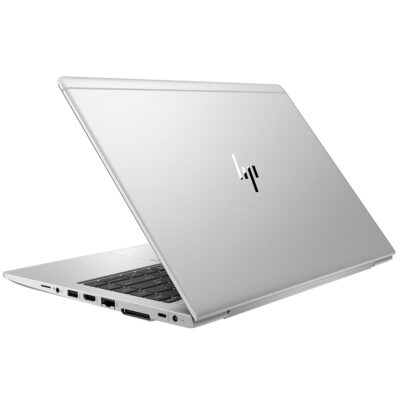
Hp Elitebook 745 G6 RYZEN 5 PRO


Hp Elitebook x360 1040 G7 i7 10th gen

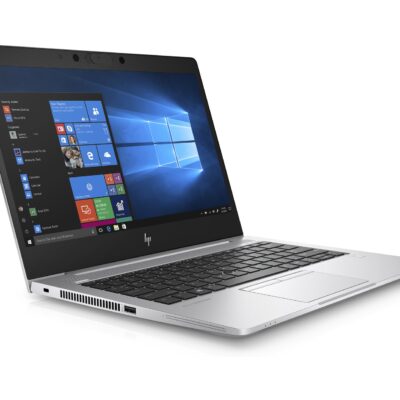
HP Elitebook 830 G7

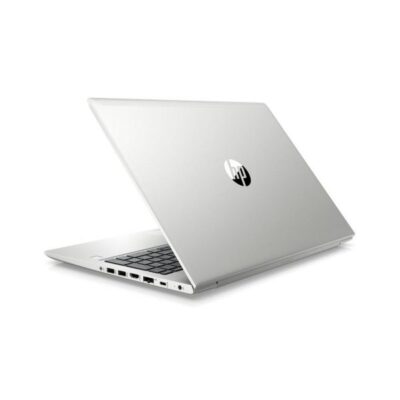
Hp Probook 430 G7
- HP ProBook 430 G7
- Processor: Intel Core i5 10th Gen (Quad-Core, up to 4.6 GHz)
- RAM: 8GB DDR4
- Storage: 256GB SSD
- Display: 13.3-inch Full HD (1920 x 1080)
- Graphics: Intel UHD Graphics (Integrated)
- Operating System: Windows 10 Pro
- Ports: USB 3.1, USB-C, HDMI, Ethernet, Audio jack, SD card reader
- Battery: Up to 12 hours
- Weight: Approx. 1.3 kg
- Condition: Sealed



Reviews
There are no reviews yet.