



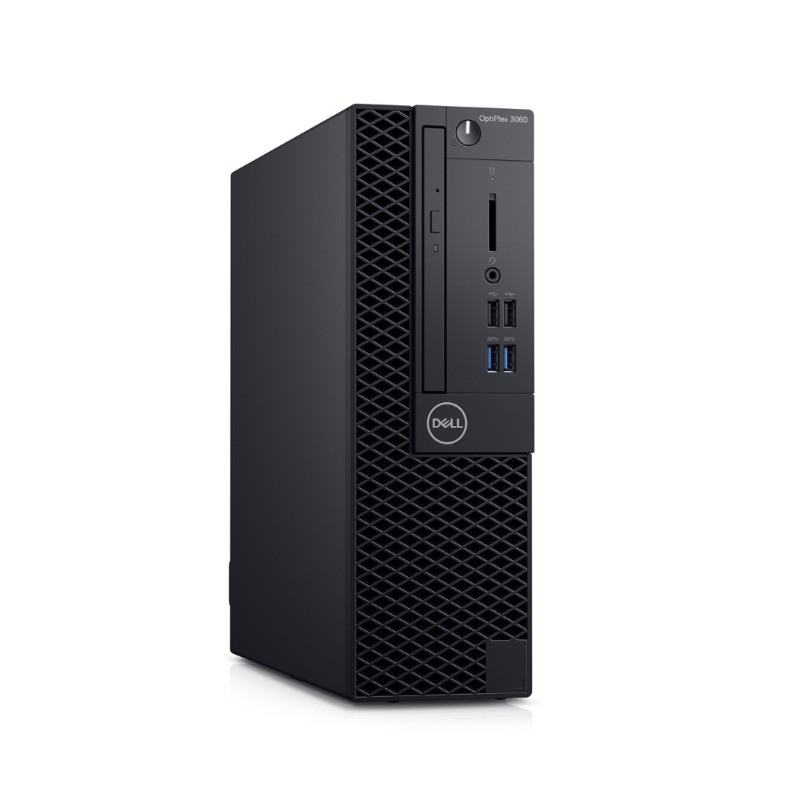
Dell OptiPlex 3060 Core i5-8500 – Powerful & Premium 8GB RAM, 500GB HDD Desktop
Original price was: KSh 27,000.00.KSh 24,000.00Current price is: KSh 24,000.00.
Dell OptiPlex 3060 Core i5-8500
🖥️ Dell OptiPlex 3060
⚡ Intel Core i5-8500 Processor
🚀 8GB RAM
💾 500GB HDD Storage
🏢 Powerful & Premium Business Desktop
📊 Excellent for Office Work
💼 Great for Small Businesses
⌨️ Ideal for Data Entry & Administration
🎓 Suitable for Students & Training Centres
💻 Good for Programming & IT Learning
🏠 Great for Home & Office Workstations
🔧 Potential for Storage Upgrade
🛒 Available at Ring-Us: www.ringus.co.ke
Dell OptiPlex 3060 Core i5-8500 – Powerful & Premium 8GB RAM, 500GB HDD Desktop
Looking for a Powerful & Premium business desktop for office work, administration, education or everyday computing?
The Dell OptiPlex 3060 Core i5-8500 offers a practical combination of processing performance, memory and storage for a wide range of productivity-focused tasks.
This configuration comes with an Intel Core i5-8500 processor, 8GB RAM and 500GB HDD.
It is a versatile desktop option for offices, small businesses, schools, training centres, entrepreneurs, freelancers and home users.
Key Specifications
| Feature | Specification |
|---|---|
| Brand | Dell |
| Series | OptiPlex |
| Model | OptiPlex 3060 |
| Processor | Intel Core i5-8500 |
| RAM | 8GB |
| Storage | 500GB HDD |
| Category | Business Desktop Computer |
Intel Core i5-8500 Performance
At the heart of the Dell OptiPlex 3060 is the Intel Core i5-8500 processor.
It provides a capable foundation for everyday productivity, business applications and general computing.
This makes the OptiPlex 3060 a practical choice for users who need more processing capability for everyday work.
You can use it for:
- Microsoft Office applications
- Word processing
- Spreadsheet management
- Presentations
- Internet browsing
- Data entry
- Business administration
- Document management
- Academic work
- Customer service
- General productivity
For more information about Intel Core processor technology, visit Intel.
8GB RAM for Everyday Multitasking
The 8GB RAM configuration provides a practical memory setup for everyday computing.
It allows users to work with common productivity applications while handling several lightweight tasks.
For example, you can prepare a report while researching information online and checking email.
The 8GB configuration is suitable for:
- Office applications
- Web browsing
- Word processing
- Spreadsheets
- Presentations
- Data entry
- Online research
- Business administration
- Student assignments
For demanding professional software or particularly heavy multitasking, users should check the recommended requirements of their applications.
500GB HDD Storage
The Dell OptiPlex 3060 comes with 500GB HDD storage.
This provides useful capacity for everyday documents, applications, business records and personal files.
You can store:
- Business documents
- Word files
- Excel spreadsheets
- Presentations
- PDFs
- School assignments
- Photos
- Music
- Personal files
- Applications
- Work-related records
Because this configuration uses an HDD, its responsiveness will differ from that of an SSD.
Users who want faster startup and application-loading performance may consider an SSD upgrade, subject to compatibility with the exact OptiPlex 3060 configuration.
Professional Dell OptiPlex Platform
The Dell OptiPlex family is designed around productivity-focused desktop computing.
The OptiPlex 3060 can therefore fit naturally into professional, educational and home-office environments.
It can be used in:
- Offices
- Small businesses
- Schools
- Training centres
- Reception areas
- Customer service departments
- Home offices
- Administrative departments
- Retail businesses
Learn more about Dell’s computing products at Dell.
Excellent for Office Productivity
The Dell OptiPlex 3060 is suitable for a broad range of traditional office tasks.
It can support:
Document Creation
Prepare reports, letters, proposals, forms and other professional documents.
Spreadsheets
Manage budgets, lists, records and everyday business calculations.
Presentations
Create presentations for meetings, training sessions and academic work.
Handle professional and personal communication.
Internet Research
Browse websites and gather information for work, business or study.
Data Entry
Process customer information, records and administrative documents.
A Practical Business Workstation
Businesses need computers that can support everyday operations.
The OptiPlex 3060 can serve as a dedicated workstation for administrative and productivity-focused employees.
It can be used for:
- Business correspondence
- Customer records
- Inventory management
- Office administration
- Data entry
- Digital documentation
- Internet research
- Email communication
- Basic accounting applications
- Online business platforms
The exact suitability will depend on the applications and workload required by your organization.
Great for Small Businesses
Small businesses and entrepreneurs often need computers that can handle several responsibilities from one workstation.
The OptiPlex 3060 can support many everyday business activities.
Use it for:
- Preparing quotations
- Creating invoices
- Managing spreadsheets
- Responding to emails
- Customer administration
- Business research
- Social media management
- Digital marketing
- Document preparation
- Online business services
It can also serve as a dedicated workstation for an administrator, receptionist or customer-service employee.
Ideal for Data Entry
Data-entry work requires regular use of spreadsheets, documents and web-based systems.
The Core i5-8500 and 8GB RAM provide a capable foundation for many everyday data-entry workflows.
The OptiPlex can be used for:
- Customer records
- Inventory records
- Spreadsheet management
- Administrative databases
- Document processing
- Reception work
- Record keeping
- Basic accounting applications
For businesses operating several workstations, desktops can also provide consistent computing setups for employees.
Reception and Customer Service
The OptiPlex 3060 can work well as a reception or customer-service workstation.
Reception staff may need to perform several tasks throughout the working day.
These can include:
- Customer registration
- Data entry
- Document printing
- Record management
- Internet research
- Appointment administration
- Communication
A desktop is particularly practical when the workstation remains in one fixed location.
Suitable for Schools and Training Centres
Schools and training centres need computers for research, assignments, administration and computer education.
The Dell OptiPlex 3060 can serve as a practical workstation for:
- Computer laboratories
- Training centres
- Libraries
- Student workstations
- Research areas
- Administrative offices
Students can use it for word processing, presentations, online research and general academic computing.
Student-Friendly Productivity
The OptiPlex 3060 can support many everyday student activities.
It can be used for:
- Assignment writing
- Online research
- Presentations
- PDF documents
- Word processing
- Spreadsheet work
- Online learning
- Basic programming
- Academic administration
For specialized university courses or technical applications, check the recommended requirements of the software before purchase.
Programming and IT Learning
The Intel Core i5-8500 and 8GB RAM can support many introductory programming and IT-learning activities.
Students and beginners can use the desktop for:
- HTML
- CSS
- JavaScript learning
- Python
- Basic web development
- Coding assignments
- Database learning
- Computer studies
- Development environments
More demanding development environments, virtualization and resource-intensive applications should be evaluated according to their specific requirements.
Freelancing and Online Work
The OptiPlex 3060 can serve as a dedicated workstation for freelancers whose work is primarily productivity-focused.
It can be useful for:
- Virtual assistance
- Data entry
- Content writing
- Online research
- Customer support
- Digital marketing
- Administrative freelancing
- Online tutoring
- Document preparation
The 8GB RAM configuration is suitable for many standard productivity workflows.
Writers and Digital Professionals
Writers, editors and digital professionals can use the OptiPlex 3060 for focused everyday work.
It can support:
- Article writing
- Copywriting
- Blogging
- Editing
- Research
- Social media management
- Digital marketing
- Document preparation
A dedicated desktop workstation can be especially useful for users who prefer a permanent writing and editing environment.
Home Office Workstation
The Dell OptiPlex 3060 can become a practical home-office computer when paired with a suitable monitor and peripherals.
It can support:
- Remote administration
- Online research
- Document creation
- Home business
- Online learning
- Personal records
- General internet use
For users who work primarily from one location, a desktop provides a permanent workstation without requiring repeated setup.
Everyday Home Computing
The OptiPlex 3060 can also serve as a general-purpose home computer.
It can be used for:
- Internet browsing
- Online learning
- Personal documents
- Research
- Social media
- Online shopping
- File management
- Streaming
- Personal administration
Its suitability for demanding applications will depend on the requirements of those applications.
Comparison with a Basic Desktop
| Feature | Dell OptiPlex 3060 Core i5 | Basic Entry-Level Desktop |
|---|---|---|
| Processor | Intel Core i5-8500 | Varies |
| RAM | 8GB | Varies |
| Storage | 500GB HDD | Varies |
| Office Work | Well suited | Suitable |
| Data Entry | Well suited | Suitable |
| Business Use | Well suited | Depends on configuration |
| Student Use | Suitable | Suitable |
| Programming Learning | Suitable | Depends on specifications |
| Home Office | Suitable | Suitable |
| Storage Upgrade | Configuration dependent | Varies |
Storage Upgrade Consideration
The included 500GB HDD provides useful storage for everyday files.
Users who prioritize responsiveness may want to consider an SSD upgrade if the exact configuration supports one.
An SSD can improve areas such as:
- System startup
- Application loading
- File access
- General responsiveness
Before purchasing an upgrade, confirm the supported drive type and installation requirements for the specific OptiPlex 3060.
Practical Technology Investment
A well-maintained desktop can remain useful when its specifications continue to meet the user’s actual workload.
Instead of replacing a computer simply because newer models are available, users can consider whether the current system still meets their needs.
Where compatible upgrades are available, replacing or adding components can sometimes extend the useful service life of the computer.
This can help businesses and individuals get greater value from their technology investment.
Responsible Technology Use
Keeping a computer useful for longer can contribute to more responsible technology consumption.
Good practices include:
- Maintaining clean ventilation
- Managing storage
- Backing up important files
- Keeping supported software updated
- Replacing compatible components when appropriate
- Avoiding unnecessary electronic waste
- Recycling electronics responsibly
Responsible technology use means making thoughtful decisions about maintenance, upgrades and eventual disposal.
Maintenance Tips
To keep your Dell OptiPlex 3060 running reliably:
- Keep the chassis and ventilation areas free from excessive dust.
- Ensure airflow around the computer is not restricted.
- Keep supported software appropriately updated.
- Remove unnecessary files and applications.
- Back up important business and personal files.
- Keep liquids away from the desktop.
- Have internal components cleaned when necessary.
- Use a reliable power source.
- Seek professional assistance for hardware repairs and upgrades.
Who Should Consider the Dell OptiPlex 3060?
✔ Offices
For documents, spreadsheets, email and administrative work.
✔ Small Businesses
For business management and everyday productivity.
✔ Schools
For research, assignments and computer laboratories.
✔ Training Centres
For computer literacy and general IT learning.
✔ Reception Areas
For customer records, communication and administration.
✔ Data Entry Teams
For spreadsheets, records and document processing.
✔ Entrepreneurs
For business administration and online operations.
✔ Freelancers
For writing, research, data entry and online work.
✔ Home Office Users
For a permanent productivity workstation.
Frequently Asked Questions
1. What desktop is this?
It is a Dell OptiPlex 3060.
2. What processor does it have?
This configuration comes with an Intel Core i5-8500 processor.
3. How much RAM does it have?
It has 8GB RAM.
4. How much storage is included?
It comes with a 500GB HDD.
5. Is it suitable for office work?
Yes. It is suitable for documents, spreadsheets, email, browsing, data entry and many everyday office applications.
6. Is it suitable for a small business?
Yes. It can serve as a practical workstation for administration, customer service, documentation and general business productivity.
7. Can students use it?
Yes. It can support assignments, research, presentations, online learning and general academic computing.
8. Is it suitable for programming?
It can support many basic programming and IT-learning tasks. More demanding development workloads should be assessed according to their software requirements.
9. Can the 500GB HDD be upgraded?
An SSD upgrade may be possible depending on the exact configuration. Confirm compatibility before purchasing an upgrade.
10. Is it suitable for gaming?
This configuration is primarily suited to productivity and general computing rather than demanding modern gaming.
11. Does it include a monitor?
A monitor was not included in the specifications supplied. Confirm the exact package contents before purchase.
12. Which operating system does it have?
The operating system was not specified in the supplied specifications. Please confirm the installed operating system before purchase.
Customer Experiences
“We needed practical desktops for our office workstations, and the OptiPlex has been useful for our everyday administrative tasks.” — Customer, Nairobi
“The Core i5 performance works well for the documents, spreadsheets and business applications I use every day.” — Customer, Kisumu
“I wanted a desktop for schoolwork and research, and it has been useful for my everyday academic tasks.” — Customer, Nakuru
“The 500GB storage gives us useful space for our office documents and records.” — Customer, Mombasa
“I prefer a permanent desktop workstation for my home office, and this OptiPlex provides a practical setup.” — Customer, Eldoret
Why Choose Ring-Us Technologies?
At Ring-Us Technologies, you can find computers for different requirements, from everyday office productivity to business administration, education and professional work.
Choosing the right desktop means matching its processor, memory, storage and other specifications with the applications you actually use.
Explore available desktops, laptops and technology products at www.ringus.co.ke.
Final Thoughts
The Dell OptiPlex 3060 Core i5-8500 with 8GB RAM and 500GB HDD is a practical desktop configuration for everyday productivity.
The Intel Core i5-8500 processor provides a capable foundation for office applications, administration, research and general computing.
The 8GB RAM supports everyday multitasking, while the 500GB HDD provides useful storage for documents, applications and personal files.
For offices, small businesses, schools, freelancers, entrepreneurs and home users, the OptiPlex 3060 can serve as a practical workstation for a wide range of productivity-focused tasks.
For specialized or demanding applications, compare the computer’s specifications with the recommended requirements of your software before purchase.
Related products

HP 290 G4 Micro Tower | Intel Core i7 10th Gen | 8GB RAM | 256GB SSD | Windows 11 Pro | Fast, Reliable Business Desktop
Run your business smoothly and efficiently with the HP 290 G4 Micro Tower Desktop. Powered by a 10th Gen Intel Core i7 processor, 8GB RAM, and a fast SSD, this desktop is built for multitasking, performance, and future-ready reliability.
Key Features
-
Intel Core i7 10th Gen Processor – Turbo boost up to 4.8GHz for seamless multitasking and fast response
-
8GB DDR4 RAM – Handle multiple applications at once without lag
-
256GB SSD Storage – Quick boot times and faster file access
-
Supports 4K Output – Enjoy crisp visuals with up to 60Hz refresh rate
-
Versatile Connectivity – Comes with HDMI, VGA, USB 3.0 for flexible device compatibility
-
Windows 11 Pro (64-bit) – Modern OS designed for productivity, performance, and security

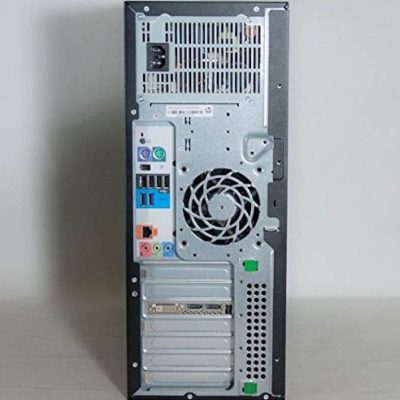
HP Z420 Workstation | Xeon E5 | 16GB RAM | 2TB HDD | 2GB Quadro Graphics – Powerful & Reliable
The HP Z420 Workstation Xeon is engineered for professionals who need dependable power. With a Xeon E5-2650 v2 CPU, 16GB ECC RAM, 2TB HDD, and 2GB NVIDIA Quadro graphics, this workstation is optimized for intensive tasks like 3D rendering, video editing, and CAD workflows.
Specifications
-
-
-
Processor: Intel® Xeon® E5-2650 v2 (2.6GHz, 8 Cores, 20MB Cache)
-
RAM: 16GB DDR3 ECC (expandable to 64GB)
-
Storage: 2TB 7200 RPM SATA HDD
-
Graphics: NVIDIA® Quadro® K2000 2GB
-
Operating System: Windows 10 Pro / Windows 11 Pro
-
Optical Drive: DVD-ROM / DVD-RW / Blu-ray Writer
-
Media Reader: 15-in-1
-
Chipset: Intel® C602
-
Form Factor: Tool-less mini-tower design
-
-

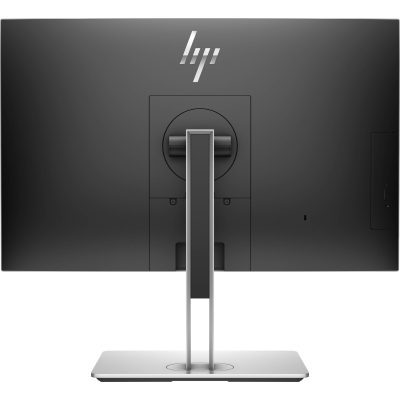
HP EliteOne 800 G4 | Core i7 8th Gen | 8GB RAM | 256GB SSD | 24” FHD AIO – Sleek & Efficient Business Desktop
The HP EliteOne 800 G4 All-in-One PC delivers desktop performance in a space-saving design. Powered by an Intel Core i7 8th Gen processor, 8GB RAM, and 256GB SSD, this 24” AIO is ideal for modern offices needing powerful, clutter-free computing.
Specifications
-
Processor: Intel Core i7 8th Gen
-
Memory: 8GB DDR4 RAM
-
Storage: 256GB SSD
-
Display: 24” Full HD
-
Form Factor: All-in-One
-
Operating System: Windows 10/11
-
Condition: Refurbished
-
Warranty: 6 Months

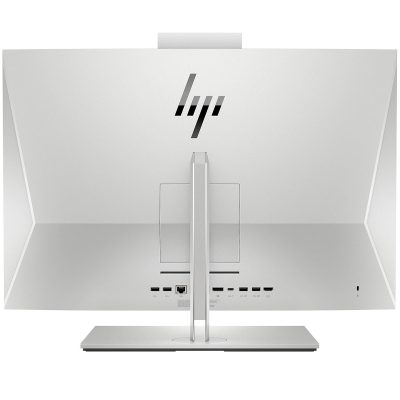
HP EliteOne 800 G3 All-in-One | Core i5 6th Gen | 8GB RAM | 256GB SSD | 23.8” FHD Display-Powerful & Efficient
Upgrade your workspace with the HP EliteOne 800 G3 All-in-One – a sleek and powerful business desktop featuring Intel Core i5 6th Gen performance, 8GB RAM, and a fast 256GB SSD. Designed for modern offices that value space-saving design, speed, and enterprise security.
Specifications
-
Processor: Intel Core i5 6th Generation
-
Memory: 8GB DDR4 RAM
-
Storage: 256GB SSD
-
Display: 23.8” Full HD (1920 x 1080) Anti-glare
-
Graphics: Intel HD Graphics 530
-
Operating System: Windows 10 Pro
-
Webcam: Integrated HD Webcam with Privacy Shutter
-
Connectivity: USB 3.0, DisplayPort, Ethernet, Audio In/Out
-
Design: Slim, space-saving all-in-one chassis

HP EliteDesk 800 G4 Tower | Intel Core i5 8th Gen | 8GB RAM | 500GB HDD | Windows 10 Pro – Fast & Powerful
Boost your productivity with the HP EliteDesk 800 G4 Tower, built for business-grade performance. Featuring an Intel Core i5 8th Gen processor, 8GB RAM, and 500GB HDD storage, this PC offers secure, reliable, and scalable computing for growing businesses.
Specifications
-
Processor: Intel Core i5 8th Generation
-
Memory: 8GB DDR4 RAM
-
Storage: 500GB SATA HDD
-
Graphics: Integrated Intel UHD Graphics 630
-
Operating System: Windows 10 Pro
-
Form Factor: Tower
-
Ports: USB 3.1, USB Type-C, DisplayPort, VGA, Ethernet, Audio In/Out
-
Optical Drive: Optional (varies by configuration)

HP ProDesk 600 G3 Desktop | Intel Core i5 6th Gen | 8GB RAM | 500GB HDD | Windows 10 Pro-Powerful & Reliable Computer
Get the HP ProDesk 600 G3 Desktop in Kenya – a powerful and reliable business desktop equipped with Intel Core i5 6th Gen processor, 8GB RAM, and 500GB HDD. Designed for enhanced productivity and multitasking in office environments.
Specifications
-
Processor: Intel Core i5 6th Generation
-
Memory: 8GB DDR4 RAM
-
Storage: 500GB HDD
-
Graphics: Integrated Intel HD Graphics
-
Operating System: Windows 10 Pro
-
Form Factor: Desktop Tower
-
Ports: USB 3.0, USB 2.0, DisplayPort, VGA, Ethernet, Audio In/Out

Dell Core i7 2nd Gen Desktop | 4GB RAM | 500GB HDD | Windows 10 – Powerful Office & Home Computer
Get the Dell Core i7 2nd Gen Desktop PC in Kenya – a robust desktop with Intel Core i7 2nd Generation processor, 4GB RAM, and 500GB HDD storage. Designed for demanding multitasking, professional applications, and everyday computing.
Specifications
-
Processor: Intel Core i7 2nd Generation
-
Memory: 4GB DDR3 RAM
-
Storage: 500GB HDD
-
Graphics: Integrated Intel HD Graphics
-
Operating System: Windows 10 Pro
-
Ports: USB 2.0, USB 3.0, VGA, Ethernet, Audio In/Out
-
Optical Drive: DVD-ROM
-
Connectivity: Wired LAN
-
Form Factor: Tower/Desktop

Dell Pentium Desktop PC | Intel Pentium | 4GB RAM | 500GB HDD | Windows 10 – Reliable Performance
Get reliable everyday computing with the Dell Pentium Desktop PC – equipped with 4GB RAM, 500GB HDD storage, and Windows 10. Perfect for basic office work, web browsing, and home use, this entry-level system is a cost-effective solution for your daily tasks.
Specifications
-
Processor: Intel Pentium
-
RAM: 4GB DDR3
-
Storage: 500GB Hard Drive
-
OS: Windows 10 Pro
-
Connectivity: Wired LAN, USB, VGA
-
Form Factor: Compact Tower/Desktop
-
Use Case: Office tasks, learning, web browsing, media


Reviews
There are no reviews yet.