



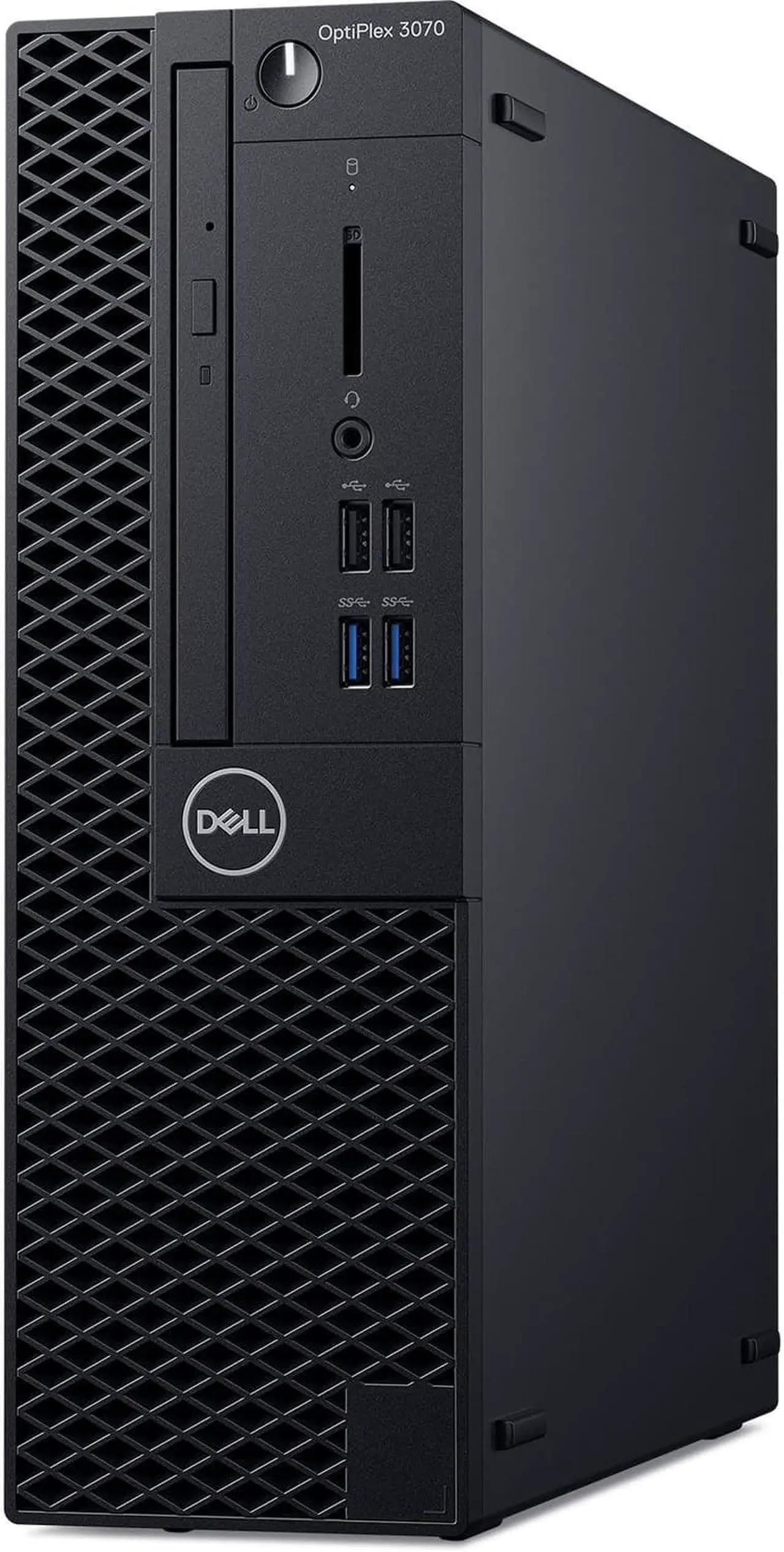
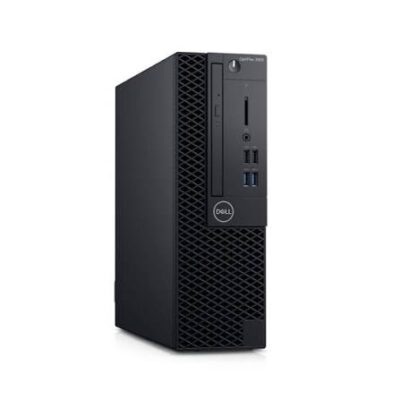
Dell OptiPlex 3070 Core i5-8500 – Powerful & Premium 8GB RAM, 500GB HDD Desktop
Original price was: KSh 26,000.00.KSh 24,000.00Current price is: KSh 24,000.00.
Dell OptiPlex 3070 Core i5-8500
🖥️ Dell OptiPlex 3070
⚡ Intel Core i5-8500 Processor
🚀 8GB RAM
💾 500GB HDD Storage
🏢 Powerful & Premium Business Desktop
📊 Excellent for Office Work
💼 Great for Small Businesses
⌨️ Ideal for Data Entry & Administration
🎓 Suitable for Students & Training Centres
💻 Good for Programming & IT Learning
🏠 Great for Home & Office Workstations
🔧 Potential for Storage Upgrade
🛒 Available at Ring-Us: www.ringus.co.ke
Dell OptiPlex 3070 Core i5-8500 – Powerful & Premium 8GB RAM, 500GB HDD Desktop
Looking for a Powerful & Premium business desktop that can handle everyday office work, administration, education and general computing?
The Dell OptiPlex 3070 Core i5-8500 offers a practical combination of processing performance, memory and storage for everyday productivity.
This configuration comes with an Intel Core i5-8500 processor, 8GB RAM and 500GB HDD.
It is a versatile desktop option for businesses, offices, schools, training centres, entrepreneurs, freelancers and home users who need a capable workstation for everyday tasks.
Key Specifications
| Feature | Specification |
|---|---|
| Brand | Dell |
| Series | OptiPlex |
| Model | OptiPlex 3070 |
| Processor | Intel Core i5-8500 |
| RAM | 8GB |
| Storage | 500GB HDD |
| Category | Business Desktop Computer |
Intel Core i5-8500 Processing Power
At the centre of the Dell OptiPlex 3070 is the Intel Core i5-8500 processor.
It provides a capable foundation for everyday productivity, office applications and general computing.
This makes the OptiPlex 3070 suitable for users who need a dependable desktop for regular work rather than only basic computing.
You can use it for:
- Microsoft Office applications
- Word processing
- Spreadsheet management
- Presentations
- Internet browsing
- Data entry
- Business administration
- Document management
- Academic work
- Customer service
- General productivity
For more information about Intel Core processor technology, visit Intel.
8GB RAM for Everyday Multitasking
The 8GB RAM configuration provides a practical amount of memory for many everyday workloads.
It allows you to work with common productivity applications while keeping several lightweight tasks open.
For example, you can prepare a document while researching information online and checking email.
The 8GB configuration is suitable for:
- Office applications
- Web browsing
- Word processing
- Spreadsheets
- Presentations
- Data entry
- Online research
- Business administration
- Student assignments
For specialized software or particularly demanding multitasking, it is always advisable to check the application’s recommended system requirements.
500GB HDD Storage
The Dell OptiPlex 3070 comes with 500GB HDD storage.
This gives you useful space for everyday files, documents, applications and personal data.
You can store:
- Business documents
- Word files
- Excel spreadsheets
- Presentations
- PDFs
- School assignments
- Photos
- Music
- Personal files
- Applications
- Work-related records
Because this configuration uses an HDD, storage responsiveness will differ from a modern SSD.
Customers who want faster system startup and application loading may consider an SSD upgrade, subject to compatibility with the exact OptiPlex 3070 configuration.
Professional Dell OptiPlex Platform
The Dell OptiPlex range is designed around productivity-focused desktop computing.
The OptiPlex 3070 can therefore be used in a wide range of professional and educational environments.
It can serve as a workstation for:
- Offices
- Small businesses
- Schools
- Training centres
- Reception areas
- Customer service departments
- Home offices
- Administrative departments
- Retail businesses
Learn more about Dell’s computers and business technology at Dell.
Excellent for Office Productivity
The Dell OptiPlex 3070 is well suited to traditional office productivity.
It can support everyday tasks such as:
Document Creation
Prepare reports, letters, proposals, forms and other professional documents.
Spreadsheets
Manage budgets, records, lists and everyday business calculations.
Presentations
Create presentations for meetings, training sessions and academic work.
Handle professional and personal communication.
Internet Research
Browse websites and gather information for work, business or study.
Data Entry
Process customer information, records and administrative documents.
A Practical Business Workstation
Businesses need computers that can support their daily operations efficiently.
The Dell OptiPlex 3070 can serve as a dedicated workstation for employees handling administrative and productivity tasks.
It can be used for:
- Business correspondence
- Customer records
- Inventory management
- Office administration
- Data entry
- Digital documentation
- Internet research
- Email communication
- Basic accounting applications
- Online business platforms
The exact suitability will depend on the software and workload required by your organization.
Great for Small Businesses
Entrepreneurs and small business owners often need one computer to handle several administrative responsibilities.
The OptiPlex 3070 can support many everyday business activities.
Use it for:
- Preparing quotations
- Creating invoices
- Managing spreadsheets
- Responding to emails
- Customer administration
- Business research
- Social media management
- Digital marketing
- Document preparation
- Online business services
It can also work well as a dedicated workstation for an administrator, receptionist or customer-service employee.
Ideal for Data Entry
Data-entry work involves regular use of spreadsheets, documents and web-based systems.
The Core i5-8500 and 8GB RAM provide a practical foundation for many data-entry workflows.
The OptiPlex 3070 can be used for:
- Customer records
- Inventory records
- Spreadsheet management
- Administrative databases
- Document processing
- Reception work
- Record keeping
- Basic accounting applications
For organizations setting up multiple workstations, a desktop environment can also provide a consistent setup across different employees and departments.
Reception and Customer Service
The OptiPlex 3070 can be used as a reception or customer-service workstation.
Reception staff may need to handle several routine tasks throughout the day.
These can include:
- Customer registration
- Data entry
- Document printing
- Record management
- Internet research
- Appointment administration
- Communication
A desktop is especially practical when the workstation remains in one fixed location.
Suitable for Schools and Training Centres
Schools and training centres need computers for research, assignments, administration and general computer education.
The Dell OptiPlex 3070 can serve as a practical workstation for:
- Computer laboratories
- Training centres
- Libraries
- Student workstations
- Research areas
- Administrative offices
Students can use it for word processing, presentations, online research and general academic computing.
Student-Friendly Productivity
Students can use the OptiPlex 3070 for a broad range of everyday academic tasks.
It can support:
- Assignment writing
- Online research
- Presentations
- PDF documents
- Word processing
- Spreadsheet work
- Online learning
- Basic programming
- Academic administration
For specialized university courses or technical applications, check the recommended requirements of the software being used.
Programming and IT Learning
The Intel Core i5-8500 and 8GB RAM can support many introductory programming and IT-learning activities.
Students and beginners can use the desktop for:
- HTML
- CSS
- JavaScript learning
- Python
- Basic web development
- Coding assignments
- Database learning
- Computer studies
- Development environments
For advanced development environments, virtualization or resource-intensive applications, the specific software requirements should be considered.
Freelancing and Online Work
The OptiPlex 3070 can serve as a dedicated workstation for freelancers working primarily on productivity-based tasks.
It can be useful for:
- Virtual assistance
- Data entry
- Content writing
- Online research
- Customer support
- Digital marketing
- Administrative freelancing
- Online tutoring
- Document preparation
The 8GB RAM configuration is suitable for many standard productivity workflows.
Writers and Content Professionals
Writers, editors and digital professionals can use the OptiPlex 3070 as a permanent workstation.
It can support:
- Article writing
- Copywriting
- Blogging
- Editing
- Research
- Social media management
- Digital marketing
- Document preparation
A desktop setup can also be useful for users who prefer a dedicated writing and editing environment.
Home Office Workstation
The Dell OptiPlex 3070 can become a practical home-office computer when paired with suitable peripherals.
It can support:
- Remote administration
- Online research
- Document creation
- Home business
- Online learning
- Personal records
- General internet use
For people who work from one location, a desktop provides a permanent workstation without the need to repeatedly set up a laptop.
Everyday Home Computing
The OptiPlex 3070 can also serve as a general home computer.
It can be used for:
- Internet browsing
- Online learning
- Personal documents
- Research
- Social media
- Online shopping
- File management
- Streaming
- Personal administration
Its suitability for more demanding applications will depend on the requirements of those applications.
Comparison with a Basic Desktop
| Feature | Dell OptiPlex 3070 Core i5 | Basic Entry-Level Desktop |
|---|---|---|
| Processor | Intel Core i5-8500 | Varies |
| RAM | 8GB | Varies |
| Storage | 500GB HDD | Varies |
| Office Work | Well suited | Suitable |
| Data Entry | Well suited | Suitable |
| Business Use | Well suited | Depends on configuration |
| Student Use | Suitable | Suitable |
| Programming Learning | Suitable | Depends on specifications |
| Home Office | Suitable | Suitable |
| Storage Upgrade | Configuration dependent | Varies |
Storage Upgrade Consideration
The included 500GB HDD provides useful storage capacity.
However, customers who prioritize system responsiveness may want to consider an SSD upgrade if supported by their particular configuration.
An SSD can improve areas such as:
- System startup
- Application loading
- File access
- General responsiveness
Before purchasing an SSD, confirm the supported drive type and installation requirements for the exact OptiPlex 3070.
Practical and Responsible Technology
Choosing a practical desktop and maintaining it properly can help extend its useful service life.
Users can consider upgrading compatible components when doing so makes financial and practical sense.
This can sometimes be more useful than replacing an entire computer when the existing system still meets the user’s workload requirements.
Responsible technology use also means taking care of hardware and disposing of electronics through appropriate recycling channels when they eventually reach the end of their useful life.
Maintenance Tips
To keep your Dell OptiPlex 3070 in good working condition:
- Keep the chassis and ventilation areas free from excessive dust.
- Make sure airflow around the desktop is not restricted.
- Keep supported software appropriately updated.
- Remove unnecessary files and applications.
- Back up important business and personal information.
- Keep liquids away from the computer.
- Have internal components cleaned when necessary.
- Use a reliable power source.
- Seek professional assistance for hardware repairs and upgrades.
Who Should Consider the Dell OptiPlex 3070?
✔ Offices
For documents, spreadsheets, email and administrative work.
✔ Small Businesses
For business management, records and everyday productivity.
✔ Schools
For computer labs, research and academic assignments.
✔ Training Centres
For computer literacy and general IT learning.
✔ Reception Areas
For customer records, communication and administration.
✔ Data Entry Teams
For spreadsheets, records and document processing.
✔ Entrepreneurs
For business administration and online operations.
✔ Freelancers
For writing, research, data entry and online work.
✔ Home Office Users
For a permanent productivity workstation.
Frequently Asked Questions
1. What desktop is this?
It is a Dell OptiPlex 3070.
2. What processor does it have?
This configuration comes with an Intel Core i5-8500 processor.
3. How much RAM does it have?
It has 8GB RAM.
4. How much storage is included?
It comes with a 500GB HDD.
5. Is it good for office work?
Yes. It is suitable for documents, spreadsheets, email, browsing, data entry and many everyday office applications.
6. Is it suitable for a small business?
Yes. It can serve as a practical workstation for administration, customer service, documentation and general business productivity.
7. Can students use it?
Yes. It can support assignments, research, presentations, online learning and general academic computing.
8. Is it suitable for programming?
It can support many basic programming and IT-learning tasks. More demanding development workloads should be assessed according to their software requirements.
9. Can the 500GB HDD be upgraded?
An SSD upgrade may be possible depending on the exact configuration. Confirm compatibility before purchasing an upgrade.
10. Is it suitable for gaming?
This configuration is primarily suited to productivity and general computing rather than demanding modern gaming.
11. Does it include a monitor?
A monitor was not included in the specifications supplied. Confirm the exact package contents before purchase.
12. Which operating system does it have?
The operating system was not specified in the supplied specifications. Please confirm the installed operating system before purchase.
Customer Experiences
“We needed practical desktops for our office workstations, and the OptiPlex has been useful for documents, spreadsheets and daily administration.” — Customer, Nairobi
“The Core i5 performance is a good fit for the business applications I use every day.” — Customer, Kisumu
“I wanted a desktop for schoolwork and research, and it handles my everyday academic tasks well.” — Customer, Nakuru
“The 500GB storage gives us useful space for our office documents and records.” — Customer, Mombasa
“I prefer having a permanent computer at my home office, and the OptiPlex provides a practical workstation.” — Customer, Eldoret
Why Choose Ring-Us Technologies?
At Ring-Us Technologies, you can find computers for different requirements, from everyday office productivity to business administration, education and professional work.
Choosing the right desktop means matching the processor, memory, storage and other specifications with the applications you actually use.
Explore available desktops, laptops and technology products at www.ringus.co.ke.
Final Thoughts
The Dell OptiPlex 3070 Core i5-8500 with 8GB RAM and 500GB HDD is a practical desktop configuration for everyday productivity.
The Intel Core i5-8500 processor provides a capable foundation for office applications, administration, research and general computing.
The 8GB RAM supports everyday multitasking, while the 500GB HDD provides useful space for documents, applications and personal files.
For offices, small businesses, schools, freelancers, entrepreneurs and home users, the OptiPlex 3070 can serve as a practical workstation for a wide range of productivity-focused tasks.
For specialised or demanding workloads, compare the computer’s specifications with the recommended requirements of your software before purchase.
Related products
HP Pro Tower 290 G9 | Intel Core i5 12th Gen | 8GB RAM | 512GB SSD | 4GB NVIDIA GT730 | Windows 11 Pro | FHD Monitor – Powerful & Reliable
Power through your day with the HP Pro Tower 290 G9 – built with a 12th Gen Intel Core i5 processor, 4GB NVIDIA GT730 graphics, and fast SSD storage. Perfect for business multitasking, creative tasks, and long-term scalability.
Key Features
-
Intel Core i5 12th Gen – Up to 3.0GHz clock speed and 12 processing threads for fast multitasking
-
8GB DDR4 RAM – Handles office applications, browsing, and business tools with ease
-
512GB NVMe SSD – Lightning-fast load times and reliable storage
-
4GB NVIDIA GT730 – Dedicated graphics for design, video output, and smooth display performance
-
Expansion Ready – PCIe x16 & PCIe x1 slots for future upgrades
-
Enhanced Security – Firmware TPM, HP Drive Lock, and cable lock compatibility
-
Modern I/O – USB 3.0, HDMI, legacy ports for compatibility
-
Complete Bundle – Includes Phillips 243S7E 1080p FHD IPS Monitor with Built-in Audio Speakers

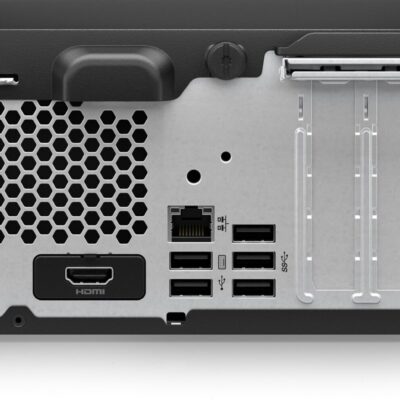
HP ProDesk 400 G9 SFF | Intel Core i7 13th Gen | 32GB RAM | 512GB SSD | Windows 11 Pro – Powerful Desktop for Business & Creative Use
The HP ProDesk 400 G9 SFF is a compact and powerful business-class desktop PC featuring a 13th Gen Intel Core i7 processor, 32GB DDR4 RAM, and a high-speed 512GB SSD. Whether you’re a designer, analyst, student, or entrepreneur, this machine offers speed, reliability, and seamless multitasking in a space-saving design.
Specifications
-
Model: HP ProDesk 400 G9 SFF
-
Processor: Intel Core i7 (13th Gen)
-
Memory: 32GB DDR4 RAM
-
Storage: 512GB SSD (Solid State Drive)
-
Graphics: Integrated Intel UHD Graphics
-
Operating System: Windows 11 Pro (Upgradeable)
-
Form Factor: Small Form Factor (SFF) – Space-saving and efficient
-
Ports:
-
USB 3.2
-
USB Type-C
-
HDMI
-
Ethernet (RJ-45)
-
-
Condition: Brand New
-
Warranty: 6 Months


HP ProDesk 400 G7 SFF | Intel Core i7 10th Gen | 32GB RAM | 2TB HDD | 4GB GTX 730 | Windows 11 Pro – Secure & Expandable Desktop PC
The HP ProDesk 400 G7 SFF is a secure, high-performance desktop ideal for business, content creation, and multitasking. With a 10th Gen Intel Core i7, 32GB RAM, 2TB HDD, and a 4GB NVIDIA GTX 730 graphics card, it combines speed, storage, and visual power in a compact small form factor. Built-in HP security features make it a smart investment for professionals.
Specifications
-
Model: HP ProDesk 400 G7 SFF
-
Processor: Intel Core i7 (10th Gen)
-
Memory: 32GB DDR4 RAM
-
Storage: 2TB HDD
-
Graphics: 4GB NVIDIA GeForce GTX 730
-
Operating System: Windows 11 Pro (Upgradeable)
-
Form Factor: Small Form Factor (SFF)
-
Expansion Slots: 2 bays and 2 slots for future upgrades
-
Security Features:
-
HP Sure Sense (AI-based malware protection)
-
HP Sure Click (hardware-enforced web protection)
-
Intrusion sensor
-
Integrated accessory cable lock
-
-
Condition: Brand New
-
Warranty: 6 Months


Dell OptiPlex 7080 Tower | Intel Core i7 10th Gen | 8GB RAM | 1TB HDD | Intel UHD Graphics 630 – Powerful Business Desktop PC
The Dell OptiPlex 7080 Tower is a powerful and efficient business-class desktop PC. With a 10th Gen Intel Core i7 processor, 8GB DDR4 RAM, and 1TB HDD, it delivers strong performance for multitasking, data processing, and office workflows. Designed for expandability and optimized by AI, the 7080 is built to evolve with your needs.
Specifications
-
Model: Dell OptiPlex 7080 Tower
-
Processor: Intel Core i7-10700 (10th Gen, 8 Cores, 16M Cache, up to 4.8GHz)
-
Memory: 8GB DDR4 RAM
-
Storage: 1TB HDD (Hard Disk Drive)
-
Graphics: Intel UHD Graphics 630 (integrated)
-
Operating System: Free DOS (Windows installable)
-
Connectivity:
-
USB 3.2 Gen 2 and Gen 1 ports
-
Ethernet LAN
-
-
Expansion:
-
PCIe x16 slot (supports optional graphics card)
-
Support for Intel Optane Memory
-
Dual M.2 SSD slots available
-
-
Cooling Design: Shifted venting pattern for optimized airflow
-
AI Optimization: Dell Optimizer with ExpressResponse for top app performance
-
Power Supply: 260W
-
Condition: Brand New
-
Warranty: 6 Months


HP Z600 Workstation | Dual Xeon | 16GB RAM | 2TB HDD | 2GB NVIDIA Quadro – Powerful & Reliable
The HP Z600 Workstation is a high-performance desktop engineered for professionals in media, engineering, and design. With dual Intel Xeon processors, 16GB RAM, a massive 2TB HDD, and a 2GB NVIDIA Quadro GPU, it delivers serious computing power for demanding workflows.
Specifications
-
Processor: Dual Intel® Xeon® X5650 / X5670
-
Memory: 16GB DDR3 ECC RAM
-
Storage: 2TB HDD
-
Graphics: 2GB NVIDIA Quadro (e.g., Quadro 4000)
-
Expansion: Supports up to 48GB RAM, dual PCIe x16 slots
-
Condition: Renewed / Refurbished – Professionally Tested
-
Operating System: Windows 10 Pro / Custom OS upon request


HP Z230 Workstation | Xeon E3 | 16GB RAM | 2TB HDD | 2GB Graphics – Compact, Reliable & Performance-Driven
-
The HP Z230 Workstation is a compact yet powerful solution for creative professionals and engineers. Equipped with an Intel Xeon E3 processor, 16GB RAM, 2TB storage, and 2GB graphics, it balances high performance and expandability in a space-saving tower.
Specifications
-
Processor: Intel® Xeon® E3-1200 v3 (4th Gen)
-
Memory: 16GB DDR3 RAM (expandable up to 32GB)
-
Storage: 2TB HDD (Upgradeable to SSD)
-
Graphics: 2GB Dedicated Graphics Card
-
Operating System: Windows 10 Pro
-
Chipset: Intel® C226
-
Form Factor: Tower
-

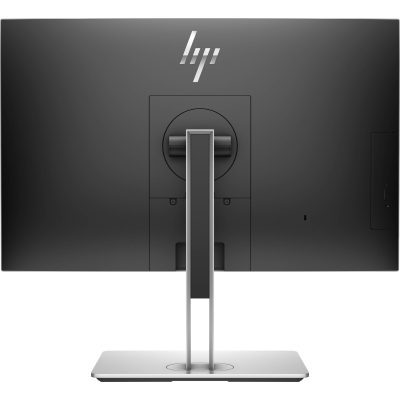
HP EliteOne 800 G4 | Core i7 8th Gen | 8GB RAM | 256GB SSD | 24” FHD AIO – Sleek & Efficient Business Desktop
The HP EliteOne 800 G4 All-in-One PC delivers desktop performance in a space-saving design. Powered by an Intel Core i7 8th Gen processor, 8GB RAM, and 256GB SSD, this 24” AIO is ideal for modern offices needing powerful, clutter-free computing.
Specifications
-
Processor: Intel Core i7 8th Gen
-
Memory: 8GB DDR4 RAM
-
Storage: 256GB SSD
-
Display: 24” Full HD
-
Form Factor: All-in-One
-
Operating System: Windows 10/11
-
Condition: Refurbished
-
Warranty: 6 Months

HP ProDesk 600 G3 Desktop | Intel Core i5 6th Gen | 8GB RAM | 256GB SSD | Windows 10 Pro – Reliable & Powerful
Get the HP ProDesk 600 G3 Desktop in Kenya – a fast and reliable business desktop featuring Intel Core i5 6th Gen processor, 8GB RAM, and speedy 256GB SSD storage. Perfect for smooth multitasking and quick boot times in professional settings.
Specifications
-
Processor: Intel Core i5 6th Generation
-
Memory: 8GB DDR4 RAM
-
Storage: 256GB SSD
-
Graphics: Integrated Intel HD Graphics
-
Operating System: Windows 10 Pro
-
Form Factor: Desktop Tower
-
Ports: USB 3.0, USB 2.0, DisplayPort, VGA, Ethernet, Audio In/Out


Reviews
There are no reviews yet.