



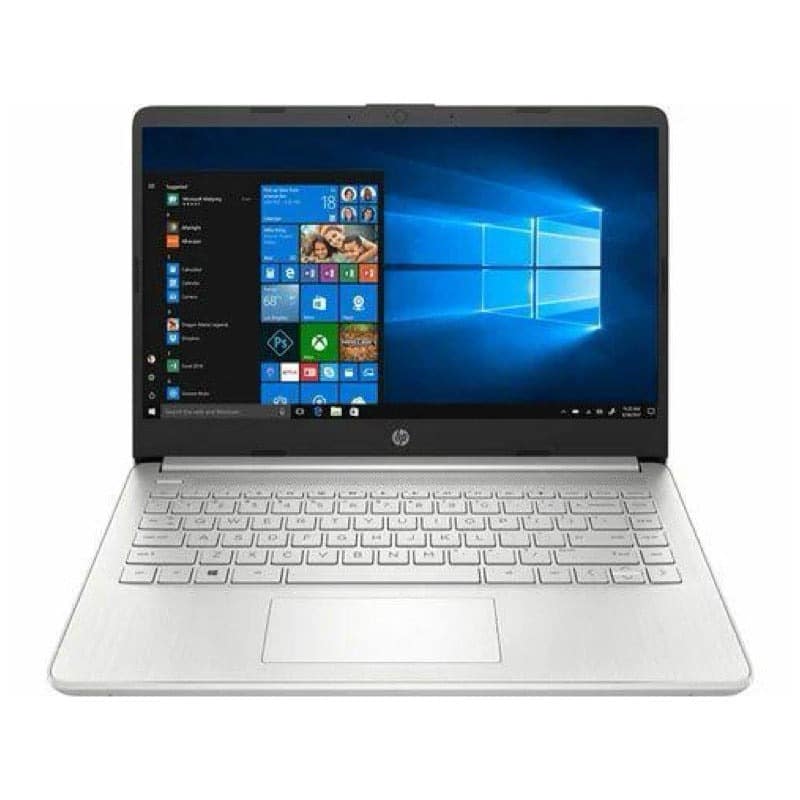
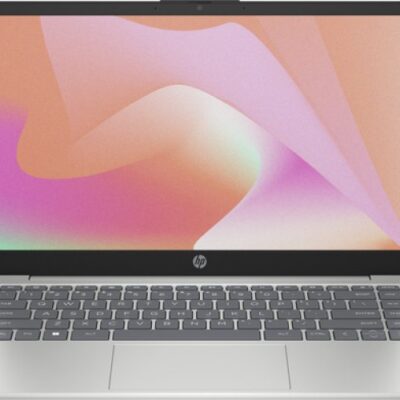
HP 14 Core i3 13th Gen – Powerful & Premium 8GB RAM, 256GB SSD 14-Inch Windows 11 Laptop
Original price was: KSh 70,000.00.KSh 68,500.00Current price is: KSh 68,500.00.
HP 14 Core i3 13th Gen – Powerful & Premium 8GB RAM, 256GB SSD 14-Inch Windows 11 Laptop
- ⚡ Powerful Intel Core i3 13th Gen – Reliable performance for office work, school, freelancing, browsing, and everyday computing.
- 🧠 8GB RAM – Smooth multitasking across documents, browser tabs, research, email, and productivity applications.
- 🚀 256GB SSD – Fast startup, quick application loading, and responsive access to your files and applications.
- 🖥️ 14-Inch Display – Practical screen size for work, study, browsing, presentations, and everyday productivity.
- 🪟 Windows 11 – Enjoy a modern Windows environment for productivity, communication, learning, and compatible applications.
- 💼 Premium HP Design – Professional and practical for offices, entrepreneurs, students, and everyday users.
- 🎓 Ideal for Students & Professionals – Great for assignments, research, presentations, online learning, and workplace tasks.
- 💻 Perfect for Freelancers & Remote Work – Suitable for writers, virtual assistants, digital marketers, administrators, and online professionals.
- 📊 Excellent for Business Productivity – Handles documents, spreadsheets, presentations, email, research, and everyday business applications.
- ✍️ Great for Writers & Digital Work – Practical for content creation, research, editing, communication, and online tasks.
- 🛠️ Long-Term Value – Proper maintenance and compatible servicing can help extend the laptop’s useful working life.
- 🛒 Shop with Ring-Us Technologies – Visit https://www.ringus.co.ke for more quality laptops and technology solutions.
HP 14 Core i3 13th Gen – Powerful & Premium 8GB RAM, 256GB SSD 14-Inch Windows 11 Laptop
Looking for a modern, practical, and reliable laptop for work, school, business, freelancing, and everyday computing? The HP 14 Core i3 13th Gen brings together a modern Intel Core i3 13th Gen processor, 8GB RAM, 256GB SSD storage, a 14-inch display, and Windows 11 in a practical laptop designed for everyday productivity.
Whether you are a student preparing assignments, a professional handling office documents, an entrepreneur managing a business, a freelancer working online, or a home user looking for a dependable computer, the HP 14 Core i3 13th Gen provides a capable foundation for a wide range of everyday digital tasks.
The combination of a modern 13th Gen Intel processor, SSD storage, 8GB RAM, and Windows 11 gives this HP laptop a responsive productivity setup for users who want a straightforward computer for getting things done.
HP 14 Core i3 13th Gen – Key Specifications
| Feature | Specification |
|---|---|
| Brand | HP |
| Model | HP 14 |
| Processor | Intel Core i3 13th Gen |
| RAM | 8GB |
| Storage | 256GB SSD |
| Display Size | 14 inches |
| Operating System | Windows 11 |
| Laptop Type | Everyday Productivity Laptop |
| Ideal For | Students, professionals, business users, freelancers, remote workers, and home users |
Important: The supplied specifications do not include the exact display resolution, graphics configuration, ports, battery capacity/condition, keyboard layout, or upgrade options. These specifications can vary by exact HP 14 configuration and should be confirmed for the particular unit before purchase.
Powerful Intel Core i3 13th Gen Performance
At the heart of the HP 14 Core i3 13th Gen is a modern Intel Core i3 processor designed to provide a practical foundation for everyday computing.
The 13th Gen platform gives this HP 14 a modern processing foundation for mainstream productivity. It is particularly appropriate for users whose daily work revolves around documents, websites, email, online research, presentations, communication, and other standard computing activities.
You can use the HP 14 for tasks such as:
- Creating and editing documents
- Working with spreadsheets
- Preparing presentations
- Browsing the internet
- Conducting research
- Managing email
- Attending online meetings
- Online learning
- Business administration
- Customer communication
- Writing and editing
- Managing files
- Using web-based business platforms
- Accessing online services
- Everyday entertainment and personal computing
The actual experience will depend on the applications being used, the number of programs running simultaneously, and the requirements of your particular workload.
For everyday productivity, however, the Core i3 13th Gen platform provides a modern starting point for users who want a practical HP laptop.
8GB RAM for Everyday Multitasking
The 8GB RAM configuration gives the HP 14 enough memory for many common productivity activities.
RAM helps the laptop manage applications and information while you are actively using them. For students, office workers, entrepreneurs, and remote professionals, 8GB RAM can support everyday multitasking across documents, browser tabs, email, research, and productivity software.
For example, you can work on a document while researching information online, switch between browser tabs, check email, and move between other everyday applications without needing to constantly close everything.
8GB RAM is suitable for:
- Microsoft Office-style applications
- Web browsing
- Online research
- Word processing
- Presentations
- Spreadsheet work
- Online learning
- Administrative tasks
- Social media management
- Customer communication
- General business applications
- Everyday home computing
Users working with particularly demanding professional applications should always check the recommended RAM requirements for those applications.
256GB SSD – Fast and Responsive Storage
The 256GB SSD is another important part of the HP 14 configuration.
Unlike traditional mechanical hard drives, solid-state storage uses flash memory and has no spinning mechanical components. SSD storage can contribute to a more responsive experience when starting the computer, opening applications, and accessing files.
With 256GB SSD storage, you have space for your operating system, applications, documents, schoolwork, business files, photographs, and other everyday data.
Benefits of SSD storage include:
- Faster system startup
- Quick application launching
- Responsive file access
- Faster movement between everyday tasks
- A generally more responsive computing experience
The amount of storage you need depends on how you use your laptop.
For normal office documents, assignments, research, applications, and everyday files, 256GB can be a useful configuration. Users who regularly work with large video files, extensive photo libraries, large design projects, or other storage-heavy files may eventually need external storage or cloud storage.
14-Inch Display for Work, Study and Everyday Use
The 14-inch display gives the HP 14 a practical balance between screen workspace and portability.
A 14-inch laptop can be especially convenient for users who move between different locations while still wanting enough screen space for documents, websites, spreadsheets, presentations, and online learning.
The HP 14 can fit naturally into environments such as:
- Offices
- Classrooms
- Libraries
- Home offices
- Business premises
- Co-working spaces
- Meetings
- Remote-work environments
- Study spaces
The exact display resolution, panel technology, brightness, refresh rate, and other display specifications were not provided, so these should be confirmed for the specific HP 14 unit.
Windows 11 for Modern Productivity
The HP 14 comes with Windows 11, providing a modern Windows environment for compatible applications, productivity, communication, browsing, and everyday computing.
Windows 11 provides a familiar platform for users who need to work with documents, browse the internet, manage files, communicate online, and use compatible productivity software.
With Windows 11, the HP 14 can serve a variety of everyday purposes, including:
- Office productivity
- Online learning
- Web browsing
- Video conferencing
- File management
- Document creation
- Research
- Business communication
- Online services
- Personal computing
As always, check the software requirements of specialized applications before purchasing a laptop for a specific professional workload.
HP 14 for Office and Business Productivity
For office professionals, the HP 14 Core i3 13th Gen provides a practical computer for everyday administrative responsibilities.
Many office tasks depend more on reliable productivity capabilities than on workstation-level hardware. The HP 14 can support activities such as creating documents, managing spreadsheets, preparing presentations, researching information, communicating with clients, and working with web-based business systems.
It can be useful for:
- Office administrators
- Receptionists
- Customer service representatives
- Sales staff
- Administrative assistants
- Secretaries
- Entrepreneurs
- Account assistants
- Virtual assistants
- Digital marketing assistants
- Small-business employees
The 14-inch format can also be convenient for professionals who move between desks, meetings, home offices, and other work environments.
HP 14 for Entrepreneurs and Small Businesses
For entrepreneurs, one laptop can become an important part of everyday business operations.
The HP 14 Core i3 13th Gen can support a range of routine business activities, including preparing documents, communicating with customers, researching products, managing email, creating spreadsheets, preparing presentations, handling online platforms, and organizing business information.
Business tasks you can handle include:
Customer communication
Use email and supported online communication platforms to stay connected with customers.
Business documentation
Prepare quotations, reports, proposals, letters, invoices, and other business documents.
Marketing
Research markets, manage online content, work with social media platforms, and organize marketing information.
Administration
Maintain spreadsheets, records, schedules, and other everyday administrative files.
Online business
Access websites, e-commerce platforms, cloud services, online banking platforms, communication tools, and other web-based services as appropriate.
For entrepreneurs building a business, having a dependable laptop can make everyday administration and digital work much easier.
Ideal HP Laptop for Students
Students need a laptop capable of handling research, assignments, presentations, online learning, and communication.
The HP 14 Core i3 13th Gen is suitable for many mainstream academic workloads.
It can support:
- Assignments
- Research
- Online classes
- Word processing
- Presentations
- Academic reading
- Group projects
- Educational websites
- Study materials
- Document organization
- Online communication
The 14-inch display provides a useful workspace for reading and researching, while the laptop’s form factor makes it practical for moving between home, school, campus, library, and other study locations.
For courses that require demanding 3D applications, advanced engineering software, professional video production, or other intensive workloads, students should confirm the specific software and hardware requirements before purchase.
HP 14 for Freelancers and Remote Work
Freelancers and remote workers often need a laptop capable of handling a mixture of online communication, research, documents, browser-based applications, and productivity tools.
The HP 14 can be a practical option for many standard remote-work activities.
It can suit professionals such as:
- Virtual assistants
- Writers
- Online researchers
- Customer service professionals
- Administrative freelancers
- Social media assistants
- Digital marketing assistants
- Transcription professionals
- Online tutors
- Data-entry professionals
- Remote administrative workers
A suitable internet connection can turn the HP 14 into a useful home-office workstation for professionals who work primarily through cloud platforms and web applications.
HP 14 for Writers and Content Professionals
For writers, the most important everyday tools are often a reliable keyboard, productivity applications, web access, document storage, and the ability to research information efficiently.
The HP 14 Core i3 13th Gen can support:
- Blog writing
- Copywriting
- Editing
- Online research
- Content planning
- Email communication
- Document creation
- Social media management
- Online publishing
- Freelance writing
- Administrative writing
The combination of 8GB RAM and a 256GB SSD provides a practical environment for working with documents while keeping research materials, browser tabs, communication platforms, and other everyday applications accessible.
HP 14 for Digital Marketing
Digital marketers often work across several browser tabs and online platforms throughout the day.
The HP 14 can support mainstream digital marketing activities such as:
- Social media management
- Content planning
- Email marketing
- Online research
- Website administration
- Customer communication
- Campaign coordination
- Content writing
- Competitor research
- Basic analytics through web-based platforms
For highly specialized marketing workflows involving demanding creative production or professional video editing, users should check the hardware requirements of their chosen applications.
HP 14 for Virtual Assistants
Virtual assistants often need a computer that can move between communication, research, documents, calendars, spreadsheets, and online platforms.
The HP 14 is a practical fit for many of these responsibilities.
A virtual assistant can use it for:
- Email management
- Calendar management
- Data entry
- Online research
- Document preparation
- Customer communication
- Scheduling
- Spreadsheet work
- Social media assistance
- File organization
- Web-based client platforms
The 14-inch screen provides a useful working area while remaining practical for users who need to work from different locations.
HP 14 for Everyday Home Computing
You do not need to be a business owner or student to benefit from a capable laptop.
The HP 14 Core i3 13th Gen can also serve as a general home computer.
It can be used for:
- Internet browsing
- Online shopping
- Video calls
- Personal documents
- Online services
- Entertainment
- Research
- Personal budgeting
- Managing photographs and files
- Learning new skills online
For families, students, and home users, this makes the HP 14 a versatile everyday computing option.
Practical Productivity Without Unnecessary Complexity
Not every laptop needs to be designed as a high-end workstation.
For many people, what matters most is having a computer that starts efficiently, opens applications responsively, provides enough memory for everyday multitasking, and handles the tasks they actually perform.
The HP 14 Core i3 13th Gen is built around this practical approach.
Its combination of:
- Intel Core i3 13th Gen
- 8GB RAM
- 256GB SSD
- 14-inch display
- Windows 11
creates a balanced configuration for mainstream productivity.
HP 14 for Small Business Offices
Small businesses often have employees whose daily responsibilities revolve around standard office applications rather than highly specialized software.
The HP 14 can be considered for roles involving:
- Administration
- Reception
- Customer service
- Sales
- Documentation
- Data entry
- Communication
- Research
- Scheduling
- Web-based business systems
Businesses purchasing multiple laptops should confirm the exact configuration, warranty, operating-system licensing, software requirements, and support arrangements before making a larger purchase.
Battery and Power Management
Battery performance depends on several factors, including battery condition, screen brightness, applications running in the background, wireless connectivity, power settings, and the exact hardware configuration.
To help maintain good battery performance:
Keep unnecessary applications closed
Background applications can consume processing resources and battery power.
Adjust screen brightness
Using a comfortable but moderate brightness level can help reduce unnecessary power consumption.
Use Windows power settings
Windows provides power-management options that allow users to balance performance and power consumption.
Keep software updated
Operating-system and driver updates can include security improvements and system optimizations.
Avoid excessive heat
Use the HP 14 on a stable surface that allows appropriate airflow around the laptop.
Use the correct charger
Always use a compatible charger with the appropriate specifications for the specific HP 14.
If the particular laptop is pre-owned or refurbished, battery condition can vary from one unit to another. Confirm the battery condition when applicable.
How to Maintain Your HP 14
A good maintenance routine can help extend the useful life of your laptop.
Keep the laptop clean
Dust and debris can accumulate around vents, the keyboard, and other openings. Clean the laptop carefully using appropriate cleaning methods.
Protect the SSD from unnecessary clutter
Avoid filling the 256GB SSD completely. Keep reasonable free storage available for Windows, applications, temporary files, and your everyday work.
Keep software secure
Install applications from reputable sources and maintain appropriate security updates.
Protect the physical laptop
Use a suitable laptop bag when transporting your HP 14. Avoid unnecessary exposure to moisture, excessive heat, or physical impact.
Back up important files
Important documents, business records, schoolwork, photographs, and professional projects should not exist in only one location.
Use an appropriate cloud-storage service, external drive, or other backup method for important information.
Upgradeability and Future Expansion
The ability to upgrade the HP 14 depends on the exact model configuration.
Some HP 14 configurations may provide upgrade options for certain components, while others may have components that are fixed or otherwise limited.
For this reason, it is important not to assume that the RAM or SSD can be upgraded simply because the laptop has those components.
The supplied configuration already provides:
- 8GB RAM
- 256GB SSD
For users with standard productivity needs, this is a useful starting configuration.
If you expect your computing requirements to increase significantly, confirm the exact upgrade options of the specific HP 14 before purchase.
Responsible and Sustainable Technology Use
Taking care of a laptop and keeping it useful for longer can be a practical part of responsible technology use.
Regular maintenance, appropriate repairs, compatible upgrades where available, careful handling, and responsible recycling can help reduce unnecessary electronic replacement.
Rather than describing the HP 14 itself as an “eco-friendly laptop,” it is more accurate to say that extending the useful life of a capable device can support more sustainable technology habits.
When the laptop eventually reaches the end of its useful life, responsible electronic-waste recycling is preferable to disposing of electronic equipment with ordinary household waste.
Who Is the HP 14 Core i3 13th Gen For?
| User | How It Can Be Used |
|---|---|
| Students | Assignments, research, presentations, online learning |
| Office Workers | Documents, spreadsheets, email, business applications |
| Entrepreneurs | Business administration, customer communication, online work |
| Freelancers | Writing, research, virtual assistance, online platforms |
| Remote Workers | Communication, documents, web-based productivity |
| Writers | Writing, editing, research, publishing |
| Virtual Assistants | Email, scheduling, research, data entry |
| Home Users | Browsing, communication, personal documents, entertainment |
| Small Businesses | Administrative and productivity workloads |
HP 14 Core i3 13th Gen – Specification Comparison
| Feature | HP 14 Configuration | Everyday Advantage |
|---|---|---|
| Processor | Intel Core i3 13th Gen | Modern platform for mainstream productivity |
| RAM | 8GB | Supports everyday multitasking |
| Storage | 256GB SSD | Responsive storage and quick file access |
| Display | 14 inches | Practical balance between workspace and portability |
| Operating System | Windows 11 | Modern Windows computing environment |
| Primary Use | Productivity | Work, study, business, freelancing, and home use |
Frequently Asked Questions
Is the HP 14 Core i3 13th Gen good for students?
Yes. It is suitable for many common student activities, including assignments, research, online classes, presentations, document creation, browsing, and communication.
Is 8GB RAM enough for everyday work?
For many mainstream productivity tasks, 8GB RAM is a practical configuration. Users running demanding professional applications should check the specific requirements of those applications.
Is 256GB SSD enough for school and office work?
For documents, applications, assignments, research, and ordinary personal files, 256GB can be useful. Users with large media collections or large professional projects may want additional external or cloud storage.
Is the HP 14 suitable for remote work?
Yes. It can support many common remote-work activities, including web applications, documents, email, online research, communication, and virtual meetings, depending on the software being used.
Can I use the HP 14 for programming?
The HP 14 can be suitable for learning programming and many mainstream coding tasks. Developers working with demanding development environments, virtual machines, large projects, or specialized workloads should check their software requirements.
Is the HP 14 good for university students?
Yes. It can handle many university tasks such as research, assignments, presentations, online classes, document creation, and communication.
Does this HP 14 come with Windows 11?
Yes. The configuration provided specifies Windows 11.
Does the HP 14 have a touchscreen?
A touchscreen was not specified in the supplied information. Confirm the exact display configuration of the particular HP 14 before purchase.
What is the display resolution?
The supplied specification only confirms a 14-inch display. The exact resolution was not provided and should be confirmed for the particular unit.
Can the RAM be upgraded?
This depends on the exact HP 14 configuration. Confirm the specific model and internal configuration before assuming the RAM is upgradeable.
Can the SSD be upgraded?
Upgradeability depends on the exact HP 14 configuration. Confirm the available storage interface and supported upgrade options for the particular unit.
Is the HP 14 suitable for gaming?
The supplied specifications do not include a dedicated graphics configuration. Therefore, the laptop is best considered primarily for productivity, study, business, and everyday computing unless the exact graphics hardware is confirmed as suitable for specific games.
Can I use it for graphic design?
It can handle lighter creative tasks depending on the software. For professional graphics, advanced video editing, 3D rendering, or other intensive creative workloads, confirm the complete hardware configuration and software requirements first.
Is the HP 14 good for business?
Yes. The Core i3 13th Gen processor, 8GB RAM, 256GB SSD, 14-inch display, and Windows 11 provide a practical foundation for many everyday business and office tasks.
Why Choose the HP 14 Core i3 13th Gen?
The HP 14 Core i3 13th Gen brings together several useful features for everyday productivity.
Modern processing
The Intel Core i3 13th Gen processor provides a modern platform for mainstream computing and productivity.
Useful multitasking
8GB RAM supports common activities involving documents, browsing, communication, research, and office applications.
Responsive SSD storage
The 256GB SSD provides fast access to the operating system, applications, and everyday files.
Practical 14-inch screen
The 14-inch display provides a useful workspace while keeping the laptop practical for users who move between locations.
Windows 11
Windows 11 provides a modern environment for compatible applications, productivity, communication, and everyday computing.
A Practical HP Laptop for Modern Everyday Work
The HP 14 Core i3 13th Gen is designed around the needs of everyday users who want a practical laptop for getting things done.
Its 13th Gen Intel Core i3 processor provides a modern processing foundation, while 8GB RAM supports everyday multitasking. The 256GB SSD provides responsive storage for applications and files, and the 14-inch display gives users a practical screen size for work and study.
With Windows 11 included, the HP 14 is ready for a broad range of compatible productivity, communication, research, and personal applications.
Whether you are a student working on assignments, a professional handling office tasks, an entrepreneur managing a growing business, a freelancer serving online clients, a virtual assistant managing digital tasks, or a home user looking for a dependable computer, the HP 14 offers a versatile everyday productivity platform.
It is especially appropriate for users whose computing needs center around documents, browsing, research, communication, online learning, business administration, office productivity, and general digital work.
For demanding specialist applications, always compare the software’s recommended hardware requirements with the exact HP 14 configuration before purchasing.
Customer Experience
“I needed a practical laptop for work, browsing, documents and online tasks, and the HP 14 gives me a comfortable setup for my everyday needs. The SSD makes the computer responsive, while the 14-inch size makes it easy to work from different places.”
Final Thoughts
The HP 14 Core i3 13th Gen – 8GB RAM, 256GB SSD, 14-inch Windows 11 Laptop brings together a modern processor, useful memory, responsive SSD storage, a practical display size, and a current Windows operating system.
Its configuration makes it a versatile choice for students, office professionals, entrepreneurs, freelancers, remote workers, writers, virtual assistants, and home users whose everyday workloads are centered around mainstream productivity.
The combination of Intel Core i3 13th Gen + 8GB RAM + 256GB SSD + 14-inch display + Windows 11 gives you a straightforward productivity setup for work, study, business, research, communication, and everyday digital activities.
For more laptops and technology solutions, visit https://www.ringus.co.ke.
Useful Official Resources
Related products

HP LaserJet MFP M141w | Compact Monochrome Printer | Wireless | Print, Copy & Scan – Powerful & Reliable
The HP LaserJet MFP M141w is a compact, wireless monochrome printer designed for fast, reliable performance in small spaces. With print, scan, and copy capabilities, it’s the perfect all-in-one solution for home offices and small businesses.
Specifications
-
Brand: HP
-
Functions: Print, Copy, Scan
-
Print Technology: Laser (Monochrome)
-
Print Speed (Black): Up to 21 ppm
-
First Page Out (Ready): As fast as 8.3 seconds
-
Print Resolution: Up to 600 x 600 dpi
-
Monthly Duty Cycle: Up to 8,000 pages
-
Duplex Printing: Manual (No Automatic Duplex)
-
Wireless Connectivity: Yes (Built-in Wi-Fi 802.11b/g/n, 2.4 GHz)
-
Mobile Printing Support:
-
HP Smart App
-
Apple AirPrint™
-
Mopria™ Certified
-
Wi-Fi Direct®
-
-
Supported OS: Windows, macOS, Android, iOS
-
Ideal For: Home office users, freelancers, and small business owners

GIGABYTE Radeon RX 7700 XT | 12GB GDDR6 | WINDFORCE RGB Cooling | 192-Bit | 2599 MHz Boost | HDMI & DisplayPort | Epic 1440p Gaming
Step into the future of immersive gaming with the GIGABYTE Radeon RX 7700 XT 12GB graphics card. Built on the powerful AMD RDNA 3 architecture, it delivers exceptional 1440p performance, blazing-fast clock speeds, and superior thermal management. Whether you're a gamer, creator, or multitasker, this GPU is your gateway to next-level graphics.
Key Features
-
12GB GDDR6 VRAM – High-capacity memory for advanced games and creative workloads
-
2599 MHz Boost Clock – Lightning-fast processing power for smoother gameplay
-
192-bit Memory Interface – Ensures wide bandwidth for data-heavy performance
-
WINDFORCE Cooling System – Efficient thermal solution with 3D active fans & heat pipes
-
RGB Fusion Support – Customize lighting with vibrant RGB effects
-
Metal Backplate – Added durability and protection for long-term use
-
Multiple Outputs – Connect multiple displays with HDMI & DisplayPort

Graphics Coprocessor NVIDIA GeForce RTX 2080 Super Brand NVIDIA Graphics Ram Size 8 GB GPU Clock Speed 1650 MHz Video Output Interface DisplayPort, DVI, HDMI
Power your rig with the NVIDIA GeForce RTX 2080 — armed with 8GB GDDR6 memory, real-time ray tracing, and a 256-bit memory interface. This GPU is built for high-performance 1440p and 4K gaming with incredible visual fidelity and high frame rates.
Key Features
-
8GB GDDR6 Memory – Ideal for modern AAA games at 1440p and 4K
-
256-bit Memory Interface – Fast memory access and high bandwidth for large textures
-
Boost Clock up to 1710 MHz – Delivers superior rendering and gaming performance
-
Ray Tracing Cores – Real-time lighting, reflections, and shadows for next-gen realism
-
Turing Architecture – Efficient processing with enhanced shading and AI acceleration
-
Versatile Outputs – DisplayPort, HDMI, and DVI for multi-monitor flexibility
-
VR Ready – Built for immersive experiences with high refresh rates and low latency

AMD Radeon RX 580 8GB GDDR5 | Dual-Slot | 256-bit | DirectX 12 | 1440p Stunning Gaming Performance
Get reliable 1080p and entry-level 1440p gaming with the AMD Radeon RX 580. Featuring 8GB of GDDR5 memory, DirectX 12 support, and a 256-bit memory interface, this card is perfect for budget-conscious gamers and creators looking for solid performance.
Key Features
-
8GB GDDR5 Memory – Ample VRAM for modern gaming, creative work, and multitasking
-
256-bit Memory Bus – Wide bandwidth (256GB/s) for smooth data flow and high-res textures
-
Dual-Slot Design – Efficient thermal performance in most standard cases
-
Multi-Monitor Output – 1x HDMI + 3x DisplayPort for versatile display configurations
-
DirectX 12 Support – Optimized for newer game engines and graphical enhancements
-
OEM Package – Card-only (no retail box or driver CD included; drivers available online)

EVGA NVIDIA GTX 1060 6GB GDDR5 | VR Ready | 1280 CUDA Cores | PCIe 3.0 | Reliable 1080p Gaming GPU
Experience smooth 1080p gaming with the EVGA NVIDIA GTX 1060. Featuring 6GB of GDDR5 memory, 1280 CUDA Cores, and a high boost clock, this card is built for gamers seeking reliable performance in modern titles and VR applications.
Key Features
-
6GB GDDR5 VRAM – Balanced video memory for modern 1080p gaming and creative workloads
-
Base Clock 1607 MHz / Boost Clock 1835 MHz – High frequency speeds for responsive performance
-
1280 CUDA Cores – Parallel computing power for gaming, streaming, and GPU-accelerated tasks
-
Memory Clock 8008 MHz (Effective) – Delivers quick texture loading and high frame stability
-
PCIe 3.0 Interface – Compatible with most modern motherboards
-
VR Ready – Great entry point into virtual reality experiences

Dell Core i3 2nd Gen Desktop | 4GB RAM | 500GB HDD | Windows 10 – Reliable Office Computer
Get the Dell Core i3 2nd Gen Desktop PC in Kenya – a dependable desktop with Intel Core i3 2nd Generation processor, 4GB RAM, and 500GB HDD storage. Ideal for everyday office tasks, web browsing, and multimedia, offering a solid balance of performance and value.
Specifications
-
Processor: Intel Core i3 2nd Generation
-
Memory: 4GB DDR3 RAM
-
Storage: 500GB HDD
-
Graphics: Integrated Intel HD Graphics
-
Operating System: Windows 10 Pro
-
Ports: USB 2.0, USB 3.0, VGA, Ethernet, Audio In/Out
-
Optical Drive: DVD-ROM
-
Connectivity: Wired LAN
-
Form Factor: Tower/Desktop

HP EliteBook x360 1030 G4 | Intel® Core™ i7 8th Gen | 16GB RAM | 512GB SSD – Sleek, Fast & Powerful
Buy the HP EliteBook x360 1030 G4 Touch Screen Laptop in Kenya. Built with premium design, enterprise security, and convertible flexibility for mobile professionals.
Specifications
-
Display: 13.3″ Full HD Touchscreen
-
Processor: Intel® Core™ i7 (8th Gen)
-
RAM: 16GB LPDDR3
-
Storage: 512GB SSD
-
OS: Windows 10/11 Pro
-
Design: Sleek x360 convertible aluminum build

HP EliteBook 1040 G3 | Intel® Core™ i5 6th Gen | 8GB RAM | 256GB SSD – Slim, Fast, and Reliable for Everyday Business
Buy the HP EliteBook 1040 G3 Laptop in Kenya. Compact, fast, and reliable for professionals and students. Perfect for business tasks, browsing, and light multitasking.
Specifications
-
Display: 14″ Full HD (1920×1080)
-
Processor: Intel® Core™ i5 (6th Gen)
-
RAM: 8GB DDR4
-
Storage: 256GB SSD
-
OS: None (Install your preferred operating system)
-
Design: Premium, lightweight aluminum body


Reviews
There are no reviews yet.